
1. پروڈکٹ ختمview
The Roku 40" Select Series 1080p Full HD Smart RokuTV offers a seamless entertainment experience with its integrated Roku platform. Enjoy bright, full HD picture quality and clear audio. The customizable home screen provides quick access to streaming apps, inputs, and free live TV. This model features a bezel-less design and comes with a voice remote for easy navigation.
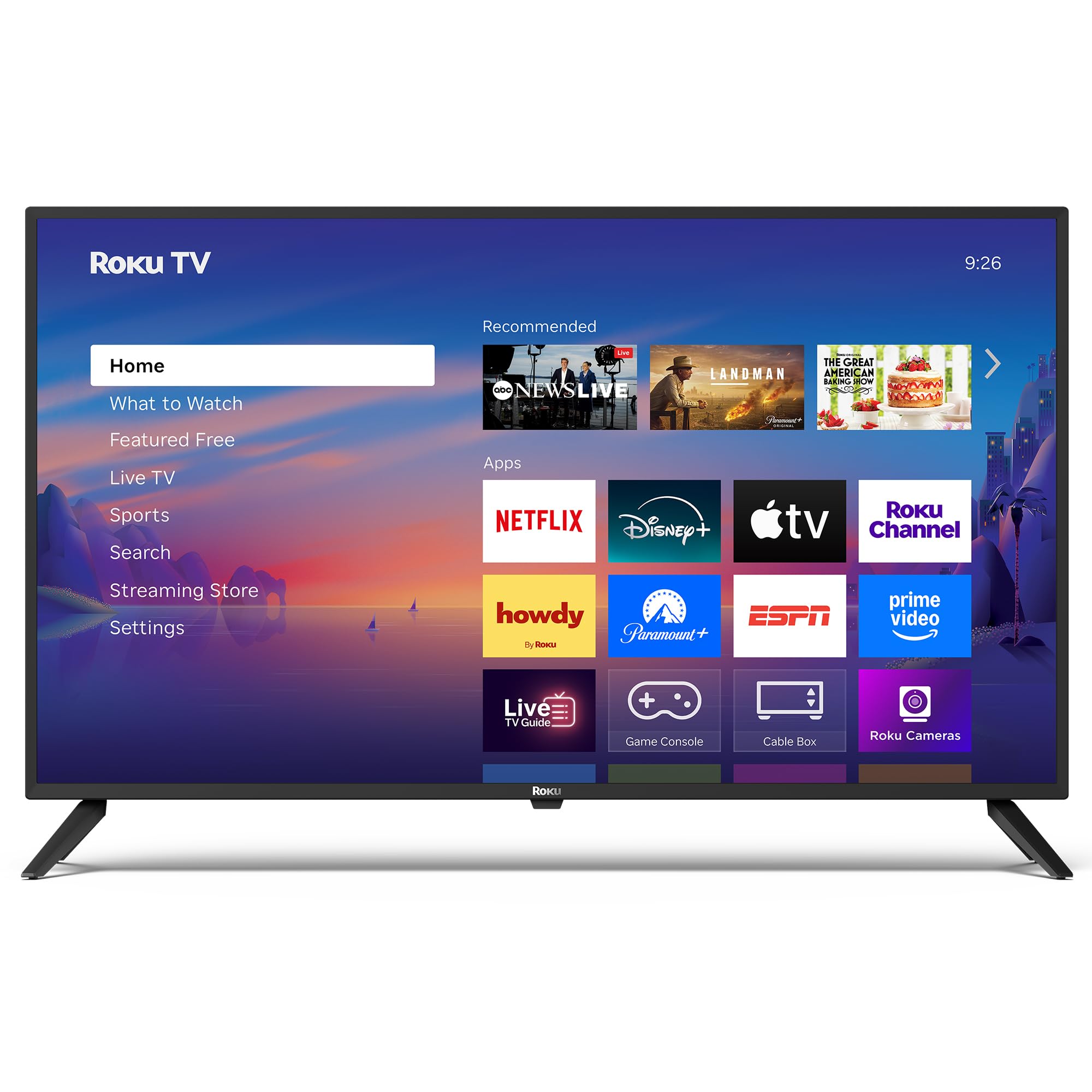
تصویر: سامنے view of the Roku 40" Select Series Full HD Smart TV.
2. باکس میں کیا ہے۔
- Roku 40” Select Series Full HD Smart TV
- Roku voice remote with batteries
- ٹی وی اسٹینڈز (2)
- Stand screws (4)
- صارف دستی (یہ دستاویز)

Image: Diagram illustrating the components included in the Roku TV package.
3. سیٹ اپ گائیڈ
3.1 ٹی وی اسٹینڈز کو منسلک کرنا
- ٹی وی اسکرین کو احتیاط سے نرم، صاف سطح پر رکھیں تاکہ خراشوں کو روکا جا سکے۔
- ہر ٹی وی اسٹینڈ کو ٹی وی کے نچلے حصے میں متعلقہ اسکرو ہولز کے ساتھ سیدھ میں رکھیں۔
- Insert the provided screws into the holes and tighten them securely with a screwdriver.
- Ensure both stands are firmly attached before proceeding.
3.2 کنیکٹنگ پاور اور ابتدائی سیٹ اپ
- Connect the power cord to the TV and then to a standard electrical outlet (100-240 VAC, 50-60 Hz).
- Insert the AAA batteries into the Roku voice remote.
- TV آن کرنے کے لیے ریموٹ پر پاور بٹن دبائیں۔
- اپنی زبان کو منتخب کرنے، اپنے Wi-Fi نیٹ ورک سے جڑنے، اور اپنا Roku اکاؤنٹ فعال کرنے کے لیے اسکرین پر دی گئی ہدایات پر عمل کریں۔
- The TV will guide you through adding your preferred streaming apps and setting up any connected devices.

تصویر: کلوز اپ view of the TV's side panel, showing various input ports like HDMI, USB, and antenna connection.
4. Operating Your Roku TV
4.1 ہوم اسکرین نیویگیشن
The Roku home screen provides a centralized hub for all your entertainment. Easily access streaming apps, connected devices (like game consoles or cable boxes), and free live TV channels. The interface is designed for quick and intuitive navigation using your Roku voice remote.

Image: The Roku TV home screen, showing a grid of streaming applications and input selections.
4.2 وائس ریموٹ کا استعمال
The included voice remote simplifies your TV experience. Use voice commands to search for movies, shows, or songs across thousands of streaming apps. Dedicated shortcut buttons provide instant access to popular services like Netflix, Disney+, and Apple TV. Volume controls are conveniently located on the side of the remote.

Image: Close-up of the Roku voice remote, highlighting the voice command button and dedicated app shortcuts.
4.3 تصویر اور آواز کی ترتیبات
The Roku TV delivers a bright, full HD picture with exceptional clarity. It features direct LED backlighting for better brightness and uniformity. Enhanced audio output is provided by built-in speakers. You can adjust picture modes, screen brightness, and other advanced settings through the TV's menu to optimize your viewتجربہ ہے.
4.4 اسمارٹ ہوم انٹیگریشن
The Roku TV is compatible with various smart home ecosystems, including Apple AirPlay 2, Apple Home, Alexa, and Google Home. This allows for integrated control and seamless interaction with your existing smart devices.

Image: Icons representing compatibility with various smart home platforms.
5 دیکھ بھال
To ensure the longevity and optimal performance of your Roku TV, follow these maintenance guidelines:
- سکرین کی صفائی: Use a soft, lint-free cloth specifically designed for electronics. Gently wipe the screen to remove dust and smudges. Avoid harsh chemicals or abrasive materials.
- باہر کی صفائی: Wipe the TV's exterior with a soft, dry cloth. Do not use liquid cleaners directly on the TV.
- وینٹیلیشن: Ensure the TV's ventilation openings are not blocked to prevent overheating. Maintain adequate space around the TV for air circulation.
- پاور مینجمنٹ: Unplug the TV from the power outlet during electrical storms or when it will be left unattended for long periods.
6 خرابیوں کا سراغ لگانا
If you encounter issues with your Roku TV, try the following basic troubleshooting steps:
- کوئی طاقت نہیں: Ensure the power cord is securely plugged into both the TV and the electrical outlet. Check if the outlet is functioning by plugging in another device.
- کوئی تصویر/آواز نہیں: Verify that the correct input source is selected on the TV. Check all cable connections (HDMI, AV, etc.) for looseness.
- ریموٹ جواب نہیں دے رہا ہے: Replace the batteries in the remote. Ensure there are no obstructions between the remote and the TV. Re-pair the remote if necessary (refer to the on-screen instructions during initial setup or the Roku support site).
- نیٹ ورک کنکشن کے مسائل: Restart your Wi-Fi router and modem. Go to the TV's network settings to reconnect to your Wi-Fi network.
- ایپ منجمد/کریشنگ: Restart the specific app. If the issue persists, restart the TV by unplugging it from the power outlet for 30 seconds and then plugging it back in.
For more detailed troubleshooting or persistent issues, visit the official Roku support webسائٹ
7. وضاحتیں
| فیچر | تفصیل |
|---|---|
| اسکرین کا سائز | 40 انچ |
| برانڈ | روکو |
| ماڈل نمبر | 40R2A5R |
| ڈسپلے ٹیکنالوجی | ایل ای ڈی |
| قرارداد | 1080p فل ایچ ڈی |
| ریفریش ریٹ | 60 Hz |
| آپریٹنگ سسٹم | روکو OS |
| خصوصی خصوصیات | Bezel-Less Design, Voice Remote |
| کنیکٹوٹی ٹیکنالوجی | HDMI، USB، Wi-Fi |
| کل HDMI پورٹس | 3 |
| Total USB 3.0 Ports | 1 |
| آڈیو آؤٹ پٹ وضع | بڑھا ہوا |
| کنٹرول کا طریقہ | ایپ کنٹرول، ریموٹ کنٹرول، وائس کنٹرول |
| Screen Mirroring Technology | AirPlay 2, Miracast |
| پروڈکٹ کے طول و عرض (D x W x H) | 8.7"D x 35.5"W x 22.6"H |
| Item Weight Without Stand | 11.2 پاؤنڈز |
| VESA ماؤنٹ سٹینڈرڈ | 200 x 100 ملی میٹر |
8. وارنٹی اور سپورٹ
8.1 محدود وارنٹی
Roku warrants the hardware of this device against defects in materials and workmanship under normal use for a period of one (1) year from the date of purchase ("Warranty Period"), provided it is used in accordance with the provided documentation. If a hardware defect is determined during the Warranty Period, Roku's sole obligation and your exclusive remedy will be to either repair or replace the unit with a new or rebuilt device, at Roku's option.
Important information about warranty returns and replacements is available on the Roku support site.
8.2 مصنوعات کی واپسی
You may return a device for any reason, subject to the terms of the applicable return policy:
- Within thirty (30) days from the date of purchase from Roku.
- Within the applicable return period if purchased from an authorized reseller or distributor.
Additional details regarding product returns can be found on the Roku support site.