
1. تعارف
This manual provides instructions for the assembly, setup, operation, and maintenance of the Weytoll Signal Generator Kit. This device is a DIY (Do-It-Yourself) kit designed to generate various waveforms including sine, square, triangular, and sawtooth waves, with an adjustable frequency range from 1Hz to 20MHz.
As this is a DIY kit, user assembly is required. Please read all instructions carefully before beginning assembly or operation.
2. حفاظتی معلومات
ہمیشہ درج ذیل حفاظتی تدابیر پر عمل کریں:
- بجلی کی فراہمی والیوم کو یقینی بنائیںtage مخصوص رینج (9V سے 15V DC) کے اندر ہے۔
- آلے کو گیلے یا ڈی میں نہ چلائیں۔amp حالات
- Avoid touching exposed circuit components when the device is powered on.
- Use appropriate tools and follow proper soldering techniques during assembly to prevent damage to components or injury.
- ڈیوائس کو بچوں سے دور رکھیں۔
3. پیکیج کے مشمولات
Verify that all components listed below are present in your kit. If any parts are missing or damaged, please contact customer support.
- 1x Signal Generator PCB (Printed Circuit Board)
- 1x Acrylic Casing Set (Top and Bottom panels, screws)
- Electronic Components (Resistors, Capacitors, ICs, Potentiometers, Connectors, etc.)
- 1x یوزر مینوئل (یہ دستاویز)
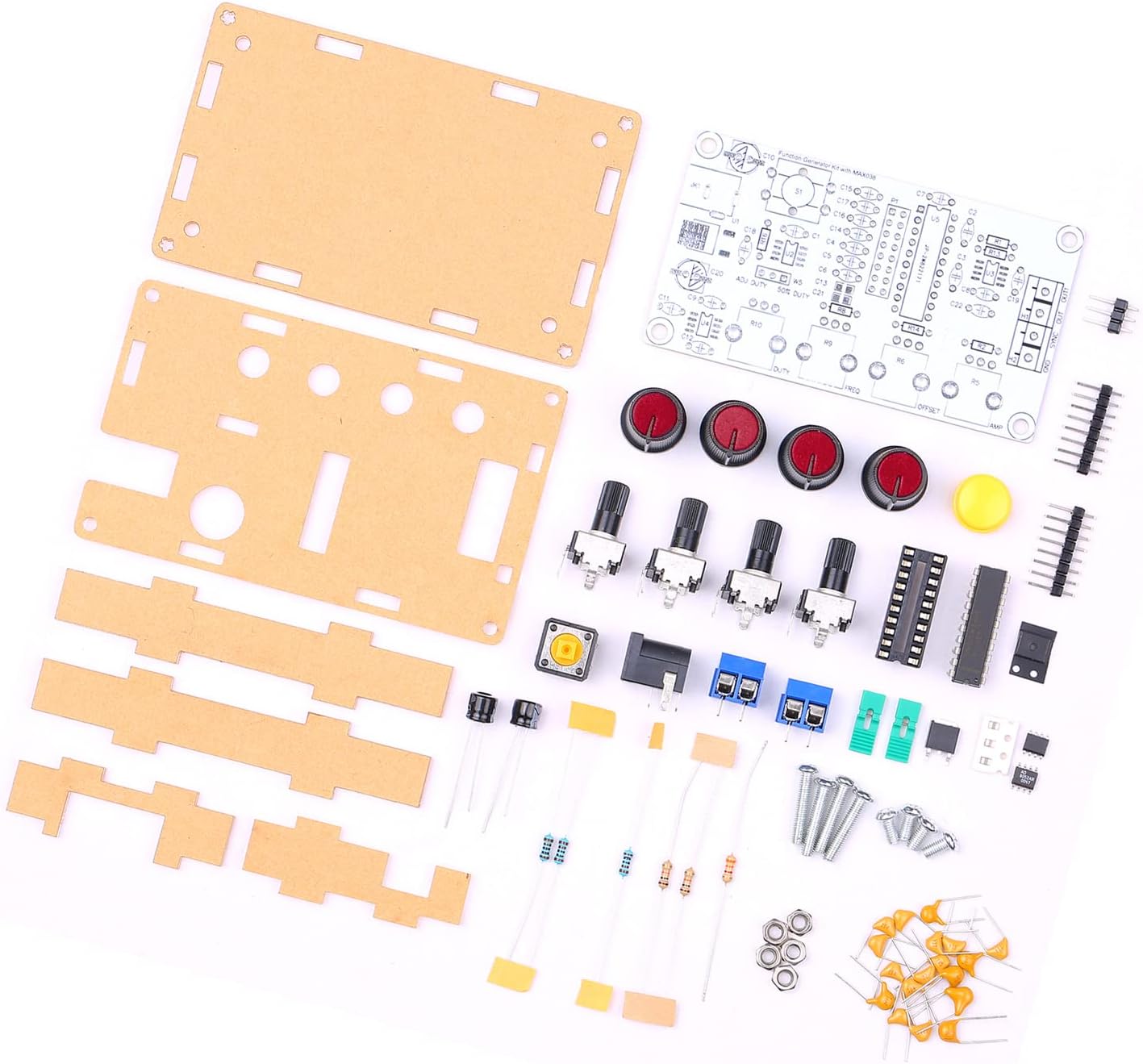
Figure 3.1: All components included in the Weytoll Signal Generator Kit.
4. اسمبلی کی ہدایات
Assembly of this kit requires basic soldering skills and tools (soldering iron, solder, wire cutters, multimeter recommended). Follow the steps below carefully.
- اجزاء کی شناخت: Before soldering, identify all components using the provided circuit diagram (if included, otherwise refer to component markings). Sort resistors by value, capacitors by type and value, and identify integrated circuits (ICs).
- Solder Smaller Components First: Begin by soldering the smallest components to the PCB, such as resistors and diodes, followed by capacitors, IC sockets (if using), and then the ICs themselves. Pay attention to polarity for diodes, electrolytic capacitors, and ICs.
- Install Larger Components: Solder the larger components like potentiometers, connectors (power jack, output terminals), and switches. Ensure they are flush with the PCB and correctly oriented.
- Verify Soldering: After all components are soldered, carefully inspect all solder joints for bridges, cold joints, or missing connections. Use a multimeter to check for continuity where appropriate.
- Assemble Acrylic Casing:
- Remove protective film from both sides of the acrylic panels.
- Attach the bottom acrylic panel to the PCB using the provided standoffs and screws.
- Align the top acrylic panel, ensuring all potentiometers, switches, and connectors fit through their respective openings. Secure with the remaining screws.
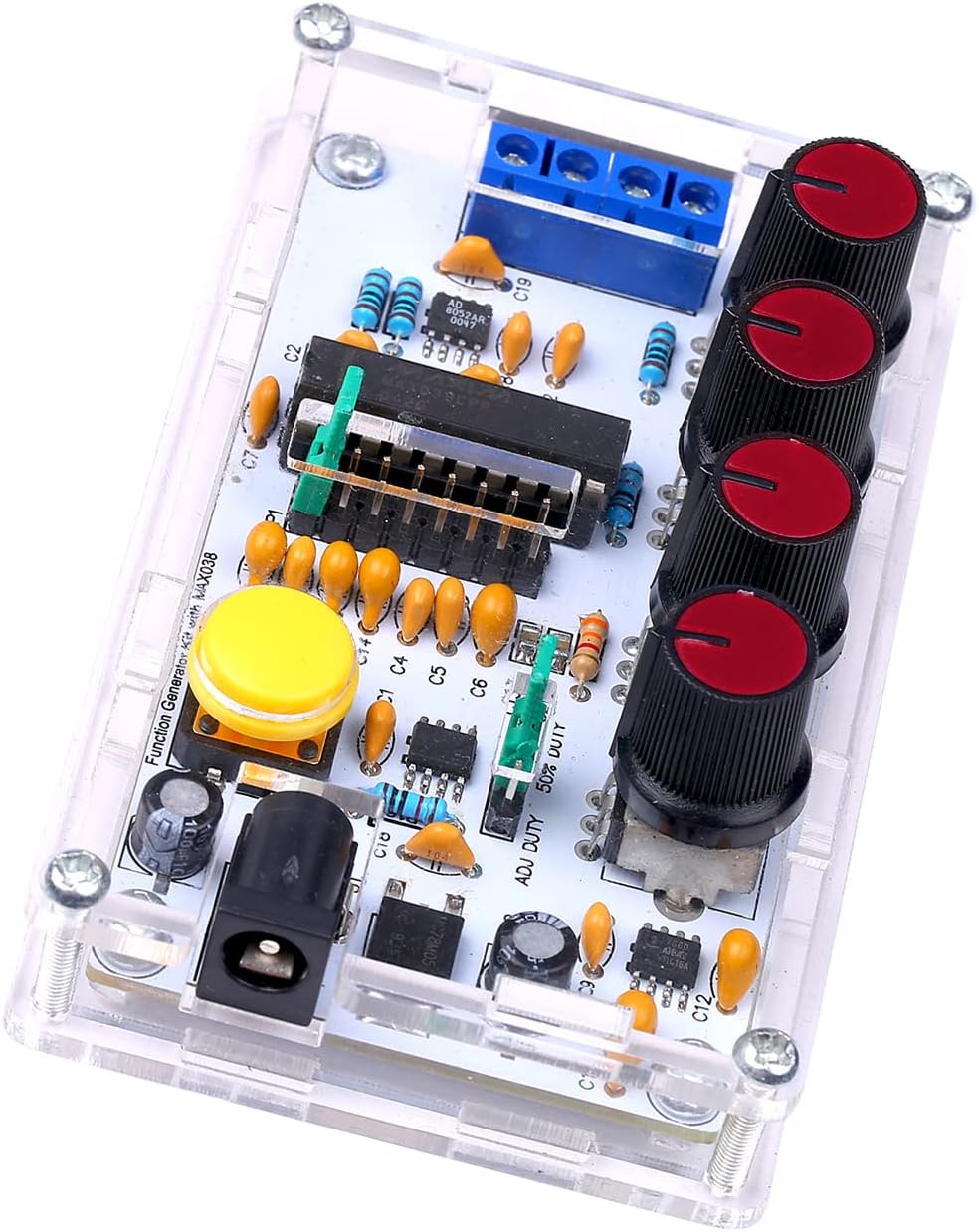
Figure 4.1: Fully assembled signal generator kit.
5. سیٹ اپ
Once assembled, follow these steps to set up your signal generator:
- پاور کنکشن: Connect a DC power supply (9V to 15V) to the power input jack. Ensure correct polarity.
- آؤٹ پٹ کنکشن: Connect the signal output (OUT) to your desired measurement device (e.g., oscilloscope, frequency counter) using appropriate cables. The SYNC OUT provides a synchronization signal.
- ابتدائی ترتیبات: Before powering on, set all potentiometer knobs to their center positions or minimum values to avoid unexpected outputs.
6. آپریٹنگ ہدایات
The Weytoll Signal Generator Kit allows for adjustment of frequency, duty cycle, DC offset, and amplitude. It can generate sine, square, triangular, and sawtooth waveforms.
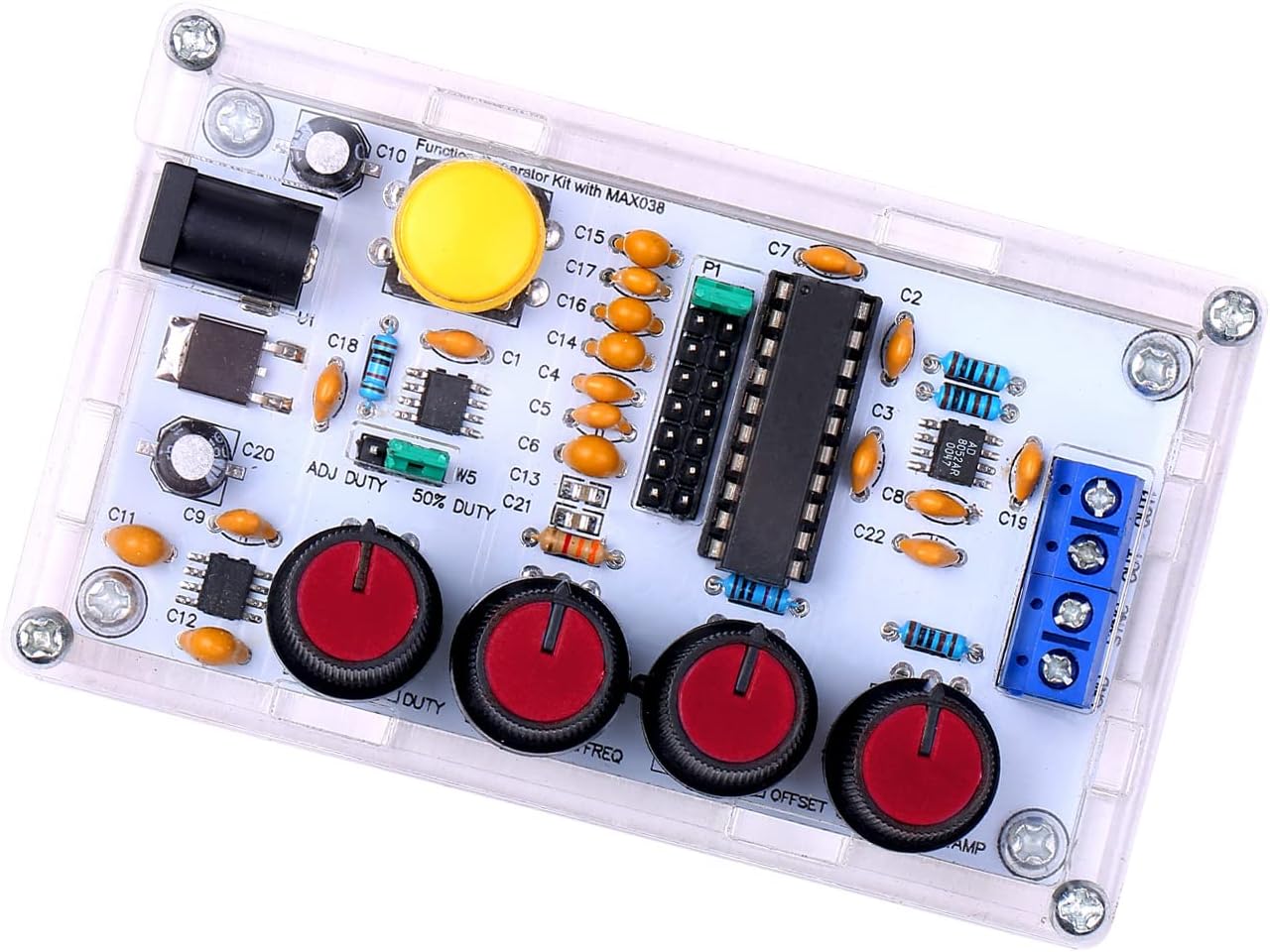
Figure 6.1: Control knobs for signal adjustment.
- Frequency Adjustment (FREQ): Use the FREQ knob to adjust the output frequency from 1Hz to 20MHz.
- Duty Cycle Adjustment (DUTY): Use the DUTY knob to adjust the duty cycle of square and sawtooth waves from 15% to 85%.
- DC Offset Adjustment (OFFSET): The OFFSET knob allows for adjusting the DC offset of the output signal from -5V to +5V.
- Amplitude Adjustment (AMP): استعمال کریں۔ AMP knob to adjust the peak-to-peak amplitude of the output signal from 0.1VPP to 9.5VPP (with a 9V operating voltagای).
- ویوفارم کا انتخاب: The kit supports output of triangular, square, sine, and forward/reverse sawtooth waves. Refer to the PCB markings or a detailed circuit diagram for specific waveform selection points or switches, if present.
- Synchronization Output (SYNC OUT): This terminal provides a synchronization signal, useful for triggering oscilloscopes or other external devices.
7 دیکھ بھال
The Weytoll Signal Generator Kit requires minimal maintenance:
- صفائی: آلے کو صاف اور دھول سے پاک رکھیں۔ صفائی کے لیے نرم، خشک کپڑا استعمال کریں۔ مائع کلینر استعمال نہ کریں۔
- ذخیرہ: Store the device in a dry, cool environment when not in use.
- معائنہ: Periodically inspect the connections and solder joints for any signs of wear or damage.
8 خرابیوں کا سراغ لگانا
If you encounter issues with your signal generator, refer to the following troubleshooting guide:
| مسئلہ | ممکنہ وجہ | حل |
|---|---|---|
| کوئی آؤٹ پٹ سگنل نہیں ہے۔ |
|
|
| Incorrect frequency/waveform |
|
|
| مسخ شدہ موج |
|
|
اگر ان حلوں کو آزمانے کے بعد بھی مسئلہ برقرار رہتا ہے، تو براہ کرم کسٹمر سپورٹ سے رابطہ کریں۔
9. وضاحتیں
The following are the technical specifications for the Weytoll Signal Generator Kit:
| پیرامیٹر | قدر |
|---|---|
| ماڈل نمبر | XXI0262789081113FJ |
| مواد | PCB + Acrylic |
| Frequency Adjustment Range | 1 ہرٹج ~ 20MHz |
| Duty Cycle Adjustment Range | 15% ~ 85% |
| Low Loss True Sine Wave | 0.75% |
| Triangular Wave Output Linearity | 0.1% |
| Low Impedance Output Buffer | 0.1Ω |
| Adjustable DC Offset | -5V ~ 5V |
| سایڈست آؤٹ پٹ Ampفضول | 0.1VPP ~ 9.5VPP (with 9V operating voltage) |
| پاور سپلائی آپریٹنگ والیومtage | 9V ~ 15V DC |
| درجہ حرارت بڑھے | 200 ppm/°C |
| آئٹم کے طول و عرض (L x W x H) | 99 x 59 x 32 ملی میٹر (3.90 x 2.32 x 1.26 انچ) |
| شے کا وزن | 82 گرام |
| پیکیج کے طول و عرض | 17.78 x 15.24 x 1.78 سینٹی میٹر (7 x 6 x 0.7 انچ) |
| پیکیج کا وزن | 89 گرام |

Figure 9.1: Physical dimensions of the signal generator.
10. وارنٹی اور سپورٹ
Warranty information for the Weytoll Signal Generator Kit is not explicitly provided in the product details. Please refer to your purchase documentation or contact the seller directly for warranty terms and conditions.
For technical support or inquiries regarding assembly and operation, please contact Weytoll customer service through the retailer's platform or their official website, if available.