
1. تعارف
خریداری کے لیے آپ کا شکریہasing the MUSE M-15 Alarm Clock Radio. This manual provides essential information for the safe and efficient operation of your device. Please read it thoroughly before use and retain it for future reference.
2. حفاظتی معلومات
- طاقت کا منبع: Use only the specified battery type (1 AA battery). Ensure correct polarity when inserting batteries.
- پانی اور نمی: Do not expose the device to water, rain, or excessive moisture. Avoid placing it near liquids.
- حرارت: آلے کو گرمی کے ذرائع جیسے ریڈی ایٹرز، ہیٹ رجسٹر، چولہے، یا دیگر آلات سے دور رکھیں (بشمول amplifiers) جو گرمی پیدا کرتی ہے۔
- صفائی: صرف خشک کپڑے سے صاف کریں۔ مائع کلینر یا ایروسول کلینر استعمال نہ کریں۔
- سروسنگ: اس پروڈکٹ کو خود پیش کرنے کی کوشش نہ کریں۔ تمام سروسز کو اہل سروس اہلکاروں کے حوالے کریں۔
- تصرف: Dispose of batteries and the device according to local regulations. Do not dispose of batteries in fire.
3. پروڈکٹ ختمview
Familiarize yourself with the components of your MUSE M-15 Alarm Clock Radio.
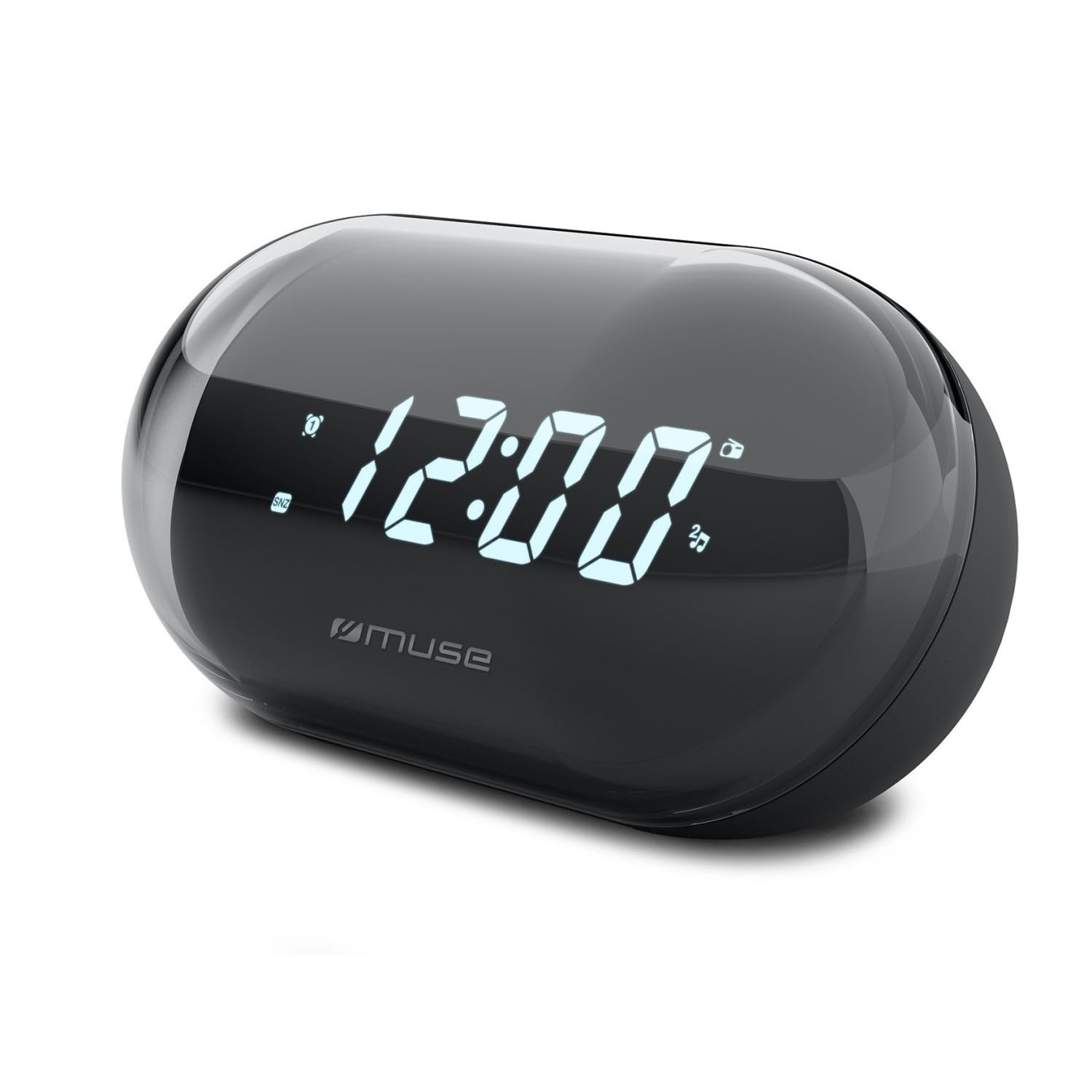
تصویر: سامنے view of the MUSE M-15 Alarm Clock Radio, showing the digital display and control buttons.
کنٹرول اور خصوصیات:
- ڈیجیٹل ڈسپلے: وقت، الارم کی حیثیت، اور ریڈیو فریکوئنسی دکھاتا ہے۔
- ٹائم سیٹ بٹن: Used to adjust the current time.
- الارم سیٹ بٹن: الارم کو سیٹ اور چالو/غیر فعال کرنے کے لیے استعمال کیا جاتا ہے۔
- Tuning Buttons (+/-): Used to adjust radio frequency.
- حجم کنٹرول: آڈیو آؤٹ پٹ لیول کو ایڈجسٹ کرتا ہے۔
- پاور / موڈ بٹن: Turns the device on/off and switches between radio and clock modes.
- اسنوز بٹن: الارم کو عارضی طور پر خاموش کر دیتا ہے۔
- بیٹری ٹوکری: Located on the back, for 1 AA battery.
4. سیٹ اپ
4.1 بیٹری کی تنصیب
- یونٹ کے پچھلے حصے میں بیٹری کی ٹوکری کا احاطہ تلاش کریں۔
- ٹوکری کو کھولنے کے لیے کور کو سلائیڈ کریں یا اوپر کریں۔
- Insert one (1) AA battery, ensuring the correct polarity (+ and -) matches the diagram inside the compartment.
- بیٹری کے کمپارٹمنٹ کور کو محفوظ طریقے سے تبدیل کریں۔
Note: The MUSE M-15 is battery-powered and does not require an external power adapter.
5. آپریٹنگ ہدایات
5.1 وقت کا تعین
- گھڑی کے موڈ میں ، دبائیں اور تھامیں ٹائم سیٹ بٹن جب تک گھنٹے کے ہندسے چمکنا شروع نہیں ہوتے۔
- استعمال کریں۔ Tuning Buttons (+/-) to adjust the hour. Press the ٹائم سیٹ بٹن دوبارہ گھنٹے کی تصدیق کرنے اور منٹوں میں منتقل کرنے کے لیے۔
- استعمال کریں۔ Tuning Buttons (+/-) to adjust the minutes. Press the ٹائم سیٹ بٹن وقت بچانے اور ٹائم سیٹنگ موڈ سے باہر نکلنے کے لیے ایک بار اور۔
5.2 الارم سیٹ کرنا۔
- دبائیں اور تھامیں۔ الارم سیٹ بٹن until the alarm hour digits begin to flash.
- استعمال کریں۔ Tuning Buttons (+/-) to adjust the alarm hour. Press the الارم سیٹ بٹن تصدیق کرنے اور منٹوں میں منتقل کرنے کے لیے دوبارہ۔
- استعمال کریں۔ Tuning Buttons (+/-) to adjust the alarm minutes. Press the الارم سیٹ بٹن one more time to save the alarm time.
- الارم کو فعال یا غیر فعال کرنے کے لیے، مختصر طور پر دبائیں۔ الارم سیٹ بٹن. چالو ہونے پر ڈسپلے پر ایک الارم آئیکن ظاہر ہوگا۔
5.3 Using the Radio
- دبائیں پاور/موڈ بٹن to switch to radio mode. The display will show the radio frequency.
- استعمال کریں۔ Tuning Buttons (+/-) to manually tune to your desired radio station.
- کا استعمال کرتے ہوئے حجم کو ایڈجسٹ کریں والیوم کنٹرول.
- ریڈیو کو بند کرنے کے لیے دبائیں پاور/موڈ بٹن again to return to clock mode or turn off the device.
5.4 اسنوز فنکشن۔
جب الارم بجتا ہے ، دبائیں۔ اسنوز بٹن to temporarily silence the alarm for a few minutes. The alarm will sound again after the snooze period ends.
6 دیکھ بھال
6.1 صفائی
Wipe the exterior of the device with a soft, dry cloth. Do not use abrasive cleaners, waxes, or solvents as they may damage the finish.
6.2 بیٹری کی تبدیلی
When the display dims or the device functions become erratic, it is time to replace the battery. Follow the battery installation steps in Section 4.1.
7 خرابیوں کا سراغ لگانا
| مسئلہ | ممکنہ وجہ | حل |
|---|---|---|
| ڈیوائس آن نہیں ہوتی۔ | بیٹری ختم ہو گئی ہے یا غلط طریقے سے ڈالی گئی ہے۔ | Replace the AA battery or check its polarity. |
| الارم نہیں بجتا ہے۔ | الارم چالو نہیں ہے یا والیوم بہت کم ہے۔ | Ensure the alarm icon is visible on the display. Increase the volume. |
| ریڈیو کا ناقص استقبال۔ | کمزور سگنل یا مداخلت۔ | Reposition the device or extend the antenna (if applicable). Try tuning to a stronger station. |
| Time/Alarm settings reset. | بیٹری کی طاقت بہت کم ہے۔ | AA بیٹری کو تبدیل کریں۔ |
8. وضاحتیں
- ماڈل: MUSE M-15
- پروڈکٹ کے طول و عرض (L x W x H): 15 x 3.81 x 10 سینٹی میٹر (5.9 x 1.5 x 3.9 انچ)
- وزن: 300 گرام (0.66 پونڈ)
- طاقت کا منبع: 1 ایکس اے اے بیٹری (شامل نہیں)
- ڈسپلے کی قسم: ڈیجیٹل
- خصوصیات: Alarm, Radio, Digital Time Display
- چڑھنے کی قسم: ٹیبل ماؤنٹ
9. وارنٹی اور سپورٹ
This product is covered by a standard manufacturer's warranty. For detailed warranty information, please refer to the warranty card included with your purchase or visit the official MUSE webسائٹ
For technical support, troubleshooting assistance, or spare parts inquiries, please contact MUSE customer service through their official webآپ کی مصنوعات کی پیکیجنگ میں فراہم کردہ سائٹ یا رابطے کی معلومات۔
Please have your model number (M-15) and purchase date available when contacting support.