
تعارف
Thank you for choosing the LIORQUE S7509 Projection Alarm Clock. This manual provides detailed instructions for setting up and operating your new device. Please read it carefully to ensure proper use and to fully utilize all features.
پیکیج کے مشمولات
پیک کھولنے پر، براہ کرم یقینی بنائیں کہ درج ذیل تمام اشیاء موجود ہیں:
- LIORQUE S7509 Projection Alarm Clock
- پاور اڈاپٹر
- USB پاور کیبل
- صارف دستی

Image: The LIORQUE S7509 Projection Alarm Clock, its power adapter, USB cable, and user manual are displayed next to the product box. Product dimensions are indicated as 18cm (7.1in) width, 9.8cm (3.9in) height, and 5cm (2in) depth.
مصنوعات کی خصوصیات ختمview
The LIORQUE S7509 Projection Alarm Clock is designed to enhance your daily routine with its versatile features:
- 180° Rotatable Projection: Project the time onto your ceiling or wall with adjustable brightness.
- بڑی ایل ای ڈی ڈسپلے: Clear time display with 4 adjustable brightness levels.
- دوہری الارم: Set two separate alarms for different schedules.
- ایف ایم ریڈیو: Enjoy your favorite radio stations with 15 preset memory slots and 15 adjustable volume levels.
- اسنوز فنکشن: Provides an extra 9 minutes of sleep.
- نیند ٹائمر: Automatically turns off the radio after a set duration (5-90 minutes).
- 12/24 گھنٹے کی شکل: Easily switch between time formats.
- بلٹ ان بیٹری: آپ کے دوران بیک اپ پاور کے لیےtages

Image: The LIORQUE S7509 Projection Alarm Clock is shown with its digital display set to 22:30. Surrounding icons highlight key features including 12/24 hour time, adjustable brightness, FM radio, snooze function, dual alarms, time projection, built-in battery, and a sleep timer.
سیٹ اپ کی ہدایات
1. پاور کنکشن
Connect the provided USB power cable to the alarm clock and plug the adapter into a standard wall outlet. The display will light up, indicating the device is powered on.

Image: The LIORQUE S7509 Projection Alarm Clock is shown on a bedside table, connected to a wall outlet via its power adapter. The clock displays 8:30, illustrating its readiness for use after power connection.
2. ابتدائی وقت کی ترتیب
- دبائیں اور تھامیں۔ وقت طے button (usually labeled with a clock icon) for 3 seconds to enter time setting mode.
- استعمال کریں۔ گھنٹہ اور منٹ buttons (often labeled with '+' and '-' or arrows) to adjust the current time.
- دبائیں وقت طے تصدیق اور باہر نکلنے کے لیے دوبارہ۔
3. 12/24 گھنٹے کی شکل
While in time setting mode, or by a dedicated button (refer to specific button labels on your device), you can toggle between 12-hour (with AM/PM indicator) and 24-hour formats.
آپریٹنگ ہدایات
1. الارم کی ترتیب
گھڑی دو آزاد الارم (الارم 1 اور الارم 2) کو سپورٹ کرتی ہے۔
- دبائیں اور تھامیں۔ الارم 1 or الارم 2 button for 3 seconds. The alarm time will flash.
- استعمال کریں۔ گھنٹہ اور منٹ مطلوبہ الارم کا وقت مقرر کرنے کے لیے بٹن۔
- دبائیں الارم وقت کی تصدیق کے لیے دوبارہ بٹن۔
- You can then select the alarm sound (buzzer or FM radio) and alarm volume.
- دبائیں الارم button one more time to save settings and activate the alarm. An alarm icon will appear on the display.

Image: Two LIORQUE S7509 Projection Alarm Clocks are displayed side-by-side. One shows an alarm set for 8:30, labeled 'Workday', and the other shows 10:00, labeled 'Weekend', demonstrating the dual alarm capability.
2. پروجیکشن فنکشن
The projector allows you to display the time on your ceiling or wall.
- فعال/غیر فعال کریں: دبائیں پروجیکشن button (often labeled with a projection icon) to turn the projection on or off.
- چمک کو ایڈجسٹ کریں: بار بار دبائیں پروجیکشن button to cycle through 3 brightness levels (Low, Medium, High) or turn it off.
- پروجیکشن کو گھمائیں: The projector lens can be physically rotated 180° to adjust the angle of the projected time.

Image: The LIORQUE S7509 Projection Alarm Clock is shown in a bedroom, projecting the time '22:30' onto the ceiling. Below, three smaller images illustrate the three adjustable brightness levels for the projection.

Image: The LIORQUE S7509 Projection Alarm Clock is depicted with its projection arm extended, casting the time '12:45' onto a nearby surface. This image demonstrates the adjustable angle and direction of the projection feature.
3. ڈسپلے چمک
Adjust the main display brightness to your preference.
- دبائیں ڈیمر button (or similar, often labeled with a sun icon) to cycle through 4 levels of display brightness.
- The levels typically range from brightest to off, allowing for comfortable viewدن ہو یا رات

Image: The LIORQUE S7509 Projection Alarm Clock shows the time 22:30. Below, four distinct panels illustrate the four adjustable levels of screen brightness, ranging from completely off to maximum illumination, allowing users to select the appropriate brightness for night vision.
4. ایف ایم ریڈیو
اپنے پسندیدہ ایف ایم ریڈیو اسٹیشنوں کو سنیں۔
- آن/آف کریں: دبائیں ریڈیو button to turn the FM radio on or off.
- خودکار اسکین: دبائیں اور تھامیں۔ ریڈیو button for 3 seconds to automatically scan and save up to 15 FM stations.
- Change Stations: استعمال کریں۔ پچھلا/اگلا buttons (or '+' and '-') to switch between saved stations.
- حجم کو ایڈجسٹ کریں: استعمال کریں۔ آواز +/- buttons to adjust the radio volume through 15 levels.

Image: The LIORQUE S7509 Projection Alarm Clock displays 'FM 7.84' on its screen, surrounded by graphic representations of radio waves indicating different FM frequencies (e.g., FM90.2, FM95.6, FM96.8, FM97.5, FM98.5). The image also highlights that the device can store 15 favorite radio stations and has 15 adjustable volume levels.
5 اسنوز فنکشن
جب الارم بجتا ہے تو بڑے کو دبائیں۔ اسنوز / لائٹ گھڑی کے اوپر بٹن. الارم 9 منٹ کے لیے رک جائے گا اور پھر دوبارہ بج جائے گا۔
6. نیند ٹائمر
سلیپ ٹائمر ریڈیو کو خود بخود بند ہونے سے پہلے ایک مقررہ مدت تک چلانے کی اجازت دیتا ہے۔
- جب ریڈیو چل رہا ہو، دبائیں۔ سونا button (or similar).
- بار بار دبائیں سونا button to cycle through preset sleep times (e.g., 5, 10, 15, 30, 60, 90 minutes).
- ریڈیو منتخب وقت کے بعد خود بخود بند ہو جائے گا۔
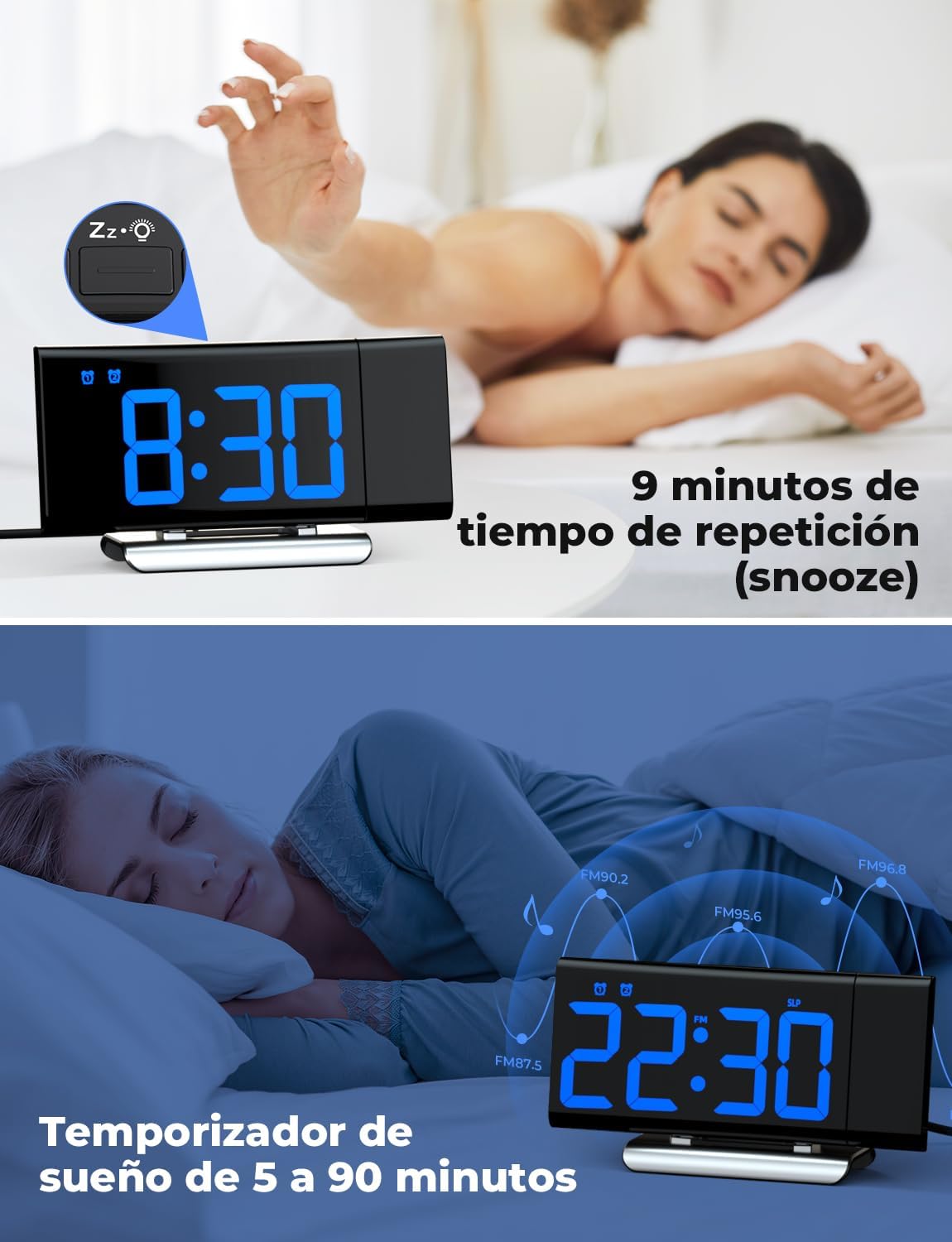
Image: The top section shows a person reaching for the snooze button on the LIORQUE S7509 Projection Alarm Clock, which displays 8:30, indicating a 9-minute snooze period. The bottom section features the clock displaying 22:30 with radio waves, illustrating the sleep timer function which can be set from 5 to 90 minutes, with a person sleeping peacefully in the background.
دیکھ بھال
To ensure the longevity and optimal performance of your LIORQUE S7509 Projection Alarm Clock, follow these simple maintenance guidelines:
- صفائی: Use a soft, dry cloth to wipe the surface of the clock. Do not use abrasive cleaners, solvents, or chemical sprays, as these can damage the finish and electronic components.
- دھول ہٹانا: Gently wipe the projector lens with a soft, lint-free cloth to maintain clear projection quality.
- جگہ کا تعین: گھڑی کو ایک مستحکم، ہموار سطح پر براہ راست سورج کی روشنی، گرمی کے ذرائع اور ضرورت سے زیادہ نمی سے دور رکھیں۔
- طاقت: Always use the provided power adapter. If the clock is not used for an extended period, you may unplug it. The built-in battery will retain settings for a short duration.
خرابی کا سراغ لگانا
If you encounter any issues with your alarm clock, please refer to the following common problems and solutions:
| مسئلہ | ممکنہ وجہ | حل |
|---|---|---|
| گھڑی کا ڈسپلے خالی ہے۔ | کوئی طاقت یا طاقت outage. | Ensure the power adapter is securely plugged into the clock and a working outlet. Check if the display brightness is set to 'off'. |
| پروجیکشن دھندلا یا غیر واضح ہے۔ | Incorrect focus or distance. | Adjust the distance of the clock from the projection surface. Ensure the projector lens is clean. |
| الارم نہیں بجتا ہے۔ | الارم چالو نہیں ہے یا حجم بہت کم ہے۔ | Verify that the alarm icon is displayed on the screen. Check the alarm volume setting. Ensure the alarm time is correctly set. |
| ناقص ایف ایم ریڈیو کا استقبال۔ | کمزور سگنل یا اینٹینا پوزیشن۔ | Extend the FM antenna fully. Reposition the clock to improve reception. |
| بٹن غیر جوابی ہیں۔ | سافٹ ویئر کی عارضی خرابی۔ | Unplug the power adapter for a few seconds, then plug it back in to reset the device. |
وضاحتیں
| فیچر | تفصیل |
|---|---|
| مصنوعات کے طول و عرض | 10.5 x 3.81 x 6.2 سینٹی میٹر؛ 340 گرام |
| ماڈل نمبر | S7509 |
| برانڈ | LIORQUE |
| رنگ | نیلا |
| ڈسپلے کی قسم | ڈیجیٹل |
| طاقت کا منبع | Both: Battery and AC power (with adapter) |
| شکل | مستطیل |
| استعمال | انڈور |
| فریم کا مواد | دھات |
| بیٹریاں شامل ہیں۔ | جی ہاں |
| چڑھنے کی قسم | ٹیبل ٹاپ |
| الارم گھڑی | جی ہاں |
| اشیاء کی تعداد | 1 |
وارنٹی اور سپورٹ
The LIORQUE S7509 Projection Alarm Clock comes with a manufacturer's warranty. For specific details regarding warranty coverage and duration, please refer to the warranty card included in your package or contact LIORQUE customer support.
If you require further assistance, have questions, or encounter issues not covered in this manual, please contact LIORQUE customer support. Contact information can typically be found on the product packaging, the official LIORQUE webسائٹ، یا اپنے خوردہ فروش کے ذریعے۔