
تعارف
The Vieta Pro Way 3 headphones are designed to provide a versatile audio experience with multiple connectivity options and features. This device supports Bluetooth wireless connection, an Aux-in port for wired use, an integrated microphone for hands-free communication, a dedicated gaming mode, and Dual Pairing functionality. With an impressive battery life of up to 50 hours, these headphones are suitable for extended listening sessions.
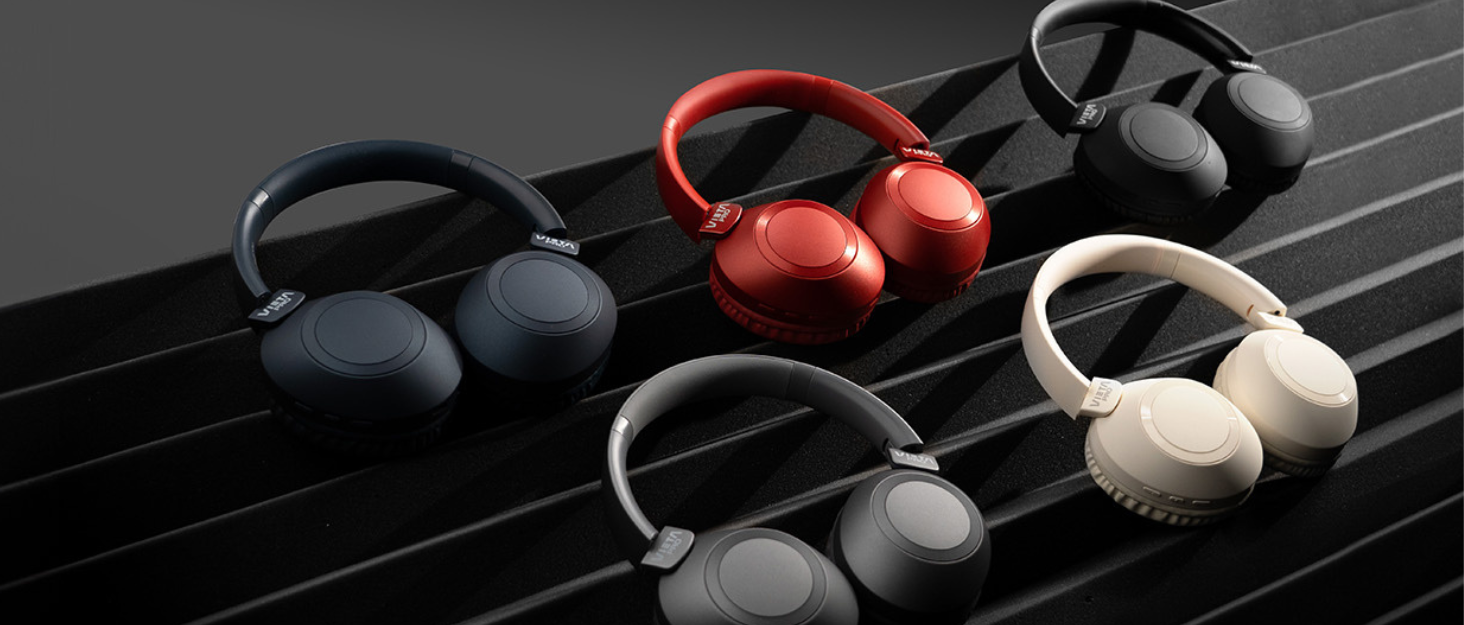
Image: Vieta Pro Way 3 headphones displayed in multiple color options.
سیٹ اپ
1. ہیڈ فون چارج کرنا
Before initial use, ensure the headphones are fully charged. The Vieta Pro Way 3 headphones support wireless charging. A full charge provides up to 50 hours of continuous playback.
- Connect the provided charging cable to the charging port on the headphones and to a compatible USB power source.
- Alternatively, place the headphones on a compatible wireless charging pad.
- The indicator light will show the charging status and turn off or change color once fully charged.
2. پر / آف پاور
- پاور آن کرنے کے لیے: پاور بٹن کو تقریباً 3 سیکنڈ تک دبائے رکھیں جب تک کہ اشارے کی روشنی روشن نہ ہو جائے۔
- پاور آف کرنا: پاور بٹن کو تقریباً 3 سیکنڈ تک دبائے رکھیں جب تک کہ اشارے کی روشنی بند نہ ہوجائے۔
3. بلوٹوت جوڑی بنانا
اپنے ہیڈ فون کو وائرلیس طریقے سے کسی ڈیوائس سے جوڑنے کے لیے:
- یقینی بنائیں کہ ہیڈ فون بند ہیں۔
- Press and hold the Power button for approximately 5-7 seconds until the indicator light flashes rapidly, indicating pairing mode.
- On your smartphone, tablet, or computer, enable Bluetooth and search for available devices.
- Select "Vieta Pro Way 3" from the list of found devices.
- Once connected, the indicator light will stop flashing and remain solid or flash slowly.
4. Aux-in Connection
For a wired connection, use a 3.5mm audio cable:
- ہیڈ فون پر 3.5mm آڈیو کیبل کے ایک سرے کو Aux-in پورٹ سے جوڑیں۔
- Connect the other end to the 3.5mm audio output of your audio source.
- The headphones will automatically switch to Aux-in mode when a cable is detected.
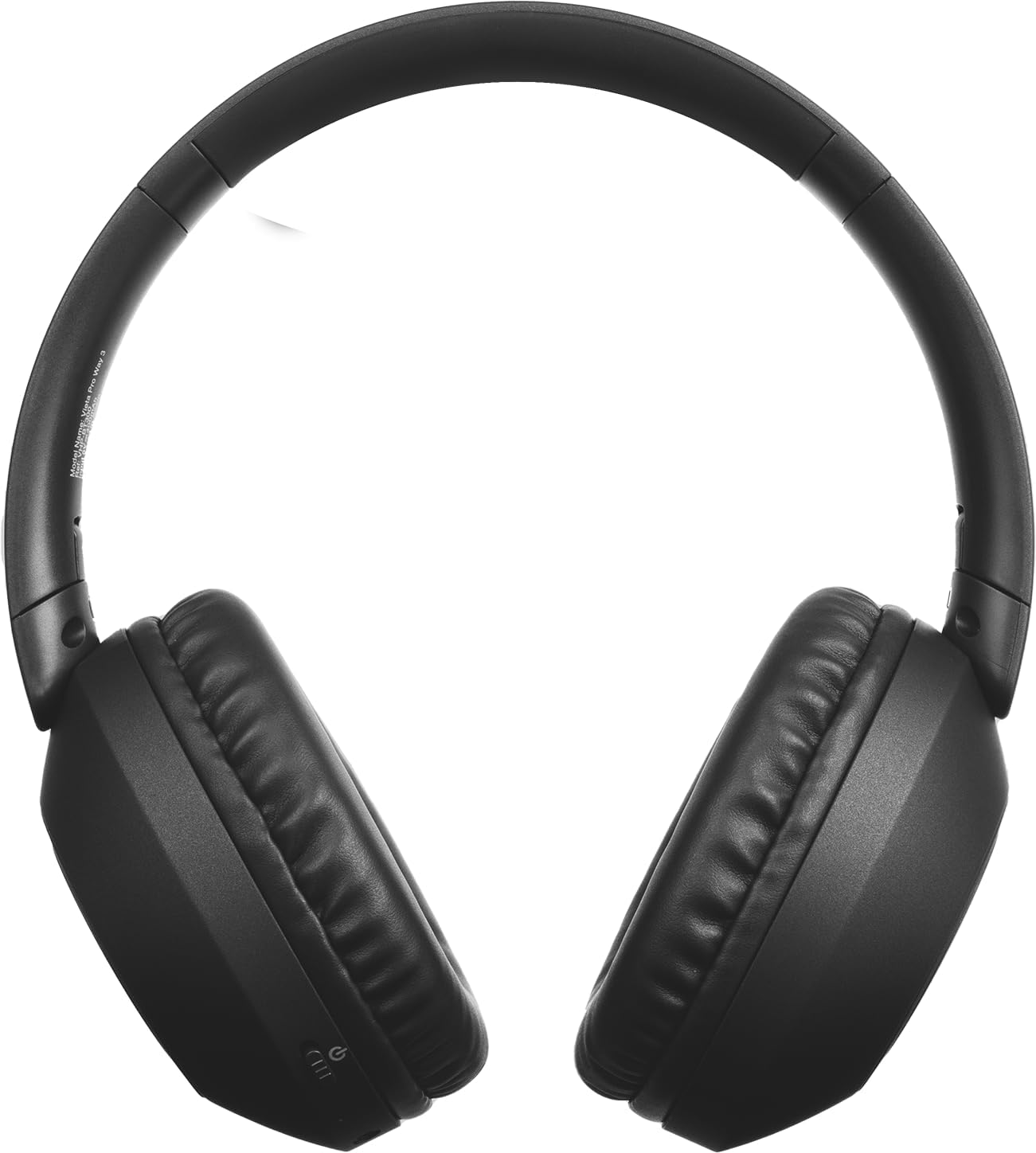
تصویر: سامنے view of the Vieta Pro Way 3 headphones, showing the earcups and headband.
آپریٹنگ ہدایات
1. میوزک پلے بیک۔
When connected via Bluetooth or Aux-in, you can control your music:
- چلائیں/روکیں: ایک بار ملٹی فنکشن بٹن دبائیں۔
- اگلا ٹریک: والیوم اپ بٹن کو دبائیں اور تھامیں۔
- پچھلا ٹریک: والیوم ڈاؤن کے بٹن کو دبائے رکھیں۔
- اواز بڑھایں: والیوم اپ بٹن کو مختصر طور پر دبائیں۔
- آواز کم: والیوم ڈاؤن بٹن کو مختصراً دبائیں۔
2. کال مینجمنٹ۔
The integrated microphone allows for hands-free calls when connected via Bluetooth:
- جواب / کال ختم کریں: ایک بار ملٹی فنکشن بٹن دبائیں۔
- کال مسترد کریں: ملٹی فنکشن بٹن کو 2 سیکنڈ تک دبائے رکھیں۔
- آواز معاون: Double-press the Multi-function button to activate your device's voice assistant.
3. گیمنگ موڈ
Activate the dedicated gaming mode for optimized audio performance during gameplay, reducing latency and enhancing sound effects.
- گیمنگ موڈ کو چالو کریں: Refer to the specific button or gesture indicated in the quick start guide for your model. (Typically a dedicated button or a long press on a volume button).
4 دوہری جوڑی
The Dual Pairing feature allows the Vieta Pro Way 3 headphones to connect to two different Bluetooth devices simultaneously. This enables seamless switching between audio sources without the need to disconnect and re-pair.
- Pair the headphones with your first device following the Bluetooth Pairing instructions.
- Disconnect Bluetooth on the first device temporarily.
- ہیڈ فون کو اپنے دوسرے آلے کے ساتھ جوڑیں۔
- پہلے ڈیوائس پر بلوٹوتھ کو دوبارہ فعال کریں۔ ہیڈ فون اب دونوں ڈیوائسز سے منسلک ہونا چاہیے۔
- Audio will play from the active source, and you can switch by pausing one and playing the other.

Image: A person wearing the Vieta Pro Way 3 headphones, demonstrating comfortable use.
دیکھ بھال
1. صفائی
- ہیڈ فون کو نرم، خشک، لنٹ فری کپڑے سے صاف کریں۔
- Do not use abrasive cleaners, solvents, or strong chemicals, as these may damage the surface or internal components.
- کسی بھی سوراخ میں نمی حاصل کرنے سے گریز کریں۔
2. ذخیرہ
- ہیڈ فونز کو ٹھنڈی، خشک جگہ پر، براہ راست سورج کی روشنی اور انتہائی درجہ حرارت سے دور رکھیں۔
- When not in use for extended periods, store them in their protective case (if included) to prevent dust and damage.
3. بیٹری کی دیکھ بھال
- To prolong the lifespan of the battery, avoid fully discharging the headphones frequently.
- Charge the headphones regularly, even if not in frequent use.
خرابی کا سراغ لگانا
1. کوئی آواز نہیں
- یقینی بنائیں کہ ہیڈ فون آن اور چارج ہیں۔
- ہیڈ فونز اور منسلک ڈیوائس دونوں پر والیوم لیول چیک کریں۔
- Verify that the headphones are properly paired via Bluetooth or securely connected via the Aux-in cable.
- Try restarting both the headphones and the audio source device.
2. جوڑا بنانے کے مسائل
- Ensure the headphones are in Bluetooth pairing mode (indicator light flashing rapidly).
- اپنے آلے پر بلوٹوتھ کو غیر فعال اور دوبارہ فعال کریں۔
- Move the headphones closer to your device to ensure a strong signal.
- Clear previous Bluetooth connections from your device's Bluetooth settings and try pairing again.
3. چارجنگ کے مسائل
- Verify that the charging cable is securely connected to both the headphones and the power source, or that the headphones are correctly placed on the wireless charging pad.
- Ensure the power source (USB adapter, computer port, wireless charger) is functional.
- Check the charging port on the headphones for any debris that might obstruct the connection.
وضاحتیں
| برانڈ | ویٹا پرو |
| ماڈل | راستہ 3 |
| فارم فیکٹر | Over-ear (Headband) |
| کنیکٹوٹی ٹیکنالوجی | Wireless (Bluetooth), Wired (Aux-in) |
| وائرلیس کمیونیکیشن | بلوٹوتھ |
| بیٹری کی زندگی | 50 گھنٹے تک (پلے بیک) |
| خصوصی خصوصیات | Wireless Charging, Built-in Microphone, Gaming Mode, Dual Pairing |
| کارخانہ دار | فریماسن آڈیو ایس اے |
| ASIN | B0CRL99NBD |
نوٹ: وضاحتیں بغیر اطلاع کے تبدیل کی جاسکتی ہیں۔
وارنٹی اور سپورٹ
For detailed warranty information, product registration, or technical assistance, please refer to the official Vieta Pro website or contact their customer support directly. It is recommended to retain your purchase receipt as proof of purchase for any warranty claims.
- سرکاری Webسائٹ: وزٹ کریں۔ www.vietapro.com (or relevant regional site) for support resources.
- کسٹمر سروس: Contact information can typically be found on the official webسائٹ