
1. تعارف
The SMSL DO300EX is a versatile MQA DAC, Bluetooth 5.1 balanced headphone amplifier, and preamplifier designed for high-fidelity audio systems. It integrates advanced audio technologies to deliver exceptional sound performance across various input and output options.
This manual provides detailed instructions for setting up, operating, and maintaining your DO300EX to ensure optimal performance and longevity.
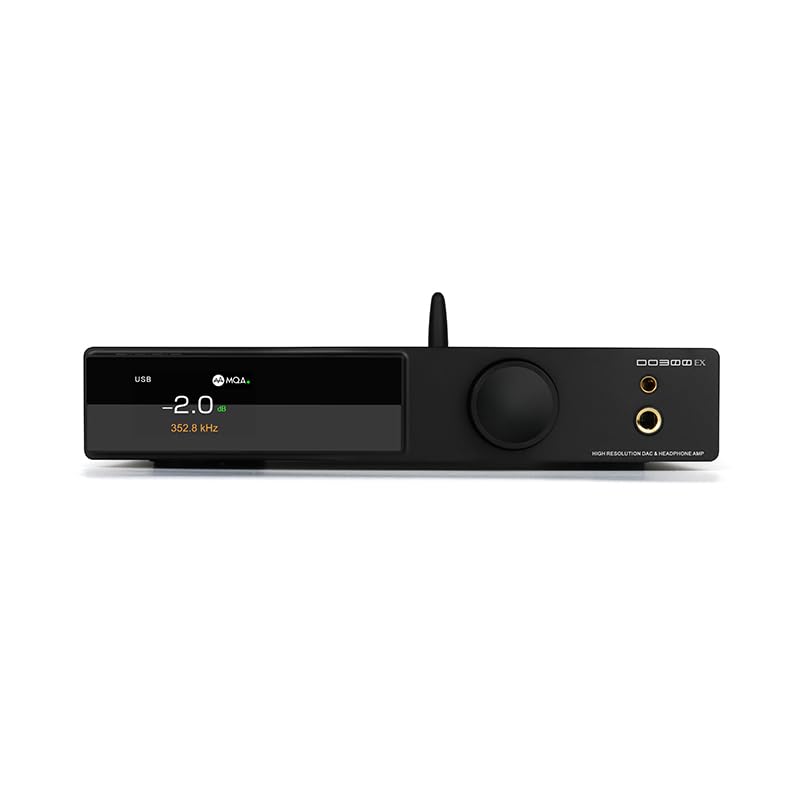
Figure 1: SMSL DO300EX MQA DAC Headphone Ampلائفائر پریamplifier with included remote control.
2. کلیدی خصوصیات
- Advanced DAC Chips: Equipped with AK4191+AK4499EX and XMOS XU-316 chips, supporting up to 32bit/768kHz PCM and DSD512.
- MQA & MQA-CD Decoding: Full support for MQA and MQA-CD audio signal decoding, restoring original studio sound quality.
- ایک سے زیادہ آدانوں: Features USB, optical, coaxial, and I2S inputs for broad compatibility with various audio sources.
- ورسٹائل آؤٹ پٹ: Offers 4.4mm and 6.35mm headphone outputs, alongside balanced XLR and RCA line outputs.
- اعلی معیار کا ڈسپلے: Suspended display window with tempered glass, full-laminated color IPS display, and DOP independent display function.
- پریمیم اجزاء: Constructed with chamfered high-grade aluminum, 9 high-end dual op amps, audiophile components, and a self-developed CK-03 clock processing circuit for reduced jitter.
- بلوٹوتھ 5.1: Integrated Qualcomm Bluetooth 5.1 chip supporting LDAC 24bit/96kHz, APTX-HD, SBC, and AAC codecs.

شکل 2: ختمview of the SMSL DO300EX highlighting its core features and technologies.
3. سیٹ اپ گائیڈ
3.1 پیک کھولنا اور ابتدائی معائنہ
Carefully remove the DO300EX from its packaging. Inspect the unit for any signs of damage. Ensure all accessories are present:
- SMSL DO300EX Unit
- AC پاور کیبل۔
- USB کیبل
- ریموٹ کنٹرول
- بلوٹوتھ اینٹینا
- صارف دستی
- وارنٹی کارڈ

Figure 3: Included accessories for the SMSL DO300EX.
3.2 Connecting Audio Sources and Outputs
The DO300EX offers a wide range of input and output options. Refer to the diagram below for proper connection guidance.

Figure 4: Detailed diagram of the input and output ports on the SMSL DO300EX, illustrating connections to various audio devices.
- ان پٹ: Connect your digital audio sources (PC, CD/DVD player, TV, other audio devices) to the USB, Optical, Coaxial, or I2S input ports. For Bluetooth, ensure the antenna is connected and pair your mobile device.
- ہیڈ فون آؤٹ پٹس: Use the 4.4mm balanced or 6.35mm single-ended jacks on the front panel for headphones.
- لائن آؤٹ پٹس: پاور سے جڑیں۔ amplifier or active speakers using the balanced XLR or unbalanced RCA outputs on the rear panel.
- طاقت: Connect the AC power cable to the DC 12V input on the rear panel and then to a power outlet.
4. آپریٹنگ ہدایات
4.1 فرنٹ پینل کنٹرولز
The front panel features a multi-functional knob and an IPS display for intuitive control and status monitoring.
- ملٹی فنکشنل نوب: This knob controls volume, input selection, and menu settings. Rotate to adjust volume or navigate menus. Press to confirm selections or switch inputs.
- آئی پی ایس ڈسپلے: Shows current volume level, active input, sampling rate, and other operational parameters. Supports DOP independent display for decoding format.
- ہیڈ فون جیکس: 4.4mm balanced and 6.35mm single-ended outputs for direct headphone connection.

Figure 5: Front panel design of the SMSL DO300EX, highlighting the display and multi-functional knob.
4.2 ریموٹ کنٹرول
شامل ریموٹ کنٹرول فاصلے سے تمام افعال تک آسان رسائی فراہم کرتا ہے۔

Figure 6: Layout of the full-function remote control for the SMSL DO300EX.
- پاور آن/آف: یونٹ کو آن یا آف کرتا ہے۔
- حجم +/-: آؤٹ پٹ والیوم کو ایڈجسٹ کرتا ہے۔
- ان پٹ سلیکٹ: دستیاب ان پٹ ذرائع کے ذریعے سائیکل۔
- مینو/ٹھیک ہے: Accesses the menu and confirms selections.
- خاموش کریں: آڈیو آؤٹ پٹ کو خاموش یا غیر خاموش کرتا ہے۔
- FN (مینو میں وضاحت کریں): مرضی کے مطابق فنکشن بٹن۔
4.3 MQA Playback
The DO300EX supports MQA and MQA-CD decoding. Ensure your audio source is providing a genuine MQA-CD signal and that the fiber optic or coaxial signal output by the CD player is unprocessed source code for optimal MQA experience.

Figure 7: MQA-CD decoding is supported via Coaxial and Optical inputs, ensuring high-quality audio playback.
5. وضاحتیں
| فیچر | تفصیل |
|---|---|
| ماڈل | DO300EX |
| ڈی اے سی چپس | AK4191 + AK4499EX |
| USB چپ | XMOS XU-316 |
| USB ایسampلنگ ریٹ | پی سی ایم 32 بٹ / 768 کلو ہرٹز ، ڈی ایس ڈی 512 |
| آپٹیکل/کواکسیئل ایسampلنگ ریٹ | PCM 24bit/192kHz |
| ان پٹ | USB, Optical, Coaxial, I2S |
| ہیڈ فون آؤٹ پٹس | 4.4 ملی میٹر متوازن، 6.35 ملی میٹر سنگل اینڈڈ |
| لائن آؤٹ پٹس | XLR Balanced, RCA Unbalanced |
| بلوٹوتھ ورژن | 5.1 (LDAC, APTX-HD, SBC, AAC) |
| Headphone Output Power (4.4mm) | 2570mW x 2 (32Ω/THD+N < 1%) |
| Headphone Output Power (6.35mm) | 640mW x 2 (32Ω/THD+N < 1%) |
| ڈائنامک رینج (XLR) | 132dB |
| ڈائنامک رینج (RCA) | 127dB |
| THD+N (XLR) | 0.00006% (-124dB) |
| بجلی کی کھپت | <20W |
| اسٹینڈ بائی پاور | <0.5W |

Figure 8: Comprehensive product parameters and specifications for the SMSL DO300EX.
6 دیکھ بھال
To ensure the longevity and optimal performance of your SMSL DO300EX, follow these maintenance guidelines:
- صفائی: Use a soft, dry cloth to clean the exterior of the unit. Avoid using harsh chemicals or abrasive materials, which can damage the finish.
- وینٹیلیشن: اس بات کو یقینی بنائیں کہ یونٹ زیادہ گرم ہونے سے بچنے کے لیے ہوادار جگہ پر رکھا گیا ہے۔ وینٹیلیشن کے کسی بھی سوراخ کو مسدود نہ کریں۔
- بجلی بند: Always power off the unit and disconnect it from the power source before cleaning or when not in use for extended periods.
- ماحولیات: یونٹ کو انتہائی درجہ حرارت، نمی یا براہ راست سورج کی روشنی کے سامنے لانے سے گریز کریں۔
7 خرابیوں کا سراغ لگانا
If you encounter any issues with your DO300EX, please refer to the following common troubleshooting steps:
- کوئی طاقت نہیں:
- Check if the power cable is securely connected to both the unit and the power outlet.
- یقینی بنائیں کہ پاور آؤٹ لیٹ فعال ہے۔
- کوئی آواز آؤٹ پٹ نہیں:
- Verify that the correct input source is selected on the DO300EX.
- Check all audio cable connections (USB, Optical, Coaxial, I2S, XLR, RCA, headphone jacks).
- یقینی بنائیں کہ والیوم خاموش نہیں ہے یا بہت کم سیٹ ہے۔
- Confirm that your connected headphones or speakers are working correctly.
- مسخ شدہ آواز:
- Check the quality of your audio source and cables.
- ایس کو یقینی بنائیںampling rate settings on your source device match the capabilities of the DO300EX.
- Reduce the volume level to check if distortion is due to overdriving.
- بلوٹوتھ کنکشن کے مسائل:
- یقینی بنائیں کہ بلوٹوتھ اینٹینا مناسب طریقے سے انسٹال ہے۔
- Verify that Bluetooth is enabled on your source device and the DO300EX is in pairing mode.
- آلہ کا جوڑا ختم کرنے اور دوبارہ جوڑا بنانے کی کوشش کریں۔
اگر ان اقدامات پر عمل کرنے کے بعد بھی مسئلہ برقرار رہتا ہے، تو براہ کرم کسٹمر سپورٹ سے رابطہ کریں۔
8. وارنٹی اور سپورٹ
The SMSL DO300EX comes with a 12 ماہ کی وارنٹی from the date of purchase. Additionally, the product can be returned within 30 دن from the date of purchase if you are not satisfied.
For any questions or technical assistance, our customer service team provides 24 گھنٹے آن لائن سپورٹ. Please feel free to contact us through the official channels provided with your product or on the manufacturer's webسائٹ
9. پروڈکٹ ویڈیوز
No official product videos specifically for the SMSL DO300EX were found from the seller in the provided data. The available videos are for a different product (Fosi Audio ZH3) and are therefore not included in this manual to maintain relevance and accuracy.