
تعارف
Welcome to the Ozobot Evo Entry Kit instruction manual. This guide provides essential information for setting up, operating, and maintaining your Ozobot Evo interactive coding robot. The Evo Entry Kit is designed to introduce users to coding and STEAM (Science, Technology, Engineering, Arts, Math) concepts through both screen-free color codes and online programming with Ozobot Blockly.
Please read this manual thoroughly to ensure proper use and to maximize your learning experience with the Ozobot Evo.
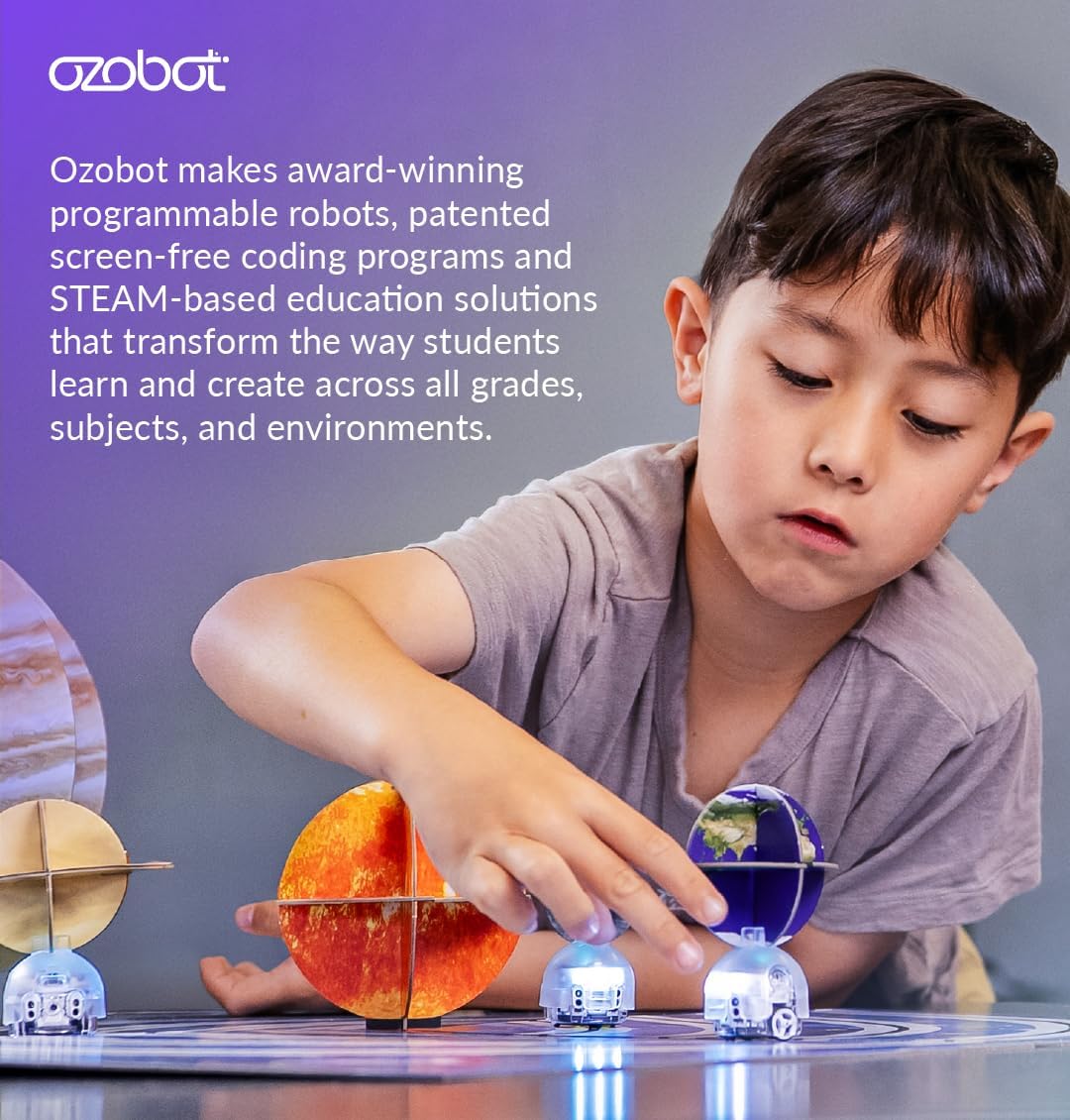
تصویر 1: A child engaging with Ozobot Evo robots in an educational setting.
کیا شامل ہے۔
The Ozobot Evo Entry Kit contains the following components:
- 1 Ozobot Evo robot
- 1 چارج کیبل
- 5 Dual-Tip Color Code Markers
- 1 Zip Case for storage
- Get Started activities guide
- Access to over 700 free lessons covering STEAM, CS, and core subjects

تصویر 2: The Ozobot Evo Entry Kit contents, neatly arranged in its zip case.
سیٹ اپ
1. Charging the Evo Robot
Before first use, fully charge your Ozobot Evo robot.
- Connect the small end of the charging cable to the charging port on the Evo robot.
- چارجنگ کیبل کے USB سرے کو USB پاور اڈاپٹر (شامل نہیں) یا کمپیوٹر کے USB پورٹ سے مربوط کریں۔
- The Evo's LED lights will indicate charging status. A full charge typically takes approximately 60 minutes.
- مکمل چارج ہونے کے بعد، کیبل کو منقطع کریں۔
2 ابتدائی انشانکن
Calibrating your Evo ensures accurate line following and color code recognition.
- Turn on the Evo robot by pressing the power button.
- Place the Evo on a white surface or the calibration card provided in the Get Started activities.
- Hold the Evo steady until its lights flash, indicating successful calibration.

تصویر 3: The Ozobot Evo robot being held, ready for initial setup or play.
آپریٹنگ ہدایات
1. Screen-Free Coding with Color Codes
Ozobot Evo can be programmed using specific color sequences drawn with the provided markers.
- Use the dual-tip Color Code Markers to draw lines and color codes on a white surface.
- Ensure lines are thick enough for the Evo's sensors to detect (approximately 1/4 inch or 6mm).
- Place the Evo on a drawn line. The robot will follow the line and execute commands based on the color codes it encounters.
- Experiment with different color code sequences to make Evo perform various actions like speed changes, turns, and special moves. Refer to the Get Started guide for a list of color codes.

تصویر 4: An Ozobot Evo robot navigating a path drawn with color code markers.
2. Online Coding with Ozobot Blockly
For more advanced programming, connect your Evo to Ozobot Blockly via a compatible device (tablet or computer).
- Download the Ozobot Evo app or visit the Ozobot Blockly website on your device.
- Ensure your Evo robot is charged and turned on.
- Follow the on-screen instructions to pair your Evo with the device via Bluetooth.
- Use the drag-and-drop block-based coding interface to create programs for your Evo. Ozobot Blockly offers five skill levels, from beginner to master.
- Upload your code to the Evo and observe its actions.

تصویر 5: Demonstrating the two primary methods of coding the Ozobot Evo: screen-free with color codes and online with Ozobot Blockly.

تصویر 6: The Ozobot Classroom interface, providing access to a wide range of educational lessons and activities.
خصوصیات
The Ozobot Evo robot is equipped with several features to enhance the coding and play experience:
- آپٹیکل سینسر: Located on the bottom, these sensors read lines and color codes.
- Proximity Sensors: Allow Evo to detect objects and react to its environment.
- بلٹ ان اسپیکر: Provides audio feedback and sounds.
- ایل ای ڈی لائٹس: Customizable lights for visual feedback and expression.
- بلوٹوتھ کنیکٹیویٹی: Enables wireless connection to compatible devices for Ozobot Blockly programming (up to 30 ft. range).
- Strong Polycarbonate Shell: Durable construction for extended use.
- ریچارج ایبل لیپو بیٹری: Provides power for operation.

تصویر 7: تفصیلی view of the Ozobot Evo's internal and external features.
دیکھ بھال
To ensure the longevity and optimal performance of your Ozobot Evo:
- صفائی: Gently wipe the Evo's exterior with a dry, soft cloth. Avoid using liquids or abrasive cleaners. Ensure the optical sensors on the bottom are clean for accurate line detection.
- ذخیرہ: Store the Evo robot and accessories in the provided zip case when not in use to protect them from dust and damage.
- بیٹری کی دیکھ بھال: Recharge the battery regularly. Avoid completely draining the battery for extended periods. If storing for a long time, charge the battery to about 50% before storage.
- مارکر کی دیکھ بھال: Keep the caps on the Color Code Markers when not in use to prevent them from drying out.
- سافٹ ویئر اپ ڈیٹس: Periodically check for firmware updates for your Evo robot through the Ozobot Evo app or Ozobot Blockly website to ensure you have the latest features and improvements.
خرابی کا سراغ لگانا
| مسئلہ | ممکنہ وجہ | حل |
|---|---|---|
| Evo is not turning on. | کم یا ختم ہونے والی بیٹری۔ | Charge the Evo robot using the provided charging cable. |
| Evo is not following lines or reading color codes correctly. |
|
|
| Evo is not connecting via Bluetooth. |
|
|
| Color Code Markers are dry. | Caps were left off or markers are old. | Ensure caps are always replaced after use. Replace markers if they are dried out. |
وضاحتیں
- مصنوعات کے طول و عرض: 8.5 x 6.5 x 1.8 انچ
- آئٹم کا وزن: 15.5 اونس
- تجویز کردہ عمر: 5 سال اور اس سے اوپر
- بیٹری: 1 Lithium Ion battery (rechargeable)
- کنیکٹوٹی: Bluetooth (30 ft. range)
- سینسر: Optical, Proximity
- شیل مواد: Strong Polycarbonate
سپورٹ اور وارنٹی
For additional support, resources, and frequently asked questions, please visit the official Ozobot webسائٹ
Information regarding product warranty can typically be found on the manufacturer's official webسائٹ یا مصنوعات کی پیکیجنگ کے اندر۔ وارنٹی کے دعووں کے لیے براہ کرم اپنی خریداری کا ثبوت اپنے پاس رکھیں۔