
1. تعارف
Thank you for choosing the Zeblaze Crystal 3 Smartwatch. This manual provides essential information for setting up, operating, maintaining, and troubleshooting your device. Please read it carefully to ensure proper use and optimal performance.
2. پروڈکٹ ختمview
The Zeblaze Crystal 3 is a versatile smartwatch designed for fitness tracking and daily use. It features a vibrant HD color display and high-precision sensors to monitor various health metrics.
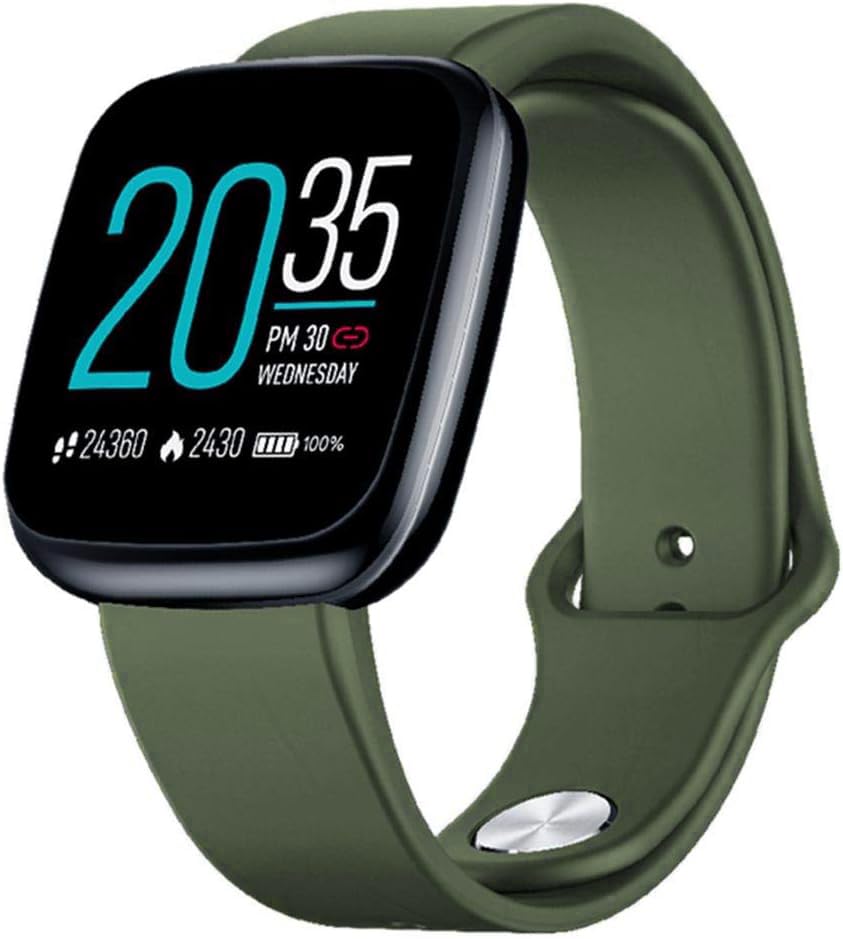
Image: Zeblaze Crystal 3 Smartwatch, showing the main display and green strap.
اہم خصوصیات:
- 1.3-inch HD Color Screen: A vibrant IPS display with 240x240 pixel resolution for clear visuals.
- اعلی صحت سے متعلق سینسر: Equipped with a heart rate sensor, proximity sensor, and accelerometer for accurate data collection.
- IP67 پانی کی مزاحمت: Designed to withstand daily water exposure, such as splashes and rain.
- لمبی بیٹری کی زندگی: Up to 7 days of use on a single 2-hour charge, thanks to its 200 mAh battery.
- سرگرمی سے باخبر رہنا: Monitors steps, distance, calories burned, and supports various sports modes.
- صحت کی نگرانی: Includes heart rate and sleep tracking.
- اسمارٹ فون کی مطابقت: Works with Android 4.4 or newer and iOS 8.0 or newer devices.
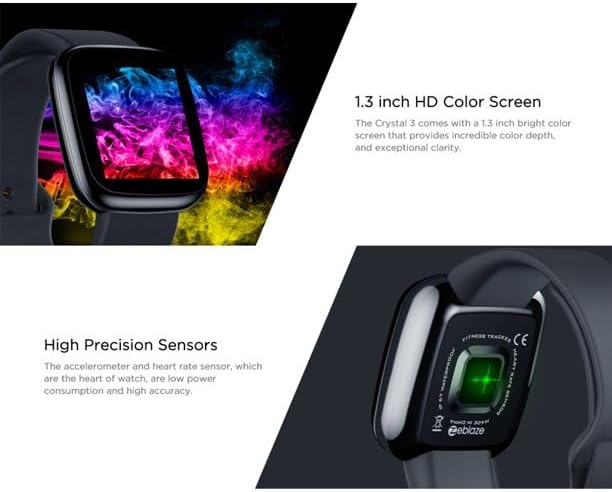
Image: Close-up of the 1.3-inch HD color screen and the high-precision heart rate sensor on the back of the watch.
3. سیٹ اپ
3.1 اسمارٹ واچ کو چارج کرنا
Before first use, fully charge your Zeblaze Crystal 3. Connect the charging cable to the watch's charging port and a USB power source (e.g., computer USB port or a 5V/1A USB adapter). A full charge typically takes about 2 hours.
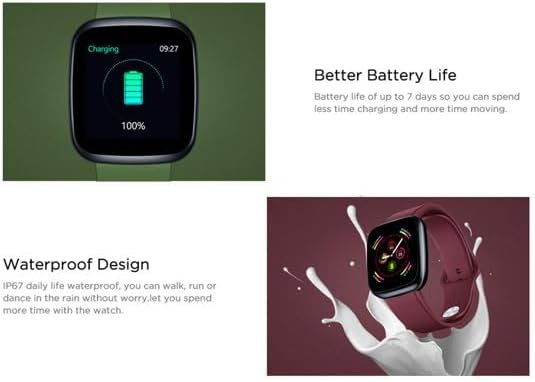
Image: Illustration showing how to connect the smartwatch to a USB port for charging.
3.2 ایپ انسٹال کرنا اور جوڑا بنانا
- ایپ ڈاؤن لوڈ کریں: تلاش کریں۔ the official Zeblaze companion app on your smartphone's app store (Google Play Store for Android or Apple App Store for iOS).
- اکاؤنٹ بنائیں: ایپ کھولیں اور اکاؤنٹ بنانے یا لاگ ان کرنے کے لیے اسکرین پر دی گئی ہدایات پر عمل کریں۔
- جوڑا آلہ: Ensure Bluetooth is enabled on your smartphone. In the app, navigate to the device pairing section and select "Zeblaze Crystal 3" from the list of available devices. Confirm the pairing request on both your phone and the smartwatch.
- پروfile سیٹ اپ: اپنے ذاتی پیشہ کو مکمل کریں۔file within the app to ensure accurate tracking of health and fitness data.
4. آپریٹنگ ہدایات
4.1 بنیادی نیویگیشن
- ویک اسکرین: Raise your wrist or press the side button to wake the screen.
- اوپر/نیچے سوائپ کریں: اطلاعات یا فوری ترتیبات تک رسائی حاصل کریں۔
- بائیں/دائیں سوائپ کریں: Navigate through different functions and widgets (e.g., heart rate, activity data, weather).
- تھپتھپائیں: ایک آئٹم منتخب کریں یا کسی عمل کی تصدیق کریں۔
- لانگ پریس: On the main watch face, long press to change watch faces.
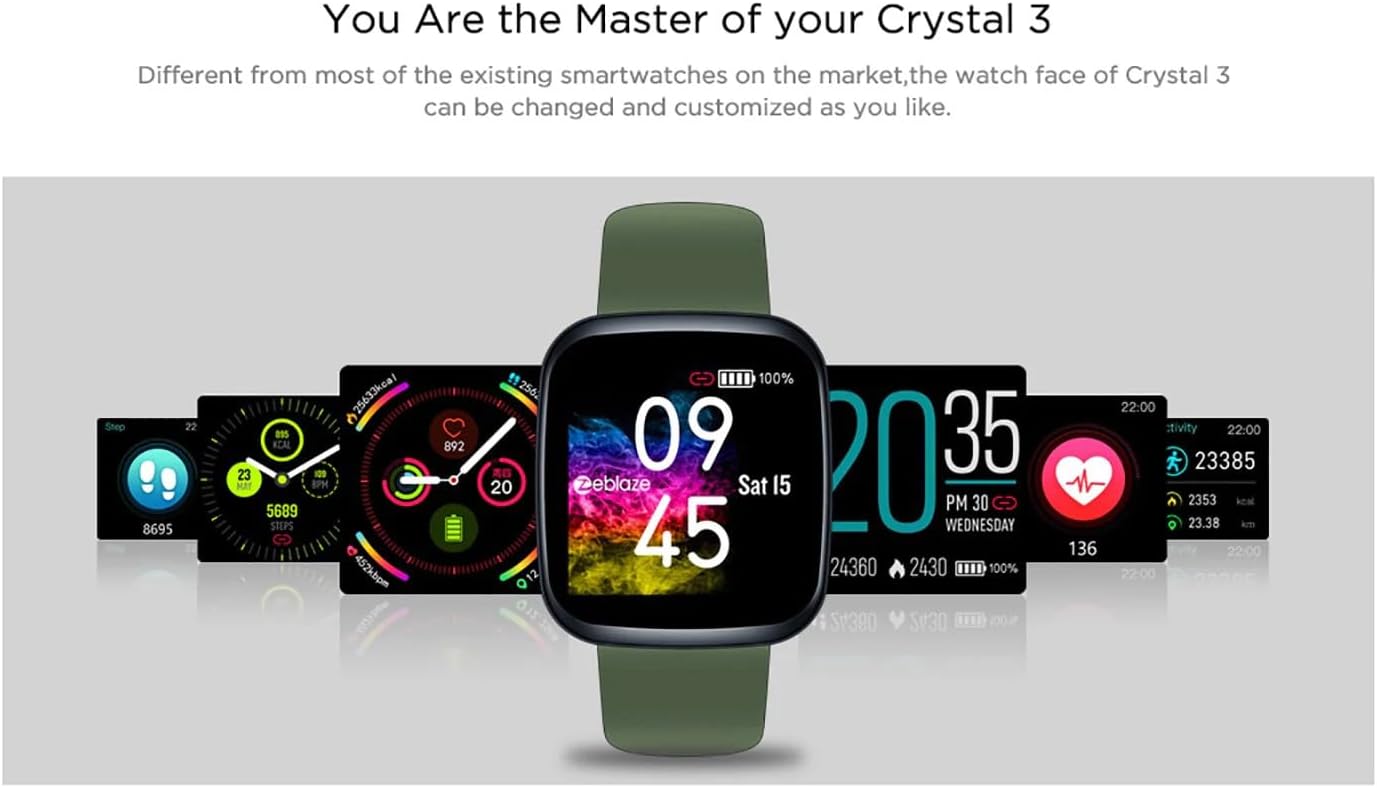
Image: The Zeblaze Crystal 3 displaying different customizable watch faces and data screens.
4.2 سرگرمی سے باخبر رہنا
The smartwatch automatically tracks your daily steps, distance, and calories burned. You can view this data directly on the watch or in more detail within the companion app.
4.3 دل کی دھڑکن کی نگرانی
The built-in heart rate sensor continuously monitors your heart rate. Ensure the watch is worn snugly on your wrist for accurate readings. View your current and historical heart rate data in the app.
4.4 نیند کی نگرانی
Wear the smartwatch to bed to track your sleep patterns. The device records sleep duration and quality, which can be reviewed in the app to help you understand and improve your sleep habits.
5 دیکھ بھال
5.1 ڈیوائس کی صفائی
Regularly clean your smartwatch and strap to prevent skin irritation and maintain functionality. Use a soft, damp سکرین اور پٹا مسح کرنے کے لئے کپڑا. سخت کیمیکلز یا کھرچنے والے مواد کے استعمال سے پرہیز کریں۔
5.2 پانی کی مزاحمت (IP67)
The Zeblaze Crystal 3 is IP67 water-resistant, meaning it is protected against dust and can withstand immersion in water up to 1 meter for up to 30 minutes. It is suitable for daily use, such as washing hands, rain, or light splashes. It is not recommended for swimming, showering with hot water, or diving.

Image: Illustration highlighting the waterproof design of the Zeblaze Crystal 3 Smartwatch.
5.3 بیٹری کی دیکھ بھال
- انتہائی درجہ حرارت سے بچیں، جو بیٹری کی زندگی کو کم کر سکتا ہے۔
- لمبے عرصے تک ڈیوائس کو مکمل طور پر ڈسچارج نہ ہونے دیں۔
- صرف فراہم کردہ چارجنگ کیبل یا تصدیق شدہ مساوی استعمال کریں۔
6 خرابیوں کا سراغ لگانا
6.1 ڈیوائس آن نہیں ہو رہی ہے۔
- یقینی بنائیں کہ ڈیوائس پوری طرح سے چارج ہے۔ اسے چارجر سے کم از کم 30 منٹ تک جوڑیں۔
- Try pressing and holding the side button for 10-15 seconds to force a restart.
6.2 اسمارٹ فون کے ساتھ جوڑا بنانے سے قاصر ہے۔
- Make sure Bluetooth is enabled on your phone and the smartwatch is within range.
- اپنے اسمارٹ فون اور اسمارٹ واچ دونوں کو دوبارہ شروع کریں۔
- چیک کریں کہ آیا ایپ کو تازہ ترین ورژن میں اپ ڈیٹ کیا گیا ہے۔
- Forget the device from your phone's Bluetooth settings and try pairing again through the app.
6.3 Inaccurate Heart Rate/Activity Data
- اس بات کو یقینی بنائیں کہ گھڑی آپ کی کلائی پر اچھی طرح سے پہنی ہوئی ہے، زیادہ تنگ یا زیادہ ڈھیلی نہیں۔
- گھڑی کے پیچھے سینسر کو صاف کریں۔
- Update the smartwatch firmware via the companion app if an update is available.
7. وضاحتیں
| فیچر | تفصیل |
|---|---|
| برانڈ | زیبلیز |
| ماڈل کا نام | کرسٹل 3 |
| ڈسپلے | 1.3 انچ آئی پی ایس کلر اسکرین |
| قرارداد | 240*240 پکسلز |
| سینسر | Heart Rate Sensor, Proximity Sensor, Accelerometer |
| پانی کی مزاحمت | آئی پی 67 |
| بیٹری کی صلاحیت | 200 ایم اے ایچ |
| چارج کرنے کا وقت | تقریبا 2 گھنٹے |
| بیٹری کی زندگی | 7 دن تک |
| مطابقت | Android 4.4+ / iOS 8.0+ |
| طول و عرض | 4.05 x 3.55 x 1.2 سینٹی میٹر (1.59 x 1.39 x 0.47 انچ) |
| وزن | 27 گرام (0.95 اونس) |
| کنیکٹوٹی | Bluetooth (for app pairing), USB (for charging) |
| خصوصی خصوصیات | Activity Tracker, Heart Rate Monitor, Sleep Monitor |
8. وارنٹی اور سپورٹ
For warranty information and customer support, please refer to the documentation included with your purchase or visit the official Zeblaze website. If you encounter any issues not covered in this manual, please contact Zeblaze customer service for assistance.