
1. تعارف
Thank you for choosing the EasySMX T37 Wireless Switch Pro Controller. This manual provides detailed instructions for setting up, operating, maintaining, and troubleshooting your controller. Please read this manual carefully before use to ensure optimal performance and longevity of your device. This controller is compatible with Nintendo Switch, Switch Lite, and Switch OLED consoles.
2. پروڈکٹ ختمview
The EasySMX T37 is a wireless gamepad designed for an enhanced gaming experience on Nintendo Switch systems. It features an ergonomic design, dual turbo vibration, and 6-axis gyro motion control.

تصویر 2.1: سامنے view of the EasySMX T37 Wireless Switch Pro Controller, showcasing its ergonomic shape and button layout.
3. سیٹ اپ
3.1 Pairing with Nintendo Switch
- اپنے نینٹینڈو سوئچ کنسول کو آن کریں۔
- ہوم مینو سے ، منتخب کریں کنٹرولرز > گرفت / آرڈر کو تبدیل کریں۔.
- On the EasySMX T37 controller, press and hold the SYNC بٹن (located on the top edge of the controller) for 3 seconds until the LED indicators start flashing rapidly.
- Once the controller is successfully paired, the player LED(s) on the bottom of the controller will light up solid.
3.2 کنٹرولر کو چارج کرنا
Connect the provided USB-C charging cable to the USB-C port on the controller and the other end to a USB power source (e.g., Switch dock, USB wall adapter, computer USB port). The LED indicators will show charging status and turn off when fully charged.
4. آپریٹنگ ہدایات
4.1 بنیادی کنٹرولز
The controller features standard button layouts for Nintendo Switch compatibility:
- A/B/X/Y بٹن: ایکشن بٹن۔
- ڈی پیڈ: دشاتمک ان پٹ۔
- بائیں/دائیں اینالاگ اسٹکس: نقل و حرکت اور کیمرہ کنٹرول۔
- L/R/ZL/ZR بٹن: کندھے اور ٹرگر بٹن۔
- ہوم بٹن: Returns to the Switch HOME Menu.
- CAPTURE Button: اسکرین شاٹس لیتا ہے۔
- PLUS (+) / MINUS (-) Buttons: فنکشن شروع/منتخب کریں۔

Image 4.1: A user holding the EasySMX T37 controller, demonstrating the comfortable grip and accessible button placement during gameplay.
4.2 ٹربو فنکشن
The Turbo function allows for rapid, automatic pressing of a button, useful in action or arcade games.
- ٹربو کو چالو کریں: Press and hold the desired action button (A/B/X/Y/L/R/ZL/ZR), then press the ٹربو بٹن (T button). The button will now auto-fire.
- ٹربو رفتار کو ایڈجسٹ کریں: منعقد کرتے ہوئے ٹربو بٹنمنتقل کریں Right Analog Stick Up or Down to cycle through three speeds: 5 shots/s, 12 shots/s, and 20 shots/s.
- Deactivate Turbo: Repeat the activation step (hold the action button, then press the Turbo button) or press and hold the ٹربو بٹن for 5 seconds to clear all Turbo settings.
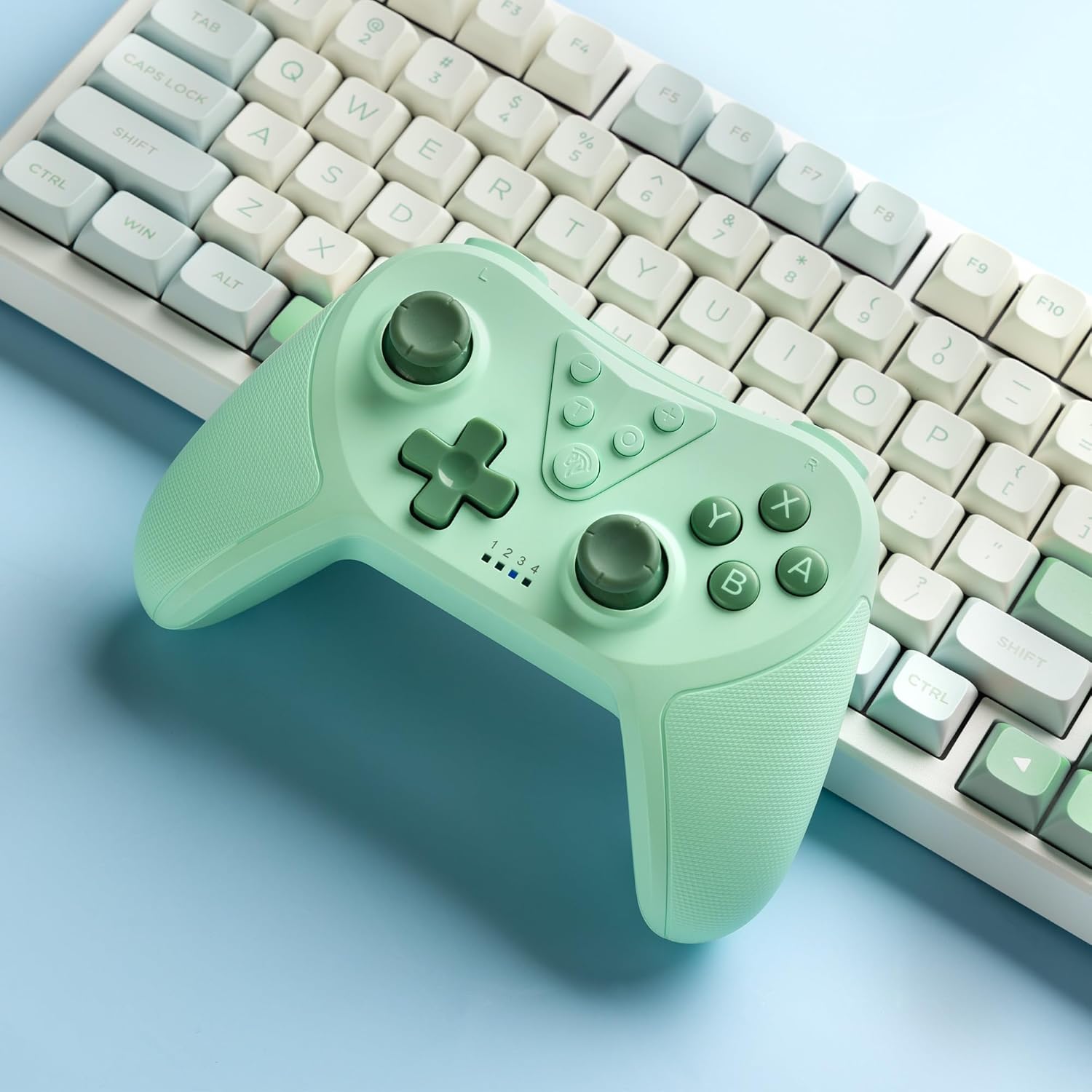
Image 4.2: Illustration of the Turbo function on the EasySMX T37 controller, showing the three adjustable speeds: 5, 12, and 20 shots per second.
4.3 وائبریشن ایڈجسٹمنٹ
The controller features dual motors for adjustable vibration feedback, enhancing immersion in games.
- کمپن کی شدت کو ایڈجسٹ کریں: دبائیں اور تھامیں۔ ٹربو بٹن، پھر منتقل کریں۔ Left Analog Stick Up or Down to cycle through four vibration levels: 0% (off), 30%, 70%, and 100%.

Image 4.3: Visual representation of the Dual Vibration feature on the EasySMX T37 controller, indicating four intensity levels from 0% to 100%.
4.4 6-Axis Gyro Motion Control
The built-in 6-axis gyroscope provides precise motion sensing, allowing for intuitive control in games that support motion input.

Image 4.4: Illustration depicting the 6-Axis Gyro Motion Control feature of the EasySMX T37 controller, showing how it interacts with a game on the Nintendo Switch screen.
5 دیکھ بھال
- صفائی: کنٹرولر کو صاف کرنے کے لیے نرم، خشک کپڑا استعمال کریں۔ سخت کیمیکلز یا کھرچنے والے مواد کے استعمال سے پرہیز کریں۔
- ذخیرہ: کنٹرولر کو کسی ٹھنڈی، خشک جگہ پر براہ راست سورج کی روشنی اور انتہائی درجہ حرارت سے دور رکھیں۔
- بیٹری کی دیکھ بھال: بیٹری کی زندگی کو طول دینے کے لیے، کنٹرولر کو کثرت سے مکمل طور پر خارج کرنے سے گریز کریں۔ اسے باقاعدگی سے چارج کریں، چاہے طویل عرصے تک استعمال میں نہ ہوں۔
- قطروں سے بچیں: Protect the controller from drops and impacts, which can damage internal components.
6 خرابیوں کا سراغ لگانا
6.1 کنٹرولر کنیکٹ نہیں ہو رہا ہے۔
- یقینی بنائیں کہ کنٹرولر چارج ہے۔
- Verify the Switch console is updated to the latest system version.
- Try re-pairing the controller by following the steps in Section 3.1.
- If issues persist, try resetting the controller by inserting a thin object into the small reset hole (if present, usually on the back) for a few seconds.
6.2 Buttons Unresponsive or Lagging
- یقینی بنائیں کہ کنٹرولر پوری طرح سے چارج ہے۔
- Move closer to the Switch console to ensure a strong wireless connection.
- Check for any physical obstructions or debris around the buttons.
- Re-pair the controller.
6.3 Controller Not Charging
- یقینی بنائیں کہ USB-C کیبل کنٹرولر اور پاور سورس دونوں سے محفوظ طریقے سے منسلک ہے۔
- ایک مختلف USB-C کیبل یا پاور اڈاپٹر استعمال کرنے کی کوشش کریں۔
- یقینی بنائیں کہ طاقت کا منبع فعال ہے۔
7. وضاحتیں
- ماڈل: T37
- کنیکٹوٹی: وائرلیس (بلوٹوتھ)
- مطابقت: Nintendo Switch, Switch Lite, Switch OLED
- خصوصیات: Dual Turbo Function, Adjustable Vibration, 6-Axis Gyro Motion Control, Ergonomic Design
- Product Identifier (ASIN): B0CTTWN84L
8. وارنٹی اور سپورٹ
For warranty information, technical support, or further assistance, please refer to the official EasySMX webسائٹ یا ان کے کسٹمر سپورٹ سے براہ راست رابطہ کریں۔ وارنٹی کے دعووں کے لیے اپنی خریداری کی رسید اپنے پاس رکھیں۔