
1. تعارف
This manual provides essential information for the safe and efficient use of your Google TV 7000 Series 4K Ultra HD LED Television. Please read these instructions thoroughly before operating the device and retain them for future reference.
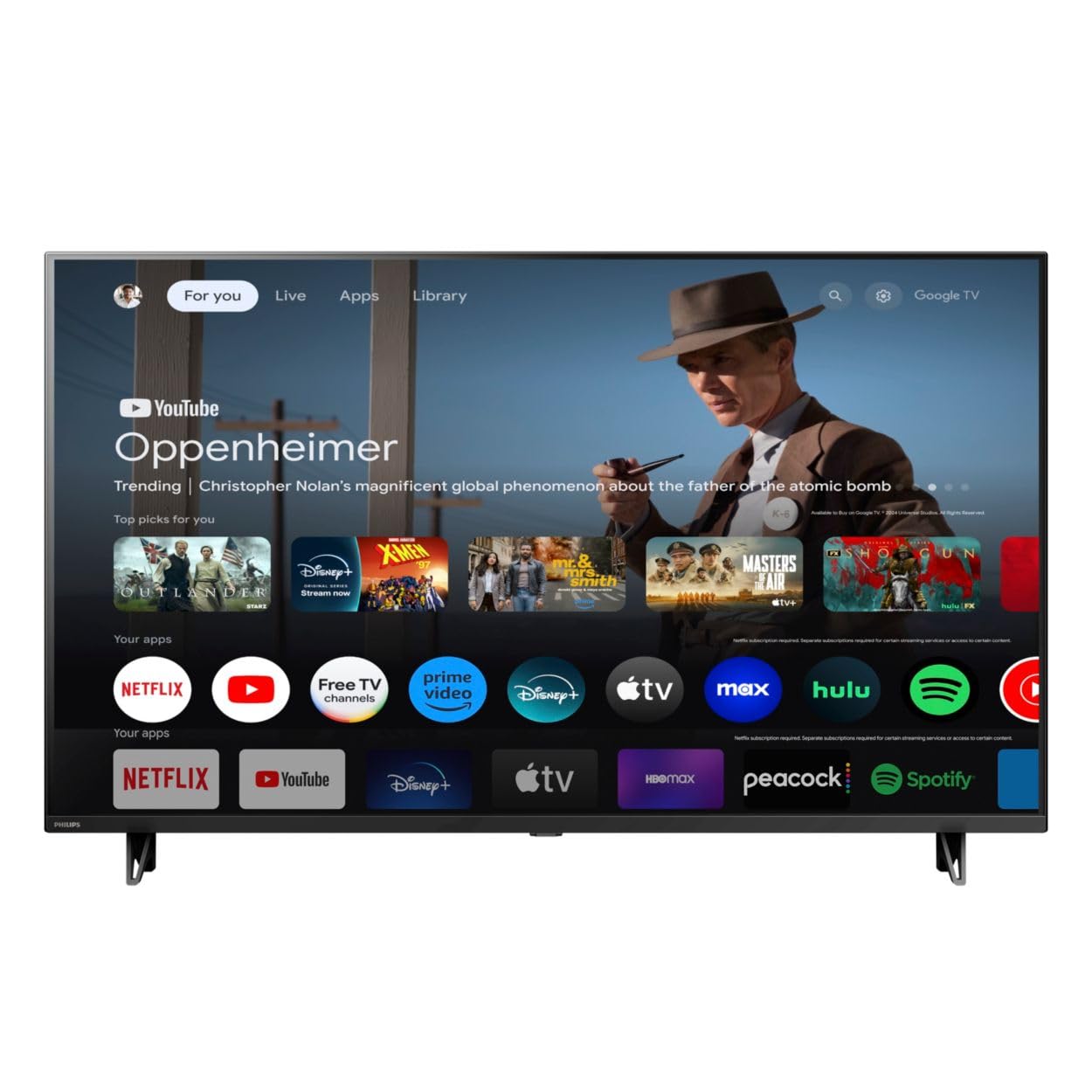
سامنے والا view of the Google TV 7000 Series 4K Ultra HD LED Television, showcasing اس کا پتلا بیزل اور ڈسپلے۔
2. سیٹ اپ
2.1 ان باکسنگ اور پیکیج کے مشمولات
احتیاط سے پیکیجنگ سے تمام اشیاء کو ہٹا دیں. یقینی بنائیں کہ تمام اجزاء موجود ہیں:
- Google TV 7000 Series Television
- ریموٹ کنٹرول
- ریموٹ کنٹرول کے لیے بیٹریاں
- ٹیبل ٹاپ اسٹینڈ
- Screws for tabletop stand
- فوری آغاز گائیڈ
- صارف دستی (یہ دستاویز)
2.2 کنیکٹنگ پاور
Connect the power cord to the TV's power input, then plug the other end into a wall outlet. Ensure the power outlet is easily accessible.
2.3 بیرونی آلات کو جوڑنا
Your television supports various connectivity options:
- HDMI: Connect devices like Blu-ray players, game consoles, or set-top boxes to the HDMI ports. This model features Audio Return Channel (HDMI 2).
- USB: Use the USB port for media playback or connecting compatible accessories.
- ایتھرنیٹ: ایک مستحکم وائرڈ انٹرنیٹ کنکشن کے لیے، ایتھرنیٹ کیبل کو LAN پورٹ سے جوڑیں۔
- ہیڈ فون آؤٹ: نجی سننے کے لیے ہیڈ فون جوڑیں۔
- ڈیجیٹل آڈیو آؤٹ (آپٹیکل): بیرونی آڈیو سسٹم سے منسلک ہونے کے لیے۔
- CVBS+Audio L/R In: پرانے اینالاگ آلات کو جوڑنے کے لیے۔
2.4 ابتدائی سیٹ اپ
پہلی بار پاور آن ہونے پر، TV ابتدائی سیٹ اپ کے عمل میں آپ کی رہنمائی کرے گا۔ اس میں شامل ہیں:
- زبان کا انتخاب
- Connecting to a Wi-Fi network or using Ethernet
- Signing in with your Google account to access Google TV features and apps
- Scanning for available channels (ATSC, NTSC)
2.5 بڑھتے ہوئے اختیارات
You can place your TV on a tabletop using the included stand or mount it on a wall.
- ٹیبل ٹاپ اسٹینڈ: Attach the tabletop stand using the provided screws as per the quick start guide.
- وال ماؤنٹ: For wall mounting, use a VESA compatible mount (600 x 400 mm). Consult a professional for wall mounting to ensure safety and proper installation.
3. آپریٹنگ ہدایات
3.1 ریموٹ کنٹرول اوورview
The remote control allows you to navigate the Google TV interface, adjust settings, and control playback. It supports voice control for Google Assistant.
3.2 بنیادی افعال
- طاقت: ٹی وی کو آن یا آف کرنے کے لیے پاور بٹن دبائیں۔
- والیوم: آواز کی سطح کو ایڈجسٹ کرنے کے لیے والیوم بٹن استعمال کریں۔
- چینلز: ٹی وی چینلز کے درمیان سوئچ کرنے کے لیے چینل کے بٹن استعمال کریں۔
- ان پٹ: Select the desired input source (HDMI, USB, etc.).
3.3 Google TV Interface Navigation
Use the directional pad and 'OK' button on your remote to navigate the Google TV home screen. The home screen provides access to your installed apps, recommended content, and settings.
3.4 اسمارٹ فیچرز
- Chromecast بلٹ ان: Cast content from your compatible mobile devices or computer directly to your TV.
- گوگل اسسٹنٹ بلٹ ان: Press the Google Assistant button on your remote to use voice commands for searching content, controlling smart home devices, getting information, and more.
- سٹریمنگ ایپس: Access popular streaming services like Netflix, YouTube, Discovery+, Tubi TV, and Prime Video directly from the Google TV interface.
3.5 تصویر اور آواز کی ترتیبات
اپنی مرضی کے مطابق بنائیں viewٹی وی کے سیٹنگ مینو کے ذریعے سننے اور سننے کا تجربہ:
- Picture Style: Choose from various preset picture modes or customize settings like brightness, contrast, color, and sharpness. Features include Dynamic contrast, Film mode, Blue stretch, and Custom Color management.
- ایچ ڈی آر سپورٹ: TV HDR10 اور HLG کو ہم آہنگ مواد کے ساتھ بہتر کنٹراسٹ اور رنگ کے لیے سپورٹ کرتا ہے۔
- گیم موڈ: Optimize picture settings for gaming to reduce input lag.
- آواز کا انداز: Select sound presets or adjust bass and treble. Features include Dolby Audio and Auto Volume Leveling.
- پہلو تناسب: Adjust the screen aspect ratio (e.g., Automatic, 4:3, Movie Expand, Full).
3.6 کنیکٹیویٹی
Your TV offers various ways to connect to networks and devices:
- وائی فائی: Connect wirelessly to your home network for internet access.
- بلوٹوتھ: Connect compatible Bluetooth devices such as headphones or game controllers.
- ایتھرنیٹ: Provides a stable wired internet connection.
4 دیکھ بھال
4.1 Cleaning the Screen and TV Body
- صاف کرنے سے پہلے ہمیشہ ٹی وی کو ان پلگ کریں۔
- اسکرین اور ٹی وی کی باڈی کو آہستہ سے صاف کرنے کے لیے نرم، خشک، لنٹ سے پاک کپڑا استعمال کریں۔
- ضدی نشانات کے لیے، ہلکے سے ڈیampur پانی یا ایک خصوصی سکرین کلینر کے ساتھ کپڑے. کبھی بھی کلینر کو براہ راست اسکرین پر نہ چھڑکیں۔
- کھرچنے والے کلینر، موم یا سالوینٹس کے استعمال سے پرہیز کریں۔
4.2 سافٹ ویئر اپ ڈیٹس
Your Google TV may receive automatic software updates to improve performance and add new features. Ensure your TV is connected to the internet to receive these updates. You can also manually check for updates in the settings menu.
4.3 ریموٹ کنٹرول کیئر
Replace batteries when the remote control's response becomes sluggish. Do not mix old and new batteries or different types of batteries. Keep the remote control away from moisture and direct sunlight.
5 خرابیوں کا سراغ لگانا
اگر آپ کو اپنے ٹیلی ویژن کے ساتھ مسائل کا سامنا ہے، تو درج ذیل عام حلوں کا حوالہ دیں:
| مسئلہ | ممکنہ حل |
|---|---|
| کوئی طاقت نہیں۔ | Check if the power cord is securely plugged into both the TV and the wall outlet. Ensure the outlet is functional. |
| کوئی تصویر نہیں، لیکن آواز موجود ہے۔ | تصدیق کریں کہ صحیح ان پٹ ذریعہ منتخب کیا گیا ہے۔ بیرونی ڈیوائس کنکشن چیک کریں۔ |
| کوئی آواز نہیں لیکن تصویر موجود ہے۔ | Check the volume level and mute status. Ensure external audio systems are properly connected and powered on. |
| ریموٹ کنٹرول کام نہیں کر رہا ہے۔ | بیٹریاں بدل دیں۔ یقینی بنائیں کہ ریموٹ اور ٹی وی کے IR سینسر کے درمیان کوئی رکاوٹ نہیں ہے۔ |
| نیٹ ورک کنکشن کے مسائل | اپنا روٹر اور موڈیم دوبارہ شروع کریں۔ Wi-Fi نیٹ ورک سے دوبارہ جڑیں یا ایتھرنیٹ کیبل کنکشن چیک کریں۔ |
| Picture quality issues (e.g., pixelation) | Check the signal strength for broadcast channels. For streaming content, ensure a stable internet connection. Adjust picture settings. |
5.1 فیکٹری ری سیٹ
If problems persist, a factory reset may resolve them. This will erase all personal settings and installed apps, returning the TV to its original factory state. Consult the on-screen menu for the factory reset option, usually found under System or Device Preferences in Settings.
6. وضاحتیں
Key technical specifications for the Google TV 7000 Series 4K Ultra HD LED Television:
| فیچر | تفصیلات |
|---|---|
| اسکرین کا سائز | 43 انچ |
| ڈسپلے ٹیکنالوجی | LCD UltraHD Display, LED Backlight |
| قرارداد | 4K (2160p) |
| ریفریش ریٹ | 120 PMR (Picture Motion Rate) |
| HDR فارمیٹ سپورٹڈ | HDR10، HLG |
| آپریٹنگ سسٹم | Android 11 (Google TV) |
| کنیکٹوٹی ٹیکنالوجی | بلوٹوتھ، ایتھرنیٹ، USB، Wi-Fi |
| آڈیو خصوصیات | Dolby Audio, Auto Volume Leveling |
| خصوصی خصوصیات | Chromecast Built-in, Google Assistant Built-in, Game Mode, Digital Noise Reduction, MPEG artifact reduction, Dynamic contrast |
| پروڈکٹ کے طول و عرض (D x W x H) | 9.8"D x 37.9"W x 23.9"H |
| شے کا وزن | 14.99 پاؤنڈز |
| VESA ماؤنٹ سٹینڈرڈ | 600 x 400 ملی میٹر |
| کارخانہ دار | فلپس |
| ماڈل نمبر | 43PUL7652/F7 |
| یو پی سی | 609585254893 |
7. وارنٹی اور سپورٹ
7.1 وارنٹی کی معلومات
This product comes with a Limited Warranty. Please refer to the warranty card included in your package or contact the manufacturer for specific terms and conditions regarding coverage and duration.
7.2 کسٹمر سپورٹ
For technical assistance, troubleshooting beyond this manual, or warranty claims, please contact the manufacturer, Philips, or your retailer. Have your model number (43PUL7652/F7) and serial number ready when contacting support.