
1. تعارف
Thank you for choosing the VCHICS Digital Audio Amplifier Receiver Module. This device is designed to provide versatile audio playback options, including Bluetooth, USB, TF card, and FM radio, with adjustable bass and treble controls. This manual will guide you through the setup, operation, and maintenance of your ampلائف ماڈیول
2. کلیدی خصوصیات
- MP3 music playback from TF card, USB disk, and Bluetooth.
- Adjustable Treble, Bass, and Master Volume controls.
- Integrated Bluetooth receiver for wireless audio streaming.
- بلٹ ان ایف ایم ریڈیو فنکشن۔
- AUX port for connection to PC, phone, or CD players.
- Supports AC 110-220V or DC 12-24V input voltage.
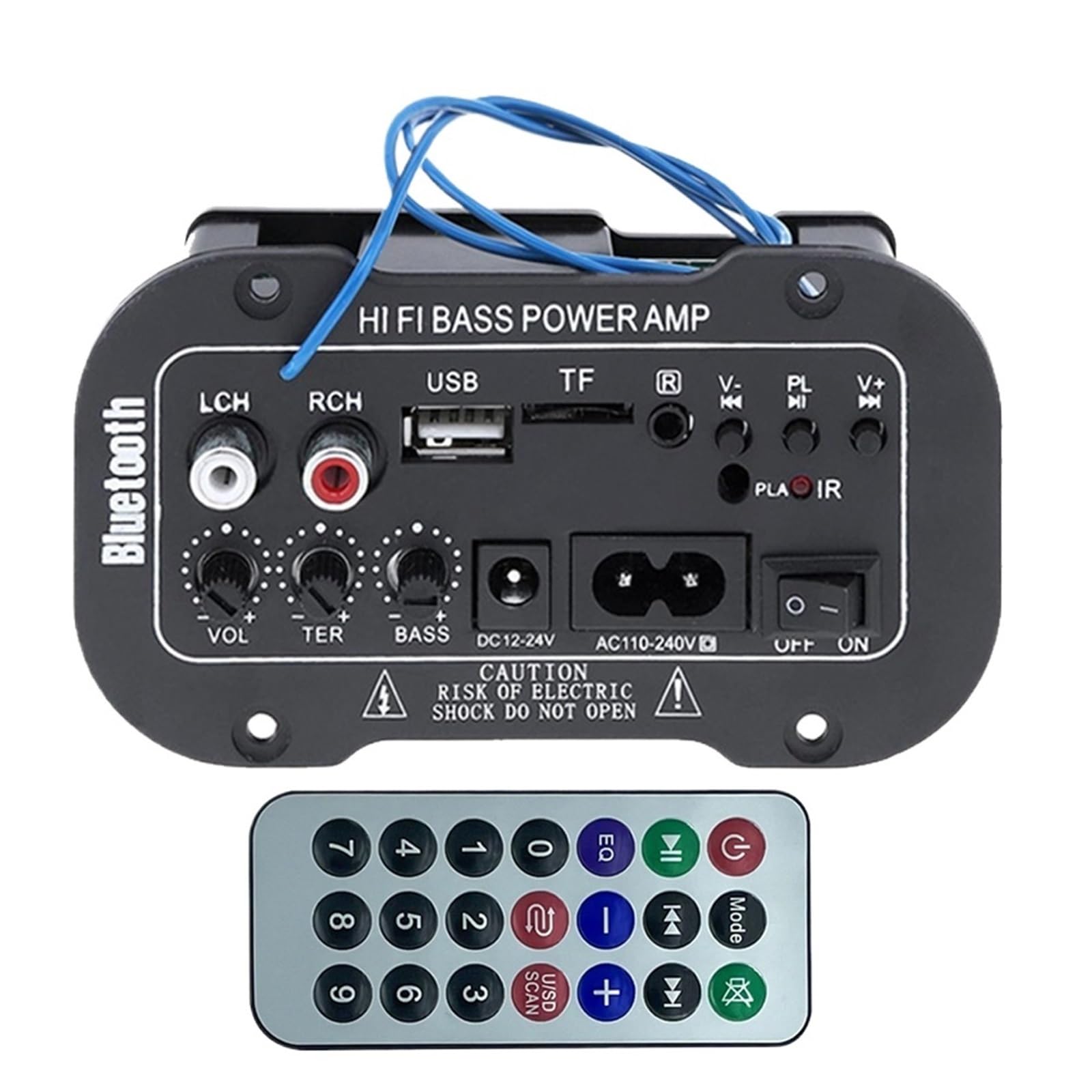
شکل 1: ختمview of the VCHICS Digital Audio Amplifier Receiver Module.
3. وضاحتیں
| تفصیلات | قدر |
|---|---|
| بلوٹوتھ ورژن | 2.1+EDR |
| آپریٹنگ والیومtage | 9-20 وی ڈی سی |
| ورکنگ پاور | 25-30 ڈبلیو |
| کوڈیک | ایس بی سی |
| رکاوٹ | 4 اوہم |
| اسپیکر یونٹ کا سائز | 133 ملی میٹر |
| حساسیت | 200hv |
| تعدد رسپانس | 20-20000 ہرٹج |
| شے کا وزن | 400 گرام |
| چینلز کی تعداد | 1 |
| ماڈل نمبر | 1005005454581585 |

Figure 2: Product dimensions (11.7cm x 6.5cm x 4.5cm / 10cm x 4cm).
4. کنٹرول اور رابطے
Familiarize yourself with the various controls and connection ports on your ampلائفائر ماڈیول:

شکل 3: تفصیلی view of controls and connection points.
- LCH / RCH (Audio Input): Left and Right channel audio input for external devices.
- USB سلاٹ: MP3 پلے بیک کے لیے USB فلیش ڈرائیوز کو جوڑنے کے لیے۔
- TF سلاٹ: For inserting TF (MicroSD) cards for MP3 playback.
- Previous / Next (V- / V+): Navigate tracks or adjust volume in certain modes.
- Play / Pause (PL/IR): Play/pause audio, or initiate FM scan. IR indicates Infrared Sensor for remote control.
- اشارے: سٹیٹس لائٹ۔
- اورکت سینسر: For receiving signals from a remote control (if included or compatible).
- آف / آن: Power switch for the module.
- AC110-240V: AC پاور ان پٹ۔
- DC12-24V: ڈی سی پاور ان پٹ۔
- باس ایڈجسٹ کریں: Rotary knob to adjust bass levels.
- ٹریبل ایڈجسٹ: Rotary knob to adjust treble levels.
- حجم ایڈجسٹ کریں: Rotary knob to adjust master volume.
- بلوٹوتھ بٹن: بلوٹوتھ موڈ کو چالو کرتا ہے۔
5. سیٹ اپ
5.1 پاور کنکشن
- یقینی بنائیں amplifier module is switched OFF.
- Connect the appropriate power supply to either the AC110-240V input or the DC12-24V input. Use only the specified voltagای رینج نقصان کو روکنے کے لئے.
5.2 اسپیکر کنکشن
Connect your speakers to the output terminals of the amplifier module. Ensure correct polarity (+/-) for optimal sound quality.
5.3 Antenna Connection (for FM Radio)
If using the FM radio function, connect the provided FM antenna to the designated antenna port for better reception.
6. آپریٹنگ ہدایات
6.1 پاور آن/آف
ٹوگل کریں۔ آف / آن switch to power on or power off the module.
6.2 بلوٹوتھ کنکشن
- دبائیں موڈ button (or the Bluetooth button if labeled) to switch the amplifier to Bluetooth mode.
- On your mobile phone or Bluetooth device, open the Bluetooth settings and search for available devices.
- منتخب کریں۔ amplifier's Bluetooth device name (usually "Bluetooth" or similar) from the list to connect.
- Once successfully paired, you can play audio from your device through the ampزندگی
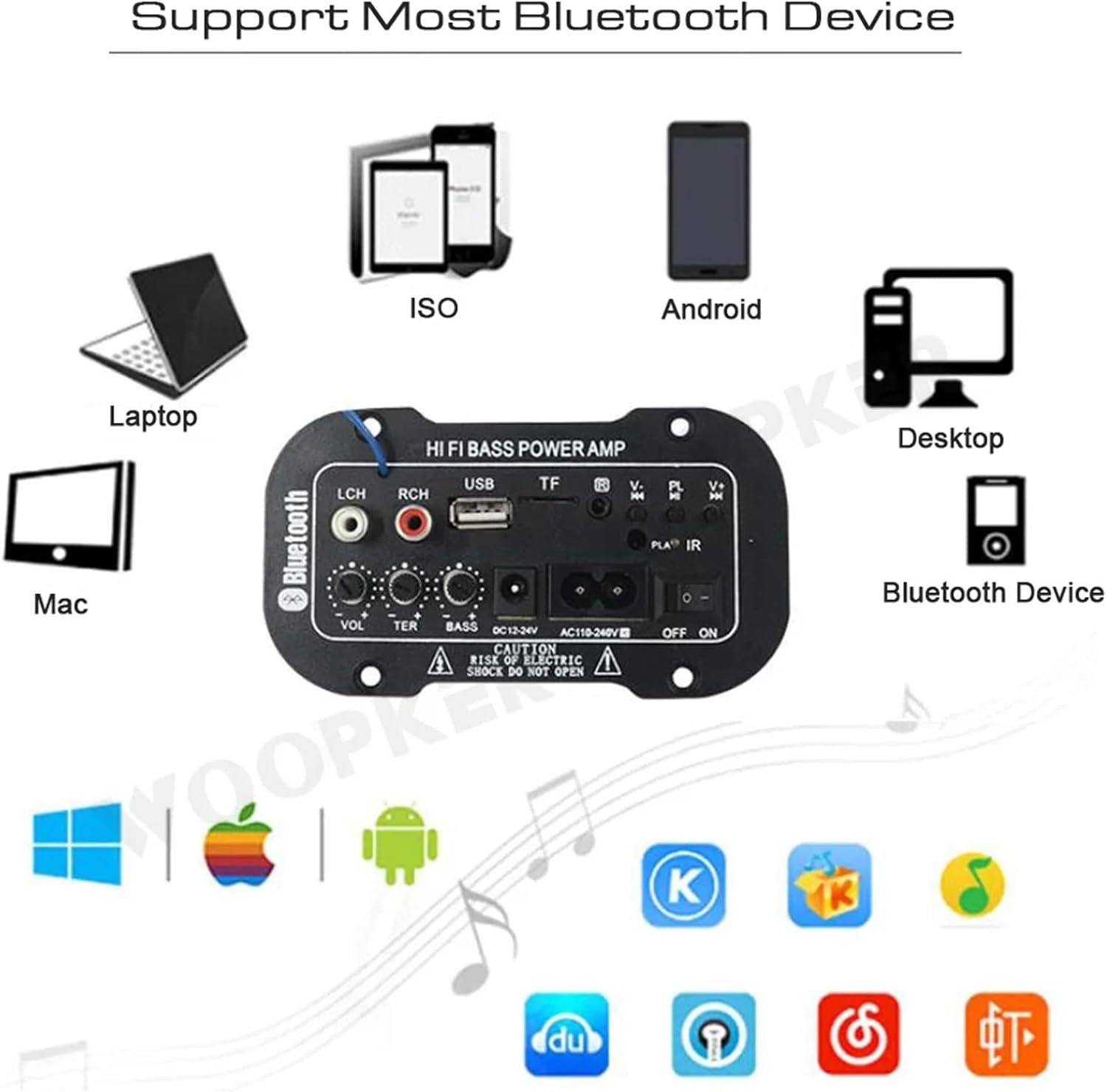
چترا 4: The amplifier module supports various Bluetooth devices including laptops, phones, and desktops.
6.3 ایف ایم ریڈیو آپریشن
- Ensure the radio antenna is properly connected.
- دبائیں موڈ سوئچ کرنے کے لیے بٹن amplifier to FM radio mode.
- دبائیں چلائیں / روکیں۔ button to initiate an automatic scan for all available FM channels. The module will save them automatically.
- استعمال کریں۔ پچھلا اگلا buttons to switch between saved radio stations.
6.4 USB / TF Card Playback
- میں USB فلیش ڈرائیو داخل کریں۔ USB سلاٹ or a TF (MicroSD) card into the ٹی ایف سلاٹ.
- The module should automatically detect the storage device and begin playing MP3 files اگر نہیں، تو دبائیں موڈ button to cycle through input sources until USB or TF mode is active.
- استعمال کریں۔ پچھلا اگلا buttons to change tracks and the چلائیں / روکیں۔ پلے بیک کو کنٹرول کرنے کے لیے بٹن۔
6.5 AUX ان پٹ
Connect an external audio source (e.g., PC, phone, CD player) to the LCH / RCH (Audio Input) ports using an appropriate audio cable. Press the موڈ button to select the AUX input source.
6.6 Adjusting Audio
استعمال کریں۔ حجم ایڈجسٹ کریں, ٹریبل ایڈجسٹ کریں۔، اور باس ایڈجسٹ کریں۔ rotary knobs to fine-tune your audio output to your preference.
7 خرابیوں کا سراغ لگانا
- کوئی طاقت نہیں: Ensure the power cable is securely connected and the power switch is in the ON position. Verify the power source is active and providing the correct voltage (AC 110-240V or DC 12-24V).
- کوئی آواز نہیں: Check speaker connections for correct polarity. Ensure the volume is turned up. Verify the correct input mode (Bluetooth, FM, USB, TF, AUX) is selected. Test with a different audio source.
- بلوٹوتھ کنیکٹ نہیں ہو رہا ہے: یقینی بنائیں کہ amplifier is in Bluetooth mode. Ensure your device's Bluetooth is enabled and within range. Try restarting both the ampلائفائر اور آپ کا بلوٹوتھ ڈیوائس۔
- ایف ایم کا ناقص استقبال: Ensure the FM antenna is properly connected and extended. Try repositioning the antenna or the ampبہتر سگنل کے لیے لائفائر۔
- USB/TF کارڈ نہیں چل رہا ہے: Ensure the USB drive or TF card contains compatible MP3 audio files. Check that the storage device is inserted correctly and not corrupted.
8 دیکھ بھال
- رکھیں amplifier module clean by wiping it with a soft, dry cloth.
- آلے کو نمی، انتہائی درجہ حرارت، یا براہ راست سورج کی روشنی کے سامنے لانے سے گریز کریں۔
- Do not attempt to disassemble or repair the module yourself, as this may void any warranty and cause damage.
9. وارنٹی اور سپورٹ
وارنٹی کی معلومات اور تکنیکی مدد کے لیے، براہ کرم خریداری کے وقت فراہم کردہ دستاویزات دیکھیں یا اپنے خوردہ فروش سے رابطہ کریں۔ کسی بھی وارنٹی دعووں کے لیے اپنی خریداری کا ثبوت رکھیں۔