
1. پروڈکٹ ختمview
The Amkette Hush Pro Astra is a wireless mouse designed for comfort and efficiency. It features 2.4 GHz wireless connectivity, silent switches for quiet operation, an ergonomic design, and adjustable DPI settings for precise control. The mouse also includes an On/Off switch and a smart auto-sleep function to conserve battery life.
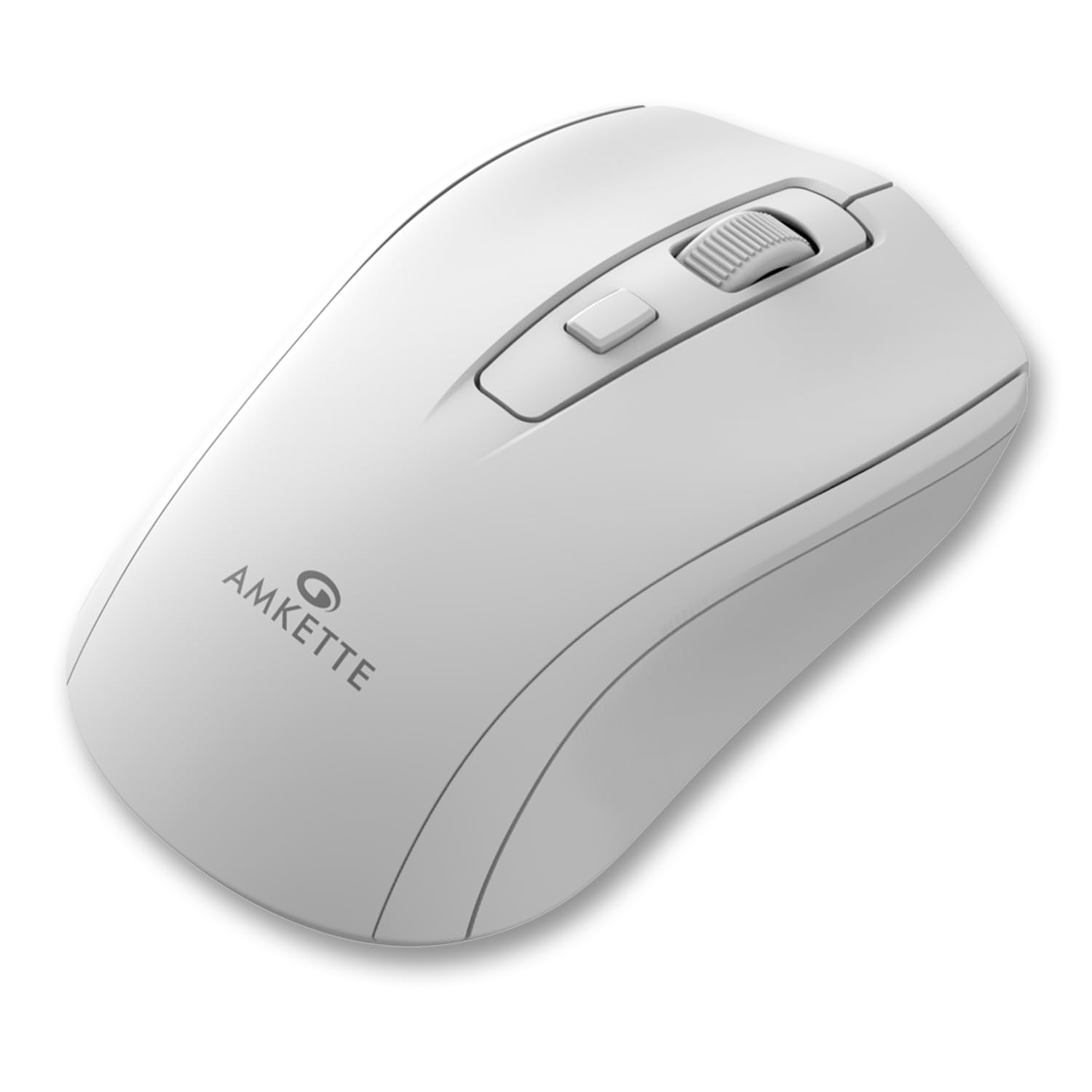
Figure 1: Amkette Hush Pro Astra Wireless Mouse (White)
اہم خصوصیات:
- Advanced 2.4 GHz Wireless Connectivity: Ensures a stable, lag-free connection.
- خاموش سوئچز: Provides noiseless clicks for an undisturbed work environment.
- ایرگونومک ڈیزائن: Shaped for comfortable long-term use.
- سایڈست DPI ترتیبات: Three levels (800-1000-1200 DPI) for customizable cursor sensitivity.
- آن/آف سوئچ: For manual power control.
- Smart Auto Sleep Function: Automatically conserves battery when not in use.
- کمپیکٹ اور پورٹیبل: Easy to carry in a laptop bag.

Figure 2: Ergonomic grip design with matte finish for enhanced comfort.

Figure 3: Silent click switches for quiet operation.

Figure 4: Universal compatibility with Windows, Mac OS, Chrome OS, and Linux.
2. سیٹ اپ ہدایات
2.1 پیکیج کے مشمولات
Before you begin, ensure your package contains the following:
- Amkette Hush Pro Astra Wireless Mouse
- USB نینو وصول کنندہ۔
Note: 1 AA battery is required and not included in the box.
2.2 بیٹری کی تنصیب
- ماؤس کے نیچے کی طرف بیٹری کے ٹوکرے کو تلاش کریں۔
- Gently slide the battery cover open.
- Insert one AA battery, ensuring the positive (+) and negative (-) terminals align correctly with the markings inside the compartment.
- بیٹری کور کو اس وقت تک بند کریں جب تک کہ یہ محفوظ طریقے سے اپنی جگہ پر کلک نہ کرے۔

Figure 5: Battery compartment and On/Off switch location.
2.3 ماؤس کو جوڑنا
- Remove the USB Nano receiver from its storage slot, usually located within the battery compartment or on the underside of the mouse.
- Plug the USB Nano receiver into an available USB port on your computer (PC, Mac, Laptop, etc.).
- Turn on the mouse using the On/Off switch located on the underside.
- Your computer should automatically detect and install the necessary drivers. The mouse will be ready for use within a few seconds.

Figure 6: Connecting the USB Nano receiver to a laptop.
3. آپریٹنگ ہدایات
3.1 پاور آن/آف
To turn the mouse on or off, use the slide switch located on the underside of the mouse. Slide it to the 'ON' position for use and 'OFF' to conserve battery when not in use.
3.2 ڈی پی آئی ایڈجسٹمنٹ
The mouse features a dedicated DPI button, usually located behind the scroll wheel. Press this button to cycle through three different DPI (Dots Per Inch) settings: 800, 1000, and 1200. A higher DPI setting results in faster cursor movement, while a lower DPI setting provides more precise control.

Figure 7: DPI button and available sensitivity levels.
3.3 خاموش کلک کی خصوصیت
The Amkette Hush Pro Astra is equipped with silent switches, significantly reducing the clicking noise. This feature is ideal for quiet environments, ensuring minimal disturbance during use.
3.4 Smart Auto Sleep Function
To extend battery life, the mouse will automatically enter a sleep mode after a period of inactivity. To wake the mouse, simply move it or click any button.
4 دیکھ بھال
4.1 صفائی
- ماؤس کی سطح کو صاف کرنے کے لیے نرم، خشک کپڑا استعمال کریں۔
- ضدی گندگی کے لیے، قدرے ڈیampur کپڑے میں پانی یا ہلکے صفائی کے محلول سے۔ سخت کیمیکلز سے پرہیز کریں۔
- Do not immerse the mouse in water or any liquid.
- Clean the optical sensor on the underside periodically with a cotton swab to ensure smooth tracking.
4.2 اسٹوریج
- When not in use for extended periods, turn off the mouse using the On/Off switch.
- Store the USB Nano receiver inside the mouse's designated slot to prevent loss.
- Keep the mouse in a cool, dry place away from direct sunlight and extreme temperatures.
5 خرابیوں کا سراغ لگانا
5.1 ماؤس جواب نہیں دے رہا ہے۔
- بیٹری چیک کریں: یقینی بنائیں کہ AA بیٹری صحیح طریقے سے انسٹال ہے اور کافی چارج ہے۔ اگر ضروری ہو تو تبدیل کریں۔
- بجلی کے سوئچ: Verify that the On/Off switch on the underside of the mouse is in the 'ON' position.
- وصول کنندہ کنکشن: Ensure the USB Nano receiver is securely plugged into a working USB port on your computer. Try a different USB port.
- دوبارہ جوڑا بنانا: In rare cases, the mouse and receiver might lose connection. Try unplugging and re-plugging the receiver, then turn the mouse off and on again.
5.2 Erratic Cursor Movement
- صاف سینسر: ماؤس کے نیچے والے آپٹیکل سینسر کو صاف کریں۔
- سطح: ماؤس کو صاف، غیر عکاس اور یکساں سطح پر استعمال کریں۔ شیشے یا انتہائی عکاس سطحوں سے پرہیز کریں۔
- مداخلت: Move the mouse closer to the USB receiver. Other wireless devices or large metal objects might cause interference.
5.3 مختصر بیٹری لائف
- استعمال میں نہ ہونے پر آف کریں: Always turn off the mouse using the On/Off switch when not in use for extended periods.
- بیٹری کا معیار: Use high-quality AA alkaline batteries.
- آٹو نیند: The mouse has an auto-sleep function, but manual power-off provides maximum battery conservation.
6. وضاحتیں
| فیچر | تفصیلات |
|---|---|
| برانڈ | ایمکیٹی |
| ماڈل نمبر | 516 |
| سلسلہ | Hush Pro Astra |
| کنیکٹوٹی ٹیکنالوجی | 2.4 GHz وائرلیس (USB نینو ریسیور) |
| موومنٹ ڈیٹیکشن ٹکنالوجی | آپٹیکل |
| DPI کی ترتیبات | 800-1000-1200 DPI (Adjustable) |
| خصوصی خصوصیت | Silent Clicks, Ergonomic Design, On/Off Switch, Smart Auto Sleep Function |
| طاقت کا منبع | بیٹری سے چلنے والی (1 AA بیٹری درکار ہے، شامل نہیں) |
| آپریٹنگ سسٹم کی مطابقت | Linux, Windows 7, Windows XP, Mac OS, Chrome OS |
| مصنوعات کے طول و عرض | 11 x 6 x 0.1 سینٹی میٹر |
| شے کا وزن | 30 گرام |
| رنگ | سفید |
7. وارنٹی اور سپورٹ
7.1 وارنٹی کی معلومات
The Amkette Hush Pro Astra Wireless Mouse comes with a hassle-free 1 سالہ مینوفیکچرنگ وارنٹی خریداری کی تاریخ سے. یہ وارنٹی عام استعمال کے حالات میں مینوفیکچرنگ کے نقائص کا احاطہ کرتی ہے۔
7.2 کسٹمر سپورٹ
For any assistance, queries, or warranty claims, please contact our support team. You can reach them via call or WhatsApp for prompt assistance with any issues.
Please refer to the product packaging or the official Amkette webحالیہ رابطے کی تفصیلات کے لیے سائٹ۔
8. پروڈکٹ ویڈیوز
Video 1: Amkette Hush Pro Astra Wireless Mouse Overview. This video highlights the ergonomic design, adjustable DPI settings, and silent click features of the mouse.
Video 2: Amkette Hush Pro Astra Wireless Mouse Features. This video demonstrates the advanced 2.4 GHz connectivity, silent operation, and portability of the mouse.