
تعارف
This manual provides detailed instructions for the setup, operation, maintenance, and troubleshooting of your ZTE MC888 Ultra 5G Router. The MC888 Ultra is a high-performance 5G router designed to deliver fast and reliable internet connectivity. It supports download speeds up to 3.8 Gbps and upload speeds up to 280 Mbps, features dual Gigabit LAN/WAN ports, and includes an RJ11 port for voice calls via VoIP, VoLTE, or VoNR.
حفاظتی معلومات
- آلہ استعمال کرنے سے پہلے تمام ہدایات کو بغور پڑھیں۔
- Do not open or modify the device. Unauthorized modifications can void your warranty and create safety hazards.
- Use only the power adapter and accessories supplied with the router.
- آلے کو پانی، نمی اور انتہائی درجہ حرارت سے دور رکھیں۔
- زیادہ گرمی سے بچنے کے لیے راؤٹر کے ارد گرد مناسب وینٹیلیشن کو یقینی بنائیں۔
- روٹر کو مضبوط برقی مقناطیسی فیلڈز کے قریب رکھنے سے گریز کریں۔
پیکیج کے مشمولات
تصدیق کریں کہ تمام اشیاء آپ کے پیکیج میں موجود ہیں:
- ZTE MC888 الٹرا 5G راؤٹر
- پاور اڈاپٹر
- ایتھرنیٹ کیبل
- کوئیک اسٹارٹ گائیڈ (اس دستی میں شامل نہیں)
ڈیوائس ختمview
Familiarize yourself with the ports and indicators on your ZTE MC888 Ultra 5G Router.
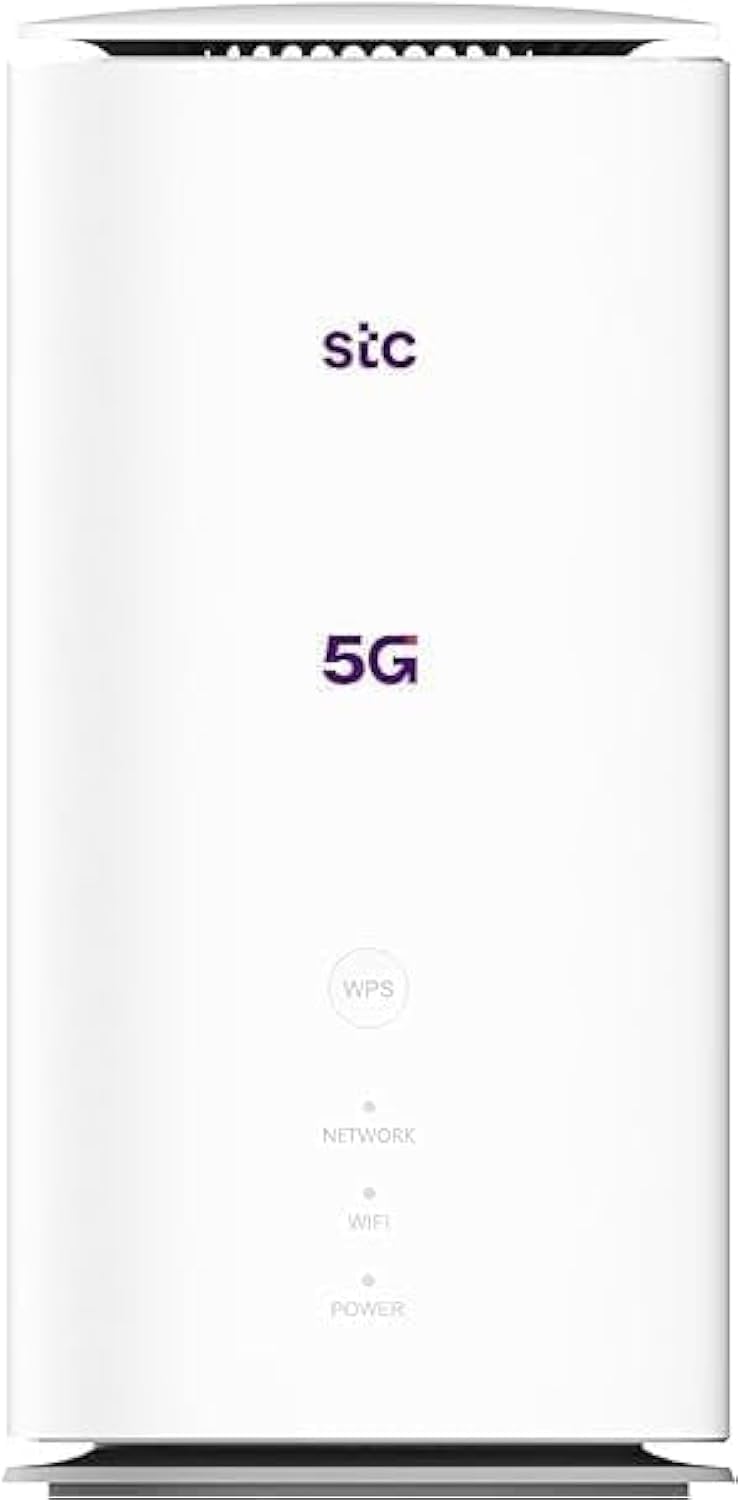
تصویر: سامنے اور پیچھے view of the ZTE MC888 Ultra 5G Router, showing LED indicators, SIM card slot, power port, LAN/WAN ports, and RJ11 port.
فرنٹ پینل کے اشارے:
- پاور ایل ای ڈی: طاقت کی حیثیت کی نشاندہی کرتا ہے۔
- نیٹ ورک ایل ای ڈی: Indicates 5G/4G network connection status.
- وائی فائی ایل ای ڈی: Indicates Wi-Fi activity.
ریئر پینل پورٹس:
- پاور پورٹ: پاور اڈاپٹر سے جوڑتا ہے۔
- LAN/WAN Ports (x2): Gigabit Ethernet ports for wired connections or WAN input.
- RJ11 پورٹ: For connecting a telephone for VoIP, VoLTE, or VoNR calls.
- سم کارڈ سلاٹ: For inserting your 5G/4G SIM card.
- ری سیٹ بٹن: فیکٹری ڈیفالٹ سیٹنگز کو بحال کرنے کے لیے استعمال کیا جاتا ہے۔
سیٹ اپ
1. سم کارڈ داخل کریں۔
- یقینی بنائیں کہ روٹر بند ہے۔
- Locate the SIM card slot on the rear panel.
- Insert a standard Nano-SIM card into the slot with the gold contacts facing down and the notched corner oriented correctly. Push until it clicks into place.
2. پاور سے جڑیں
- Connect the supplied power adapter to the router's power port.
- پاور اڈاپٹر کے دوسرے سرے کو وال آؤٹ لیٹ میں لگائیں۔
3. پاور آن
- The router will automatically power on. Wait for the Power LED to turn solid, and the Network LED to indicate a stable 5G/4G connection. This may take a few minutes.
4. آلات کو جوڑیں۔
- وائی فائی کنکشن: Find the Wi-Fi network name (SSID) and password printed on the label at the bottom of the router. Select this network on your device (smartphone, laptop, etc.) and enter the password.
- ایتھرنیٹ کنکشن: Use the provided Ethernet cable to connect your computer or other network device to one of the LAN/WAN ports on the router.
آپریٹنگ
تک رسائی حاصل کرنا Web انٹرفیس
- کھولنا a web روٹر سے منسلک ڈیوائس پر براؤزر۔
- Enter the router's default IP address (e.g., 192.168.0.1 or 192.168.1.1) into the address bar and press Enter. The exact IP address is usually found on the router's label.
- لاگ ان کرنے کے لیے پہلے سے طے شدہ صارف نام اور پاس ورڈ (روٹر کے لیبل پر بھی پایا جاتا ہے) درج کریں۔
Changing Wi-Fi Settings
سے web interface, navigate to the Wi-Fi settings section to change your SSID, password, security type, or enable/disable guest networks.
RJ11 Voice Call Functionality
The RJ11 port allows you to connect a standard analog telephone. You can manage sending and receiving calls via a configured VoIP account, or through VoLTE or VoNR, depending on your mobile operator's compatibility and SIM card support. Refer to your service provider for specific setup details.
پوائنٹ موڈ
The router supports Access Point (AP) mode, allowing it to extend an existing wired network wirelessly. This feature can be configured through the web interface under network settings.
دیکھ بھال
فرم ویئر کی تازہ ترین معلومات
Periodically check the router's web interface for available firmware updates. Keeping your firmware up-to-date ensures optimal performance, security, and access to new features. Follow the on-screen instructions for safe updating.
صفائی
Clean the router with a soft, dry cloth. Do not use liquid cleaners or aerosols. Ensure the device is powered off before cleaning.
فیکٹری ری سیٹ
If you experience persistent issues or forget your login credentials, you can perform a factory reset. With the router powered on, use a pin to press and hold the Reset button on the rear panel for approximately 5-10 seconds until the indicators flash. The router will restart with default settings.
خرابی کا سراغ لگانا
- کوئی انٹرنیٹ کنکشن نہیں: Check the Network LED. If it's off or red, ensure the SIM card is correctly inserted and has an active data plan. Try restarting the router.
- سست وائی فائی رفتار: Ensure your devices are within range. Reduce interference from other electronic devices. Try changing the Wi-Fi channel in the web انٹرفیس
- رسائی نہیں ہو سکتی Web انٹرفیس: Verify your device is connected to the router via Wi-Fi or Ethernet. Double-check the IP address and login credentials. Try clearing your browser's cache.
- وائی فائی منقطع: Update router firmware. Ensure the router is placed in a central location. Check for conflicting Wi-Fi networks.
وضاحتیں
| برانڈ | زیڈ ٹی ای |
| ماڈل کا نام | MC888 Ultra |
| ماڈل نمبر | MC888 ULTRA |
| کنیکٹوٹی ٹیکنالوجی | Wi-Fi, 5G/4G Cellular |
| وائرلیس معیار | 802.11ac |
| فریکوئنسی بینڈ کلاس | ڈوئل بینڈ |
| زیادہ سے زیادہ ڈاؤن لوڈ کی رفتار | 3.8 جی بی پی ایس |
| زیادہ سے زیادہ اپ لوڈ کی رفتار | 280 ایم بی پی ایس |
| LAN پورٹ بینڈوتھ | 1000 Mbps (گیگا بٹ) |
| بندرگاہوں کی تعداد | 2 x Gigabit LAN/WAN, 1 x RJ11 |
| اینٹینا کی قسم | اندرونی |
| سیکیورٹی پروٹوکول | ڈبلیو پی ایس |
| خصوصی خصوصیات | Access Point Mode, RJ11 for VoIP/VoLTE/VoNR |
| رام | 4 جی بی |
| ہم آہنگ آلات | PC, Laptop, Smartphone, Tablet, Gaming Console, Smart TV, Surveillance Camera, Printer, Ethernet-enabled devices |
| شامل اجزاء | Router, Ethernet Cable, Charger |
وارنٹی اور سپورٹ
وارنٹی کی معلومات
The ZTE MC888 Ultra 5G Router comes with a 2-year agent warranty. Please retain your proof of purchase for warranty claims. The warranty covers manufacturing defects and malfunctions under normal use. It does not cover damage caused by misuse, accidents, unauthorized repairs, or acts of nature.
کسٹمر سپورٹ
For technical assistance, warranty service, or further inquiries, please contact your local ZTE authorized service center or the retailer from whom you purchased the product. You may also visit the official ZTE webمعاون وسائل اور عمومی سوالنامہ کے لیے سائٹ۔