
تعارف
This manual provides comprehensive instructions for the ASWEE P4 Smart Watch, a versatile fitness tracker with call capabilities, a 1.85" TFT display, and various health monitoring features. Please read this manual thoroughly before using your device.
باکس میں کیا ہے۔
- ASWEE P4 Smart Watch
- چارجنگ کیبل
- صارف دستی
پروڈکٹ ختمview
The ASWEE P4 Smart Watch features a rectangular 1.85-inch TFT-LCD display with a 240x280 resolution. It includes a physical button on the side for navigation and interaction. The watch is designed for comfortable wear and easy access to its functions.
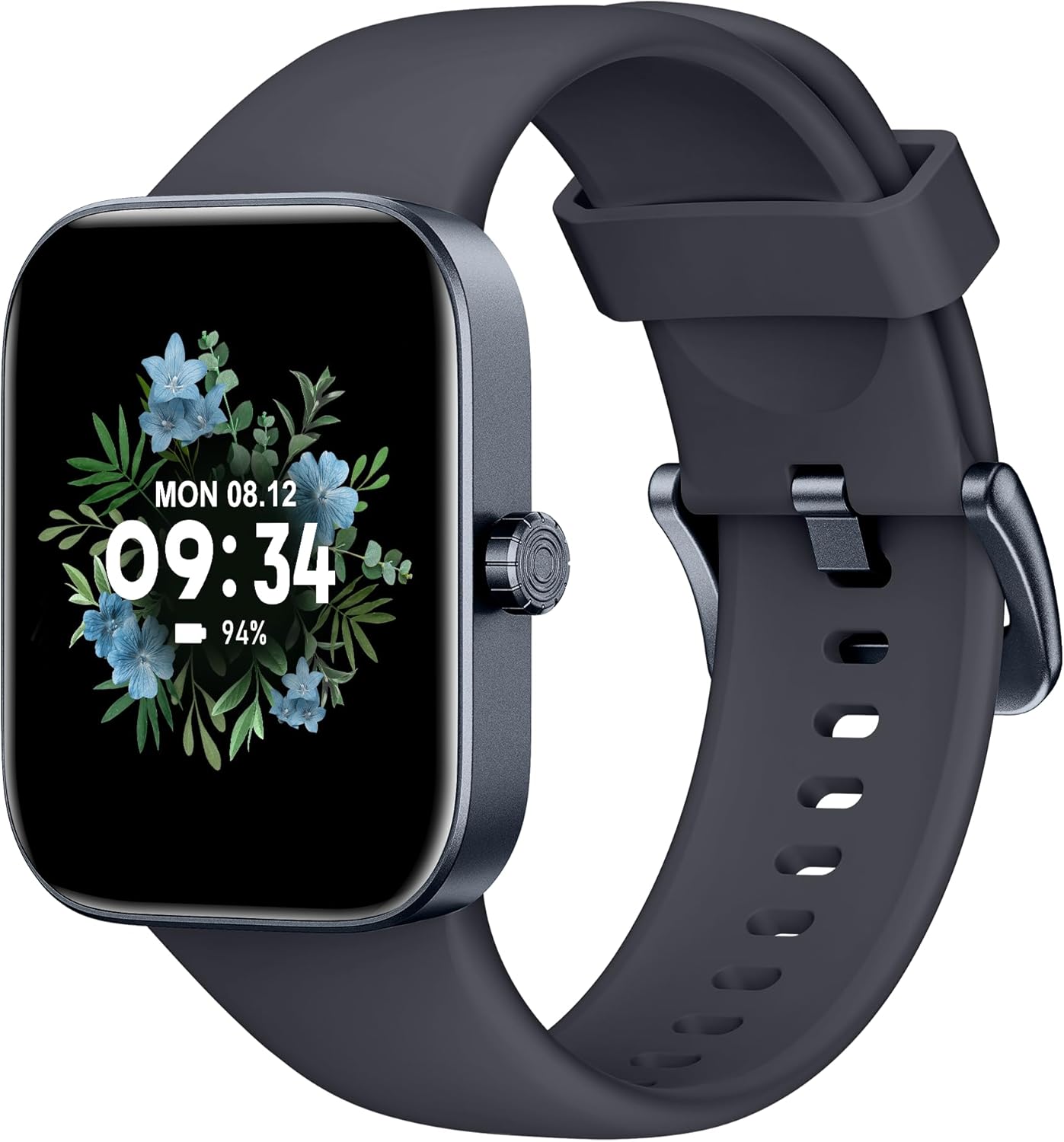
سامنے والا view of the ASWEE P4 Smart Watch, displaying time and date with a floral background.
سیٹ اپ
ڈیوائس کو چارج کرنا
The ASWEE P4 Smart Watch comes with a magnetic charging cable. Align the magnetic end of the cable with the charging contacts on the back of the watch. The watch will indicate when it is charging. A full charge typically takes approximately 2 hours and provides up to 7 days of active use or 15 days on standby.

Illustration showing the magnetic charging cable connected to the back of the ASWEE P4 Smart Watch, highlighting battery life indicators.
ایپ کی انسٹالیشن اور پیئرنگ
To utilize all features of your ASWEE P4 Smart Watch, you need to download and install the "FitPro" application on your smartphone. Scan the QR code provided in the watch's packaging or search for "FitPro" in your device's app store.
آئی فون کے ساتھ جوڑا بنانا
Follow these steps to pair your watch with an iPhone:
- یقینی بنائیں کہ آپ کے آئی فون پر بلوٹوتھ فعال ہے۔
- Open the "FitPro" app.
- Navigate to "Setting" and then "Bind device".
- Select your watch (e.g., KM13Pro) from the scan results.
- Confirm the pairing request by clicking "Pair" and then "Allow" for notifications.
- Go to your iPhone's Bluetooth settings and connect to "KM13Pro Audio" for call functionality.
Video tutorial demonstrating how to bind the ASWEE P4 Smart Watch to an iPhone and how to unbind it.
Pairing with Android Phone
Follow these steps to pair your watch with an Android phone:
- یقینی بنائیں کہ آپ کے Android فون پر بلوٹوتھ فعال ہے۔
- Open the "FitPro" app.
- Navigate to "Set" and then "Bind device".
- Select your watch (e.g., KM13Pro) from the scan results.
- Confirm the pairing request by clicking "Pair".
Video tutorial demonstrating how to bind the ASWEE P4 Smart Watch to an Android phone and how to unbind it.
آپریٹنگ ہدایات
بنیادی نیویگیشن
The watch features a touch-sensitive screen for navigation. Swipe left/right or up/down to access different functions and menus. The side button typically serves as a home or back button.
Call and Text Functionality
With its built-in speaker and microphone, the ASWEE P4 allows you to answer/dial calls directly from your wrist when connected via Bluetooth. You can also receive SMS text and SNS messages (Facebook, Twitter, WhatsApp, etc.) with vibration alerts.

Image showing the ASWEE P4 Smart Watch on a wrist, with notification icons for various messaging apps, indicating Bluetooth 5.0 connectivity for calls and texts.
ہیلتھ ٹریکنگ
The watch provides comprehensive health monitoring:
- دل کی دھڑکن: 24-hour tracking with a high-precision PPG sensor. Stores 7 days of resting heart rate data.
- خون کی آکسیجن: Measures SpO2 levels using a reflective-light based sensor.
- نیند کی نگرانی: Tracks sleep quality through Awake, Light, and Deep sleep stages, helping to improve sleep duration and quality.
- تناؤ کی نگرانی: تناؤ کی سطح کے بارے میں بصیرت فراہم کرتا ہے۔

Image illustrating the ASWEE P4 Smart Watch's 24-hour data tracking capabilities, including heart rate, stress level, and blood oxygen monitoring.

Image depicting the ASWEE P4 Smart Watch's sleep health assistant feature, showing sleep duration and patterns.
فٹنس موڈز
The ASWEE P4 supports multiple workout modes, including running, bike riding, basketball, and tennis. It accurately monitors data points like heart rate, time, and calories burned to enhance workout efficiency.

تصویری نمائشasing the ASWEE P4 Smart Watch's various sports modes, including running, bike riding, basketball, and jumping jack, with activity data like steps, distance, and calories.
حسب ضرورت
Choose from over 100 stylish watch faces or create your own using photos from your phone gallery.
دیکھ بھال
صفائی
باقاعدگی سے اپنی گھڑی اور پٹے کو نرم سے صاف کریں، ڈیamp کپڑا سخت کیمیکلز یا کھرچنے والے مواد کے استعمال سے پرہیز کریں۔
ذخیرہ
استعمال میں نہ ہونے پر گھڑی کو ٹھنڈی، خشک جگہ پر رکھیں۔
خرابی کا سراغ لگانا
آن نہیں ہوتے دیکھیں
- یقینی بنائیں کہ گھڑی پوری طرح سے چارج ہے۔ اسے چارجنگ کیبل اور پاور سورس سے کم از کم 30 منٹ تک جوڑیں۔
جوڑا بنانے کے مسائل
- یقینی بنائیں کہ آپ کے فون پر بلوٹوتھ فعال ہے اور گھڑی حد کے اندر ہے۔
- اپنے فون اور گھڑی دونوں کو دوبارہ شروع کریں۔
- If previously paired, try "forgetting" the device in your phone's Bluetooth settings and re-pairing through the FitPro app.
- Ensure the FitPro app has necessary permissions (Bluetooth, location).
صحت کا غلط ڈیٹا
- اس بات کو یقینی بنائیں کہ گھڑی آپ کی کلائی پر اچھی طرح سے پہنی ہوئی ہے، زیادہ تنگ یا زیادہ ڈھیلی نہیں۔
- گھڑی کے پیچھے سینسر کو صاف کریں۔
- Environmental factors and individual physiology can affect readings.
اطلاعات ظاہر نہیں ہو رہی ہیں۔
- Check app permissions for FitPro to ensure it can access notifications.
- Verify that notification push settings are enabled within the FitPro app for desired applications.
- یقینی بنائیں کہ گھڑی بلوٹوتھ کے ذریعے آپ کے فون سے منسلک ہے۔
وضاحتیں
| فیچر | تفصیل |
|---|---|
| ماڈل کا نام | P4 |
| برانڈ | ASWEE |
| اسکرین کا سائز | 1.85 انچ |
| ڈسپلے ٹیکنالوجی | TFT-LCD |
| قرارداد | 240 x 280 PPI |
| آپریٹنگ سسٹم | OS پہنیں۔ |
| کنیکٹوٹی | بلوٹوتھ 5.3 |
| پانی کی مزاحمت | IP68, 5 ATM |
| بیٹری کی زندگی (عام استعمال) | 7 دن تک |
| اسٹینڈ بائی ٹائم | 15 دن تک |
| چارج کرنے کا وقت | تقریبا 2 گھنٹے |
| خصوصی خصوصیات | Fitness Tracker, Sleep Monitor, Reminders, Multimedia control, Answer/Dial Call, Heart Rate Monitor, Blood Oxygen Monitor, Stress Monitor |
| شے کا وزن | 2.89 اونس |
نوٹ: وضاحتیں پیشگی اطلاع کے بغیر تبدیل کی جاسکتی ہیں۔
وارنٹی اور سپورٹ
For warranty information and technical support, please refer to the official ASWEE webسائٹ یا ان کی کسٹمر سروس سے رابطہ کریں۔ خریداری کے ثبوت کے طور پر اپنی خریداری کی رسید اپنے پاس رکھیں۔