
1. تعارف
This manual provides essential information for the safe and efficient operation, maintenance, and troubleshooting of your DayPlus 18V Cordless Impact Wrench. Please read these instructions carefully before using the tool and retain them for future reference.
The DayPlus Cordless Impact Wrench is designed for tightening and loosening nuts, bolts, and screws, offering high torque and versatility for various applications, including automotive work and construction projects.
2. حفاظتی ہدایات
انتباہ: اس پاور ٹول کے ساتھ فراہم کردہ تمام حفاظتی انتباہات، ہدایات، عکاسی اور وضاحتیں پڑھیں۔ ذیل میں دی گئی تمام ہدایات پر عمل کرنے میں ناکامی کے نتیجے میں برقی جھٹکا، آگ، اور/یا شدید چوٹ لگ سکتی ہے۔
- کام کے علاقے کی حفاظت: اپنے کام کے علاقے کو صاف اور اچھی طرح سے روشن رکھیں۔ بے ترتیبی یا تاریک علاقے حادثات کو دعوت دیتے ہیں۔ دھماکہ خیز ماحول، جیسے آتش گیر مائعات، گیسوں، یا دھول کی موجودگی میں بجلی کے اوزار نہ چلائیں۔
- برقی حفاظت: زمینی یا زمینی سطحوں جیسے پائپ، ریڈی ایٹرز، رینجز اور ریفریجریٹرز سے جسم کے رابطے سے گریز کریں۔ اگر آپ کا جسم مٹی یا گراؤنڈ ہے تو بجلی کے جھٹکے لگنے کا خطرہ بڑھ جاتا ہے۔
- ذاتی حفاظت: Always wear eye protection. Use appropriate safety equipment such as dust masks, non-skid safety shoes, hard hats, or hearing protection when necessary. Dress properly. Do not wear loose clothing or jewelry. Keep your hair and clothing away from moving parts.
- آلے کا استعمال اور دیکھ بھال: طاقت کے آلے کو مجبور نہ کریں۔ اپنی درخواست کے لیے صحیح پاور ٹول استعمال کریں۔ یہ کام اس شرح سے بہتر اور محفوظ تر کرے گا جس کے لیے اسے ڈیزائن کیا گیا تھا۔ کوئی بھی ایڈجسٹمنٹ کرنے، لوازمات کو تبدیل کرنے، یا پاور ٹولز کو ذخیرہ کرنے سے پہلے بیٹری پیک کو پاور ٹول سے منقطع کریں۔
- بیٹری پیک کا استعمال اور دیکھ بھال: صرف مینوفیکچرر کی طرف سے متعین چارجر کے ساتھ ری چارج کریں۔ ایک چارجر جو ایک قسم کے بیٹری پیک کے لیے موزوں ہے دوسرے بیٹری پیک کے ساتھ استعمال کرنے پر آگ لگنے کا خطرہ پیدا کر سکتا ہے۔ پاور ٹولز صرف خاص طور پر نامزد بیٹری پیک کے ساتھ استعمال کریں۔
3. مصنوعات کے اجزاء
Familiarize yourself with the parts of your DayPlus Cordless Impact Wrench for proper operation and maintenance.

تصویر 3.1: ختمview of the DayPlus Cordless Impact Wrench components. Key parts include the sleeve, brushless motor, heat dissipation vent, forward and reverse switch, stepless speed regulation button, soft rubber coated handle, mode adjustment and power quantity display, battery removal button, and large capacity battery.
- آستین: The attachment point for sockets and other accessories.
- برشلیس موٹر: Provides efficient power and longer tool life.
- Heat Dissipation Vent: آپریشن کے دوران مناسب ٹھنڈک کو یقینی بناتا ہے۔
- Forward and Reverse Switch: گردش کی سمت کو کنٹرول کرتا ہے۔
- Stepless Speed Regulation Button: Allows for variable speed control based on trigger pressure.
- Soft Rubber Coated Handle: ایک آرام دہ اور محفوظ گرفت فراہم کرتا ہے۔
- Mode Adjustment and Power Quantity Display: Shows current power level and allows selection of operating modes.
- Battery Removal Button: آلے سے بیٹری پیک جاری کرتا ہے۔
- بڑی صلاحیت کی بیٹری: آلے کو طاقت فراہم کرتا ہے۔
4. وضاحتیں
| فیچر | تفصیلات |
|---|---|
| آؤٹ پٹ شافٹ | 1/2" اسکوائر ڈرائیو |
| ریٹیڈ ٹارک | 420 این ایم |
| بغیر لوڈ کی رفتار | 0-3200 rpm |
| بیٹری کی قسم | Li-ion 6000 mAh (18V) |
| چارج کرنے کا وقت | 1.5 - 2 hours for full charge |
| اثر کی تعدد | 0-4400 آئی پی ایم |
| شامل ساکٹ | 14 ملی میٹر، 17 ملی میٹر، 19 ملی میٹر، 22 ملی میٹر |
| مواد | Acrylonitrile Butadiene Styrene (ABS) |
| رنگ | نیلا |
5. سیٹ اپ
5.1۔ بیٹری چارج ہو رہی ہے
- یقینی بنائیں کہ بیٹری پیک محفوظ طریقے سے چارجر میں ڈالا گیا ہے۔
- چارجر کو معیاری پاور آؤٹ لیٹ میں لگائیں۔
- Allow 1.5 to 2 hours for a full charge. The charger's indicator light will typically change color or turn off when charging is complete.
- ایک بار چارج ہونے کے بعد، چارجر کو پاور آؤٹ لیٹ سے منقطع کریں اور بیٹری پیک کو ہٹا دیں۔
Note: Always use the original DayPlus charger provided with the tool. Do not attempt to charge damaged batteries.
5.2. Attaching/Removing Battery Pack
- م ن س ل ک ک ر ن ا: Align the battery pack with the base of the impact wrench and slide it in until it clicks securely into place.
- ہٹانے کے لیے: Press the battery removal button (refer to Image 3.1) and slide the battery pack out.
5.3. Attaching Sockets and Accessories
- آلات کو منسلک کرنے یا ہٹانے سے پہلے یقینی بنائیں کہ ٹول بند ہے اور بیٹری ہٹا دی گئی ہے۔
- Align the square drive of the socket with the 1/2" square drive shaft of the impact wrench.
- Push the socket firmly onto the shaft until it locks into place.
- To remove, pull the socket off the shaft. Some sockets may require a slight twist or a release pin mechanism if present.
6. آپریٹنگ ہدایات
6.1. پاور آن/آف اور سپیڈ کنٹرول
The tool is powered on by pressing the trigger switch. The speed of the impact wrench is controlled by the pressure applied to the trigger. Pressing gently results in lower speed, while pressing harder increases the speed up to the maximum 3200 rpm.
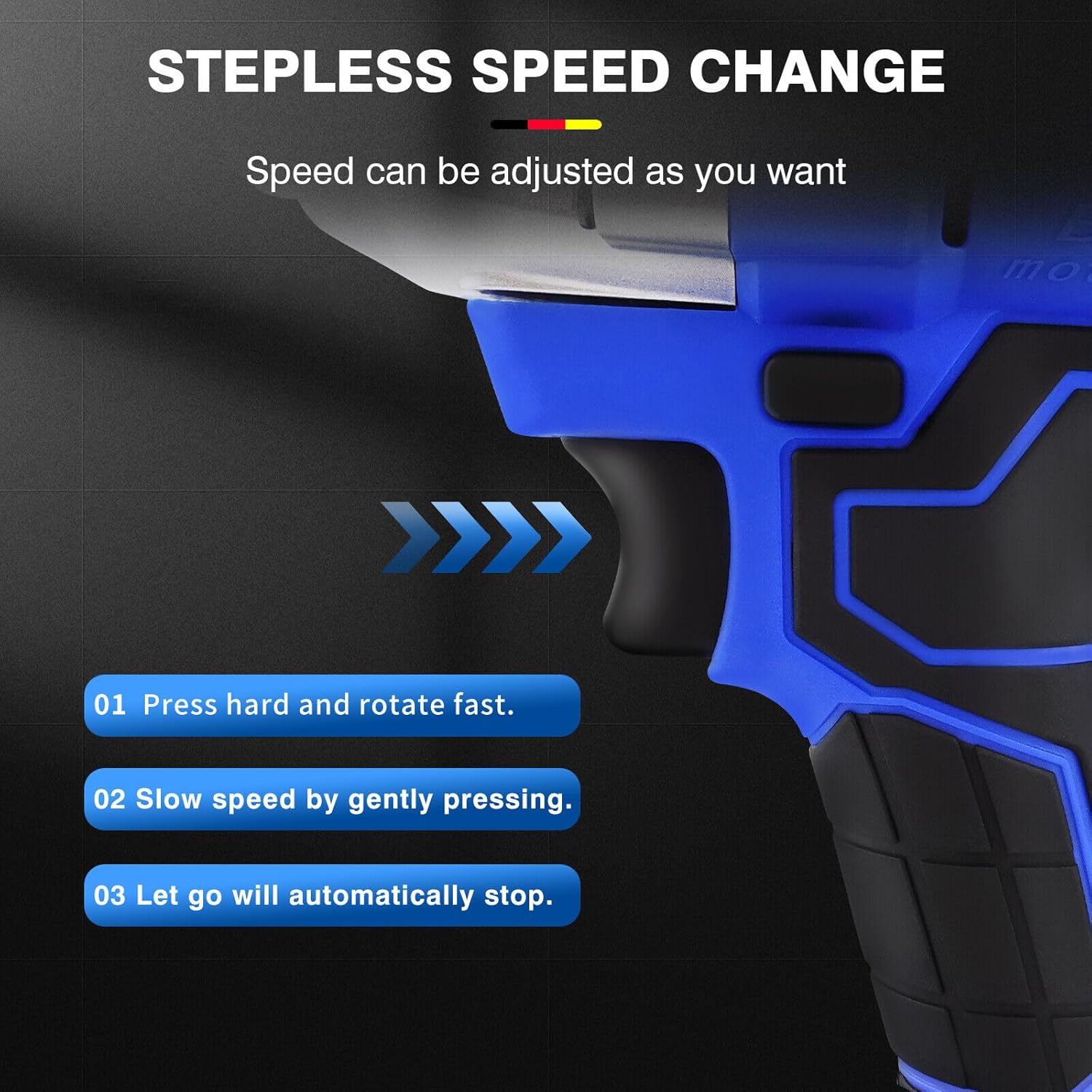
تصویر 6.1: Illustration of the stepless speed change. Pressing hard rotates fast, pressing gently slows speed, and releasing the trigger stops the tool.
- زور سے دبائیں: For fast rotation and maximum torque.
- آہستہ سے دبائیں: For slower speed and controlled operation.
- جانے دو: The tool will automatically stop.
6.2. فارورڈ اور ریورس سوئچ
The forward/reverse switch controls the direction of rotation, allowing for both tightening and loosening applications.

تصویر 6.2: The forward button is used for screwing (tightening), and the reverse button is used for removing screws (loosening).
- فارورڈ بٹن: Push the switch to the left for clockwise rotation (tightening).
- ریورس بٹن: Push the switch to the right for counter-clockwise rotation (loosening).
- Ensure the switch is in the central (locked) position when not in use to prevent accidental starting.
6.3. Mode Adjustment and Power Display
The tool features a display for real-time power indication and mode adjustment.

تصویر 6.3: Close-up of the mode adjustment and power quantity display. This allows users to monitor battery life and select appropriate torque settings.
- The display shows the remaining battery charge, allowing you to plan your work effectively.
- Use the mode adjustment button (if present, typically integrated with the display) to select between different torque settings or operating modes for various tasks.
6.4. انٹیگریٹڈ ورک لائٹ
The impact wrench is equipped with a scattering light feature to illuminate the work area, especially useful in low-light conditions.

تصویر 6.4: The integrated work light provides illumination for dark corners, enabling one-hand operation without an additional flashlight.
- The light typically activates when the trigger is pressed and remains on for a short period after release.
- This feature enhances visibility and safety during operation in dimly lit environments.
6.5. Versatile Applications (Drill/Wrench)
The DayPlus impact wrench can be adapted for various tasks, functioning as both an electric drill and an electric wrench with appropriate accessories.
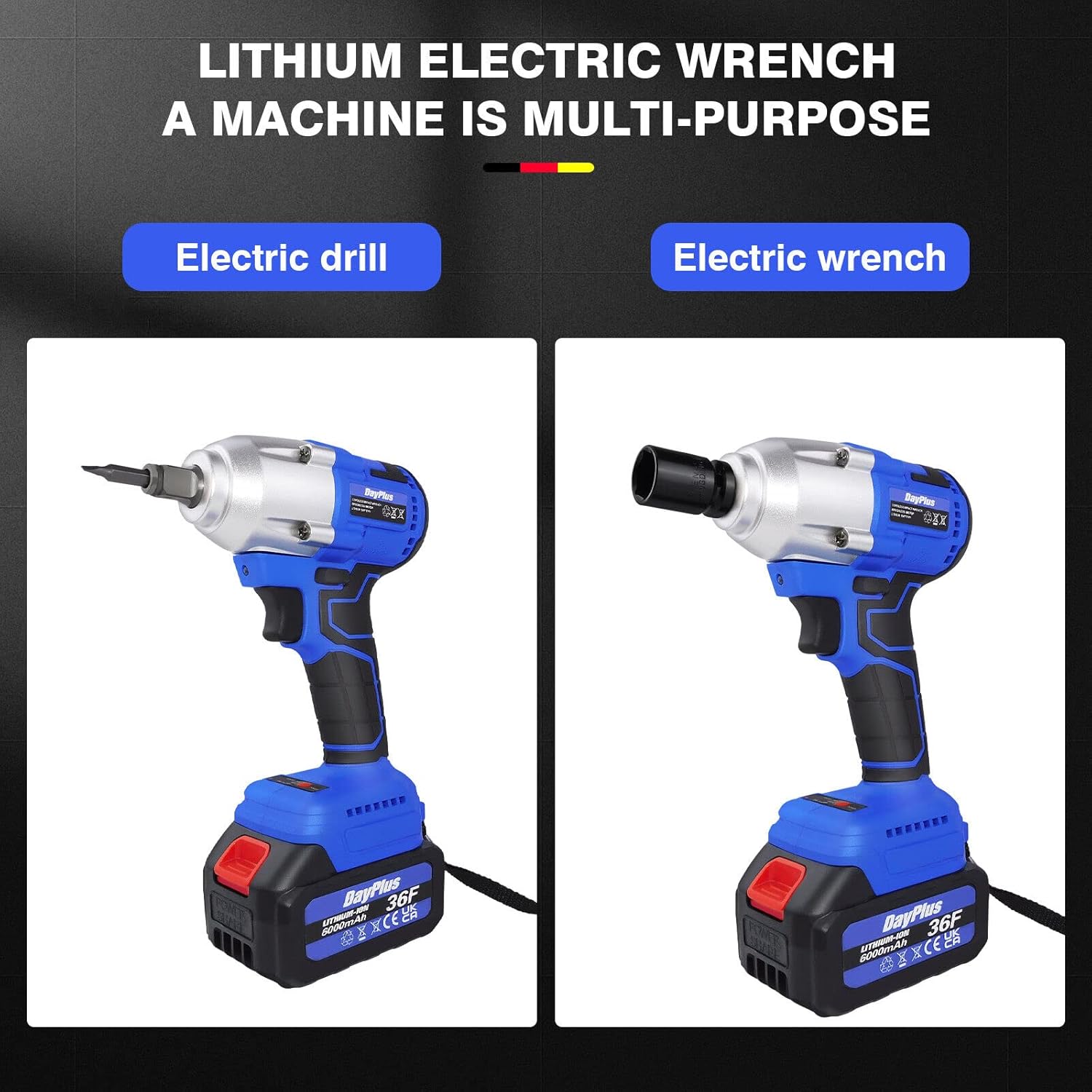
تصویر 6.5: The tool's versatility allows it to be used as an electric drill with a drill bit adapter or as an electric wrench with sockets.
- Electric Wrench: Use with square drive sockets for tightening and loosening nuts and bolts.
- الیکٹرک ڈرل: Attach a drill chuck adapter (sold separately) and drill bits for drilling applications.
7 دیکھ بھال
باقاعدگی سے دیکھ بھال آپ کے اثر رنچ کی لمبی عمر اور بہترین کارکردگی کو یقینی بناتی ہے۔
- صفائی: زیادہ گرم ہونے سے بچنے کے لیے ٹول کے وینٹیلیشن کے سوراخوں کو صاف رکھیں۔ ایک نرم استعمال کریں، ڈیamp cloth to clean the housing. Do not use solvents or abrasive cleaners.
- Heat Dissipation Vents: Regularly check and clear the heat dissipation vents to ensure effective cooling during continuous operation.
- بیٹری کی دیکھ بھال: بیٹریوں کو براہ راست سورج کی روشنی سے دور ٹھنڈی، خشک جگہ پر اسٹور کریں۔ مکمل طور پر خارج ہونے والی بیٹریوں کو طویل مدت تک ذخیرہ نہ کریں۔
- ذخیرہ: When not in use, store the impact wrench and its accessories in a dry, secure location out of reach of children.
- معائنہ: نقصان کے کسی بھی نشان، ڈھیلے پیچ، یا پہنے ہوئے حصوں کے لیے وقتاً فوقتاً آلے کا معائنہ کریں۔ خراب شدہ آلے کا استعمال نہ کریں۔

تصویر 7.1: The air outlet design facilitates effective heat dissipation, crucial for continuous work without overheating the machine.
8 خرابیوں کا سراغ لگانا
| مسئلہ | ممکنہ وجہ | حل |
|---|---|---|
| ٹول شروع نہیں ہوتا ہے۔ | Battery not charged or improperly inserted. Forward/reverse switch in central (locked) position. | Charge battery fully and ensure it is securely inserted. Move the forward/reverse switch to either forward or reverse position. |
| کم طاقت یا رفتار | کم بیٹری چارج۔ اوورلوڈ تحفظ کو چالو کر دیا گیا۔ | Recharge the battery. Reduce the load on the tool; allow it to cool down if it has been used continuously. |
| آپریشن کے دوران ضرورت سے زیادہ گرمی | Blocked ventilation vents. Continuous heavy use. | Clean ventilation vents. Allow the tool to cool down periodically during heavy use. |
| ساکٹ محفوظ طریقے سے منسلک نہیں ہے۔ | Incorrect socket size. Debris on the square drive. | Ensure the socket is 1/2" square drive. Clean the square drive and the socket. |
9. وارنٹی اور سپورٹ
DayPlus products are manufactured to high-quality standards. For information regarding warranty coverage, please refer to the warranty card included with your purchase or contact DayPlus customer support.
For technical assistance, spare parts, or service, please contact your retailer or the DayPlus customer service department. Keep your purchase receipt as proof of purchase.