
تعارف
The M-VAVE SMK-25 MINI is a compact and portable 25-key USB MIDI keyboard controller designed for music production on Mac and PC. It features velocity-sensitive keys, assignable controls, pitch and modulation functions, and versatile connectivity options including USB and Bluetooth. This manual provides detailed instructions for setting up, operating, maintaining, and troubleshooting your device.

Image: The M-VAVE SMK-25 MINI MIDI Keyboard Controller, showcasing its compact design and 25 velocity-sensitive keys.
سیٹ اپ
1. پاورنگ آن۔
The SMK-25 MINI features a built-in rechargeable battery. To power on the device, press and hold the power button located on the side or top panel until the indicator light illuminates.
2. USB کنکشن
For a wired connection to your computer (Mac or PC), use the provided USB-C cable. Connect one end to the USB-C port on the SMK-25 MINI and the other end to an available USB port on your computer. The device is plug-and-play, requiring no additional drivers for basic functionality.

Image: Illustration of the plug-and-play USB connection process for the MIDI keyboard controller to a computer.
3. بلوٹوت کنکشن
بلوٹوتھ کے ذریعے وائرلیس طور پر جڑنے کے لیے:
- Ensure the SMK-25 MINI is powered on.
- دبائیں BT button on the controller to activate Bluetooth pairing mode. The Bluetooth indicator light will flash.
- On your computer or mobile device, navigate to Bluetooth settings and select "SMK-25 MINI" from the list of available devices.
- Once connected, the Bluetooth indicator light will become solid.
4. Software Setup (DAW Compatibility)
The SMK-25 MINI is compatible with various Digital Audio Workstations (DAWs) such as Ableton Live, GarageBand, Logic Pro, Studio One, Cubase, Pro Tools, and Reason Studios. After connecting the controller, open your preferred DAW and ensure the SMK-25 MINI is recognized as a MIDI input device in the software's preferences or settings.

Image: The M-VAVE SMK-25 MINI shown with various DAW logos, indicating broad software compatibility.
آپریٹنگ ہدایات
1۔ بنیادی کنٹرولز
- رفتار سے متعلق حساس کلیدیں: The 25 keys respond to how hard you press them, allowing for dynamic expression in your playing.
- Pitch Bend Buttons: استعمال کریں۔ پِچ اپ اور پیچ ڈاون buttons to momentarily raise or lower the pitch of notes.
- Modulation Button: دی MOD button can be assigned to control various parameters within your DAW or instrument, such as vibrato or filter cutoff.
- Sustain Button: دبائیں ایس یو ایس button to sustain notes, similar to a piano sustain pedal. An external sustain pedal can also be connected via the 3.5mm port.
- اوکٹیو شفٹ: استعمال کریں۔ OC+ اور OC- buttons to shift the keyboard's octave range up or down.
- Customization Knob: The rotary knob typically controls volume or can be assigned to other MIDI CC parameters for real-time control.

تصویر: کلوز اپ view of the M-VAVE SMK-25 MINI's control panel, highlighting the pitch, mod, sustain, arpeggiator, and octave shift buttons.
2. اعلی درجے کی خصوصیات
- Arpeggiator: دبائیں اے آر پی button to activate the arpeggiator. You can then use the keys and other controls to adjust arpeggio patterns, tempo, gate length, and octave range. Refer to your DAW's manual for specific arpeggiator synchronization settings.
- Smart Chord & Scale Modes: دی SC/CH button enables Smart Chord and Smart Scale modes. These modes assist in playing harmonically correct notes and chords within a selected scale, simplifying music creation.
دیکھ بھال
To ensure the longevity and optimal performance of your M-VAVE SMK-25 MINI, follow these maintenance guidelines:
- صفائی: Use a soft, dry cloth to clean the surface of the controller. Avoid abrasive cleaners, solvents, or waxes.
- ذخیرہ: آلے کو براہ راست سورج کی روشنی، انتہائی درجہ حرارت اور زیادہ نمی سے دور ٹھنڈی، خشک جگہ پر اسٹور کریں۔
- ہینڈلنگ: Handle the controller with care. Avoid dropping it or subjecting it to strong impacts.
- بیٹری کی دیکھ بھال: For optimal battery life, avoid fully discharging the battery frequently. Charge the device regularly, especially if it will be stored for an extended period.
خرابی کا سراغ لگانا
| مسئلہ | ممکنہ وجہ | حل |
|---|---|---|
| ڈیوائس آن نہیں ہوتی ہے۔ | کم بیٹری یا پاور کا مسئلہ۔ | Charge the device using the USB-C cable. Ensure the power button is pressed correctly. |
| No sound or MIDI input in DAW. | Incorrect connection or software settings. | Verify USB or Bluetooth connection. Check your DAW's MIDI input settings to ensure the SMK-25 MINI is selected and enabled. |
| بلوٹوتھ کنکشن ناکام ہو جاتا ہے۔ | Pairing mode not active or interference. | یقینی بنائیں BT button is pressed and flashing. Move closer to the host device. Try restarting both devices. |
| Keys are unresponsive or inconsistent. | Software issue or physical obstruction. | Restart your DAW and the controller. Ensure no debris is lodged under the keys. |
وضاحتیں
| فیچر | تفصیل |
|---|---|
| ماڈل | SMK-25 MINI |
| چابیاں کی تعداد | 25, Velocity-Sensitive |
| کنیکٹوٹی | USB-C، بلوٹوتھ |
| MIDI بندرگاہیں | 3.5mm MIDI Out (TRS Type A compatible) |
| پیڈل ان پٹ کو برقرار رکھیں | 3.5mm (shared with MIDI Out) |
| کنٹرول کرتا ہے۔ | Pitch Up/Down, Mod, Sustain, Arpeggiator, Smart Chord/Scale, Octave Up/Down, Customization Knob |
| بیٹری | Built-in, 780 mAh Lithium |
| چارج کرنے کا وقت | تقریباً 5 گھنٹے |
| کام کرنے کا وقت | تقریباً 30 گھنٹے |
| اسٹینڈ بائی ٹائم | تقریباً 40 گھنٹے |
| ہم آہنگ آلات | پی سی، میک، ٹیبلٹ، اسمارٹ فون |
| طول و عرض | 15.12 x 5.63 x 2.64 انچ (تقریبا) |
| وزن | 1.2 پاؤنڈ (تقریبا) |
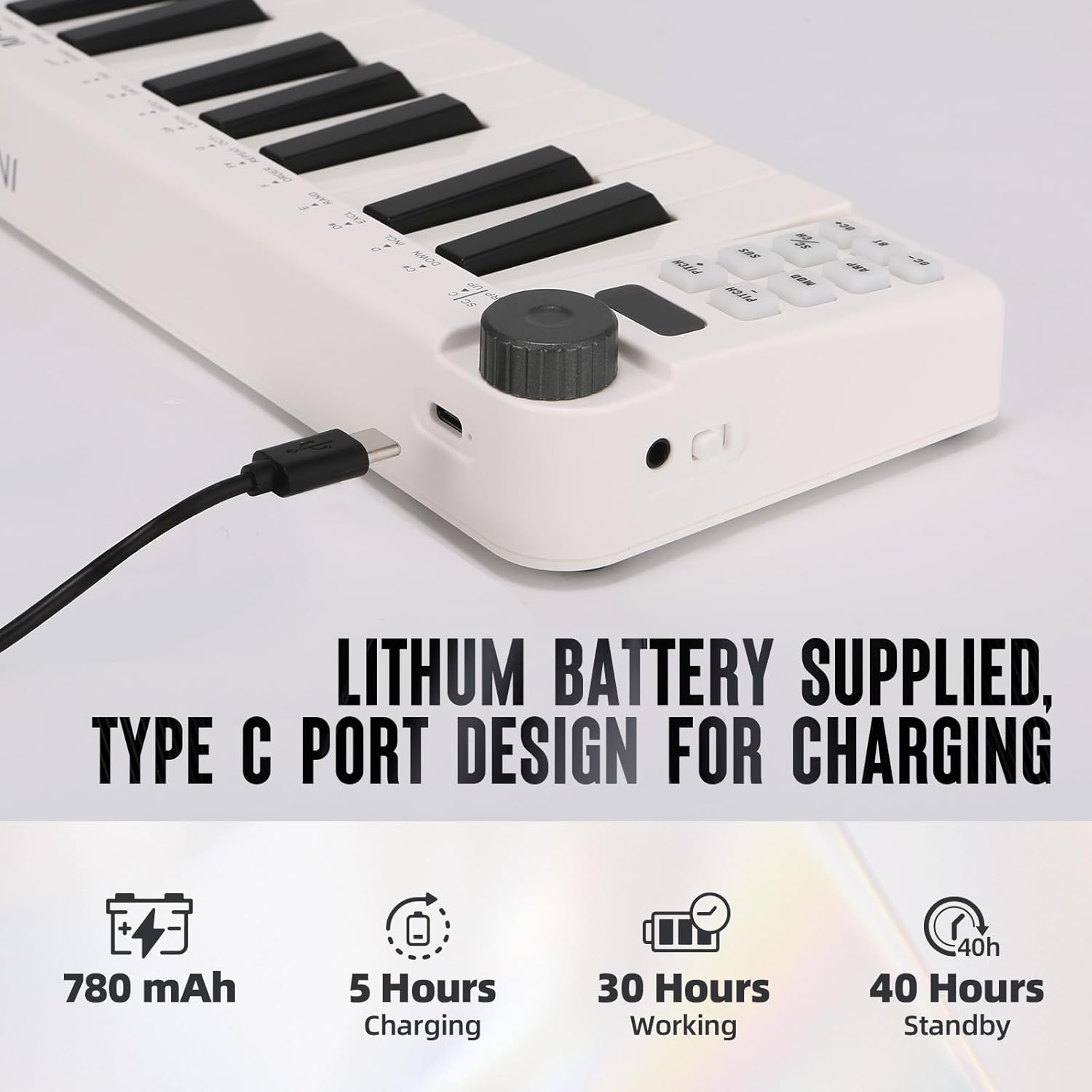
Image: Visual representation of the M-VAVE SMK-25 MINI's battery capacity, charging time, working time, and standby time.
وارنٹی اور سپورٹ
M-VAVE products are designed for reliability and performance. For warranty information, technical support, or service inquiries, please refer to the official M-VAVE webسائٹ یا ان کے کسٹمر سپورٹ سے براہ راست رابطہ کریں۔ وارنٹی دعووں کے لیے خریداری کے ثبوت کے طور پر اپنی خریداری کی رسید رکھیں۔
M-VAVE aims to provide high-quality audio equipment and instruments. For assistance, their professional sales support team can address questions within 24 hours.
کا دورہ کریں۔ M-VAVE Store on Amazon مزید معلومات کے لیے