
1. پروڈکٹ ختمview
The FUNLAB Firefly Wireless Pro Controller is designed to enhance your gaming experience on Nintendo Switch, Switch OLED, and Switch Lite consoles. It features Hall Effect joysticks for precise control, customizable RGB LED lighting, programmable back paddle buttons, and motion control capabilities.
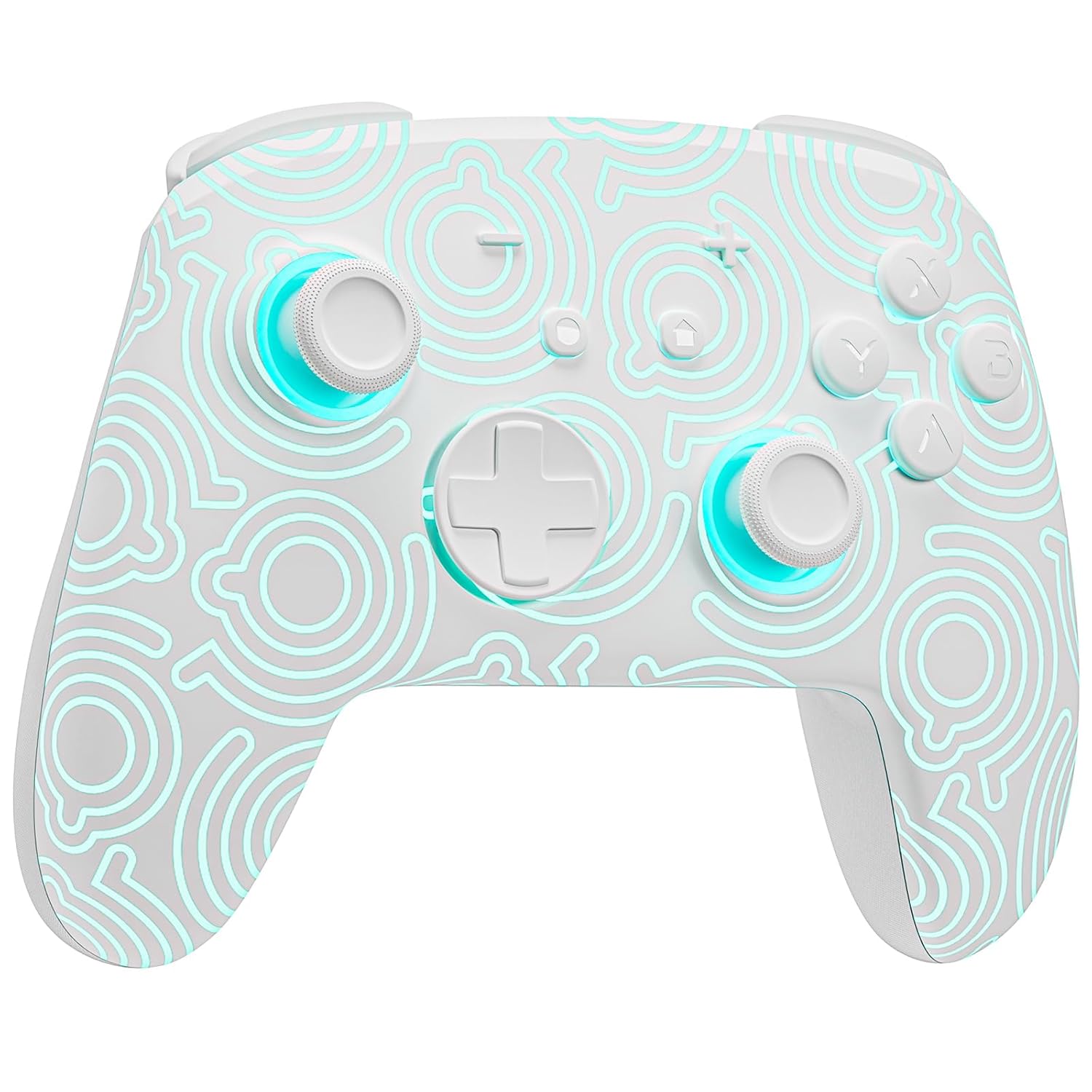
تصویر 1.1: سامنے view of the FUNLAB Firefly Wireless Pro Controller, showcasing its white design with illuminated patterns.
2. پیکیج کے مشمولات
- FUNLAB Firefly Wireless Pro Controller
- USB-C چارجنگ کیبل
- ہدایت نامہ
3. سیٹ اپ اور کنکشن
3.1 Initial Pairing with Nintendo Switch
- یقینی بنائیں کہ آپ کا Nintendo Switch کنسول آن ہے اور جدید ترین سسٹم سافٹ ویئر میں اپ ڈیٹ ہے۔
- For the first-time connection, connect the controller to the Switch console using the provided USB-C charging cable. This wired activation is required to enable the one-touch wake-up function.
- Once connected, the controller will automatically pair with the console.
- After initial wired pairing, you can disconnect the cable. The controller can now be connected wirelessly.
3.2 Wireless Connection and Wake-Up Function
- To connect wirelessly, press the گھر button on the controller. The controller will attempt to connect to the last paired console.
- The controller supports a one-key wake-up function. Pressing the گھر button will wake up a sleeping Nintendo Switch, Switch OLED, or Switch Lite console instantly, provided it has been previously paired via wired connection.
3.3 کنٹرولر کو چارج کرنا
- Connect the controller to a USB power source (e.g., Switch dock, computer, USB wall adapter) using the USB-C charging cable.
- The controller features a built-in 3.7V/950mAH Lithium battery.
- A full charge provides approximately 12.5 hours of playtime (with LED lights off). Charging indicators will typically show the charging status.

Image 3.1: Illustration of the controller's battery life, indicating 12 hours playing time and 950mAh capacity.
3.4 ملٹی ڈیوائس مطابقت
The controller is compatible with multiple devices beyond the Nintendo Switch, including Android, iOS, Steam Deck, and PC systems. Refer to the specific pairing instructions for each device in the included manual or online resources.
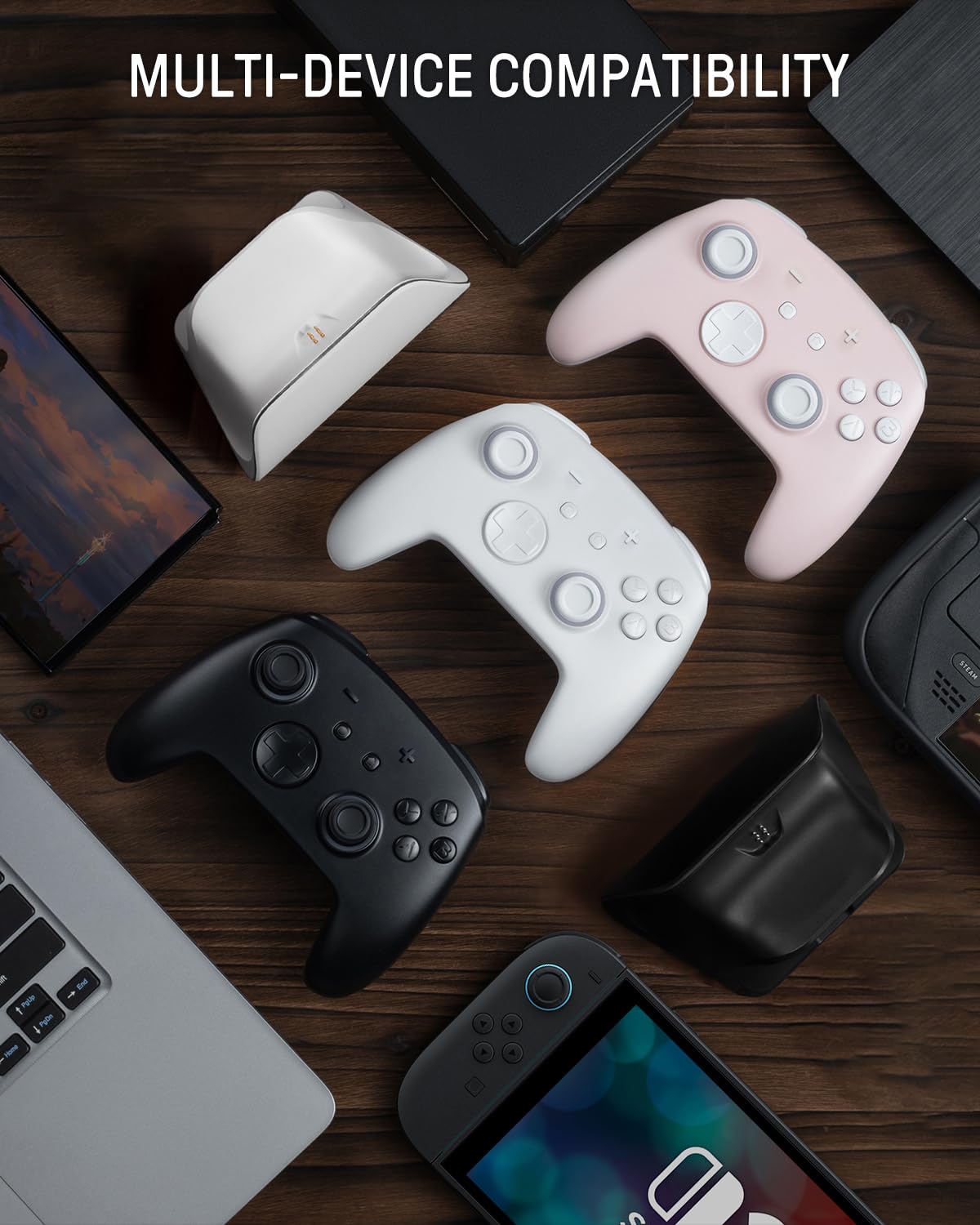
Image 3.2: The controller shown alongside various compatible devices such as laptops, smartphones, and handheld gaming consoles.
4. آپریٹنگ ہدایات
4.1 Hidden-til-lit Display and LED Lighting
The controller features a unique hidden-til-lit display. When the LED is inactive, the controller appears as a solid white unit. Upon activation, a hidden pattern illuminates, enhancing the visual experience.
- دبائیں لائٹ بٹن (located on the back or front, depending on model variant) to cycle through 7 LED colors.
- The controller offers 4 lighting modes: breathing light mode, quick flash mode, vibration lighting mode, and always-on mode.
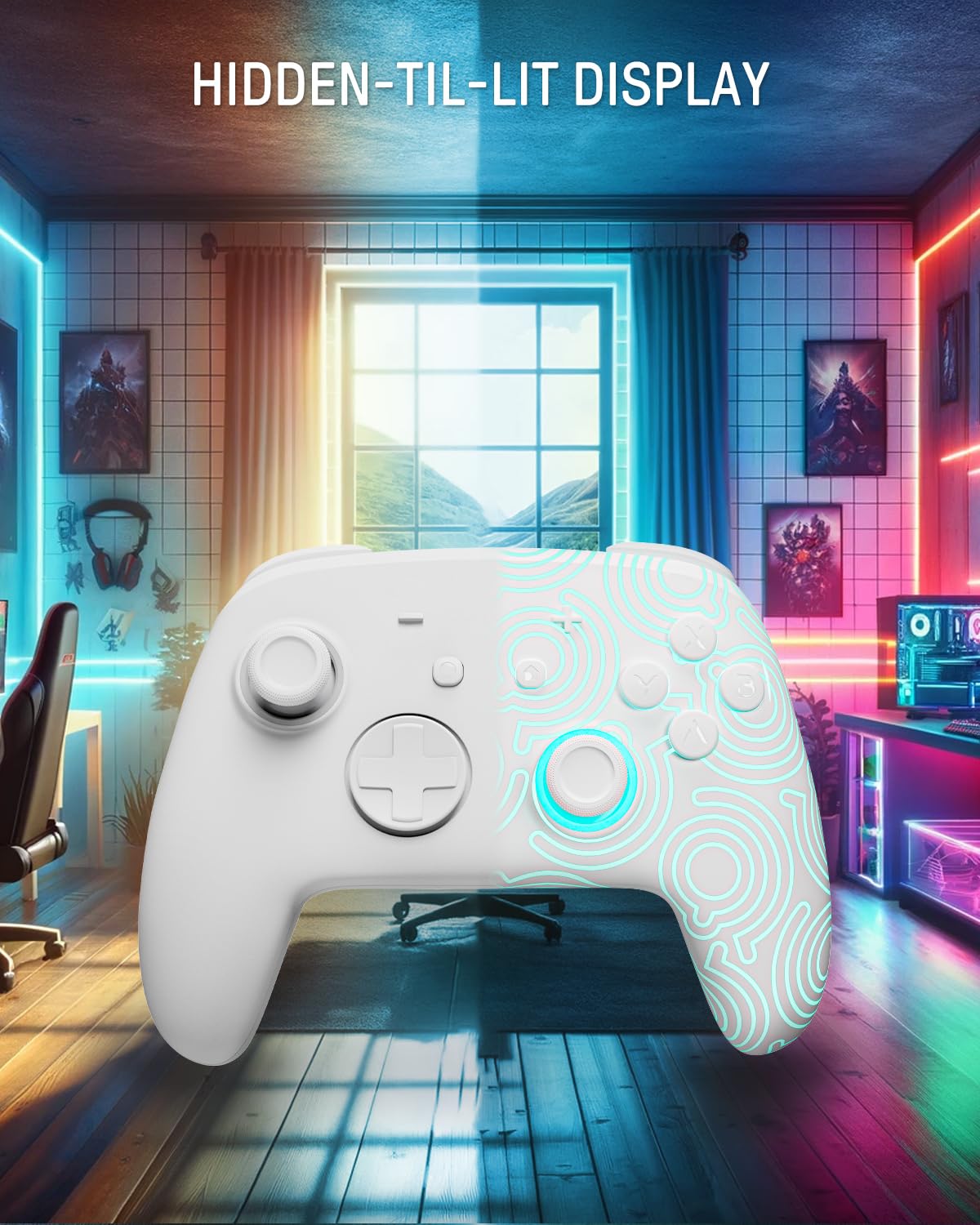
Image 4.1: The controller demonstrating its hidden-til-lit display, with one side illuminated and the other unlit.
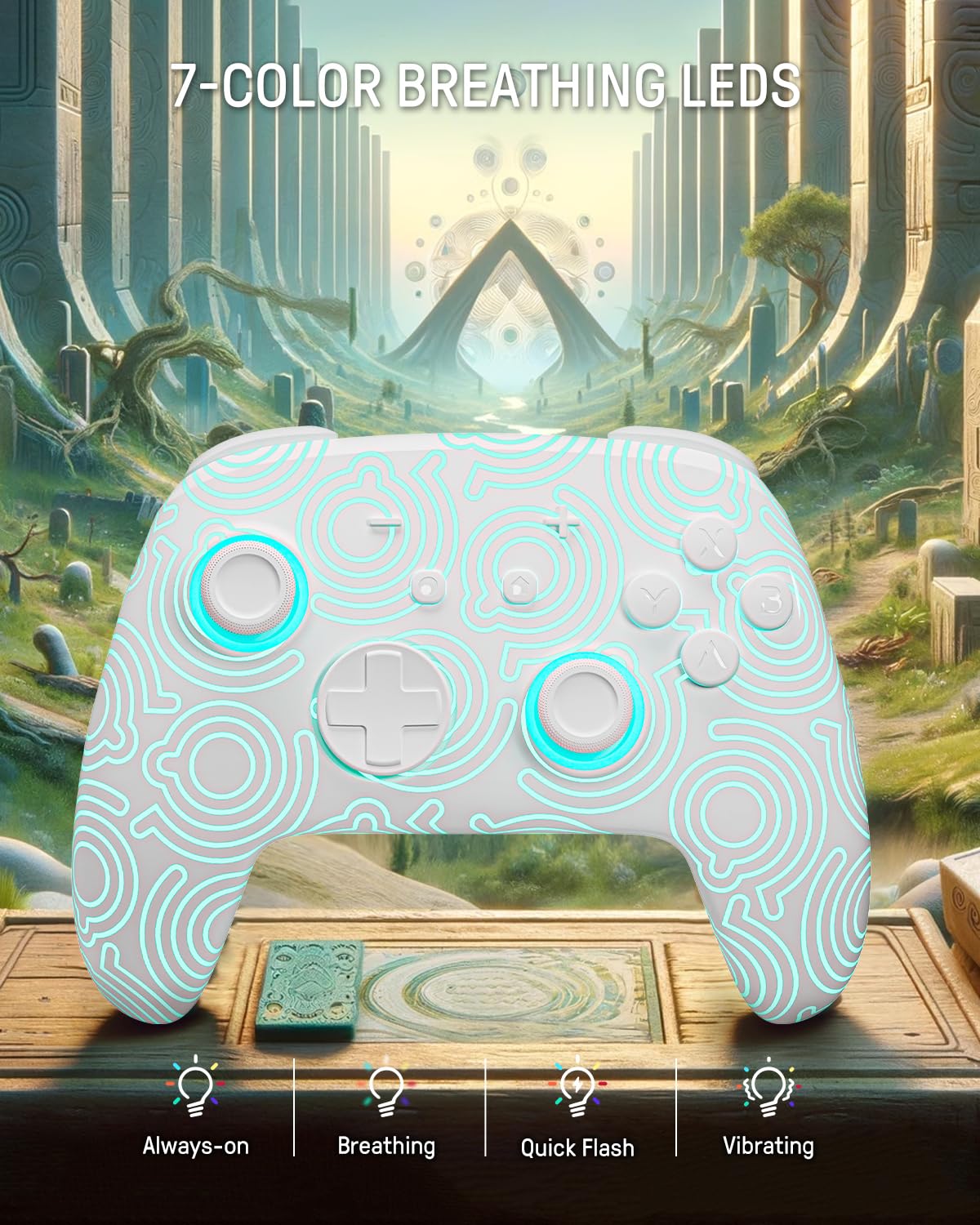
Image 4.2: The controller displaying its 7-color breathing LED feature, with various lighting modes indicated.
4.2 ہال ایفیکٹ جوائس اسٹکس
The controller is equipped with Hall Effect joysticks, which utilize magnetic sensors instead of physical contacts. This design provides precise and sensitive control, ensuring accurate and smooth gameplay while offering a longer lifespan and stable performance with reduced mechanical wear and stick drift.

Image 4.3: A detailed diagram illustrating the internal components and magnetic sensing principle of a Hall Effect joystick.
4.3 Back Paddle Buttons
The controller includes programmable back paddle buttons. These buttons can be assigned to replicate other controller inputs, allowing for enhanced gameplay and customized control setups to suit individual playstyles.

تصویر 4.4: پیچھے view of the controller, highlighting the two programmable back paddle buttons.
4.4 Turbo Function and Motion Control
- The controller features a ٹربو فنکشن, which supports continuous input for rapid button presses. This is beneficial for games requiring quick, repeated actions, such as shooting games.
- عین مطابق motion control is integrated, allowing for immersive gameplay in titles that utilize gyroscope or accelerometer input.
4.5 وائبریشن فنکشن
The controller provides immersive vibration feedback, bringing in-game actions to life. The intensity of the vibration can often be adjusted or toggled off via console settings or dedicated controller buttons, if available.

Image 4.5: An illustration depicting the vibration function of the controller, with intensity levels indicated.
5 دیکھ بھال
- صفائی: کنٹرولر کو صاف کرنے کے لیے نرم، خشک کپڑا استعمال کریں۔ ضدی گندگی کے لیے، قدرے ڈیampپانی کے ساتھ کپڑے. سخت کیمیکلز یا کھرچنے والے مواد کے استعمال سے پرہیز کریں۔
- ذخیرہ: کنٹرولر کو کسی ٹھنڈی، خشک جگہ پر براہ راست سورج کی روشنی اور انتہائی درجہ حرارت سے دور رکھیں۔
- بیٹری کی دیکھ بھال: بیٹری کی زندگی کو طول دینے کے لیے، کنٹرولر کو کثرت سے مکمل طور پر خارج کرنے سے گریز کریں۔ اسے باقاعدگی سے چارج کریں، چاہے طویل عرصے تک استعمال میں نہ ہوں۔
6 خرابیوں کا سراغ لگانا
6.1 کنٹرولر کنیکٹ نہیں ہو رہا ہے۔
- یقینی بنائیں کہ کنٹرولر چارج ہے۔
- Perform the initial wired pairing as described in Section 3.1.
- Check the console's Bluetooth settings to ensure it is enabled and searching for devices.
- Try resetting the controller (a small reset button may be present on the back, often requiring a pin to press).
6.2 Input Lag or Unresponsive Buttons
- Ensure the controller is fully charged. Low battery can affect performance.
- Move closer to the console to minimize wireless interference.
- یقینی بنائیں کہ کوئی اور وائرلیس ڈیوائس مداخلت کا باعث نہیں بن رہی ہے۔
- Restart both the controller and the console.
6.3 ایل ای ڈی لائٹس کام نہیں کر رہی ہیں۔
- Press the Light button repeatedly to cycle through modes and colors.
- یقینی بنائیں کہ کنٹرولر کے پاس کافی بیٹری چارج ہے۔
7. وضاحتیں
| فیچر | تفصیل |
|---|---|
| ماڈل | FUNLAB Firefly Wireless Pro Controller |
| ASIN | B0D2LCBVYD |
| مصنوعات کے طول و عرض | 5.91 x 2.36 x 4.33 انچ |
| شے کا وزن | 8.8 اونس |
| کارخانہ دار | FUNLAB |
| بیٹری کی قسم | 1 لتیم آئن بیٹری (شامل) |
| بیٹری کی صلاحیت | 950mAH |
| Estimated Playtime | Up to 12.5 hours (lights off) |
| کنیکٹوٹی | Wireless (Bluetooth), USB-C (wired) |
| مطابقت | Nintendo Switch, Switch OLED, Switch Lite, Android, iOS, Steam Deck, PC |
| خصوصی خصوصیات | Hall Effect Joysticks, RGB 7 LED Colors, Back Paddle Buttons, Turbo Function, Motion Control, Wake-Up Function |
8. وارنٹی اور سپورٹ
For warranty information and customer support, please refer to the documentation included with your product or visit the official FUNLAB webسائٹ آپ بیچنے والے سے براہ راست اس پلیٹ فارم کے ذریعے بھی رابطہ کر سکتے ہیں جہاں پراڈکٹ کو مدد کے لیے خریدا گیا تھا۔
مینوفیکچرر: FUNLAB
تاریخ پہلی دستیابی: 24 اپریل 2024