
SALA LM-002
SALA LM-002 DJ Laser Light User Manual
Model: LM-002
تعارف
This manual provides comprehensive instructions for the safe and effective operation of your SALA LM-002 DJ Laser Light. Please read this manual thoroughly before use and retain it for future reference. The SALA LM-002 is designed to create dynamic visual effects with its RGB laser system, offering features such as 3D animation looping, sound activation, and DMX512 control.
اہم حفاظتی معلومات
انتباہ: This product contains a laser. Improper use can result in serious eye injury. Always follow safety guidelines.
- Never look directly into the laser aperture.
- Do not point the laser at people, animals, or reflective surfaces.
- Ensure the device is securely mounted to prevent accidental movement.
- اچھی طرح سے ہوادار علاقے میں کام کریں۔
- بچوں کی پہنچ سے دور رکھیں۔
- صفائی ستھرائی یا خدمت سے پہلے بجلی منقطع کریں۔
- صرف فراہم کردہ پاور کورڈ اور لوازمات استعمال کریں۔
- Avoid operating in smoky environments without proper ventilation, as smoke can intensify laser beam visibility and potential hazards.
باکس میں کیا ہے۔
- 1 x SALA LM-002 DJ Laser Light
- 1 ایکس ریموٹ کنٹرول
- 1 ایکس پاور کی ہڈی
- 1 ایکس یوزر مینوئل (یہ دستاویز)
پروڈکٹ ختمview
The SALA LM-002 is a versatile laser light designed for various entertainment settings. It features full RGB color output, 3D animation looping (ILD), sound activation, and DMX512 control for professional integration.
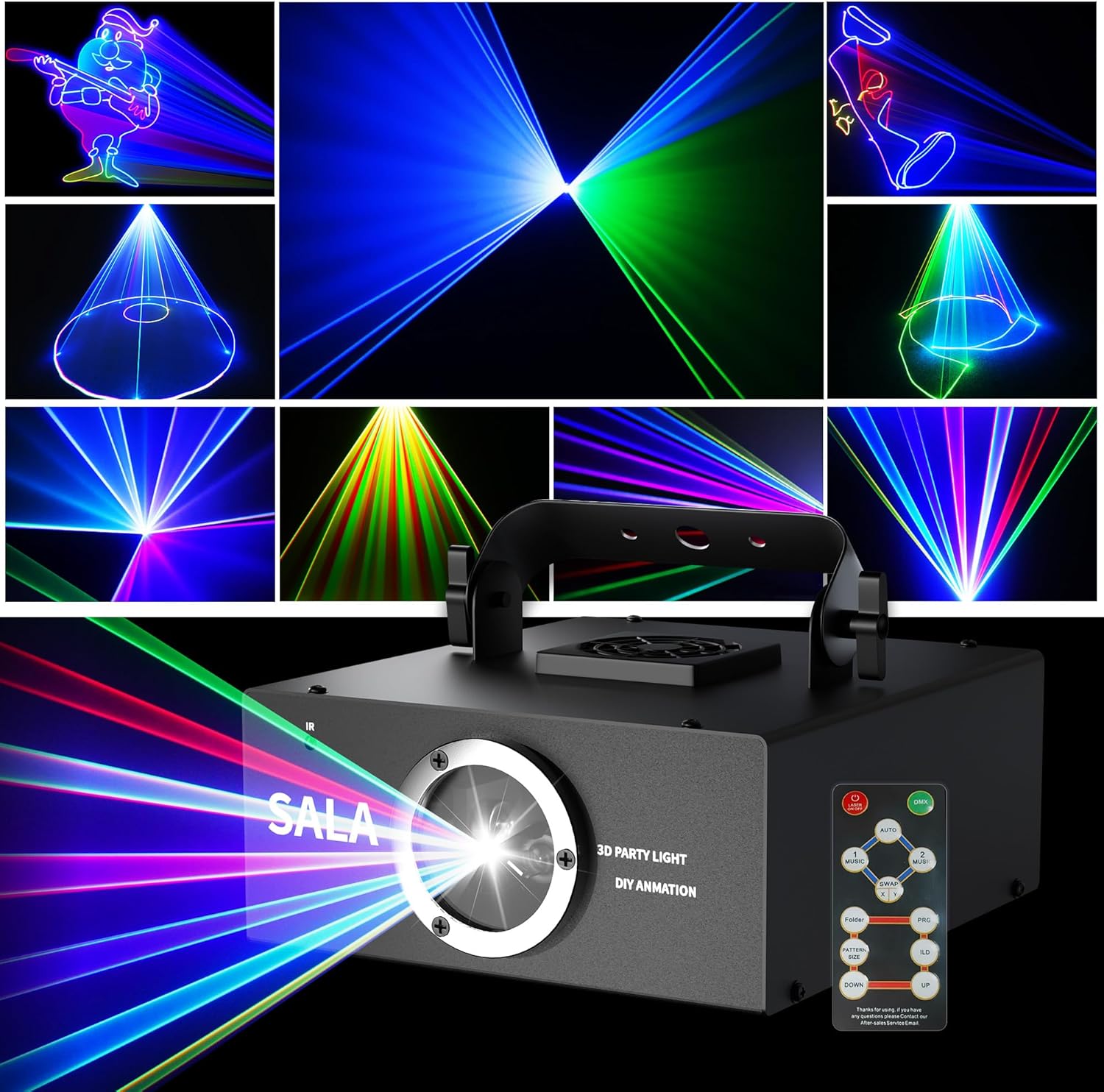
تصویر: سامنے view of the SALA LM-002 DJ Laser Light, showcasing its compact design, laser aperture, and included remote control. Various laser patterns are displayed in the background.
اہم خصوصیات:
- Animation Loop (ILD): Seamless looping of individual animations.
- DMX and Remote Control: 12 channels for DMX control; remote for simple operation.
- Vibrant RGB Color: Dynamic blend of red, green, blue, and yellow lasers.
- آواز چالو: Syncs with music for enhanced visual effects.
- Custom Graphics: Supports custom pattern creation via software (SD card).
سیٹ اپ کی ہدایات
- پیک کھولنا: Carefully remove the laser light and all accessories from the packaging. Inspect for any damage.
- جگہ کا تعین: Position the laser light on a stable surface or mount it securely using the integrated bracket. Ensure the laser aperture is clear and not obstructed. Avoid pointing the laser directly at eye level.
- پاور کنکشن: Connect the provided power cord to the device's power input and then to a suitable power outlet (AC100-240V, 50/60Hz).
- ریموٹ ریسیور: The remote receiver is located on the front of the laser light. Ensure a clear line of sight between the remote control and the device for optimal operation.
- SD Card Insertion (Optional): If using custom patterns, power off the device before inserting the TF (micro SD) card into the designated slot.
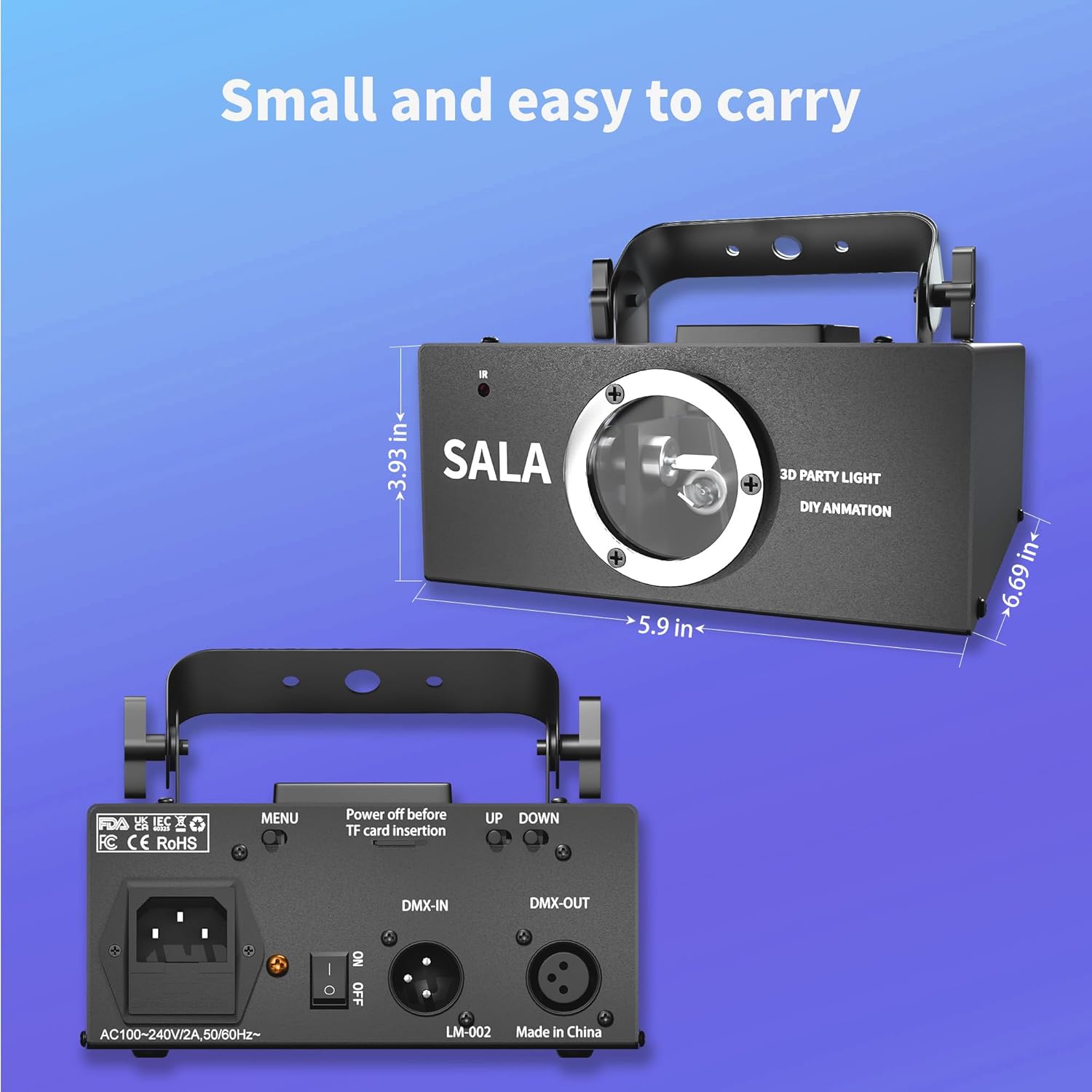
Image: Rear panel of the SALA LM-002, illustrating the power input, ON/OFF switch, DMX-IN/OUT ports, and UP/DOWN control buttons.
آپریٹنگ ہدایات
پاور آن/آف:
- Flip the ON/OFF switch on the rear panel to the 'ON' position to power on the device.
- Flip the ON/OFF switch to the 'OFF' position to power off the device.
ریموٹ کنٹرول آپریشن:
The included remote control allows for easy adjustment of various settings.

تصویر: تفصیلی view of the remote control for the SALA LM-002, showing buttons for power, mode selection (Auto, Music 1, Music 2), pattern direction, TF card file access, pattern size, ILD mode, and color selection (R, G, B).
- آن/آف: Powers the laser on or off.
- آٹو: Activates automatic pattern cycling.
- MUSIC 1 / MUSIC 2: Engages sound-activated modes, where patterns react to music.
- تبادلہ: Changes pattern display direction.
- فولڈر: Accesses patterns stored on the TF card.
- PATTERN SIZE +/-: Adjusts the size of the projected patterns.
- ILD: Activates the Animation Loop mode for continuous playback of a single animation. Use UP/DOWN to select the animation.
- R / G / B: Selects individual red, green, or blue laser colors.
- اوپر / نیچے: Navigates through patterns or adjusts settings in ILD mode.
DMX512 کنٹرول:
For professional control, connect a DMX512 controller to the DMX-IN port. The SALA LM-002 utilizes 12 DMX channels to control various parameters such as movement, rotation, zoom, and speed. Refer to the DMX channel chart (not provided in source, but implied by "12 channels for professional DMX control") for detailed channel assignments and values.
Custom Pattern Creation:
The device supports custom graphics via an SD card. A 512MB memory card is included, capable of holding approximately 300 pictures. Larger capacity cards can be used if needed. Software for creating custom patterns is required. Please contact SALA support for information on compatible software and tutorials.
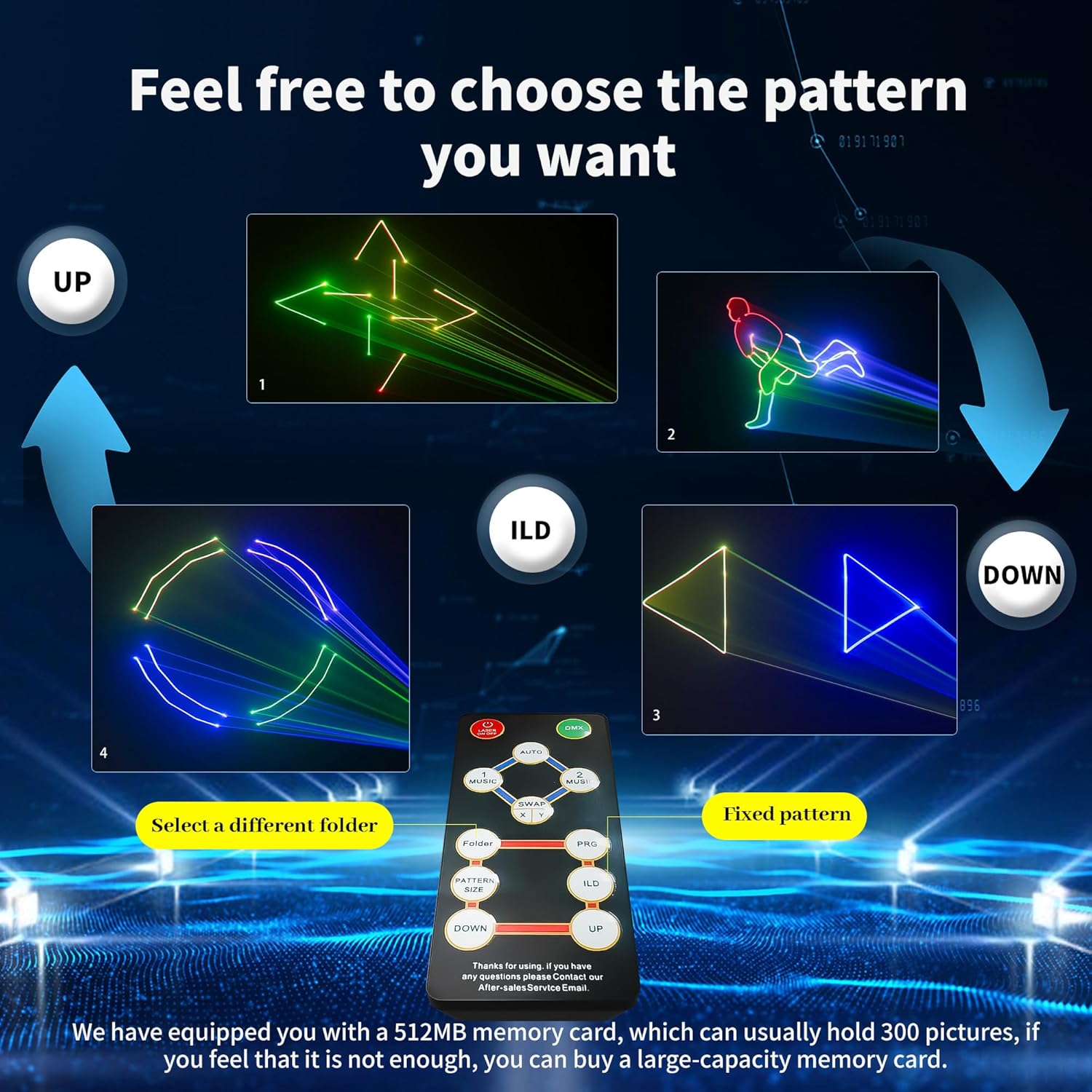
Image: The SALA LM-002 projecting a grid of various 3D laser animations, demonstrating its capability to display complex patterns.
دیکھ بھال
- صفائی: Regularly clean the exterior of the device with a soft, dry cloth. For the laser aperture, use a lens cleaning cloth and solution specifically designed for optical components. Ensure the device is powered off and unplugged before cleaning.
- ذخیرہ: When not in use, store the laser light in a cool, dry place, away from direct sunlight and extreme temperatures.
- حفاظتی فلم: A protective film may be present inside the lens upon initial unboxing. Remove this film carefully before first use to ensure optimal laser effect.
خرابی کا سراغ لگانا
| مسئلہ | ممکنہ وجہ | حل |
|---|---|---|
| ڈیوائس آن نہیں ہوتی ہے۔ | پاور کی ہڈی منسلک نہیں ہے؛ پاور سوئچ آف؛ آؤٹ لیٹ سے بجلی نہیں ہے. | بجلی کی ہڈی کا کنکشن چیک کریں؛ یقینی بنائیں کہ پاور سوئچ آن ہے؛ دوسرے آلے کے ساتھ ٹیسٹ آؤٹ لیٹ۔ |
| ریموٹ کنٹرول جواب نہیں دے رہا ہے۔ | Remote batteries low/dead; no clear line of sight to receiver; remote receiver obstructed. | Replace remote batteries; ensure remote is pointed at the front of the device; clear any obstructions. |
| Laser patterns are dim or unclear. | Protective film still on lens; lens dirty; ambient light too bright. | Remove protective film from lens; clean the lens carefully; operate in a darker environment. |
| Custom patterns from SD card not displaying. | SD card not inserted correctly; incorrect file format; device not powered off before insertion. | Ensure SD card is fully inserted; verify custom pattern files are in the correct format; power off device before inserting/removing SD card. |
| Laser patterns are distorted or incomplete (e.g., circles appear as open loops). | Software compatibility issues; specific .ild file حدود | Ensure custom .ild files are compatible with the device's software. Some complex designs from third-party software may not render perfectly. Contact SALA support for software guidance. |
وضاحتیں
| ماڈل نمبر | ایل ایم -002 |
| برانڈ | سالا |
| رنگ | سیاہ |
| مواد | ایلومینیم |
| روشنی کے منبع کی قسم | Light Emitting Diode (Laser) |
| طاقت کا منبع | کورڈڈ الیکٹرک |
| والیومtage | AC100-240V |
| تعدد | 50/60Hz |
| شے کا وزن | 2.5 پاؤنڈز |
| مصنوعات کے طول و عرض | 6.69"L x 5.9"W x 3.93"H |
| چڑھنے کی قسم | ٹیبل ماؤنٹ |
| بلب کی خصوصیات | RGB, sound activation, custom graphics |
| ڈی ایم ایکس چینلز | 12 |
سپورٹ اور وارنٹی
For technical support, software inquiries, or warranty information, please contact SALA customer service. Refer to the product packaging or the official SALA webرابطہ کی تفصیلات کے لیے سائٹ
نوٹ: Some users have found information regarding custom pattern software by searching for "www aokelm lm".
Ask a question about this manual
Ask about setup, troubleshooting, compatibility, parts, safety, or missing instructions. Manuals+ will review the question and use this page’s manual context to help answer it.