
1. تعارف
The MIPRO ACT-311/ACT-32H Single-Channel Handheld Wireless System is engineered for professional audio applications, offering high-fidelity sound and dependable performance. This system features a premium condenser microphone capsule for clear, dynamic vocal reproduction. Its design prioritizes ease of use with MIPRO's patented ACT technology for rapid frequency synchronization and an Auto Scan function to identify interference-free channels. Advanced diversity technology further enhances reliability by minimizing signal dropouts. This manual provides essential information for the proper setup, operation, and maintenance of your wireless system.
2. پیکیج کے مشمولات
Please inspect the package contents carefully. If any items are missing or damaged, contact your dealer.
- ACT-311 سنگل چینل وصول کنندہ
- ACT-32H Handheld Wireless Microphone (Transmitter)
- وصول کنندہ کے لیے پاور اڈاپٹر
- آڈیو کیبل (XLR سے 1/4" فون جیک)
- AA Batteries (for Transmitter)
- صارف دستی (یہ دستاویز)
3. پروڈکٹ ختمview
The MIPRO ACT-311/ACT-32H system consists of a receiver unit and a handheld microphone transmitter.
3.1. ACT-311 Receiver
The ACT-311 receiver processes the wireless signal from the transmitter and outputs it as an audio signal. It features a clear LCD display, control buttons, and antenna inputs.
3.2. ACT-32H Handheld Transmitter
The ACT-32H is a robust handheld microphone with an integrated wireless transmitter. It includes a power switch, battery compartment, and an ACT sync port.
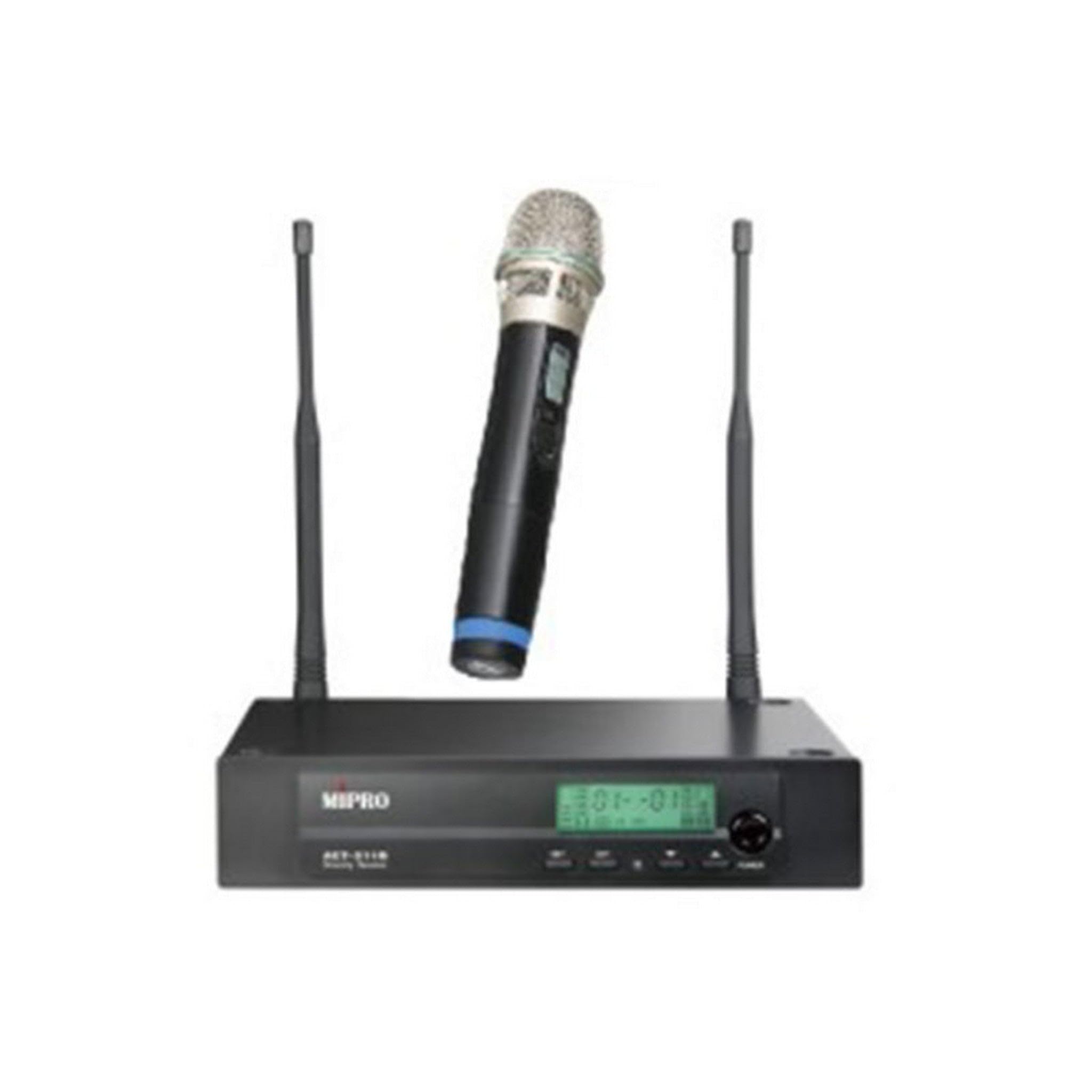
Figure 1: The MIPRO ACT-311/ACT-32H Single-Channel Handheld Wireless System, showing the receiver and handheld microphone.
4. سیٹ اپ
Follow these steps to set up your MIPRO wireless system.
4.1. Receiver Placement
- Place the ACT-311 receiver in a location free from obstructions and away from potential sources of interference (e.g., computers, digital processors, other wireless devices).
- Ensure the receiver's antennas are fully extended and positioned vertically for optimal signal reception.
- Maintain a clear line of sight between the receiver and the area where the transmitter will be used.
4.2. پاور کنکشن
- Connect the supplied power adapter to the DC input jack on the rear panel of the ACT-311 receiver.
- Plug the power adapter into an appropriate AC power outlet.
- Do not power on the receiver yet.
4.3. آڈیو آؤٹ پٹ کنکشن
Connect the receiver's audio output to your mixer, amplifier, or sound system.
- Balanced Output (XLR): Use an XLR cable to connect the receiver's XLR output to a balanced input on your mixer.
- Unbalanced Output (1/4" Phone Jack): Use a 1/4" phone jack cable to connect the receiver's unbalanced output to an unbalanced input on your mixer or ampزندگی
4.4. ٹرانسمیٹر بیٹری کی تنصیب
- Unscrew the lower part of the ACT-32H handheld microphone to reveal the battery compartment.
- Insert two fresh AA batteries, observing the correct polarity (+/-) as indicated inside the compartment.
- Securely screw the lower part back onto the microphone.
5. آپریٹنگ ہدایات
This section details how to operate your MIPRO wireless system.
5.1. پر / آف پاور
- وصول کنندہ (ACT-311): Press the power button on the front panel. The LCD display will illuminate.
- Transmitter (ACT-32H): Slide the power switch on the handheld microphone to the "ON" position. The power indicator will light up.
- Always power on the receiver before the transmitter, and power off the transmitter before the receiver.
5.2. فریکوئینسی سنکرونائزیشن (ACT فنکشن)
MIPRO's patented ACT (Automatic Channel Targeting) function allows for quick and precise frequency matching between the receiver and transmitter.
- یقینی بنائیں کہ رسیور اور ٹرانسمیٹر دونوں آن ہیں۔
- On the ACT-311 receiver, press the ایکٹ button. The ACT indicator on the receiver will flash.
- Align the ACT sync port on the ACT-32H handheld microphone (usually near the base or battery compartment) with the ACT window on the receiver.
- Hold them together within a few centimeters until the receiver's ACT indicator stops flashing and the transmitter's frequency display matches the receiver's.
- The system is now synchronized and ready for use.
5.3. Channel Selection (Auto Scan)
Use the Auto Scan function to find the clearest available frequency channel.
- On the ACT-311 receiver, press the اسکین کریں۔ بٹن
- The receiver will automatically scan for an interference-free channel.
- Once a clear channel is found, the receiver will display it.
- Perform the ACT synchronization process (Section 5.2) to match the transmitter to this newly selected channel.
5.4. والیوم ایڈجسٹمنٹ
Adjust the audio output level of the receiver using the حجم control knob on the front panel of the ACT-311. Start with a low volume and gradually increase it to a suitable level on your mixer or ampزندگی
5.5. مائیکروفون کا استعمال
- Hold the ACT-32H microphone approximately 2-6 inches (5-15 cm) from your mouth for optimal vocal pickup.
- Avoid covering the microphone grille with your hand, as this can affect sound quality and signal transmission.
- Be aware of the microphone's unidirectional polar pattern, which means it primarily picks up sound from the front, reducing background noise.
6 دیکھ بھال
Proper maintenance ensures the longevity and optimal performance of your wireless system.
6.1. صفائی
- Wipe the receiver and transmitter with a soft, dry cloth.
- ضدی گندگی کے لیے، تھوڑا سا استعمال کریں۔amp کپڑے اور پھر اچھی طرح خشک.
- کھرچنے والے کلینر، سالوینٹس، یا سخت کیمیکل استعمال نہ کریں، کیونکہ یہ ختم یا اندرونی اجزاء کو نقصان پہنچا سکتے ہیں۔
- وقتاً فوقتاً مائیکروفون گرل کو صاف کریں تاکہ ملبہ جمع ہونے سے بچ سکے۔
6.2 بیٹری کی تبدیلی
- Replace the AA batteries in the ACT-32H transmitter when the low battery indicator appears on the microphone or receiver, or if you notice a decrease in performance.
- Always use fresh, high-quality alkaline or rechargeable batteries.
- Remove batteries if the transmitter will not be used for an extended period to prevent leakage.
6.3. ذخیرہ
- Store the system in a cool, dry place, away from direct sunlight, extreme temperatures, and high humidity.
- If transporting, use a protective case to prevent physical damage.
7 خرابیوں کا سراغ لگانا
If you encounter issues with your MIPRO wireless system, refer to the following common problems and solutions.
7.1. کوئی آواز نہیں
- پاور چیک کریں: Ensure both the receiver and transmitter are powered on and their respective power indicators are lit.
- کنکشن چیک کریں: Verify that the receiver's audio output is correctly connected to your mixer/amplifier and that all cables are secure.
- حجم چیک کریں: Ensure the receiver's volume control is not set to minimum and that your mixer/amplifier input gain is appropriately set.
- تعدد چیک کریں: Confirm that the transmitter and receiver are synchronized to the same frequency. Perform ACT synchronization if necessary.
- بیٹریاں چیک کریں: Replace the batteries in the handheld transmitter if they are low or depleted.
7.2. Interference or Signal Dropouts
- وصول کنندہ کی جگہ کا تعین: Relocate the receiver to a higher position or away from metal objects and other electronic devices that may cause interference.
- اینٹینا پوزیشن: Ensure receiver antennas are fully extended and positioned correctly.
- Scan for Clear Channel: Use the Auto Scan function on the receiver to find a new, clear frequency, then re-synchronize the transmitter.
- آپریٹنگ رینج: Ensure the transmitter is within the recommended operating range of the receiver.
- بیٹری کی سطح: Low transmitter batteries can cause signal instability. Replace them if needed.
7.3. Poor Sound Quality (Distortion, Weak Signal)
- Microphone Proximity: Ensure the microphone is held at an appropriate distance from the sound source (typically 2-6 inches).
- حاصل کی ترتیبات: Adjust the input gain on your mixer/amplifier. If the signal is too hot, it can cause distortion; if too low, it will be weak.
- بیٹری کی سطح: Weak batteries can affect audio quality. Replace them.
- رکاوٹیں: Ensure there are no physical obstructions between the transmitter and receiver.
8. وضاحتیں
Key technical specifications for the MIPRO ACT-311/ACT-32H Wireless System.
| فیچر | تفصیلات |
|---|---|
| ماڈل کا نام | ACT-311/ACT-32H |
| برانڈ | میپرو |
| چینلز کی تعداد | 1 |
| تعدد رسپانس | 506-530 MHz (5A Band) |
| سگنل ٹو شور کا تناسب | 70 ڈی بی |
| کنیکٹوٹی ٹیکنالوجی | وائرلیس |
| مائیکروفون فارم فیکٹر | ہینڈ ہیلڈ |
| پولر پیٹرن | یک طرفہ |
| پاور سورس (ٹرانسمیٹر) | بیٹری سے چلنے والا (AA) |
| شے کا وزن | 6 pounds (System total, approximate) |
9. وارنٹی اور سپورٹ
MIPRO products are designed for reliability and performance. For specific warranty information, please refer to the warranty card included with your product or visit the official MIPRO webسائٹ
If you require technical assistance or have questions not covered in this manual, please contact your authorized MIPRO dealer or MIPRO customer support.