
1. تعارف
This manual provides essential instructions for the safe and effective use of your Dyson WashG1 hard floor cleaner. Please read this manual thoroughly before first use and retain it for future reference. The Dyson WashG1 is designed for powerful cleaning of both wet and dry messes on hard floor surfaces.
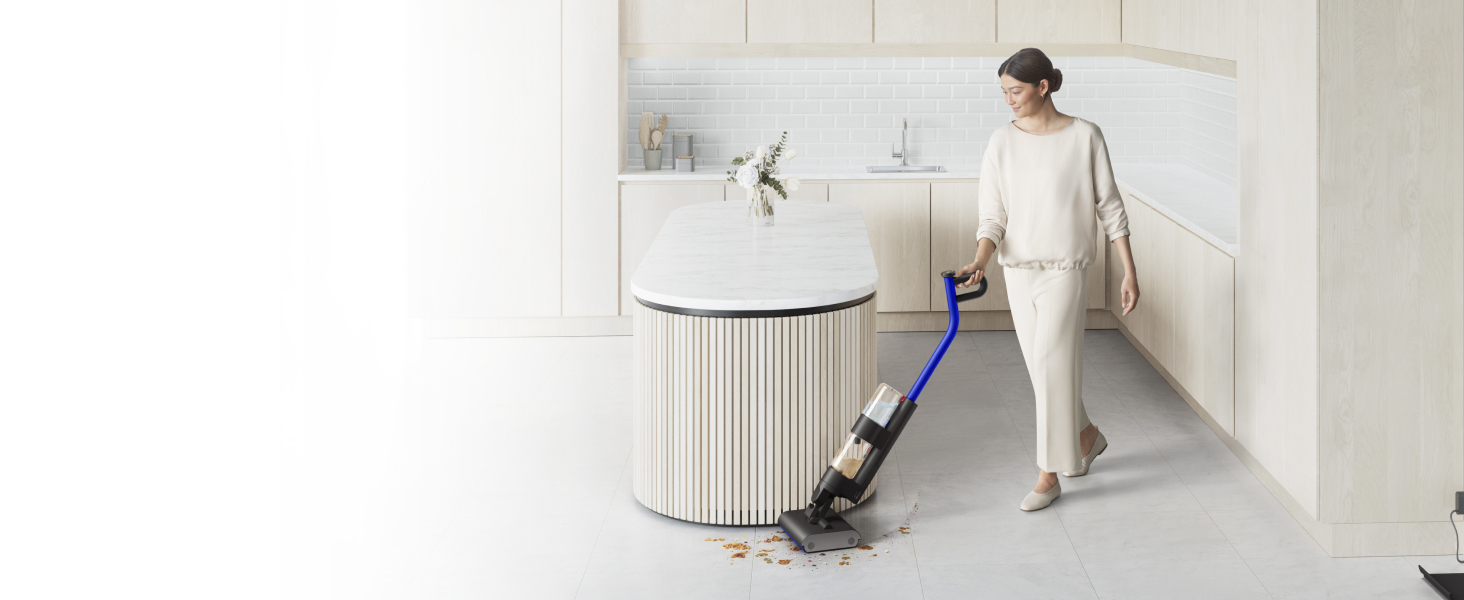
Image: The Dyson WashG1 in action, effectively cleaning up liquid and solid debris from a hard floor.
2. حفاظتی معلومات
آگ، برقی جھٹکا، یا چوٹ کے خطرے کو کم کرنے کے لیے برقی آلات استعمال کرتے وقت ہمیشہ بنیادی حفاظتی احتیاطی تدابیر پر عمل کریں۔
- آلے کو استعمال کرنے سے پہلے تمام ہدایات پڑھیں۔
- آلے کو پانی یا دیگر مائعات میں نہ ڈوبیں۔
- بالوں، ڈھیلے کپڑے، انگلیوں اور جسم کے تمام حصوں کو کھلنے اور حرکت کرنے والے حصوں سے دور رکھیں۔
- صرف اسی طرح استعمال کریں جیسا کہ اس دستی میں بیان کیا گیا ہے۔ صرف مینوفیکچرر کی تجویز کردہ منسلکات استعمال کریں۔
- خراب شدہ ہڈی یا پلگ کے ساتھ استعمال نہ کریں۔ اگر آلات کام نہیں کر رہا ہے جیسا کہ اسے کرنا چاہیے تھا، گرا دیا گیا ہے، خراب ہو گیا ہے، باہر چھوڑ دیا گیا ہے، یا پانی میں گرا دیا گیا ہے، تو اسے سروس سنٹر میں واپس کر دیں۔
- ڈوری سے نہ کھینچیں اور نہ لے جائیں، ڈوری کو ہینڈل کے طور پر استعمال کریں، ڈوری پر دروازہ بند کریں، یا ڈوری کو تیز کناروں یا کونوں کے گرد کھینچیں۔ ڈوری کے اوپر آلات نہ چلائیں۔ ڈوری کو گرم سطحوں سے دور رکھیں۔
- ڈوری کو کھینچ کر ان پلگ نہ کریں۔ ان پلگ کرنے کے لیے، پلگ کو پکڑیں، ڈوری کو نہیں۔
- گیلے ہاتھوں سے پلگ یا آلات کو نہ سنبھالیں۔
- کسی بھی چیز کو سوراخوں میں نہ ڈالیں۔ کسی بھی افتتاحی بلاک کے ساتھ استعمال نہ کریں؛ دھول، لنٹ، بالوں اور کسی بھی چیز سے پاک رکھیں جو ہوا کے بہاؤ کو کم کر سکتی ہے۔
- ان پلگ کرنے سے پہلے تمام کنٹرولز کو بند کر دیں۔
- سیڑھیوں پر صفائی کرتے وقت اضافی احتیاط برتیں۔
- آتش گیر یا آتش گیر مائعات لینے کے لیے استعمال نہ کریں، جیسے کہ پٹرول، یا ان علاقوں میں استعمال نہ کریں جہاں وہ موجود ہو سکتے ہیں۔
- ایسی کوئی بھی چیز نہ اٹھائیں جو جل رہی ہو یا سگریٹ پی رہی ہو، جیسے سگریٹ، ماچس یا گرم راکھ۔
- جگہ پر ٹینک اور فلٹر کے بغیر استعمال نہ کریں۔
- یہ آلہ صرف گھریلو استعمال کے لیے ہے۔
3. سیٹ اپ
3.1 پیک کھولنا اور اسمبلی
Carefully remove all components from the packaging. Refer to the image below for the contents of the package.

Image: The Dyson WashG1 main unit, charging dock, and power adapter as included in the box.
Assemble the handle to the main body of the cleaner until it clicks securely into place. Ensure all connections are firm before use.
3.2 آلات کو چارج کرنا
Before first use, fully charge the Dyson WashG1. Place the cleaner on its charging dock and connect the power adapter to a wall outlet. The display will indicate charging status.
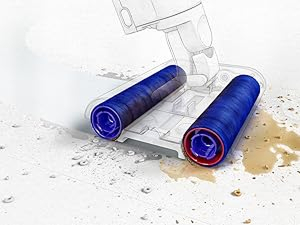
Image: The Dyson WashG1 positioned on its charging station, connected to a power outlet.
3.3 صاف پانی کے ٹینک کو بھرنا
Locate the clean water tank on the appliance. Remove it and fill with clean tap water. You may add a small amount of Dyson-approved cleaning solution if desired. Do not overfill. Reattach the tank securely.

Image: A hand demonstrating the removal of the clean water tank from the appliance.
4. آپریشن
4.1 Powering On and Cleaning Modes
Press the power button to turn on the appliance. The display will show the current cleaning mode and battery level. The Dyson WashG1 features a 'Max' mode for tackling stubborn stains, indicated by a 'MAX' icon and three water droplets on the display.

Image: Close-up of the Dyson WashG1's digital display, showing the 'MAX' cleaning mode activated.
4.2 صفائی کا عمل
The Dyson WashG1 is designed to remove both liquid and dry debris simultaneously. Its powerful microfibre rollers hydrate the floor with clean water and scrub away dirt, while a separate system extracts dirty water and debris into the dirty water tank.
Video: An animated demonstration of the Dyson WashG1's cleaning mechanism, showing how it applies clean water, scrubs with rollers, and separates wet and dry debris into different tanks.
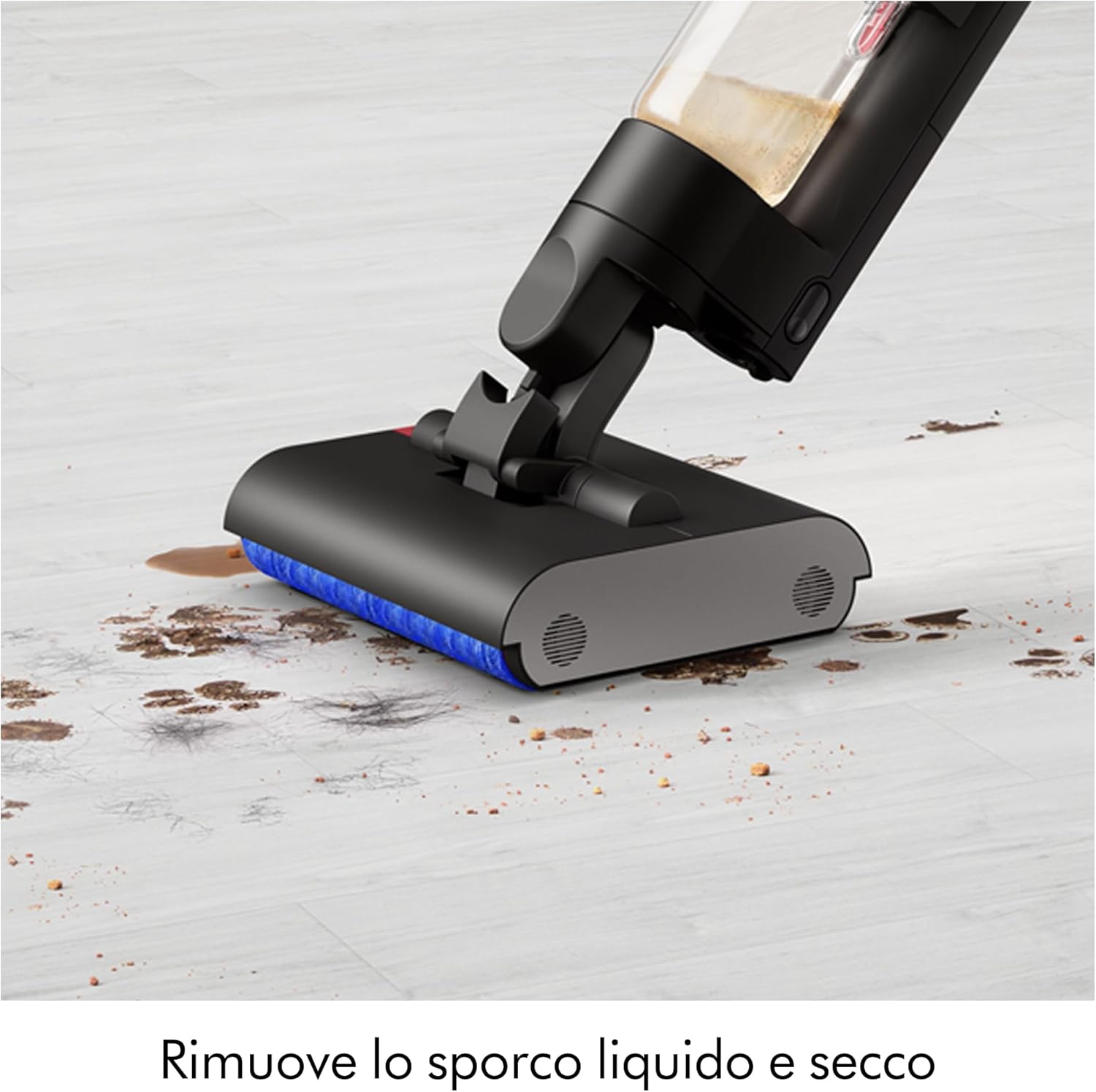
Image: The cleaner head actively removing a combination of liquid spills and solid particles from a hard floor surface.
4.3 Maneuverability and Coverage
The appliance is designed for easy maneuverability, allowing it to clean close to edges and under furniture. It provides up to 35 minutes of runtime, suitable for cleaning large floor areas.

Image: The Dyson WashG1 cleaning effectively under a dining chair, demonstrating its low-profile ڈیزائن

Image: A user operating the Dyson WashG1 to clean a spacious hard floor in a contemporary kitchen setting.
5 دیکھ بھال
Regular maintenance ensures optimal performance and longevity of your Dyson WashG1.
5.1 گندے پانی کے ٹینک کو خالی کرنا
After each use, remove the dirty water tank and empty its contents. The appliance separates liquid and solid debris for hygienic disposal.

Image: Demonstrates the two-step hygienic disposal process: pouring out dirty liquid and discarding solid waste.
5.2 خود کی صفائی کا فنکشن
The Dyson WashG1 features an automatic self-cleaning cycle. After placing the cleaner on its dock, activate the self-clean function. The display will show 'Self clean Complete' once finished.
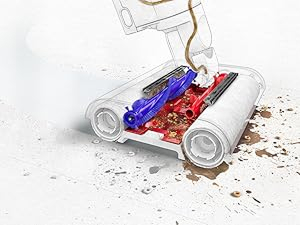
Image: The appliance's screen indicating that the self-cleaning cycle has been successfully completed.
5.3 Cleaning Rollers and Filters
For thorough cleaning, periodically remove the microfibre rollers and wash them under running water. Ensure they are completely dry before reinserting. Clean the filter regularly to maintain suction and water flow efficiency.

تصویر: ایک اندرونی view showing the brush mechanism cleaning the rotating microfibre rollers.
6 خرابیوں کا سراغ لگانا
If you encounter any issues with your Dyson WashG1, please refer to the following general troubleshooting tips. For more detailed assistance, consult the official Dyson support webسائٹ یا کسٹمر سروس سے رابطہ کریں۔
- آلات آن نہیں ہو رہے ہیں: Ensure the battery is charged. Check that the power button is pressed firmly.
- ناقص صفائی کی کارکردگی: Check if the clean water tank is filled and the dirty water tank is empty. Ensure rollers are clean and properly installed. Clean any clogged filters.
- پانی کا رسنا: Verify that all tanks and components are securely attached. Check for any cracks or damage to the tanks or seals.
- ناگوار بدبو: This often indicates that the dirty water tank or rollers need thorough cleaning. Perform a self-cleaning cycle and manually clean components as needed.
- ڈسپلے پر خرابی کے کوڈز: Refer to the Dyson support website for specific error code meanings and solutions.
7. وضاحتیں
| برانڈ | ڈائیسن |
| ماڈل کا نام | WR01 |
| خصوصی خصوصیت | HEPA |
| فلٹر کی قسم | سائکلونک فلٹر |
| تجویز کردہ سطحیں۔ | Hard Floor, Stained Floor |
| طاقت کا منبع | بیٹری سے چلنے والا |
| صلاحیت | 1 لیٹر |
| رنگ | سیاہ |
| شور کی سطح | 78 ڈیسیبل |
| موٹر ہارس پاور | 0.127 ہارس پاور |
| انداز | چھڑی |
| رفتار کی تعداد | 4 |
| پورٹیبل | جی ہاں |
| انڈور / آؤٹ ڈور استعمال | انڈور |
| والیومtage | 14.4 وولٹ |
| واٹtage | 95 واٹ |
| بیٹری کی زندگی | 35 منٹ |
| رن ٹائم | 30 منٹ |
| شے کا وزن | 4.9 کلوگرام |
| کنٹرول کا طریقہ | چھوئے۔ |
8. وارنٹی اور سپورٹ
Your Dyson WashG1 comes with a manufacturer's warranty. For details regarding warranty coverage, registration, and to access customer support, please visit the official Dyson webسائٹ یا ان کے کسٹمر سروس ڈیپارٹمنٹ سے رابطہ کریں۔ وارنٹی کے دعووں کے لیے اپنی خریداری کا ثبوت رکھیں۔
For further assistance, including spare parts and accessories, please refer to the Dyson official channels.