
1. تعارف
The Optex ORT8915-UHD is a state-of-the-art 4K DVB-T2 terrestrial digital television receiver. This device allows you to receive terrestrial digital television programs in stunning 4K quality, providing a high-quality visual and audio experience. It supports HEVC encoding for efficient broadcasting and offers various features to enhance your viewتجربہ ہے.
2. پیکیج کے مشمولات
تنصیب کے ساتھ آگے بڑھنے سے پہلے، براہ کرم تصدیق کریں کہ تمام اشیاء پیکیج میں موجود ہیں:
- Optex ORT8915-UHD 4K DVB-T2 Receiver x1
- پاور اڈاپٹر x1
- 1.5V Batteries x2
- یوزر مینوئل x1
- ریموٹ کنٹرول x1۔
- HDMI کیبل x1

Image 2.1: The Optex ORT8915-UHD receiver along with its included accessories: power adapter, batteries, user manual, remote control, and HDMI cable.
3. پروڈکٹ ختمview
3.1 فرنٹ پینل
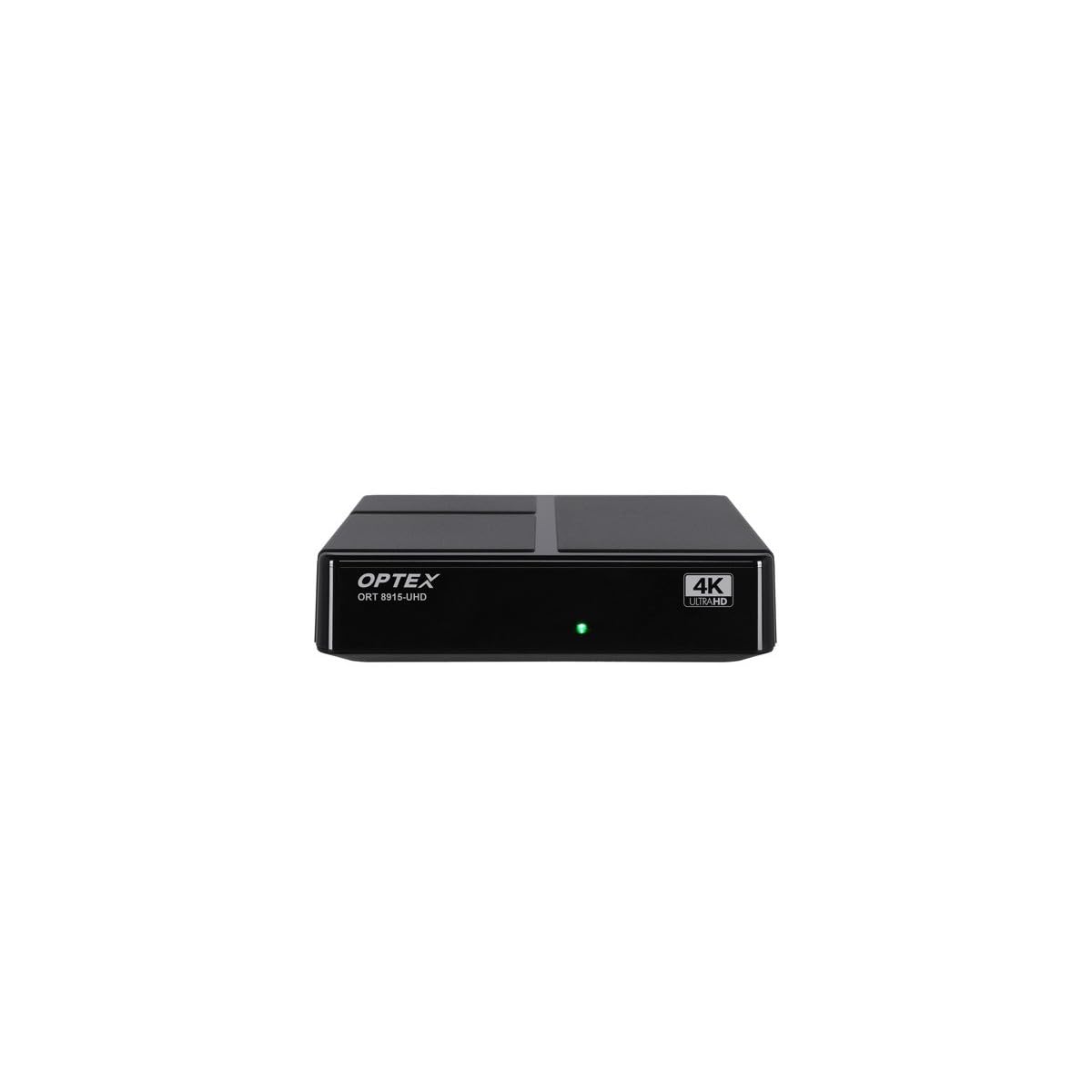
تصویر 3.1: سامنے view of the Optex ORT8915-UHD receiver, showing the USB port and control buttons.
The front panel features a USB port for connecting external storage devices, along with basic control buttons for power, menu navigation, channel selection (CH+/CH-), and volume adjustment (V+/V-).
3.2 پیچھے والا پینل

تصویر 3.2: پیچھے view of the Optex ORT8915-UHD receiver, displaying various input/output ports.
پچھلے پینل میں درج ذیل کنکشن شامل ہیں:
- ANT میں: For connecting your terrestrial antenna.
- OPTIC: آپٹیکل ڈیجیٹل آڈیو آؤٹ پٹ۔
- اے وی: ینالاگ ویڈیو/آڈیو آؤٹ پٹ۔
- HDMI: High-Definition Multimedia Interface output for connecting to a TV.
- ڈی سی ان: Power input for the adapter.
3.3 ریموٹ کنٹرول

Image 3.3: The remote control for the Optex ORT8915-UHD receiver, featuring various function buttons.
The remote control provides full functionality for navigating menus, changing channels, adjusting volume, accessing program guides, and utilizing special features like Timeshift and USB recording.
4. سیٹ اپ
- اینٹینا کو جوڑیں: Connect your terrestrial antenna cable to the "ANT IN" port on the rear panel of the receiver.
- TV سے جڑیں:
- For High-Definition (HD) connection: Use the provided HDMI cable to connect the "HDMI" port on the receiver to an HDMI input on your television.
- For Standard-Definition (SD) connection: Use an AV cable (not included) to connect the "AV" ports on the receiver to the corresponding AV inputs on your television.
- پاور سے رابطہ کریں: Plug the power adapter into the "DC IN" port on the receiver, then plug the adapter into a power outlet.
- ریموٹ میں بیٹریاں داخل کریں: Open the battery compartment on the back of the remote control and insert the two 1.5V batteries, ensuring correct polarity.
- پاور آن: ڈیوائس کو آن کرنے کے لیے ریسیور یا ریموٹ کنٹرول پر پاور بٹن دبائیں۔
- ٹی وی ان پٹ کو منتخب کریں: On your television, select the correct HDMI or AV input source that corresponds to the connection you made in step 2.
5. آپریٹنگ ہدایات
5.1 ابتدائی چینل اسکین
Upon first use or after a factory reset, the receiver will guide you through an initial setup process, including a channel scan. Follow the on-screen prompts to automatically search for available DVB-T2 channels in your region. Ensure your antenna is properly connected for optimal results.
5.2 بنیادی افعال
- چینل نیویگیشن: استعمال کریں۔ CH+ اور CH- buttons on the remote or front panel to change channels.
- حجم کنٹرول: استعمال کریں۔ V+ اور V- حجم کو ایڈجسٹ کرنے کے لئے بٹن.
- مینو تک رسائی: دبائیں مینو سیٹنگز اور فیچرز کے لیے مین مینو تک رسائی کے لیے بٹن۔
- پروگرام گائیڈ (EPG): دبائیں ای پی جی بٹن کو view the Electronic Program Guide, which displays broadcast schedules.
- ٹیلی ٹیکسٹ: Access teletext services by pressing the ٹی ٹی ایکس بٹن
5.3 اعلی درجے کی خصوصیات
- Timeshift (Live Control): Connect a USB storage device to the receiver. Press the ٹائم شفٹ button (often a pause/play icon) to pause live TV, allowing you to resume viewبعد میں
- USB Recording (PVR): With a USB storage device connected, you can record live TV programs. Use the آر ای سی ریکارڈنگ شروع کرنے کے لیے ریموٹ پر بٹن۔
- ملٹی میڈیا پلے بیک: The USB port also supports playback of various multimedia files (audio, video, images) from a connected USB storage device. Navigate to the multimedia section in the main menu to access this feature.
- والدین کا کنٹرول: Set up parental control features through the menu to restrict access to certain channels or programs based on age ratings.
- پسندیدہ فہرستیں: Create customized lists of your favorite channels for quick access.
6 دیکھ بھال
- صفائی: رسیور کے بیرونی حصے کو صاف کرنے کے لیے نرم، خشک کپڑا استعمال کریں۔ مائع کلینر یا کھرچنے والے مواد کا استعمال نہ کریں۔
- وینٹیلیشن: Ensure the receiver is placed in a well-ventilated area to prevent overheating. Do not block the ventilation holes.
- سافٹ ویئر اپ ڈیٹس: Periodically check for software updates via USB to ensure optimal performance and access to new features. Refer to the main menu settings for update options.
7 خرابیوں کا سراغ لگانا
| مسئلہ | ممکنہ وجہ | حل |
|---|---|---|
| کوئی تصویر یا آواز نہیں۔ | Incorrect TV input selected, loose cable connections, power issue. |
|
| کوئی چینل نہیں ملا | Antenna not connected or positioned correctly, no channel scan performed. |
|
| ریموٹ کنٹرول کام نہیں کر رہا ہے۔ | Dead batteries, obstructed signal, remote not paired (if applicable). |
|
| ناقص تصویر کا معیار۔ | Weak antenna signal, incorrect resolution settings. |
|
8. وضاحتیں
| فیچر | تفصیل |
|---|---|
| ماڈل | ORT8915-UHD |
| برانڈ | Optex |
| پروڈکٹ کی قسم | 4K DVB-T2 Terrestrial Receiver |
| ویڈیو انکوڈنگ | ایچ ای وی سی |
| ہم آہنگ آلات | Television, Game Console, Tablet, Personal Computer, Amplifier, Speaker, Smartphone |
| کنیکٹوٹی ٹیکنالوجی | یو ایس بی |
| آڈیو آؤٹ پٹ وضع | سٹیریو |
| آڈیو آؤٹ پٹ کی قسم | HDMI، آپٹیکل |
| سراؤنڈ ساؤنڈ چینل کنفیگریشن | 5.1، 7.1، 9.2 |
| خصوصی خصوصیت | تحریک کا پتہ لگانے والا |
| کل HDMI پورٹس | 1 |
| بجلی کی کھپت (اسٹینڈ بائی) | <0.5 W |
| طول و عرض (لمبائی x چوڑائی) | 126.0 ملی میٹر x 125.0 ملی میٹر |
| پروڈکٹ کا وزن | 470 گرام |
9. وارنٹی اور سپورٹ
For warranty information and technical support, please refer to the official Optex webسائٹ یا اپنے مقامی خوردہ فروش سے رابطہ کریں۔ کسی بھی وارنٹی دعووں کے لیے خریداری کے ثبوت کے طور پر اپنی خریداری کی رسید رکھیں۔
Software updates are guaranteed until an unknown date, as per product information. For the latest information, please visit the manufacturer's support page.