
LS W40C
LS W40C 45W RGB Curved Panel Light User Manual
1. تعارف
The LS W40C is a high-performance professional curved panel light designed for various applications including live streaming, commercial shooting, scene photography, TV, and video productions. Its unique curved shape provides an ultra-wide 190-degree light-emitting surface, ensuring broad and even illumination. This manual provides essential information for the safe and effective use of your LS W40C light.
Key features include a 45W maximum power output, a wide color temperature range of 2700K-10000K, 19 built-in light effects, and support for app control via Bluetooth. The light also offers versatile power supply options and a detachable control box for flexible operation.

The LS W40C RGB Curved Panel Light, featuring its unique curved design, detachable control box, and flexible octopus stand.
2. باکس میں کیا ہے۔
براہ کرم چیک کریں کہ درج ذیل تمام اشیاء آپ کے پیکیج میں شامل ہیں:
- 1 ایکس ایلamp body (LS W40C)
- 1 x Octopus stand
- 1 ایکس پاور اڈاپٹر
3. سیٹ اپ
3.1 Attaching the Octopus Stand
- Locate the mounting screw on the top of the octopus stand.
- Align the screw with the mounting hole at the bottom of the LS W40C lamp جسم
- ایل کو گھمائیں۔amp body clockwise onto the stand until securely fastened. Do not overtighten.
3.2 پاور سپلائی کے اختیارات
The LS W40C supports four power supply modes:
- چارجر: Connect the provided power adapter to the DC input port on the lamp body and plug it into a wall outlet.
- Camera Lithium Battery: The light is compatible with standard camera lithium batteries (not included). Insert the battery into the designated battery slot on the rear of the lamp.
- PD2.0 Mobile Power Supply: Use a compatible PD2.0 power bank (not included) connected via the USB-C port.
- بیٹری ہینڈل: Attach a compatible battery handle (not included) to the lamp for portable power.
3.3 Attaching/Detaching the Control Box
The control box can be attached directly to the back of the lamp body via magnetic adsorption for integrated control, or detached for remote operation.
- To attach: Align the control box with the magnetic contacts on the back of the lamp body until it snaps into place.
- To detach: Gently pull the control box away from the lamp جسم

The rear of the LS W40C panel light, demonstrating how the control box attaches magnetically for integrated or remote operation.
4. آپریٹنگ ہدایات
4.1 پاور آن/آف
Press and hold the power button on the control box for approximately 2 seconds to turn the light on or off.
4.2 Using the Control Box
The control box features a display and several dials/buttons for adjusting light parameters:
- چمک ایڈجسٹمنٹ: Rotate the designated dial to increase or decrease the light intensity.
- رنگ درجہ حرارت کی ایڈجسٹمنٹ: Rotate the color temperature dial to change the color temperature from 2700K (warm) to 10000K (cool).
- RGB Mode/Light Effects: Press the mode button to cycle through different lighting modes, including RGB full-color mode and 19 pre-programmed light effects (e.g., lightning, police car, fire). Use the corresponding dial to adjust parameters within these modes.
- چینل کا انتخاب: Use the 'CH' button to select a control channel for multi-light setups.

The detachable control box for the LS W40C, showing its display interface for adjusting light parameters such as brightness and color temperature.
4.3 App Control (Bluetooth)
The LS W40C can be controlled wirelessly via a dedicated mobile application using Bluetooth connectivity.
- Download the official LS lighting app from your device's app store.
- یقینی بنائیں کہ آپ کے موبائل آلہ پر بلوٹوتھ فعال ہے۔
- Open the app and follow the on-screen instructions to pair with your LS W40C light.
- Once connected, you can adjust brightness, color temperature, RGB values, and select light effects directly from your phone.

A user demonstrating the remote control capability of the LS W40C by holding its detached control box, allowing for flexible adjustments.
5 دیکھ بھال
5.1 صفائی
- Ensure the light is powered off and disconnected from all power sources before cleaning.
- ایل کو مسح کرنے کے لیے نرم، خشک کپڑا استعمال کریں۔amp body and control box.
- ضدی گندگی کے لیے، ہلکے سے ڈیampپانی کے ساتھ کپڑے. سخت کیمیکلز یا کھرچنے والے کلینر کے استعمال سے پرہیز کریں۔
- Do not spray cleaning liquids directly onto the light.
5.2 اسٹوریج
When not in use, store the LS W40C in a cool, dry place, away from direct sunlight and extreme temperatures. If storing for an extended period, remove any installed batteries.
6 خرابیوں کا سراغ لگانا
| مسئلہ | ممکنہ وجہ | حل |
|---|---|---|
| لائٹ آن نہیں ہوتی | No power supply; Battery depleted; Loose connection | Check power adapter connection; Recharge or replace battery; Ensure all connections are secure. |
| ایپ روشنی سے منسلک نہیں ہو سکتی | Bluetooth off; Light not in pairing mode; App issue | Ensure Bluetooth is enabled on your device; Restart the light and app; Try re-pairing the device. |
| Incorrect color/brightness output | Settings misconfigured; Light effect active | Adjust settings via control box or app; Ensure you are in the desired mode (e.g., CCT mode for color temperature). |
7. وضاحتیں
| فیچر | تفصیل |
|---|---|
| ماڈل | W40C |
| برانڈ | LS |
| پاور آؤٹ پٹ | 45W (زیادہ سے زیادہ) |
| رنگین درجہ حرارت کی حد | 2700K - 10000K |
| شہتیر کا زاویہ | 190° |
| روشنی کے اثرات | 19 بلٹ ان اثرات |
| کنیکٹوٹی | Bluetooth (App Control) |
| پاور سپلائی موڈز | Charger, Camera Lithium Battery, PD2.0 Mobile Power, Battery Handle |
| ASIN | B0DBTPRZQ5 |
| پہلی تاریخ دستیاب ہے۔ | 1 اگست 2024 |

The LS W40C panel light showcasing its expansive 190-degree wide-angle light distribution, designed for broad and even coverage.
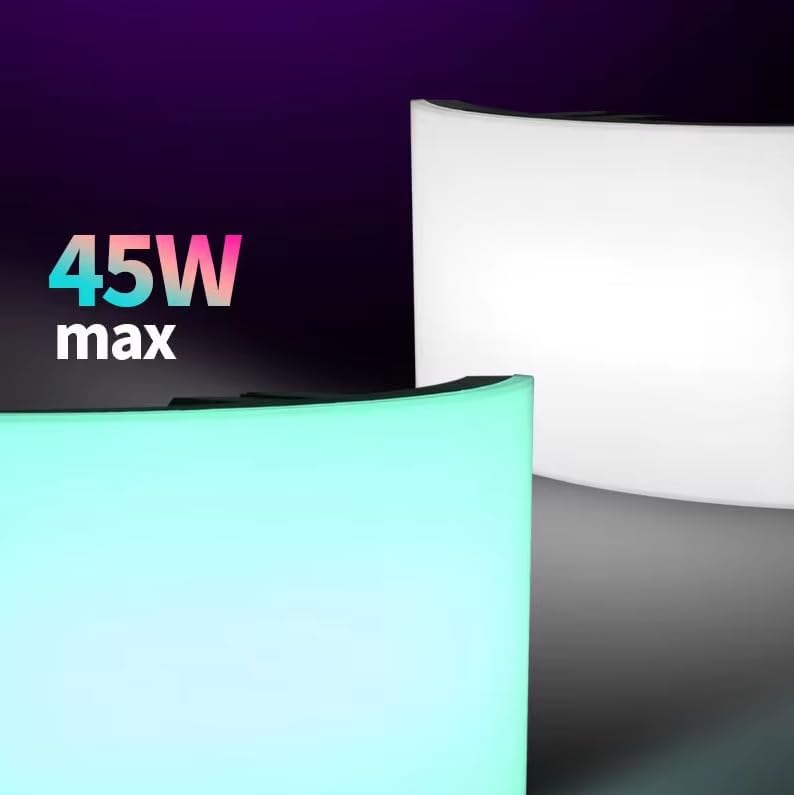
An image emphasizing the 45W maximum power output of the LS W40C panel light, indicating its capacity for bright illumination.
8. وارنٹی اور سپورٹ
For warranty information and technical support, please refer to the official LS webسائٹ یا اپنے مجاز ڈیلر سے رابطہ کریں۔ کسی بھی وارنٹی دعووں کے لیے خریداری کے ثبوت کے طور پر اپنی خریداری کی رسید رکھیں۔