
تعارف
This manual provides essential information for the proper setup, operation, and maintenance of your ONN 24-inch FHD Gaming Monitor, model 100027813. Please read this manual thoroughly before using the product to ensure optimal performance and safety. This monitor is designed to deliver a high-quality gaming experience with its 1080p resolution, 165Hz refresh rate, 1ms response time, and FreeSync technology.
حفاظتی معلومات
Always observe the following safety precautions to prevent damage to the monitor and ensure user safety:
- آگ یا جھٹکے کے خطرات سے بچنے کے لیے مانیٹر کو بارش یا نمی کے سامنے نہ رکھیں۔
- مانیٹر نہ کھولیں casinجی اندر کوئی صارف کے قابل خدمت حصے نہیں ہیں۔ تمام سروسنگ کو اہل سروس اہلکاروں سے رجوع کریں۔
- مانیٹر کو ایک مستحکم، چپٹی سطح پر رکھیں تاکہ اسے گرنے سے روکا جا سکے۔
- مانیٹر کے ارد گرد مناسب وینٹیلیشن کو یقینی بنائیں۔ وینٹیلیشن کے سوراخوں کو مسدود نہ کریں۔
- مانیٹر کے ساتھ فراہم کردہ پاور اڈاپٹر ہی استعمال کریں۔
- بجلی کے طوفان کے دوران یا طویل عرصے تک غیر استعمال ہونے پر مانیٹر کو پاور آؤٹ لیٹ سے ان پلگ کریں۔
پیکیج کے مشمولات
تصدیق کریں کہ تمام اشیاء پیکیج میں موجود ہیں:
- ONN 24-inch FHD Gaming Monitor
- مانیٹر اسٹینڈ (بیس اور گردن)
- پاور اڈاپٹر
- DisplayPort Cable (6 ft)
- HDMI Cable (6 ft)
- صارف دستی (یہ دستاویز)

Image: Retail box of the ONN 24-inch Gaming Monitor, highlighting key features like 165Hz, 1ms response time, DisplayPort, HDMI, and Adaptive-Sync.
سیٹ اپ
1 اسٹینڈ کو جمع کرنا
- پیکیجنگ سے مانیٹر اور اسٹینڈ کے اجزاء کو احتیاط سے ہٹا دیں۔
- Attach the stand neck to the stand base. Secure it with the provided screw, if applicable.
- Align the assembled stand with the mounting slot on the back of the monitor. Gently push until it clicks into place or secure with screws as per the design.
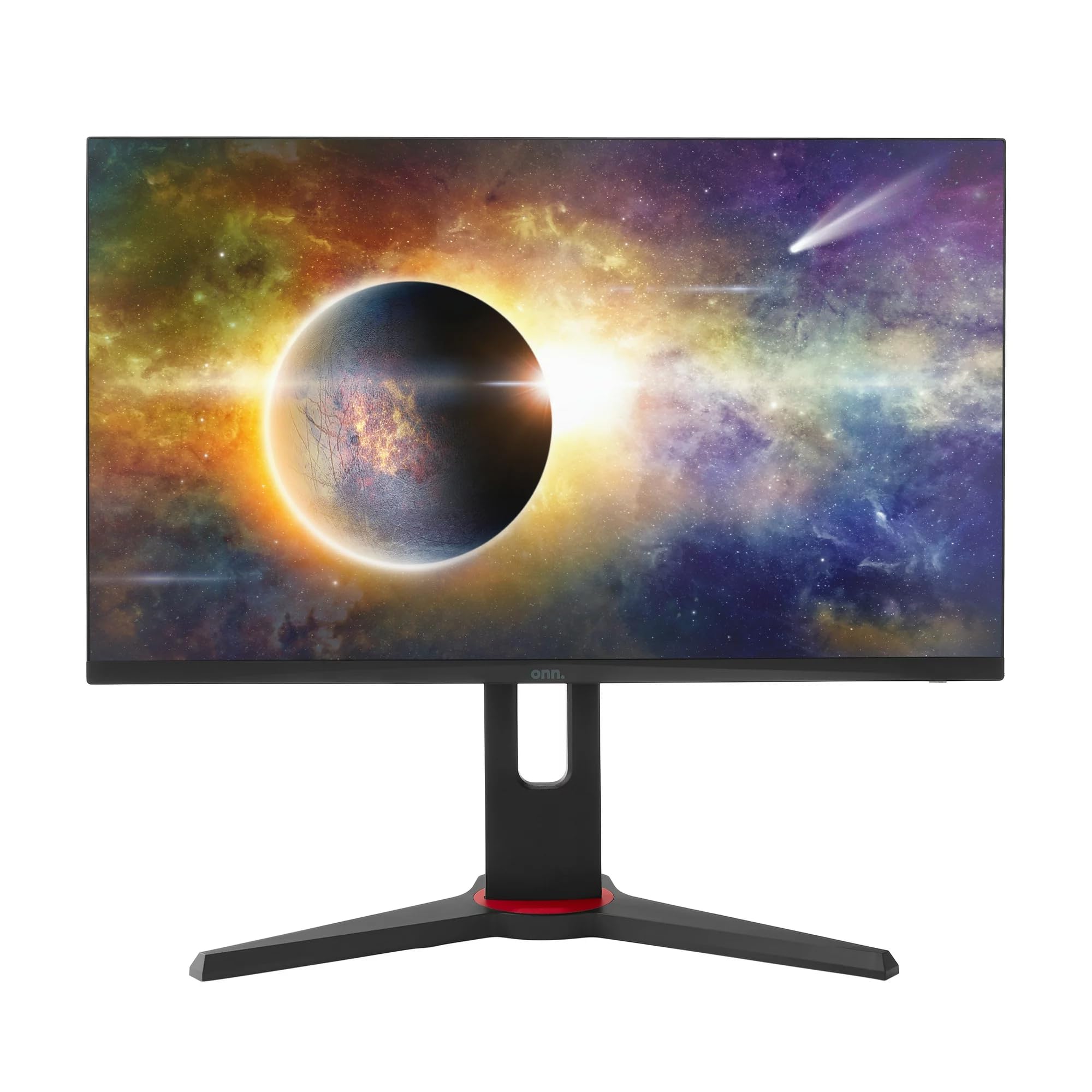
تصویر: سامنے view of the ONN 24-inch Gaming Monitor, fully assembled with its stand.

تصویر: پیچھے view of the ONN 24-inch Gaming Monitor, illustrating the stand attachment and cable management area.
2 کنیکٹنگ کیبلز
Locate the input ports on the back of your monitor:
- طاقت: پاور اڈاپٹر کو مانیٹر کے پاور ان پٹ سے اور پھر پاور آؤٹ لیٹ سے جوڑیں۔
- ویڈیو ان پٹ: Connect one end of the provided DisplayPort or HDMI cable to the corresponding port on your computer's graphics card and the other end to the monitor. The monitor supports 2 HDMI inputs and 1 DisplayPort input.
- آڈیو آؤٹ پٹ (اختیاری): If your monitor has a 3.5mm audio jack, you can connect external speakers or headphones.

تصویر: کلوز اپ view of the monitor's rear ports, including HDMI 1, HDMI 2, DisplayPort (DP), and power input.
3 ابتدائی پاور آن
- یقینی بنائیں کہ تمام کیبلز محفوظ طریقے سے منسلک ہیں۔
- Press the power button on the monitor (usually located on the back or bottom right).
- The monitor should display the ONN logo and then search for an input signal.
- If no image appears, ensure your computer is powered on and the correct input source is selected on the monitor (see Operating section).
آپریٹنگ
1. پاور آن/آف
مانیٹر کو آن یا آف کرنے کے لیے پاور بٹن دبائیں۔ پاور انڈیکیٹر لائٹ مانیٹر کی حیثیت دکھائے گی (مثلاً، آن کے لیے نیلا، اسٹینڈ بائی کے لیے امبر)۔
2 آن اسکرین ڈسپلے (OSD) مینو نیویگیشن
Your monitor features an OSD menu for adjusting various settings. Typically, buttons on the back or bottom of the monitor control the OSD:
- مینو بٹن: OSD مینو کھولتا ہے۔
- نیویگیشن بٹن (اوپر/نیچے/بائیں/دائیں): مینو کے اختیارات کے ذریعے نیویگیٹ کرنے کے لیے استعمال کیا جاتا ہے۔
- منتخب کریں/انٹر بٹن: انتخاب کی تصدیق کرتا ہے یا ذیلی مینو میں داخل ہوتا ہے۔
- باہر نکلیں بٹن: موجودہ مینو یا OSD سے باہر نکلتا ہے۔
3. ترتیبات کو ایڈجسٹ کرنا
Key settings you can adjust via the OSD menu include:
- چمک / تضاد: روشنی اور تاریک علاقوں کے درمیان مجموعی روشنی اور فرق کو ایڈجسٹ کریں۔
- رنگ کی ترتیبات: رنگ درجہ حرارت، گاما، اور انفرادی RGB سطحوں میں ترمیم کریں۔
- ان پٹ ماخذ: HDMI 1، HDMI 2، یا DisplayPort ان پٹ کے درمیان دستی طور پر منتخب کریں۔
- ریفریش ریٹ: Ensure your graphics card and monitor are set to 165Hz for the smoothest experience. This is usually configured in your operating system's display settings.
- جواب کا وقت: Adjust the monitor's response time setting (e.g., 1ms) for reduced motion blur in fast-paced games.
- FreeSync ٹیکنالوجی: Enable FreeSync in the OSD menu and in your AMD graphics card settings to synchronize the monitor's refresh rate with your GPU's frame rate, eliminating screen tearing and stuttering.
- تصویر کے طریقوں: Select from preset modes optimized for different content (e.g., Standard, Game, Movie, Text).

Image: The ONN 24-inch Gaming Monitor displayed in a typical desk setup, connected to a laptop with gaming peripherals.
دیکھ بھال
مانیٹر کی صفائی
- صفائی سے پہلے ہمیشہ مانیٹر کو ان پلگ کریں۔
- ہلکے سے نرم، لنٹ سے پاک کپڑا استعمال کریں۔ampپانی یا ہلکے، غیر کھرچنے والے اسکرین کلینر کے ساتھ ختم کیا گیا ہے۔
- کلینر کو براہ راست اسکرین پر نہ چھڑکیں۔ اسے پہلے کپڑے پر لگائیں۔
- سخت کیمیکلز، کھرچنے والے پیڈز یا سالوینٹس کے استعمال سے پرہیز کریں۔
ذخیرہ
اگر مانیٹر کو لمبے عرصے تک ذخیرہ کر رہے ہیں تو، تمام کیبلز کو منقطع کریں، اسے اس کی اصل پیکیجنگ میں پیک کریں (اگر دستیاب ہو)، اور اسے براہ راست سورج کی روشنی اور انتہائی درجہ حرارت سے دور کسی ٹھنڈی، خشک جگہ پر اسٹور کریں۔
خرابی کا سراغ لگانا
اگر آپ کو اپنے مانیٹر کے ساتھ مسائل کا سامنا کرنا پڑتا ہے، تو درج ذیل عام مسائل اور حل دیکھیں:
| مسئلہ | ممکنہ حل |
|---|---|
| اسکرین پر کوئی تصویر نہیں ہے |
|
| Image is flickering or distorted |
|
| No sound (if using monitor speakers/audio out) |
|
| مانیٹر 165Hz تک نہیں پہنچ رہا ہے۔ |
|
وضاحتیں
Detailed technical specifications for the ONN 24-inch FHD Gaming Monitor (Model 100027813):
| فیچر | تفصیلات |
|---|---|
| ماڈل نمبر | 100027813 |
| اسکرین کا سائز | 24 انچ |
| قرارداد | FHD 1080p (1920x1080) |
| ریفریش ریٹ | 165 Hz |
| رسپانس ٹائم | 1 ملی سیکنڈز |
| ڈسپلے ٹیکنالوجی | آئی پی ایس |
| اڈاپٹیو سنک | فری سنک |
| پہلو کا تناسب | 16:9 |
| کنٹراسٹ ریشو | 2000:1 |
| اسکرین کی سطح | Matte, Anti-glare with low blue light setting |
| کنیکٹوٹی | 2 x HDMI، 1 x ڈسپلے پورٹ |
| پروڈکٹ کے طول و عرض (D x W x H) | 61.3 x 11.3 x 37.3 سینٹی میٹر |
| شے کا وزن | 6.1 کلوگرام |
| رنگ | سیاہ |
| چڑھنے کی قسم | ڈیسک ماؤنٹ |
| مخصوص استعمال | Entertainment, Gaming |
وارنٹی
This ONN 24-inch FHD Gaming Monitor is a renewed product. Warranty terms and conditions for renewed products may vary. Please refer to the specific warranty information provided by the seller or retailer at the time of purchase. It is recommended to retain your proof of purchase for any warranty claims.
حمایت
For technical assistance, troubleshooting beyond this manual, or warranty inquiries, please contact the retailer or the Amazon Renewed support channel where the product was purchased. Have your model number (100027813) and proof of purchase ready when contacting support.