
1. تعارف
This manual provides instructions for the installation, operation, and maintenance of your INJORA M2.0 Rock Lights Kit. This kit is designed to illuminate the ground under your 1/18 scale TRX4M RC Crawler, enhancing visibility during operation. It features a plug-and-play design and offers three lighting modes: steady, breathing, and strobe.
2. پیکیج کے مشمولات
براہ کرم تصدیق کریں کہ نیچے دی گئی تمام اشیاء آپ کے پیکیج میں شامل ہیں:
- 4 x M2.0 White LED Rock Lights
- 1 x Light Controller
- کنیکٹنگ کیبلز
- Mounting Hardware (pre-attached to lights)

تصویر: ختمview of the INJORA M2.0 Rock Lights Kit, showing the two LED lights with their dimensions (12mm/0.47in length, 5.8mm/0.23in height).
3. وضاحتیں
| برانڈ کا نام | انجورا |
| ماڈل نمبر | DG-L36-4YE |
| سائز | 1/18 پیمانہ |
| شے کا وزن | 0.02 کلوگرام |
| آئٹم کے طول و عرض | 5.12 x 0.79 x 3.54 انچ |
| طاقت کا منبع | Battery (No batteries required for lights, powered by RC car) |
| آپریشن موڈ | Manual (via switch) or Remote (via CH3) |
| رنگ | سفید |
| روشنی کے طریقوں | Steady, Breathing, Strobe |
4. حفاظتی معلومات
Please read and understand the following safety guidelines before installation and operation:
- بالغوں کی نگرانی: This product is intended for use with remote control vehicles and may require adult supervision during installation and operation, especially for younger users.
- بجلی کے کنکشن: Ensure all electrical connections are secure and correctly polarized to prevent damage to the lights or your RC vehicle's electronics.
- پانی کی نمائش: While designed for RC crawlers, avoid prolonged or excessive exposure to water unless the lights and connections are specifically waterproofed beyond the factory standard.
- کیبل مینجمنٹ: Route cables carefully to prevent them from interfering with moving parts of the RC vehicle or becoming pinched or damaged.
- حرارت: The LED lights may generate some heat during extended use. Ensure adequate airflow around the lights.
5. سیٹ اپ اور انسٹالیشن
The INJORA M2.0 Rock Lights Kit is designed for simple and quick plug-and-play installation. Follow these steps to install the lights on your 1/18 scale TRX4M RC Crawler:
- بڑھتے ہوئے مقامات کی شناخت کریں: Determine the desired locations under your RC crawler for the rock lights. Common areas include near the axles or chassis rails to illuminate the ground effectively. The lights are compact and designed to fit in tight spaces.
- لائٹس کو ماؤنٹ کریں: Secure each of the four LED rock lights to your RC crawler's chassis or suspension components using the integrated mounting tabs. Ensure they are firmly attached and will not interfere with suspension travel or other moving parts.
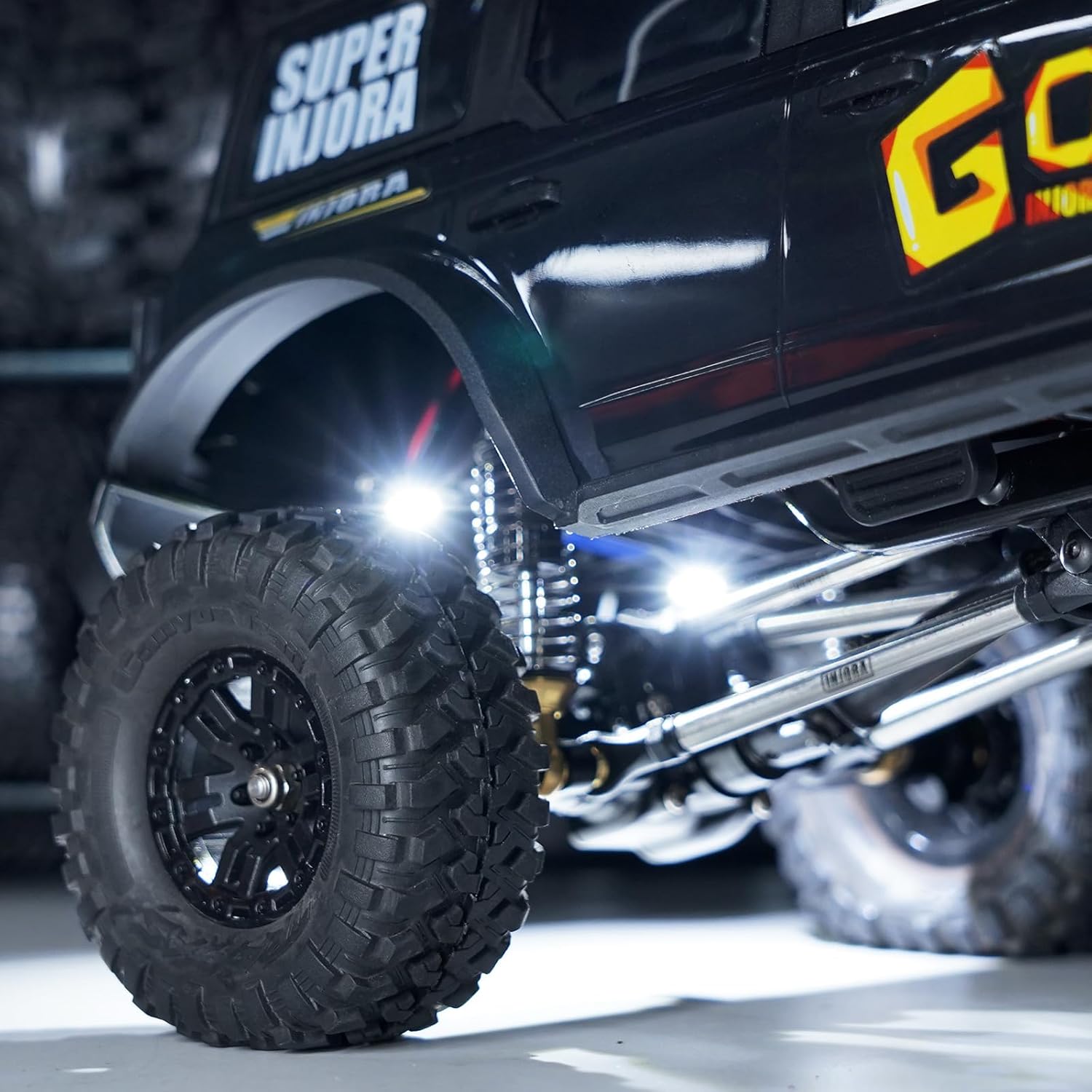
Image: The INJORA M2.0 Rock Lights are shown installed on the underside of an RC crawler, providing illumination to the wheels and chassis.

تصویر: ایک قریبی اپ view of one INJORA M2.0 Rock Light mounted on a suspension arm of an RC crawler, highlighting its compact size and placement.
- Connect Lights to Controller: Connect the wires from each rock light to the designated ports on the light controller. Ensure correct polarity (red to positive, black to negative) if applicable.

Image: Two INJORA M2.0 Rock Lights are displayed, showing their compact design and the attached red and black power wires.

Image: The INJORA Rock Light Controller is shown, featuring two power pins for connecting the lights and a standard servo connector for receiver connection.
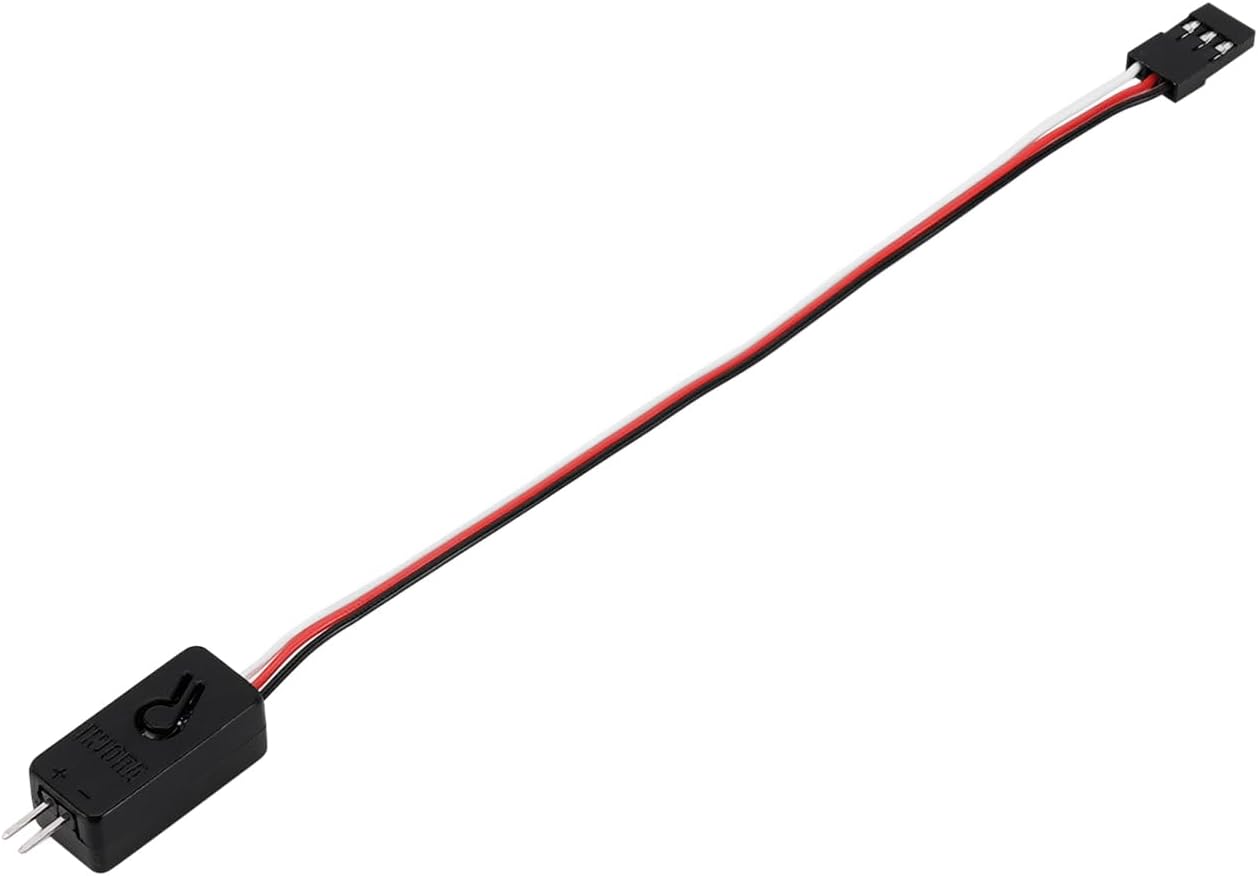
Image: The INJORA Rock Light Controller is depicted with its extended servo cable, ready for connection to an RC receiver.
- Connect Controller to Receiver:
- For systems without multi-channel receivers (e.g., some TRX4M setups): Connect the controller directly to a suitable power source on your RC vehicle, such as an available port on the ESC or battery, if it provides the correct voltage. The controller has a direct switch for manual mode selection.
- For systems with multi-channel receivers: Plug the controller's servo connector into an available channel on your RC receiver, typically CH3, to enable remote control of the lighting modes via your transmitter.
- کیبل مینجمنٹ: Carefully route all wires to prevent them from getting caught in moving parts, such as wheels, suspension, or drivetrain components. Use zip ties or electrical tape to secure cables neatly.

Image: A clear wiring diagram illustrating how to connect the four LED rock lights to the controller, and the controller to the RC receiver (CH3).
6. آپریٹنگ ہدایات
The rock lights offer three distinct lighting modes: Steady, Breathing, and Strobe. These modes can be cycled through using the integrated controller or, if your RC system supports it, via the CH3 channel on your transmitter.
- دستی کنٹرول: If using the direct switch on the controller, press the button repeatedly to cycle through the lighting modes (Steady > Breathing > Strobe > Off).
- Remote Control (via CH3): If the controller is connected to your receiver's CH3, use the corresponding switch or dial on your RC transmitter to change between the lighting modes. Refer to your transmitter's manual for specific instructions on operating auxiliary channels.
7 دیکھ بھال
To ensure the longevity and optimal performance of your INJORA M2.0 Rock Lights Kit, follow these simple maintenance guidelines:
- صفائی: Periodically clean the LED lights and controller to remove dirt, dust, and debris. Use a soft, dry cloth. Avoid using harsh chemicals or abrasive materials.
- کنکشن چیک: Regularly inspect all wiring and connections for any signs of wear, fraying, or looseness. Ensure all plugs are securely seated.
- جسمانی معائنہ: Check the mounting points of the lights to ensure they remain secure. Re-tighten any loose screws or fasteners as needed.
- ذخیرہ: When not in use for extended periods, store the RC vehicle in a clean, dry environment away from extreme temperatures.
8 خرابیوں کا سراغ لگانا
If you encounter issues with your rock lights, refer to the following troubleshooting guide:
| مسئلہ | ممکنہ وجہ | حل |
|---|---|---|
| لائٹس آن نہیں ہوتیں۔ | بجلی کی فراہمی نہیں ہے۔ Incorrect connection/polarity. Faulty controller or light. | Ensure the RC vehicle is powered on. Check all connections for proper seating and correct polarity. Test with a known working power source or bypass the controller temporarily to test lights directly (if safe). |
| روشنیاں جھلملاتی ہیں یا مدھم ہیں۔ | ڈھیلا کنکشن۔ ناکافی طاقت۔ Damaged wiring. | Check all wiring connections for looseness. یقینی بنائیں کہ طاقت کا منبع مناسب والیوم فراہم کرتا ہے۔tagای اور موجودہ. Inspect wires for cuts or damage and repair/replace if necessary. |
| روشنی کے طریقوں کو تبدیل نہیں کیا جا سکتا۔ | کنٹرولر کی خرابی CH3 not configured (for remote control). | If using manual switch, ensure it clicks properly. If using remote, verify CH3 is correctly assigned and functioning on your transmitter. |
9. وارنٹی اور سپورٹ
For warranty information, technical support, or replacement parts, please contact INJORA customer service directly through their official website or the retailer where the product was purchased. Please have your model number (DG-L36-4YE) and purchase date available when contacting support.