
1. تعارف
خریداری کے لیے آپ کا شکریہasing the Salange HY300Pro Mini Projector. This manual provides essential information for setting up, operating, and maintaining your projector. Please read it thoroughly before use to ensure optimal performance and longevity of your device.
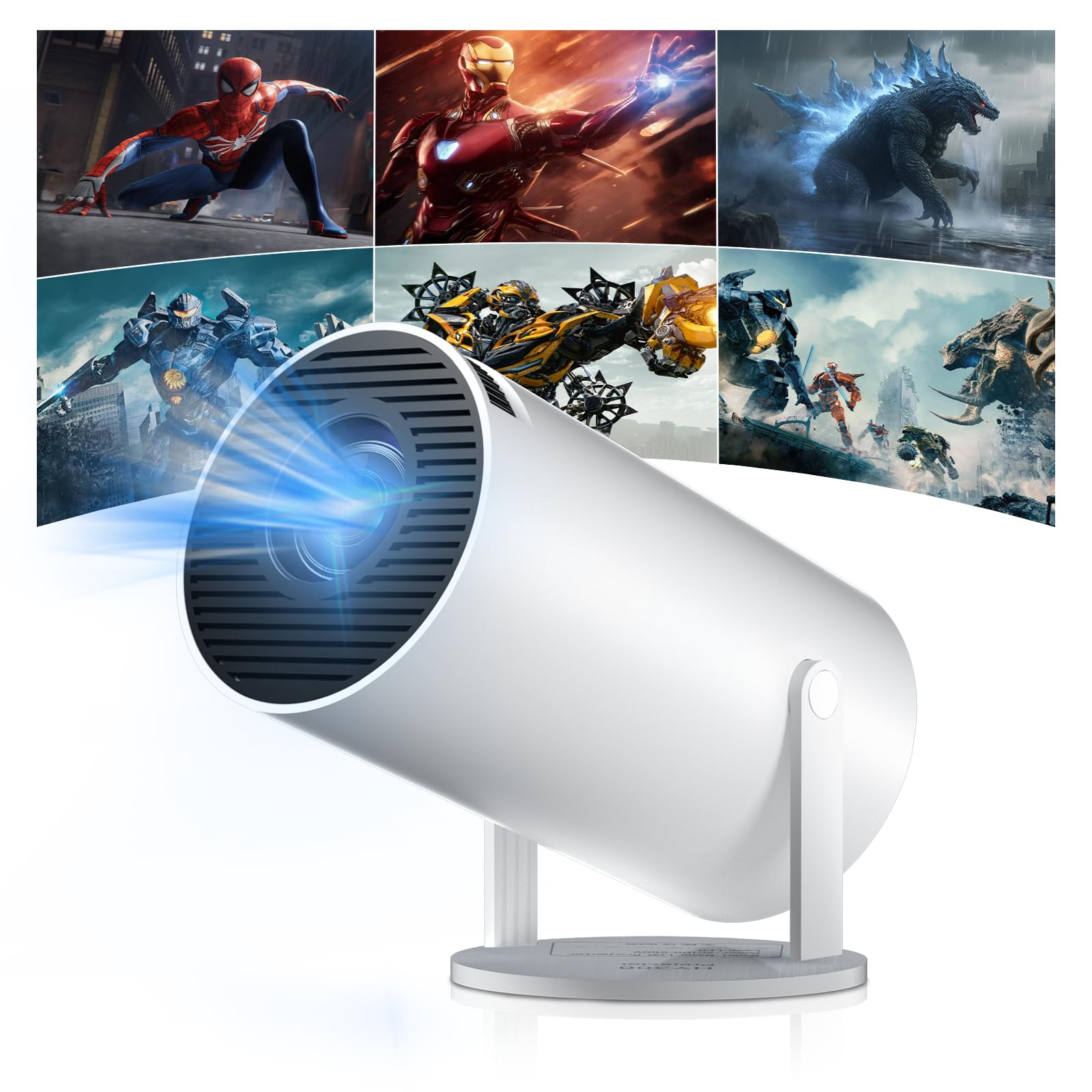
Figure 1: Salange HY300Pro Mini Projector
2. پروڈکٹ ختمview
کلیدی خصوصیات
- Dual-Band WiFi 6 & Bluetooth 5.4: Ensures fast and stable network connectivity and seamless audio pairing with external speakers or headphones.
- اینڈرائیڈ 11.0 آپریٹنگ سسٹم: Supports installation of various applications directly on the projector for versatile entertainment and productivity.
- 4K Support & Native 720P Resolution: Delivers clear and vibrant images, supporting 1080P and 4K video playback.
- 180° گردش: Flexible projection angles for various setups, including ceiling, wall, or angled surfaces.
- Automatic Keystone Correction & Manual Focus: Intelligently corrects image distortion and allows for fine-tuning clarity.
- کمپیکٹ اور پورٹیبل ڈیزائن: Weighs only 700g, making it easy to transport for outdoor activities or different rooms.

شکل 2: ختمview of Salange HY300Pro features including 8K support, WiFi 6, Bluetooth 5.4, 180° rotation, and auto keystone correction.
باکس میں کیا ہے۔
- 1 x Salange HY300Pro Projector
- 1 ایکس صارف دستی
- 1 ایکس پاور کیبل
- 1 ایکس ریموٹ کنٹرول

Figure 3: Contents of the Salange HY300Pro package.
3. سیٹ اپ
3.1 پیک کھولنا اور جگہ کا تعین کرنا
- پیکیجنگ سے تمام اجزاء کو احتیاط سے ہٹا دیں۔
- پروجیکٹر کو ایک مستحکم، ہموار سطح پر رکھیں۔ ڈیوائس کے ارد گرد مناسب وینٹیلیشن کو یقینی بنائیں۔
- The projector's 180° rotation feature allows flexible placement. Adjust the projector's angle to project onto a wall, ceiling, or screen as desired.

Figure 4: Projector demonstrating 180-degree rotation for various projection surfaces.
3.2 پاور کنکشن
Connect the provided power cable to the projector's power input and then to a power outlet.
3.3 ابتدائی پاور آن اور فوکس ایڈجسٹمنٹ
- ڈیوائس کو آن کرنے کے لیے پروجیکٹر یا ریموٹ کنٹرول پر پاور بٹن دبائیں۔
- The projector features automatic keystone correction. It will intelligently detect and correct image distortion to ensure a square image.
- For fine-tuning the image clarity, use the manual focus adjustment ring on the projector.

Figure 5: Illustration of automatic keystone correction and manual focus adjustment.
3.4 نیٹ ورک کنکشن (وائی فائی)
- پروجیکٹر کی ہوم اسکرین پر 'سیٹنگز' مینو پر جائیں۔
- Select 'Network & Internet' and enable Wi-Fi.
- Choose your desired Wi-Fi network from the list and enter the password if prompted. The projector supports dual-band 2.4G + 5G WiFi 6 for fast and stable connections.

Figure 6: Visual representation of the projector's WiFi 6 capabilities for ultra-fast streaming.
3.5 بلوٹوتھ جوڑی
- From the 'Settings' menu, select 'Connected Devices' or 'Bluetooth'.
- بلوٹوتھ کو فعال کریں اور دستیاب آلات تلاش کریں۔
- جوڑا بنانے کے لیے فہرست سے اپنا بلوٹوتھ اسپیکر یا ہیڈ فون منتخب کریں۔

Figure 7: Projector connected to various Bluetooth audio devices.
3.6 بیرونی آلات کو جوڑنا
The projector supports HDMI and USB connections.
- HDMI: Connect your laptop, game console, Blu-ray player, or TV stick using an HDMI cable. Select the corresponding HDMI input source from the projector's input menu.
- USB: میڈیا چلانے کے لیے USB ڈرائیو داخل کریں۔ files directly. Access the files through the media player application on the Android OS.
4. آپریٹنگ ہدایات
4.1 Android OS پر نیویگیٹ کرنا
The Salange HY300Pro runs on Android 11.0, providing a smart TV experience.
- Use the remote control to navigate through the home screen, applications, and settings.
- The interface is intuitive, similar to an Android smartphone or tablet.

Figure 8: Projector displaying the Android OS home screen with various streaming apps.
4.2 ایپ مینجمنٹ
You can install and manage applications directly on the projector.
- Access the app store (e.g., Google Play Store) to download streaming services, games, and productivity tools.
- To uninstall an app, go to 'Settings' > 'Apps' and select the desired app.
4.3 اسکرین مررنگ
Mirror your smartphone or tablet screen to the projector wirelessly.
- یقینی بنائیں کہ آپ کا آلہ اور پروجیکٹر دونوں ایک ہی Wi-Fi نیٹ ورک سے جڑے ہوئے ہیں۔
- On the projector, select the screen mirroring function (e.g., 'Miracast', 'AirPlay', or 'Screen Share').
- On your smartphone/tablet, enable screen mirroring and select the projector from the list of available devices.
4.4 تصویر اور آواز کی ترتیبات
Adjust various settings to optimize your viewتجربہ ہے.
- تصویر کی ترتیبات: Access 'Settings' > 'Display' to adjust brightness, contrast, color, and aspect ratio.
- آواز کی ترتیبات: Access 'Settings' > 'Sound' to adjust volume, sound mode, and output device.

Figure 9: Projector displaying a large image, illustrating its ability to create a home cinema experience.
5 دیکھ بھال
5.1 لینز کی صفائی
پروجیکٹر کے لینس کو آہستہ سے صاف کرنے کے لیے خاص طور پر آپٹیکل لینز کے لیے ڈیزائن کیا گیا نرم، لنٹ سے پاک کپڑا استعمال کریں۔ کھرچنے والے کلینر یا ضرورت سے زیادہ طاقت کا استعمال نہ کریں۔
5.2 وینٹیلیشن
Ensure the projector's ventilation vents are clear of dust and obstructions. Blocked vents can lead to overheating and reduced performance. Periodically clean the vents with a soft brush or compressed air.
5.3 اسٹوریج
جب لمبے عرصے تک استعمال نہ ہو تو، پروجیکٹر کو ٹھنڈی، خشک جگہ پر، براہ راست سورج کی روشنی اور انتہائی درجہ حرارت سے دور رکھیں۔ دھول کے جمع ہونے اور نقصان کو روکنے کے لیے اصل پیکیجنگ یا حفاظتی کیس کا استعمال کریں۔
6 خرابیوں کا سراغ لگانا
| مسئلہ | ممکنہ وجہ | حل |
|---|---|---|
| کوئی تصویر نہیں دکھائی گئی۔ | Power cable disconnected; Incorrect input source; Projector in standby mode. | Check power connection; Select correct HDMI/USB input; Press power button to wake up. |
| تصویر دھندلی ہے | فوکس ایڈجسٹ نہیں ہوا؛ پروجیکٹر اسکرین کے بہت دور/قریب۔ | Adjust manual focus ring; Ensure projector is within optimal projection distance. |
| کوئی آواز نہیں۔ | Volume too low; Muted; Incorrect audio output selected; Bluetooth device not paired. | Increase volume; Unmute; Check audio settings; Re-pair Bluetooth device. |
| Wi-Fi/Bluetooth connection issues | Incorrect password; Out of range; Interference. | Verify password; Move closer to router/device; Reduce interference from other electronics. |
| ریموٹ کنٹرول کام نہیں کر رہا ہے۔ | Dead batteries; Obstruction; Not paired. | بیٹریاں تبدیل کریں؛ رکاوٹوں کو دور کرنا؛ اگر ضروری ہو تو ریموٹ کو دوبارہ جوڑیں۔ |
7. وضاحتیں
| فیچر | تفصیل |
|---|---|
| برانڈ | سالنج |
| ماڈل نمبر | X-HY300PRO |
| سلسلہ | Salange Mini Beamer |
| رنگ | سفید |
| ڈسپلے کی قسم | LCD |
| مقامی قرارداد | 1280 x 720P |
| زیادہ سے زیادہ ڈسپلے ریزولوشن | 3840 x 2160 (4K Supported) |
| کنیکٹوٹی ٹیکنالوجی | Bluetooth, Wi-Fi (WiFi 6) |
| ہارڈ ویئر انٹرفیس | بلوٹوتھ، HDMI، USB |
| ہم آہنگ آلات | Smartphones, Laptops, Game Consoles, Blu-ray Players, Media Players |
| آئٹم کے طول و عرض (L x W x H) | 9.5 x 9.5 x 15.7 سینٹی میٹر |
| خصوصی خصوصیات | Wi-Fi Compatible, Digital Keystone Correction, Lightweight, Portable, 180° Rotation |
| تجویز کردہ استعمال | Business, Home Cinema, Gaming, Education |
| فارم فیکٹر | پورٹیبل |
| چڑھنے کی قسم | ٹیبل ماؤنٹ |
8. وارنٹی اور سپورٹ
For warranty information and technical support, please refer to the documentation included with your purchase or visit the official Salange webسائٹ وارنٹی کے دعووں کے لیے اپنی خریداری کا ثبوت رکھیں۔