
تعارف
Thank you for choosing the Raddy RF320 Shortwave Radio. This manual provides essential information for the safe and efficient operation of your device. Please read it thoroughly before use and retain it for future reference. The RF320 is a versatile portable radio offering comprehensive reception across AIR, FM, VHF, MW, SW, and WB bands, along with Bluetooth 5.0 connectivity, TF card playback, and emergency features like a flashlight and SOS function.
حفاظتی معلومات
- Do not expose the radio to extreme temperatures, direct sunlight, or high humidity.
- آلے کو گرانے یا اسے سخت اثرات کے تابع کرنے سے گریز کریں۔
- Keep the radio away from water and other liquids. It is not waterproof.
- Use only the specified charging cable and power adapter to prevent damage.
- Do not attempt to disassemble or modify the radio. This will void the warranty and may cause harm.
- مقامی قواعد کے مطابق بیٹریاں ڈسپوز کریں۔
پیکیج کے مشمولات
تصدیق کریں کہ تمام اشیاء پیکیج میں موجود ہیں:
- Raddy RF320 Shortwave Radio
- USB چارجنگ کیبل
- 3m Cable Antenna
- ائرفون
- مالک کا دستی
پروڈکٹ ختمview
Familiarize yourself with the radio's components and controls.
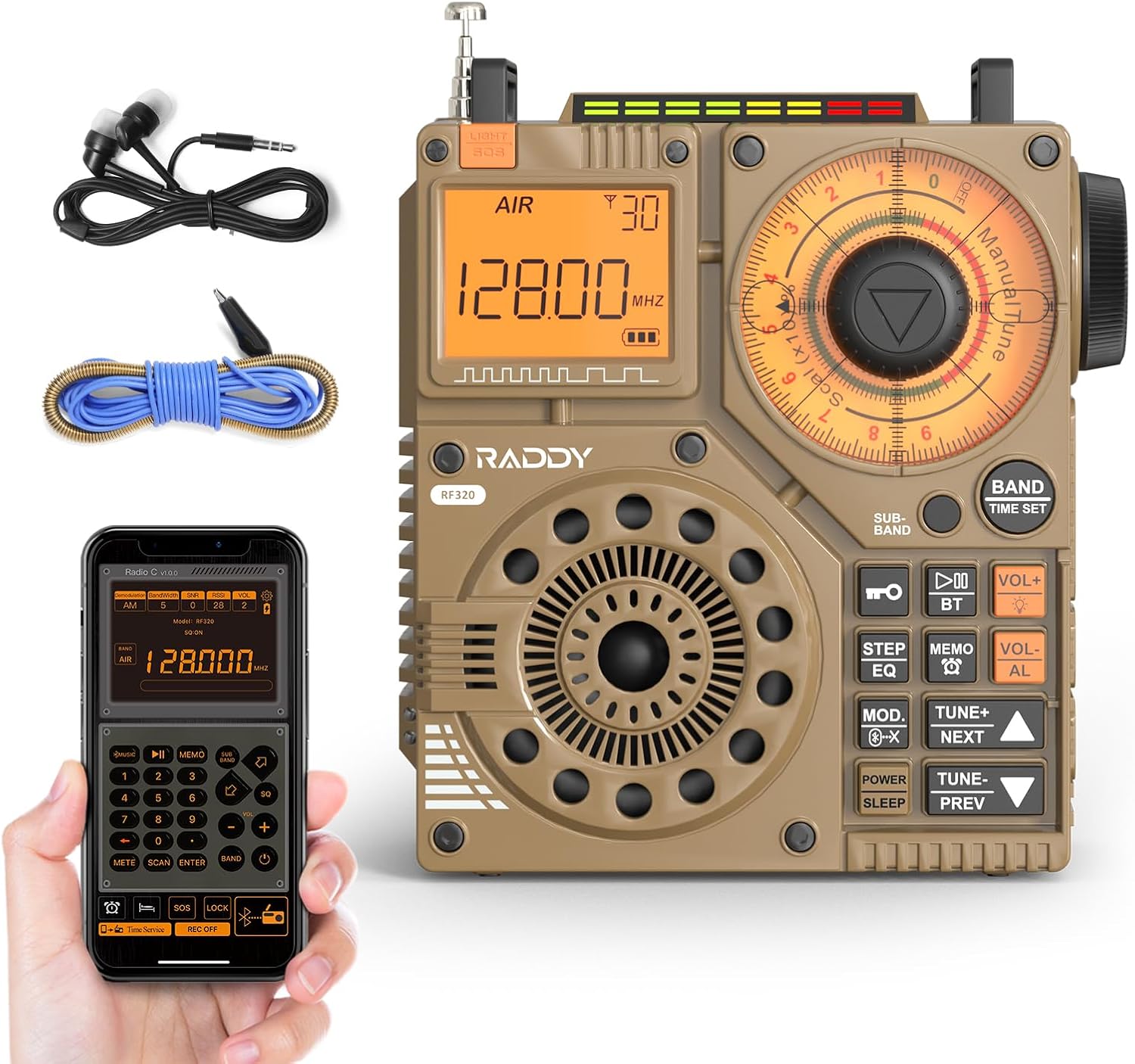
شکل 1: سامنے view of the Raddy RF320 Shortwave Radio, showing the display, speaker, and control buttons.

شکل 2: طرف view of the Raddy RF320, illustrating the fine-tuning knobs and their function for precise frequency adjustment.
اہم خصوصیات:
- ڈیجیٹل ڈسپلے: Shows frequency, band, and other operational information.
- Tuning Knobs: For manual and fine-tuning adjustments.
- Band Selection Buttons: To switch between AIR, FM, VHF, MW, SW bands.
- حجم کنٹرول: آڈیو آؤٹ پٹ لیول کو ایڈجسٹ کرتا ہے۔
- انٹیگریٹڈ ٹارچ: کم روشنی والے حالات میں روشنی کے لیے۔
- مصیبت کا اشارہ فنکشن: ہنگامی سگنل کو چالو کرتا ہے۔
- بلوٹوتھ 5.0: وائرلیس آڈیو سٹریمنگ کے لیے۔
- TF کارڈ سلاٹ: For direct playback of stored audio files.
- 3.5 ملی میٹر آڈیو جیک: For earphone connection.
سیٹ اپ
1. بیٹری چارج کرنا
The RF320 is powered by a built-in Lithium-ion battery. Before first use, fully charge the radio.
- Connect the USB charging cable to the radio's charging port.
- USB کیبل کے دوسرے سرے کو ایک ہم آہنگ USB پاور اڈاپٹر (شامل نہیں) یا کمپیوٹر کے USB پورٹ سے جوڑیں۔
- The charging indicator on the display will show the charging status. It will typically turn off or change color when fully charged.
2 اینٹینا منسلک کرنا
For optimal reception, especially on SW and AIR bands, extend the telescopic antenna or connect the included 3m cable antenna.
- دوربین اینٹینا: Extend it fully and adjust its direction for best signal.
- Cable Antenna: Plug the cable antenna into the designated antenna jack on the radio. Extend the cable antenna as much as possible, ideally outdoors or near a window, for improved shortwave reception.
آپریٹنگ ہدایات
1. پاور آن/آف
دبائیں اور تھامیں۔ پاور ریڈیو کو آن یا آف کرنے کے لیے بٹن۔
2. بینڈ کا انتخاب
دبائیں بینڈ button repeatedly to cycle through the available frequency bands: FM, AM (MW), SW, VHF, AIR, WB.
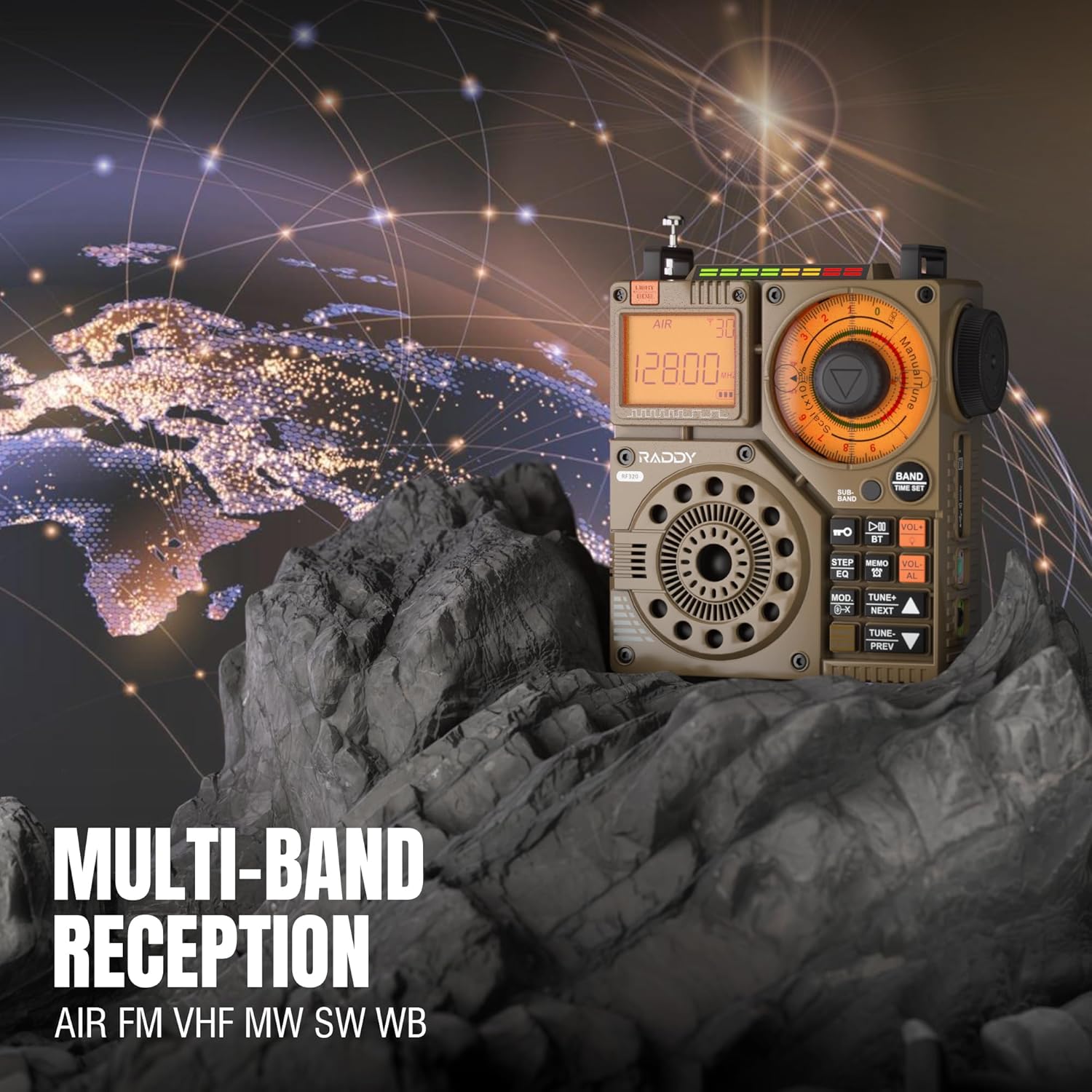
Figure 3: The Raddy RF320 radio on a rocky surface, symbolizing its multi-band reception capabilities across AIR, FM, VHF, MW, SW, and WB bands.
3. Tuning Methods
The RF320 offers multiple tuning options:
- دستی ٹیوننگ: Use the main tuning knob to adjust the frequency incrementally. The precise tuning knobs offer a minimum step value of 0.005 MHz for accurate frequency selection.
- ڈیجیٹل ٹیوننگ: Use the numeric keypad (if available on the device or via app) to directly enter a frequency.
- خودکار تلاش: دبائیں آٹو اسکین دستیاب اسٹیشنوں کو خود بخود اسکین اور اسٹور کرنے کے لیے بٹن۔
- نیم خودکار تلاش: This function allows for scanning within a specific range or with user intervention. Refer to the on-screen prompts or app interface for details.
4. Station Storage
The radio can store up to 955 stations (199 for each of AIR, FM, VHF, MW, and SW bands).
- مطلوبہ اسٹیشن تک پہنچیں۔
- دبائیں اور تھامیں۔ میمو button (or equivalent) to save the station.
- استعمال کریں۔ اگلا / PREV ذخیرہ شدہ اسٹیشنوں کے ذریعے تشریف لے جانے کے لیے بٹن۔
5. بلوٹوتھ (BT) موڈ
Connect your smartphone or other Bluetooth-enabled device to stream audio wirelessly.
- دبائیں موڈ button until 'BT' or 'Bluetooth' is displayed.
- On your device, search for Bluetooth devices and select 'Raddy RF320'.
- ایک بار جوڑا بننے کے بعد، آپ ریڈیو کے اسپیکر کے ذریعے اپنے آلے سے آڈیو چلا سکتے ہیں۔
6. TF کارڈ پلے بیک
آڈیو چلائیں۔ files directly from a TF (MicroSD) card.
- Insert a TF card (up to 32GB, FAT32 format) with audio files TF کارڈ سلاٹ میں۔
- دبائیں موڈ button until 'TF' or 'Card' is displayed.
- استعمال کریں۔ اگلا / PREV پٹریوں کو نیویگیٹ کرنے کے لیے بٹن۔

Figure 4: The Raddy RF320 radio next to a smartphone displaying music, highlighting its three operational modes: Bluetooth, TF Card, and Radio Receiver.
7. Flashlight and SOS Function
The RF320 includes an integrated flashlight and an SOS emergency signal.
- ٹارچ: دبائیں روشنی button to turn the flashlight on/off.
- مصیبت کا اشارہ: دبائیں اور تھامیں۔ SOS button to activate the emergency alarm and flashing light. Press again to deactivate.

Figure 5: Close-up of the Raddy RF320 radio with its integrated flashlight active, demonstrating its outdoor lighting capability.
8. ایپ کنٹرول
The Raddy RF320 can be controlled via a dedicated application on iOS, Android, and HarmonyOS systems.
- Download the 'Radio C' application from your device's app store.
- Ensure Bluetooth is enabled on your smartphone and the RF320 radio.
- Open the app and follow the on-screen instructions to connect to your RF320.
- The app allows for digital tuning, channel naming, recording broadcasts, and other advanced controls.

Figure 6: The Raddy RF320 radio displayed alongside a smartphone running its control application, illustrating the ease of use with app integration.
دیکھ بھال
- ریڈیو کو نرم، خشک کپڑے سے صاف کریں۔ کھرچنے والے کلینر یا سالوینٹس کا استعمال نہ کریں۔
- When not in use for extended periods, store the radio in a cool, dry place.
- Periodically charge the battery to maintain its lifespan, even if the radio is not being used.
- Ensure the telescopic antenna is retracted when not in use to prevent damage.
خرابی کا سراغ لگانا
| مسئلہ | ممکنہ وجہ | حل |
|---|---|---|
| ریڈیو آن نہیں ہے۔ | بیٹری ختم ہو گئی ہے۔ | Charge the radio fully. |
| ریڈیو کا ناقص استقبال۔ | Weak signal; antenna not extended. | Extend the telescopic antenna or connect the 3m cable antenna. Adjust antenna position. Move to an area with better signal. |
| بلوٹوتھ کنکشن ناکام ہو جاتا ہے۔ | Radio not in BT mode; device too far; pairing issue. | Ensure radio is in BT mode. Bring devices closer. Delete 'Raddy RF320' from your device's BT list and re-pair. |
| TF کارڈ نہیں چل رہا ہے۔ | Card not inserted correctly; unsupported format; corrupted files. | Reinsert TF card. Ensure card is FAT32 format. Check if audio files کی حمایت کی جاتی ہے۔ |
| ایپ کنٹرول کام نہیں کر رہا ہے۔ | Bluetooth not connected; app not updated. | Ensure radio is paired via Bluetooth. Update the 'Radio C' app to the latest version. |
وضاحتیں
| فیچر | تفصیلات |
|---|---|
| برانڈ | ریڈی |
| ماڈل نمبر | آر ایف 320 |
| سپورٹ شدہ ریڈیو بینڈز | AIR, FM, VHF, MW (AM), SW |
| ٹیوننگ ٹیکنالوجی | FM, AM, VHF, SW, AIR |
| کنیکٹوٹی ٹیکنالوجی | بلوٹوتھ 5.0 |
| خصوصی خصوصیات | Digital Display, Integrated Flashlight, Rechargeable, Automatic Squelch, Keypad Lock, TF Card Playback, App Control, SOS Function |
| پروڈکٹ کے طول و عرض (L x W x H) | 15L x 9W x 15H سینٹی میٹر |
| طاقت کا منبع | بیٹری سے چلنے والی (1 لیتھیم آئن بیٹری شامل ہے) |
| ڈسپلے کی قسم | Digital Display (LCD/LED) |
| ہارڈ ویئر انٹرفیس | 3.5mm آڈیو جیک |
| پانی کی مزاحمت کی سطح | واٹر پروف نہیں۔ |
| اندرونی مواد | دھات |
| اصل ملک | چین |
وارنٹی اور سپورٹ
وارنٹی کی معلومات
Raddy products typically come with a standard manufacturer's warranty. Please refer to the warranty card included in your package or visit the official Raddy website for detailed warranty terms and conditions specific to the RF320 model. Keep your purchase receipt as proof of purchase for warranty claims.
کسٹمر سپورٹ
تکنیکی مدد کے لیے، اس ہدایت نامہ سے آگے کی خرابیوں کا ازالہ، یا وارنٹی پوچھ گچھ کے لیے، براہ کرم اپنے آفیشل کے ذریعے Raddy کسٹمر سپورٹ سے رابطہ کریں۔ website or the contact information provided with your product packaging. When contacting support, please have your product model (RF320) and purchase details ready.