
تعارف
This manual provides comprehensive instructions for the setup, operation, maintenance, and troubleshooting of your U.S. Solid 0.001 g Precision Balance. Please read this manual thoroughly before using the device to ensure proper function and accurate measurements. This analytical balance is designed for precise weighing in laboratory and industrial environments.
باکس میں کیا ہے۔
- Main Body of the Precision Balance
- وزن کا پین
- ڈرافٹ شیلڈ
- پاور کیبل
- انشانکن وزن
- ہدایت نامہ

Figure 1: Components included with the U.S. Solid Precision Balance.
حفاظتی احتیاطی تدابیر
- Always operate the balance on a stable, level surface.
- Avoid placing the balance near strong electromagnetic fields, vibrations, or air currents.
- Do not overload the balance beyond its maximum capacity of 110 g to prevent damage.
- Use only the provided UL-certified power cable.
- توازن کو صاف اور دھول اور سنکنرن مادوں سے پاک رکھیں۔
- Do not attempt to disassemble or repair the balance yourself. Contact qualified service personnel.
سیٹ اپ
1. پیک کھولنا اور جگہ کا تعین کرنا
Carefully remove all components from the packaging. Place the balance on a sturdy, level, and vibration-free workbench, away from direct sunlight, heat sources, and strong air currents (e.g., air conditioning vents).
2. اسمبلی
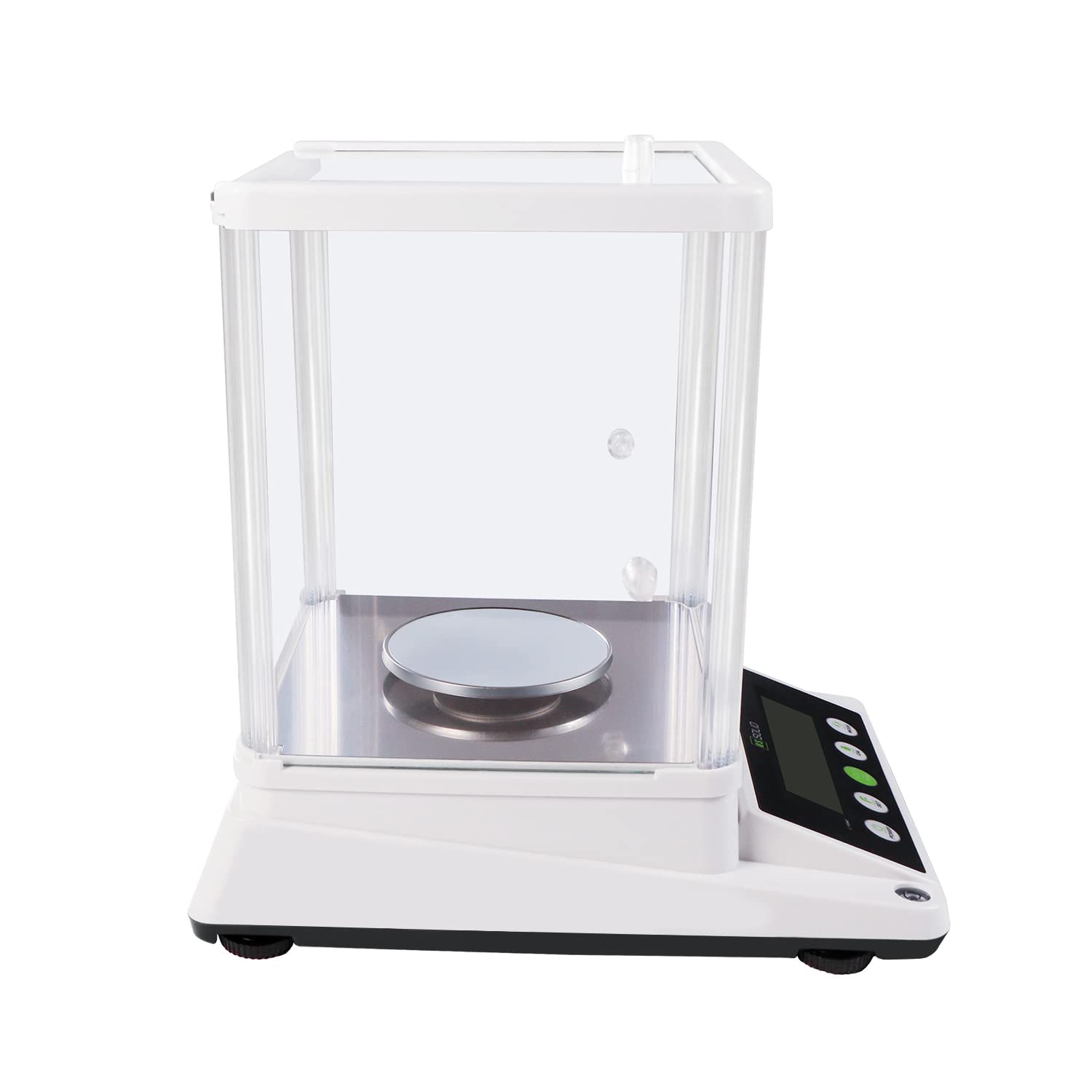
- Place the weighing pan onto the pan support in the center of the balance.
- Assemble the draft shield around the weighing pan. Ensure all panels are securely in place to protect against air disturbances.

Figure 2: Assembled balance with draft shield.
3. لگانا
The balance must be perfectly level for accurate measurements. Adjust the adjustable feet at the bottom of the balance until the bubble in the spirit level (located on the front or side of the balance) is centered.

Figure 3: Leveling the balance using adjustable feet and the bubble level.
4. پاور کنکشن
Connect the UL-certified power cable to the 6V DC input port on the rear of the balance and then plug it into a suitable power outlet.
5. Warm-up Time
After connecting to power, allow the balance to warm up for at least 30 minutes before use. This stabilizes the internal components and ensures optimal accuracy.
آپریٹنگ ہدایات

Figure 4: Control panel of the precision balance.
1. پاور آن/آف
- دبائیں پاور بیلنس آن کرنے کے لیے بٹن۔
- دبائیں اور تھامیں۔ پاور بیلنس آف کرنے کے لیے بٹن۔
2. یونٹ کی تبدیلی
دبائیں موڈ button to cycle through available weighing units: grams (g), carats (ct), ounces (oz), and grains (gn). The selected unit will be displayed on the LCD.

Figure 5: Available weighing units.
3 ٹیرے فنکشن
To subtract the weight of a container, place the empty container on the weighing pan and press the 0/T (Tare) button. The display will reset to zero, allowing you to measure only the net weight of the contents.
4. انشانکن
Regular calibration ensures the accuracy of your balance. It is recommended to recalibrate if the balance has been moved or if accuracy is critical. Refer to the specific calibration procedure in the full manual for detailed steps. Generally, this involves pressing the CAL button and following on-screen prompts using the provided calibration weight.
5. Piece Counting Function
The balance includes a piece-counting function for counting multiple items of uniform weight. To use this feature:
- s کی ایک معلوم تعداد رکھیںample pieces (e.g., 10, 20, 50, or 100) on the pan.
- دبائیں سیٹ button and follow the instructions to input the sampلی مقدار
- ایک بار ایس۔ample is registered, remove it and place the bulk quantity of items on the pan. The display will show the total count.

Figure 6: Piece counting function.
6. RS232 Data Transfer
The balance is equipped with an RS232 serial port for data transfer to a computer or other compatible device. Connect a compatible RS232 cable (not included) to the port on the rear of the balance. Refer to your software documentation for data acquisition procedures.
شکل 7: پیچھے view with RS232 port.
7 اوورلوڈ تحفظ
The balance features an overload alarm function. If the weight on the pan exceeds the maximum capacity (110 g), an alarm will sound, and an error message may appear on the display. Immediately remove excess weight to prevent damage to the weighing sensor.
دیکھ بھال
1. صفائی
Clean the balance regularly with a soft, damp cloth. Do not use abrasive cleaners, solvents, or harsh chemicals, as these can damage the display or housing. Ensure no liquids enter the internal components.
2. ذخیرہ
When not in use for extended periods, store the balance in a dry, dust-free environment. It is recommended to keep the draft shield assembled to protect the weighing pan.
خرابی کا سراغ لگانا
| مسئلہ | ممکنہ وجہ | حل |
|---|---|---|
| غلط پڑھنا۔ | Balance not level, environmental interference (drafts, vibrations), needs calibration, warm-up time insufficient. | Ensure balance is level. Relocate to a stable, draft-free area. Perform calibration. Allow sufficient warm-up time. |
| Display shows 'EEEE' or 'OVER' | اوور لوڈ کی حالت۔ | Remove excess weight immediately. Ensure weight does not exceed 110 g. |
| بیلنس آن نہیں ہوتا ہے۔ | Power cable not connected, power outlet fault, power adapter fault. | Check power cable connection. Test power outlet with another device. Contact support if power adapter is suspected faulty. |
| Piece counting is incorrect | غلط sample quantity entered, inconsistent piece weight. | Ensure the correct sample quantity is entered during setup. Verify that all pieces have a uniform weight. |
وضاحتیں
| فیچر | تفصیلات |
|---|---|
| ماڈل نمبر | USS-DBS87-110G |
| برانڈ | امریکی ٹھوس |
| صلاحیت | 110 گرام |
| پڑھنے کی اہلیت | 0.001 گرام (1 ملی گرام) |
| وزنی اکائیاں | g, ct, oz, gn |
| ڈسپلے کی قسم | بیک لائٹ کے ساتھ LCD۔ |
| خصوصی خصوصیات | Piece-counting function, RS232 serial port, Overload protection |
| بجلی کی فراہمی | UL Certified Power Cord (6V DC) |
| مواد | Metal (pan), Plastic ABS (housing) |
| مصنوعات کے طول و عرض | 10.4 x 13.8 x 14.2 انچ |
| شے کا وزن | 3.53 اونس (تقریباً 100 گرام) |

شکل 8: پروڈکٹ کے طول و عرض۔
وارنٹی اور سپورٹ
For warranty information or technical support, please refer to the warranty card included with your product or visit the official U.S. Solid webسائٹ وارنٹی دعووں کے لیے خریداری کے ثبوت کے طور پر اپنی خریداری کی رسید رکھیں۔