
تعارف
Thank you for choosing the Cuifati Mini Body Camera. This manual provides detailed instructions for the proper use, setup, and maintenance of your device. Please read this manual thoroughly before operating the camera to ensure optimal performance and longevity.
پیکیج کے مشمولات
- 1 x Wearable Camera
- 1 ایکس لے جانے والا بیگ
- 1 ایکس صارف دستی
- 1 ایکس لینیارڈ
- 1 x Back Shell Bracket
- 1 ایکس تپائی
- 1 ایکس USB کیبل
- 1 ایکس صاف کرنے والا کپڑا

Figure 1: Cuifati Mini Body Camera and included accessories.

Figure 2: Multi-scenario application examples for the body camera.
پروڈکٹ ختمview
Familiarize yourself with the components and controls of your Cuifati Mini Body Camera.
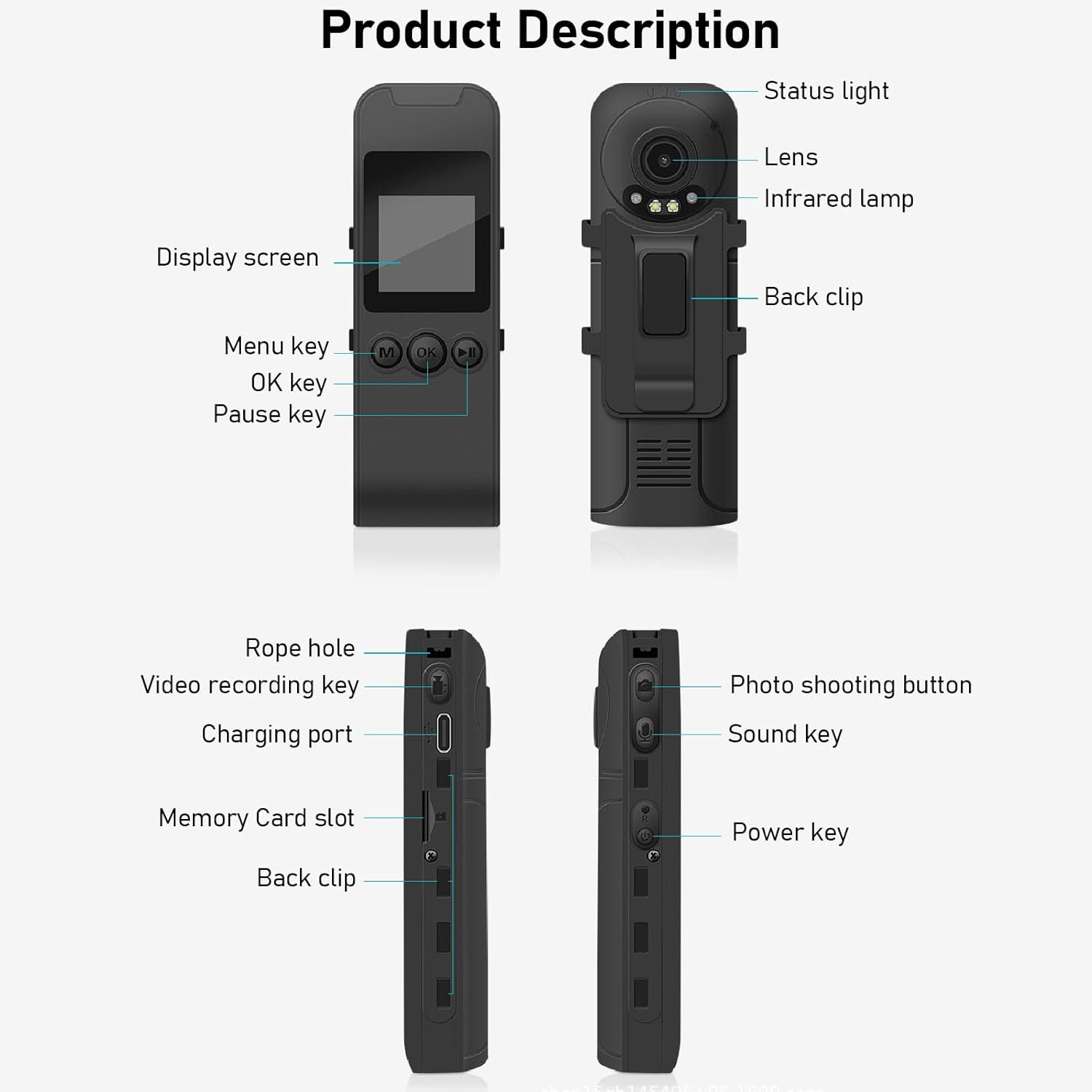
Figure 3: Labeled components of the Cuifati Mini Body Camera.
- سٹیٹس لائٹ: Indicates device status (e.g., recording, charging).
- لینس: Main camera lens for video and photo capture.
- اورکت ایلamp: رات کو دیکھنے کے لیے روشنی فراہم کرتا ہے۔
- بیک کلپ: For attaching the camera to clothing or other surfaces.
- ڈسپلے سکرین: لائیو کے لیے 1.3 انچ LCD view، پلے بیک، اور مینو نیویگیشن۔
- مینو کلید (M): ڈیوائس کی ترتیبات تک رسائی حاصل کرتا ہے۔
- ٹھیک ہے کلید: Confirms selections or starts/stops functions.
- توقف کی کلید: Pauses playback or recording.
- رسی کا سوراخ: Attachment point for the lanyard.
- Video Recording Key: ویڈیو ریکارڈنگ شروع اور روکتا ہے۔
- چارجنگ پورٹ (Type-C): ڈیوائس کو چارج کرنے اور کمپیوٹر سے جڑنے کے لیے۔
- میموری کارڈ سلاٹ: Insert microSD card for storage.
- Photo Shooting Button: اسٹیل امیجز کیپچر کرتا ہے۔
- Sound Key: Controls audio recording.
- پاور کلید: ڈیوائس کو آن یا آف کرتا ہے۔
سیٹ اپ
1. بیٹری چارج کرنا
Before first use, fully charge the camera's built-in lithium-ion battery. Connect the camera to a power source using the provided Type-C USB cable. The status light will indicate charging status. A full charge provides approximately 20 hours of work time and 10 hours of video recording.
Figure 4: Built-in 1200mAh battery for extended use.
2. میموری کارڈ داخل کرنا
The camera supports up to a 256GB memory card (not included). Locate the memory card slot on the side of the camera. Gently insert the microSD card with the gold contacts facing down until it clicks into place. To remove, push the card in slightly until it springs out.

Figure 5: Memory card slot for storage expansion.
آپریٹنگ ہدایات
1. پر / آف پاور
- پاور آن کرنے کے لیے: Press and hold the Power Key until the display screen illuminates.
- پاور آف کرنا: Press and hold the Power Key until the device shuts down.
2. ویڈیو ریکارڈنگ۔
The camera records in 1440P HD at 30 frames per second with a 120° wide-angle lens and infrared night vision.
- ریکارڈنگ شروع کرنے کے لیے: Press the Video Recording Key. The status light will change, and a recording indicator will appear on the screen.
- ریکارڈنگ کو روکنے کے لیے: Press the Video Recording Key again.
- لوپ ریکارڈنگ: کیمرہ لوپ ریکارڈنگ کو سپورٹ کرتا ہے، خود بخود سب سے پرانے کو اوور رائٹ کرتا ہے۔ files جب میموری کارڈ بھر جاتا ہے۔
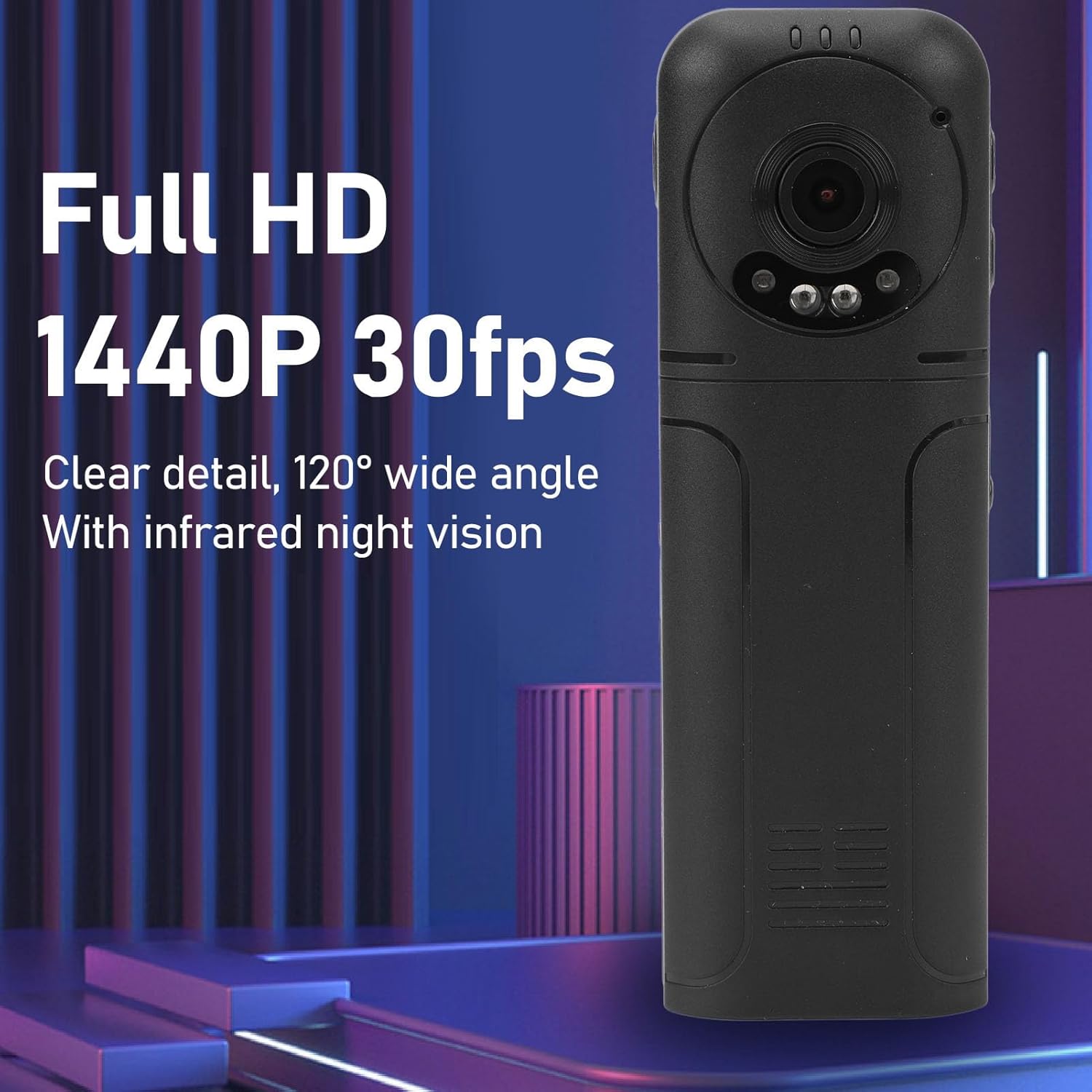
Figure 6: 1440P HD video recording with night vision.
3 تصویر کھینچنا
- تصویر لینے کے لیے: In standby mode, press the Photo Shooting Button.
4. آڈیو ریکارڈنگ
- To Start Audio Recording: Press the Sound Key.
- To Stop Audio Recording: Press the Sound Key again.

Figure 7: Audio recording functionality.
5. پلے بیک اور File انتظام
The 1.3-inch LCD screen supports live playback, browsing, and pausing of videos, photos, and recordings directly on the device.

Figure 8: 1.3-inch color screen for on-device playback.
- On-Device Playback: Use the Menu, OK, and Pause keys to navigate and play fileاسکرین پر s۔
- کمپیوٹر سے جڑنا: Connect the camera to a computer via the Type-C USB cable to transfer, view, or delete files.
- OTG فنکشن: If your mobile phone supports OTG, you can connect the camera directly to your phone for playback and file انتظام
دیکھ بھال
1. صفائی
- Use the provided cleaning cloth or a soft, dry cloth to wipe the camera body and lens.
- Do not use liquid cleaners or solvents, as they may damage the device.
2. ذخیرہ
- کیمرے کو ٹھنڈی، خشک جگہ پر براہ راست سورج کی روشنی اور انتہائی درجہ حرارت سے دور رکھیں۔
- میموری کارڈ کو ہٹا دیں اگر لمبے عرصے تک ذخیرہ کر رہے ہوں۔
خرابی کا سراغ لگانا
اگر آپ کو اپنے کیمرے کے ساتھ مسائل کا سامنا کرنا پڑتا ہے، تو درج ذیل عام مسائل اور حل دیکھیں:
| مسئلہ | حل |
|---|---|
| کیمرہ آن نہیں ہوتا ہے۔ | یقینی بنائیں کہ بیٹری چارج ہے۔ پاور سورس سے جڑیں اور دوبارہ کوشش کریں۔ |
| ویڈیو/تصویر ریکارڈ نہیں کر سکتے۔ | Check if a memory card is inserted correctly and has sufficient free space. Format the memory card if necessary (this will erase all data). |
| میموری کارڈ کی شناخت نہیں ہوئی۔ | Ensure the memory card is inserted correctly. Try a different compatible memory card. Format the card using the camera's menu or a computer. |
| Poor video/audio quality. | Ensure the lens is clean. Check lighting conditions. For audio, ensure the microphone is not obstructed. |
| آلہ منجمد ہو جاتا ہے یا غیر جوابدہ ہو جاتا ہے۔ | Press and hold the Power Key for 10-15 seconds to force a restart. |
وضاحتیں
Below are the technical specifications for the Cuifati Mini Body Camera (Model CUIFATI2vg0ri8moa):
- آئٹم کی قسم: Wearable Camera
- مواد: ABS
- نائٹ ویژن: 2pcs Night Vision Light Beads
- ویڈیو ریزولوشن: 1440P (زیادہ سے زیادہ)
- فریم کی شرح: 30 ایف پی ایس
- بیٹری کی قسم: لتیم آئن بیٹری
- بیٹری کی صلاحیت: 1200mAh (بلٹ ان)
- اسٹوریج سپورٹ: Maximum 256GB Memory Card (Not Included)
- چارجنگ پورٹ: ٹائپ سی
- اے پی پی کا نام: For RoadCam (if applicable for advanced features)
- ماڈل کا نام: CUIFATI2vg0ri8moa
- مینوفیکچرر: CUIFATI
وارنٹی اور سپورٹ
For warranty information or technical support, please refer to the documentation provided at the time of purchase or contact Cuifati customer service directly. Keep your purchase receipt as proof of purchase.