
eppfun Cutemeet 818 (LS003)
eppfun Cutemeet 818 Wireless Headphones User Manual
ماڈل: LS003
Brand: eppfun
تعارف
خریداری کے لیے آپ کا شکریہasing the eppfun Cutemeet 818 Wireless Headphones. These headphones are designed to provide a superior audio experience with advanced features such as Bluetooth 5.4, LE Audio, and aptX Lossless support. They offer both wireless and wired connectivity, ensuring versatility for various listening scenarios. With a lightweight and comfortable design, the Cutemeet 818 is perfect for extended use.
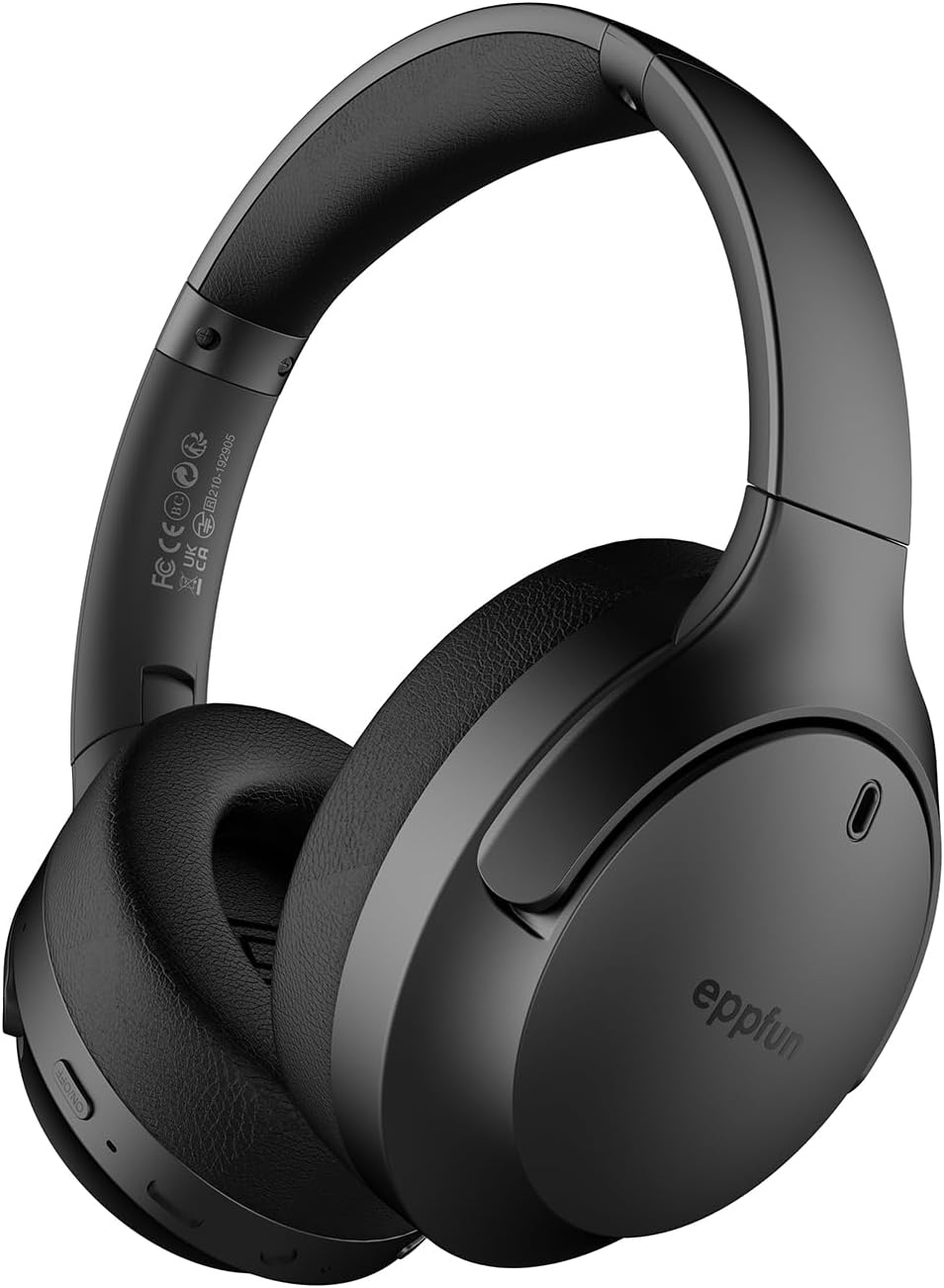
Figure 1: eppfun Cutemeet 818 Wireless Headphones
The image displays the eppfun Cutemeet 818 wireless headphones in black, showcasing their sleek design and over-ear form factor. The eppfun logo is visible on the earcups.
حفاظتی معلومات
Please read this safety information carefully before using the headphones to ensure proper operation and prevent damage or injury.
- ہیڈ فون کو انتہائی درجہ حرارت، نمی، یا سنکنرن مادوں کے سامنے نہ رکھیں۔
- ہیڈ فونز کو گرانے یا ان کو شدید اثرات کے تابع کرنے سے گریز کریں۔
- ہیڈ فون کو الگ نہ کریں یا خود ہی مرمت کرنے کی کوشش نہ کریں۔ اس سے وارنٹی ختم ہو جائے گی۔
- ہیڈ فون کو نرم، خشک کپڑے سے صاف کریں۔ سخت کیمیکل یا کھرچنے والے مواد کا استعمال نہ کریں۔
- سماعت کو پہنچنے والے نقصان کو روکنے کے لیے اعتدال کے حجم کی سطح پر سنیں۔ اونچی آوازوں میں طویل عرصے تک نمائش ناقابل واپسی سماعت کے نقصان کا سبب بن سکتی ہے۔
- بچوں اور پالتو جانوروں کی پہنچ سے دور رکھیں۔
پیکیج کے مشمولات
تصدیق کریں کہ تمام اشیاء آپ کے پیکیج میں موجود ہیں:
- eppfun Cutemeet 818 Wireless Headphones
- USB-C چارجنگ کیبل
- 3.5 ملی میٹر آکس کیبل۔
- صارف دستی (یہ دستاویز)
پروڈکٹ ختمview
Familiarize yourself with the various parts and controls of your headphones.
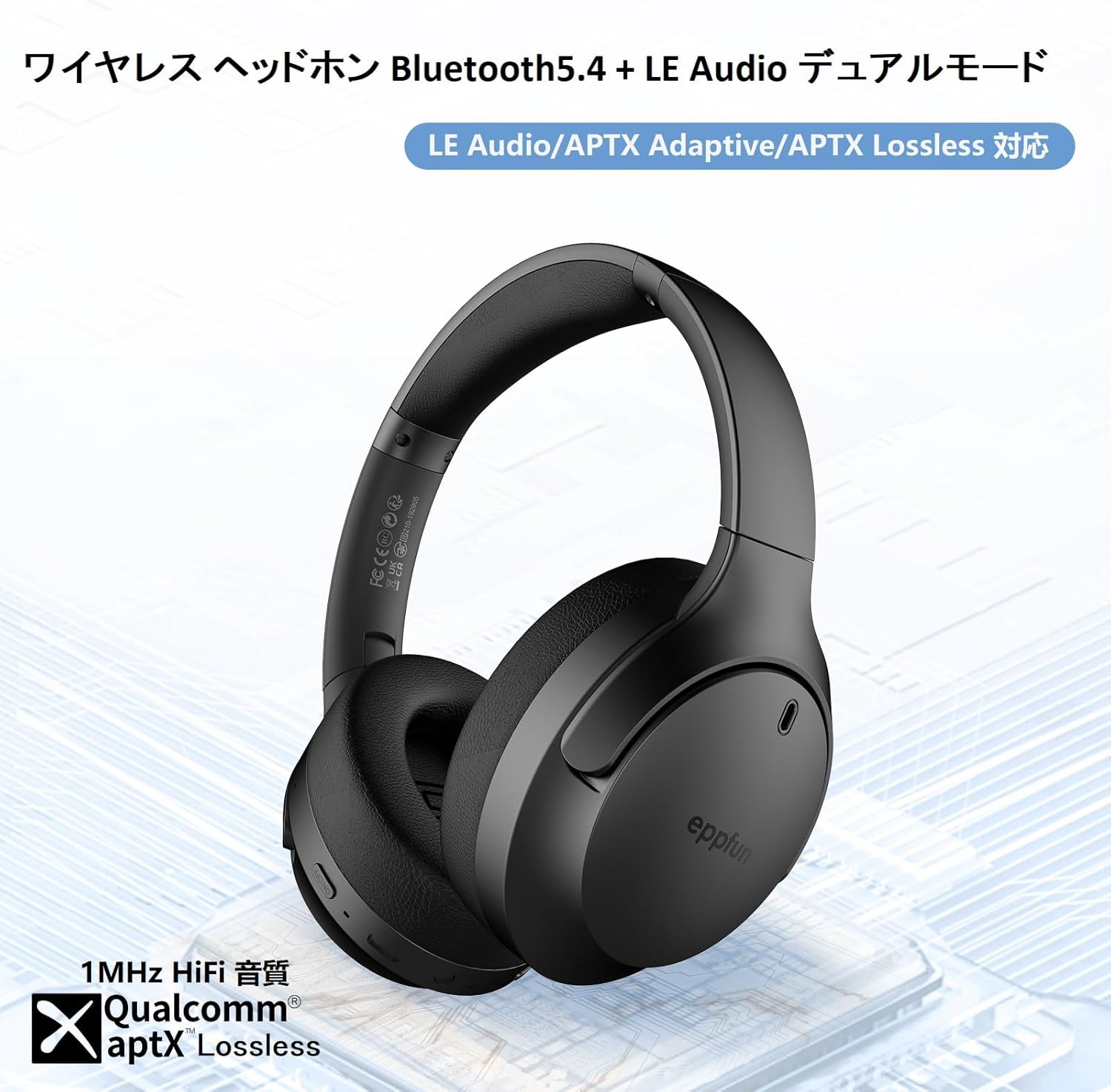
Figure 2: Headphone Features and Controls
This image highlights the eppfun Cutemeet 818 headphones, emphasizing their support for Bluetooth 5.4, LE Audio, APTX Adaptive, and APTX Lossless technologies, indicating high-fidelity audio capabilities.
کنٹرولز اور پورٹس:
- پاور بٹن: پاور آن/آف کرنے کے لیے دبائیں اور تھامیں۔ پلے/توقف کے لیے مختصر پریس۔
- والیوم اپ/اگلا ٹریک بٹن: حجم بڑھانے کے لیے مختصر دبائیں اگلے ٹریک کے لیے دیر تک دبائیں۔
- والیوم ڈاؤن/پچھلا ٹریک بٹن: حجم کم کرنے کے لیے مختصر دبائیں پچھلے ٹریک کے لیے دیر تک دبائیں۔
- ملٹی فنکشن بٹن (MFB): Used for answering/ending calls, activating voice assistant.
- USB-C چارجنگ پورٹ: ہیڈ فون چارج کرنے کے لیے۔
- 3.5 ملی میٹر آڈیو جیک: AUX کیبل کا استعمال کرتے ہوئے وائرڈ کنکشن کے لیے۔
- ایل ای ڈی اشارے: پاور اسٹیٹس، جوڑی کی حیثیت، اور چارجنگ اسٹیٹس دکھاتا ہے۔
- مائیکروفون: Built-in CVC 8.0 noise-cancelling microphone for clear calls.
سیٹ اپ
1. ہیڈ فون چارج کرنا
Before first use, fully charge the headphones. Connect the USB-C charging cable to the headphone's USB-C port and the other end to a USB power adapter (not included) or a computer's USB port. The LED indicator will show charging status and turn off or change color when fully charged.
2. بلوٹوت جوڑی بنانا
- یقینی بنائیں کہ ہیڈ فون بند ہیں۔
- پاور بٹن کو تقریباً 5 سیکنڈ تک دبائے رکھیں جب تک کہ ایل ای ڈی انڈیکیٹر نیلے اور سرخ رنگ میں باری باری چمک نہ جائے، جو جوڑی کے موڈ کی نشاندہی کرتا ہے۔
- اپنے آلے پر (اسمارٹ فون، ٹیبلیٹ، کمپیوٹر)، بلوٹوتھ کو فعال کریں اور نئے آلات تلاش کریں۔
- Select "eppfun Cutemeet 818" from the list of available devices.
- ایک بار منسلک ہونے کے بعد، ایل ای ڈی اشارے آہستہ آہستہ ٹھوس نیلے یا فلیش نیلے رنگ میں بدل جائے گا۔

Figure 3: Bluetooth Connectivity Example
This image illustrates the eppfun Cutemeet 818 headphones wirelessly connected to both a smartphone and a tablet, demonstrating their versatile Bluetooth 5.4 capabilities for seamless audio and communication.
3 وائرڈ کنکشن (AUX موڈ)
To use the headphones in wired mode, connect one end of the included 3.5mm AUX audio cable to the headphone's 3.5mm audio jack and the other end to your audio source's 3.5mm output. The headphones will automatically switch to wired mode, and the Bluetooth function will be disabled.
آپریٹنگ ہدایات
پاور آن/آف
- پاور آن: Press and hold the Power button for 2-3 seconds until the LED indicator flashes blue.
- بجلی بند: Press and hold the Power button for 3-4 seconds until the LED indicator flashes red and then turns off.
میوزک پلے بیک
- چلائیں/روکیں: پاور بٹن کو مختصر دبائیں۔
- اواز بڑھایں: والیوم اپ بٹن کو مختصر دبائیں۔
- آواز کم: والیوم ڈاؤن بٹن کو شارٹ دبائیں۔
- اگلا ٹریک: والیوم اپ بٹن کو دیر تک دبائیں۔
- پچھلا ٹریک: والیوم ڈاؤن بٹن کو دیر تک دبائیں۔
کال مینجمنٹ
- جواب / کال ختم کریں: ایم ایف بی کو شارٹ پریس کریں۔
- کال مسترد کریں: ایم ایف بی کو دیر تک دبائیں۔
- متحرک صوتی معاون: MFB کو دو بار دبائیں۔
LE Audio and Auracast Functionality
The eppfun Cutemeet 818 headphones support LE Audio for superior sound quality with low power consumption and Auracast for ultra-low latency audio transmission. To utilize the Auracast feature for ultra-low latency, an eppfun LE Audio transmitter (sold separately, e.g., ASIN B0CCRTMQ3W) is required. Connect the headphones to the transmitter for an optimized gaming or video experience.

Figure 4: LE Audio and Auracast Support
This image displays a comparison chart of Bluetooth codecs, highlighting the advantages of LC3 (LE Audio) over SBC in terms of audio quality at various bitrates. It also features the Auracast logo, indicating support for this advanced audio sharing technology.
دیکھ بھال
- صفائی: Use a soft, lint-free cloth to wipe the headphones. For earcups, gently wipe with a slightly damp cloth and then dry thoroughly. Do not use alcohol, solvents, or abrasive cleaners.
- ذخیرہ: When not in use, store the headphones in a cool, dry place, away from direct sunlight and extreme temperatures. The foldable design (Figure 5) allows for compact storage and easy portability.
- بیٹری کی دیکھ بھال: To prolong battery life, avoid fully discharging the headphones frequently. Charge them regularly, especially if not used for extended periods.

Figure 5: Foldable Design for Portability
This image demonstrates the foldable design of the eppfun Cutemeet 818 headphones, highlighting their compact nature for convenient storage and travel.
خرابی کا سراغ لگانا
| مسئلہ | ممکنہ وجہ | حل |
|---|---|---|
| ہیڈ فون آن نہیں ہوں گے۔ | کم بیٹری۔ | ہیڈ فون کو مکمل چارج کریں۔ |
| آلہ کے ساتھ جوڑا نہیں بنایا جا سکتا۔ | ہیڈ فون پیئرنگ موڈ میں نہیں ہیں۔ ڈیوائس بلوٹوتھ آف؛ ڈیوائس سے بہت دور۔ | یقینی بنائیں کہ ہیڈ فون پیئرنگ موڈ میں ہیں (نیلا/سرخ چمکتا ہوا)۔ ڈیوائس بلوٹوتھ کو آن کریں۔ ہیڈ فون کو ڈیوائس کے قریب لے جائیں (10m کے اندر)۔ |
| کوئی آواز یا خراب آواز کا معیار نہیں۔ | Volume too low; incorrect audio source; interference; low battery. | Increase volume on headphones and device. Check if AUX cable is properly connected. Move away from sources of interference. Charge headphones. |
| کال کا معیار خراب ہے۔ | ماحولیاتی شور؛ مائکروفون کی رکاوٹ. | Move to a quieter environment. Ensure microphone is not covered. |
| Intermittent connection/audio drops. | آلہ سے بہت دور؛ مداخلت کم بیٹری. | Move closer to the device. Avoid obstacles between headphones and device. Charge headphones. |
وضاحتیں
| فیچر | تفصیل |
|---|---|
| ماڈل کا نام | LS003 (Cutemeet 818) |
| کنیکٹوٹی ٹیکنالوجی | Bluetooth 5.4, Wired (3.5mm AUX) |
| وائرلیس کمیونیکیشن ٹیکنالوجی | بلوٹوتھ |
| شور کنٹرول | ساؤنڈ آئسولیشن (CVC 8.0 برائے کالز) |
| ہیڈ فون جیک | 3.5 ملی میٹر جیک |
| شامل اجزاء | Cable, Headphones |
| ہدف کی عمر | بالغ |
| مواد | Acrylonitrile Butadiene Styrene (ABS), Leather, Metal |
| ہم آہنگ آلات | iPhone & Android Smartphones, Gaming Consoles, TVs, Laptops, Mobile Phones |
| پانی کی مزاحمت کی سطح | پانی مزاحم |
| بیٹری درکار ہے۔ | جی ہاں |
| کارخانہ دار | ایپفن |
| شے کا وزن | 430 گرام |
| رکاوٹ | 32 اوہم |
| ہیڈ فون اسٹائل | کان سے زیادہ |
| آڈیو کوڈیکس سپورٹڈ | LE Audio (LC3), aptX Lossless, aptX Adaptive |
وارنٹی اور سپورٹ
eppfun products come with a standard warranty. For detailed warranty information, product support, or technical assistance, please refer to the warranty card included in your package or visit the official eppfun website. You can also contact eppfun customer service through the retailer where you purchased the product.
اہم نوٹ: The maximum communication distance for Bluetooth is 10 meters. This distance may vary depending on the usage environment and interference from other electronic devices. If the battery level is too low, latency may occur. Please charge the headphones regularly.
Ask a question about this manual
Ask about setup, troubleshooting, compatibility, parts, safety, or missing instructions. Manuals+ will review the question and use this page’s manual context to help answer it.