
تعارف
This manual provides instructions for the safe and effective operation of your CIGMAN CT-800Y Golf Laser Rangefinder. Please read this manual thoroughly before using the device to ensure proper functionality and to prevent damage. Keep this manual for future reference.
The CIGMAN CT-800Y is a laser rangefinder designed for golf and hunting, offering precise distance measurements, slope compensation, and multiple measurement modes.
حفاظتی معلومات
- لیزر سیفٹی: This device uses an invisible Class 1 laser. Do not stare directly into the laser beam or point it at others. Direct eye exposure to the laser beam may cause eye damage.
- Do not disassemble, repair, or modify the device. Unauthorized modifications may cause damage and void the warranty.
- آلے کو پانی اور نمی سے دور رکھیں۔
- استعمال میں نہ ہونے پر آلہ کو ٹھنڈی، خشک جگہ پر اسٹور کریں۔
- بچوں کی پہنچ سے دور رکھیں۔
پیکیج کے مشمولات
پیکج کھولنے پر، تصدیق کریں کہ درج ذیل تمام اشیاء شامل ہیں:
- 1x CIGMAN CT-800Y Laser Rangefinder
- 1x ہارڈ شیل کیس
- 1x USB چارجنگ کیبل (Type-C)
- 1x Magnetic rangefinder mount strap
- 1x لانیارڈ
- 1x کپڑا صاف کرنا
- 1x یوزر مینوئل (یہ دستاویز)
پروڈکٹ ختمview
Familiarize yourself with the components of your CIGMAN CT-800Y Laser Rangefinder.

تصویر: سامنے اور اوپر۔ view of the CIGMAN CT-800Y Laser Rangefinder with key components labeled. Labels include Eyepiece, Power/Measure button, Adjustable Focus, Dustproof Charging Port, and an indication of 6X Magnification and One Button Switching Five Modes.
- آئی پیس: کے لیے viewing the target and display.
- طاقت / پیمائش بٹن: Powers on the device and initiates measurements.
- موڈ بٹن: Switches between different measurement modes.
- سایڈست فوکس: Rotates to adjust the focus for a clear view.
- Dustproof Charging Port (Type-C): اندرونی بیٹری کو ری چارج کرنے کے لیے۔
- ڈھلوان سوئچ: A physical switch to enable or disable slope compensation.
- مقناطیسی پہاڑ: Integrated magnet for attaching to metal surfaces like a golf cart frame.
سیٹ اپ اور چارجنگ
بیٹری چارج ہو رہی ہے۔
The rangefinder is equipped with a built-in 750mAh rechargeable Li-ion battery. Before first use, fully charge the device.
- Locate the Type-C charging port, usually protected by a dustproof cover.
- Connect the provided USB charging cable to the rangefinder's Type-C port.
- USB کیبل کے دوسرے سرے کو معیاری USB پاور اڈاپٹر (شامل نہیں) یا کمپیوٹر کے USB پورٹ سے جوڑیں۔
- The charging indicator will show the charging status. A full charge typically takes about 3 hours and provides up to 30,000 uses.

تصویر: The CIGMAN CT-800Y rangefinder connected to a USB-C charging cable, illustrating the charging process. The display shows "750mAh" and "30000 times" indicating battery capacity and usage cycles.
Attaching the Lanyard and Magnetic Strap
- Attach the lanyard to the designated loop on the rangefinder to prevent accidental drops.
- The magnetic mount strap can be used to secure the rangefinder to metal surfaces, such as a golf cart frame, for easy access and secure storage during play.
آپریٹنگ ہدایات
Powering On and Adjusting Focus
- دبائیں طاقت / پیمائش button once to power on the device. The display will activate.
- Look through the eyepiece. If the display or target appears blurry, rotate the سایڈست فوکس ring until the image is clear.
پیمائش کے طریقے
The rangefinder features five measurement modes, switchable using the موڈ بٹن

تصویر: A visual representation of the essential features including Slope Compensation, Flagpole Locking, Speed Measurement, Fast Readout, Type-C Rechargeable, 6X Magnification, Vibration Alert, and LCD Display.
- Straight Distance Mode: Measures the direct line-of-sight distance to a target. Press the طاقت / پیمائش button once to activate the laser and measure.
- Flagpole Mode (Pin-Lock): Designed for easily locking onto a flagpole.
- In this mode, press and hold the طاقت / پیمائش button while slowly scanning across the flagpole. The device will vibrate twice when the flagpole is locked, displaying the distance.

تصویر: A user operating the rangefinder to lock onto a flagpole. The display shows the target reticle and distance. The device vibrates to confirm flagpole lock.
- Golf Slope Compensation Mode: Provides an adjusted distance reading that accounts for elevation changes (uphill/downhill).
- Activate or deactivate slope compensation using the physical ڈھلوان سوئچ on the side of the device. When enabled, the compensated distance will be displayed alongside the actual distance.
- نوٹ: For tournament play, ensure the slope compensation feature is turned OFF.

تصویر: Illustration of slope compensation for uphill and downhill shots, showing how the rangefinder calculates adjusted distances. The physical slope switch on the device is also highlighted.
- Vertical and Horizontal Distance Mode: Measures the vertical height and horizontal distance to a target.
- Speed Measurement Mode: Measures the speed of a moving target. Aim at the moving target and press the طاقت / پیمائش بٹن

تصویر: A person using the CIGMAN CT-800Y rangefinder on a golf course, highlighting its high precision shooting capabilities with a range of 5-850 yards, 7-degree field angle, and +/- 1 yard accuracy, along with 6X magnification.

تصویر: ایک اوور ہیڈ view of a golf course with the rangefinder's display superimposed, showing a measurement of 503.6 yards. The image indicates a measuring range of 3-850 yards/meters.
وضاحتیں
| فیچر | تفصیلات |
|---|---|
| ماڈل نمبر | CT-800Y |
| پیمائش کی حد | 3-850 گز |
| درستگی | ±1 گز |
| میگنیفیکیشن | 6X |
| ڈسپلے | LCD |
| بیٹری کی قسم | 750mAh Rechargeable Li-ion |
| چارجنگ پورٹ | ٹائپ سی |
| طول و عرض | 9.2L x 7W x 3.5H cm (3.62"L x 2.76"W x 1.38"H) |
| وزن | 152 گرام |
| مواد | پلاسٹک |
| پانی کی مزاحمت | پانی مزاحم |
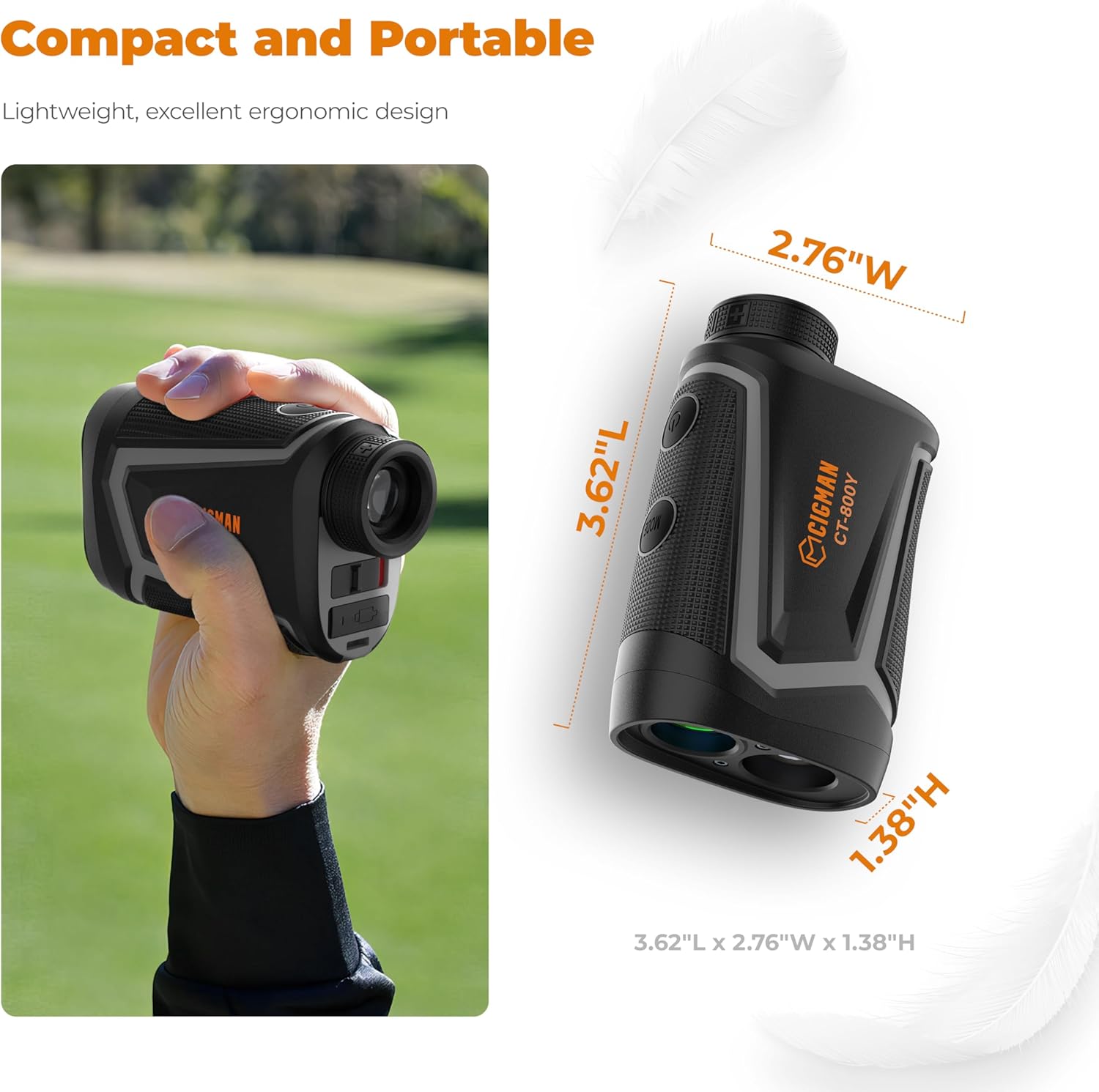
تصویر: The CIGMAN CT-800Y rangefinder held in a hand and a diagram showing its compact dimensions: 3.62"L x 2.76"W x 1.38"H.
دیکھ بھال اور دیکھ بھال
- صفائی: Use the provided cleaning cloth to gently wipe the lenses and the body of the rangefinder. Do not use abrasive materials or chemical cleaners.
- ذخیرہ: When not in use, store the rangefinder in its hard shell case in a cool, dry place, away from direct sunlight and extreme temperatures.
- بیٹری کی دیکھ بھال: Recharge the battery regularly, even if the device is not used frequently, to maintain battery health. Avoid fully discharging the battery for extended periods.
- پانی کی مزاحمت: The device is water resistant, but not waterproof. Avoid submerging it in water or exposing it to heavy rain for prolonged periods.
خرابی کا سراغ لگانا
If you encounter issues with your CIGMAN CT-800Y Laser Rangefinder, refer to the following common problems and solutions:
| مسئلہ | ممکنہ وجہ/حل |
|---|---|
| ڈیوائس آن نہیں ہوتی ہے۔ |
|
| Inaccurate distance readings. |
|
| ڈسپلے دھندلا ہے۔ |
|
| Flagpole lock not working. |
|
اگر ان حلوں کو آزمانے کے بعد بھی مسئلہ برقرار رہتا ہے، تو براہ کرم کسٹمر سپورٹ سے رابطہ کریں۔
وارنٹی اور سپورٹ
CIGMAN provides a 36-Month after-sale service and technical support for this product. If you encounter any issues, such as missing components or operational problems, please contact CIGMAN customer service directly. We are committed to ensuring customer satisfaction.
For support, please refer to the contact information provided on the product packaging or the official CIGMAN webسائٹ