
DYONDER B0DH22GT2B
DYONDER Wireless Controller User Manual
Model: B0DH22GT2B | Brand: DYONDER
1. تعارف
Thank you for choosing the DYONDER Wireless Controller. This controller is designed to provide a superior gaming experience across multiple platforms, including PS4, PS4 Slim, PS4 Pro, and PC. Featuring a 1000mAh battery, dual vibration feedback, a 6-axis motion sensor, and responsive joysticks, it offers immersive and precise control for your favorite games. This manual provides detailed instructions on setup, operation, maintenance, and troubleshooting to ensure optimal performance.

تصویر: سامنے view of the DYONDER Wireless Controller in black.
2. مصنوعات کی خصوصیات
- مضبوط مطابقت: Works seamlessly with PS4, PS4 Slim, PS4 Pro, and PC.
- لمبی بیٹری کی زندگی: Built-in 1000mAh battery provides over 15 hours of playtime with only 2 hours of charging.
- دوہری کمپن فیڈ بیک: Features dual vibration motors with 4 levels of feedback for an immersive gaming experience.
- Upgraded Joystick: Enhanced responsiveness and precision for faster reactions and reduced input lag or drift.
- 6-Axis Motion Sensor: Provides superior motion sensing for intuitive control in supported games.
- USB-C چارجنگ: Modern USB-C port for convenient and fast charging.
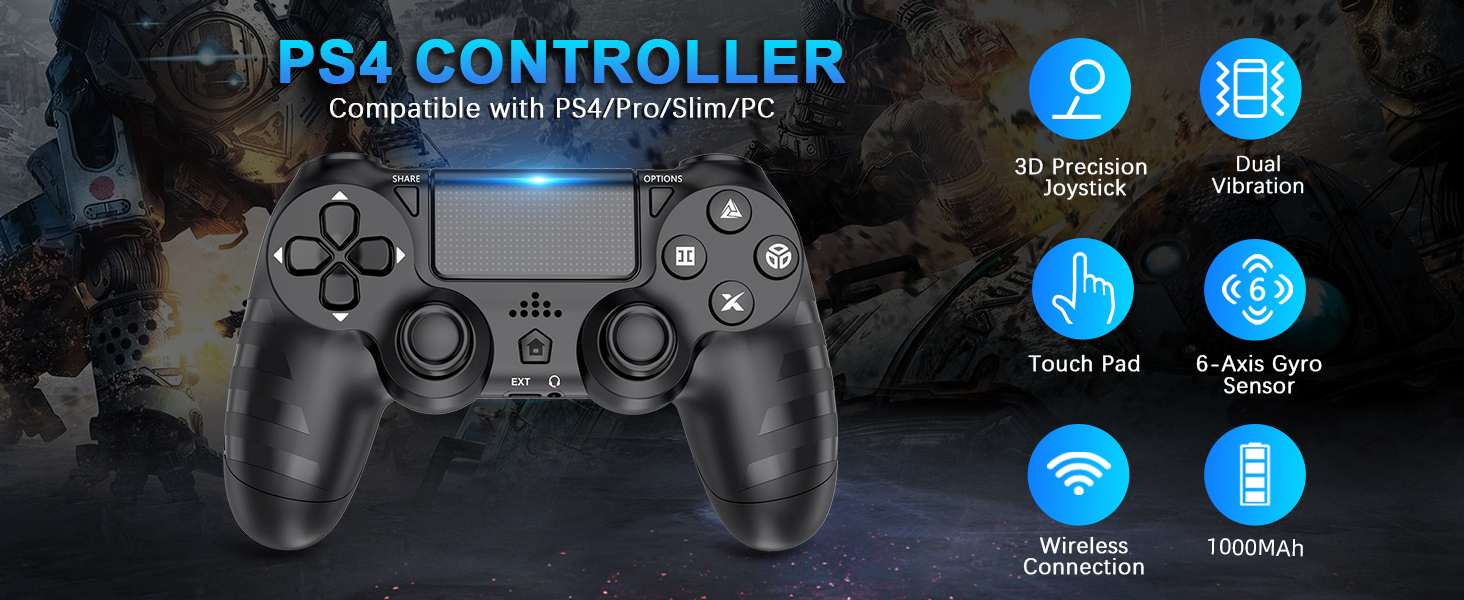
تصویر: ختمview of key features of the DYONDER Wireless Controller.
3. Controller Layout
Familiarize yourself with the various buttons and components of your DYONDER Wireless Controller:

Image: Labeled diagram of the controller's buttons and interfaces.
- شیئر بٹن: Used for sharing gameplay content.
- آپشنز بٹن: درون گیم مینوز اور اختیارات تک رسائی حاصل کرتا ہے۔
- ڈی پیڈ: دشاتمک ان پٹ۔
- ایکشن بٹن (مثلث، دائرہ، کراس، مربع): Primary game input buttons.
- بائیں/دائیں جوائے اسٹکس: Analog input for movement and camera control.
- ٹچ پیڈ: Multi-touch input surface.
- ہوم بٹن: Returns to the console's home screen or powers on/off.
- توسیعی انٹرفیس: For accessories.
- ہیڈ فون جیک: For connecting headsets.
- ایل ای ڈی لائٹ بار: Indicates player number, charging status, and in-game information.
- Charging Socket (USB-C): کنٹرولر چارج کرنے کے لیے۔
4. سیٹ اپ اور کنکشن
Initial Connection to PS4 Console:
- یقینی بنائیں کہ آپ کا PS4 کنسول آن ہے۔
- Connect the DYONDER Wireless Controller to your PS4 console using the included USB-C charging cable.
- دبائیں گھر button on the controller. The controller will sync with the console.
- Once synced, you can disconnect the USB-C cable for wireless play.
پی سی سے جڑنا:
- For PC connection, hold the شیئر کریں۔ بٹن اور گھر 3 سیکنڈ کے لیے ایک ساتھ بٹن۔
- The controller's LED light bar will start flashing rapidly, indicating it is in pairing mode.
- On your PC, go to Bluetooth settings and select the DYONDER Wireless Controller to pair.
- Once paired, the LED light bar will turn solid, indicating a successful connection.
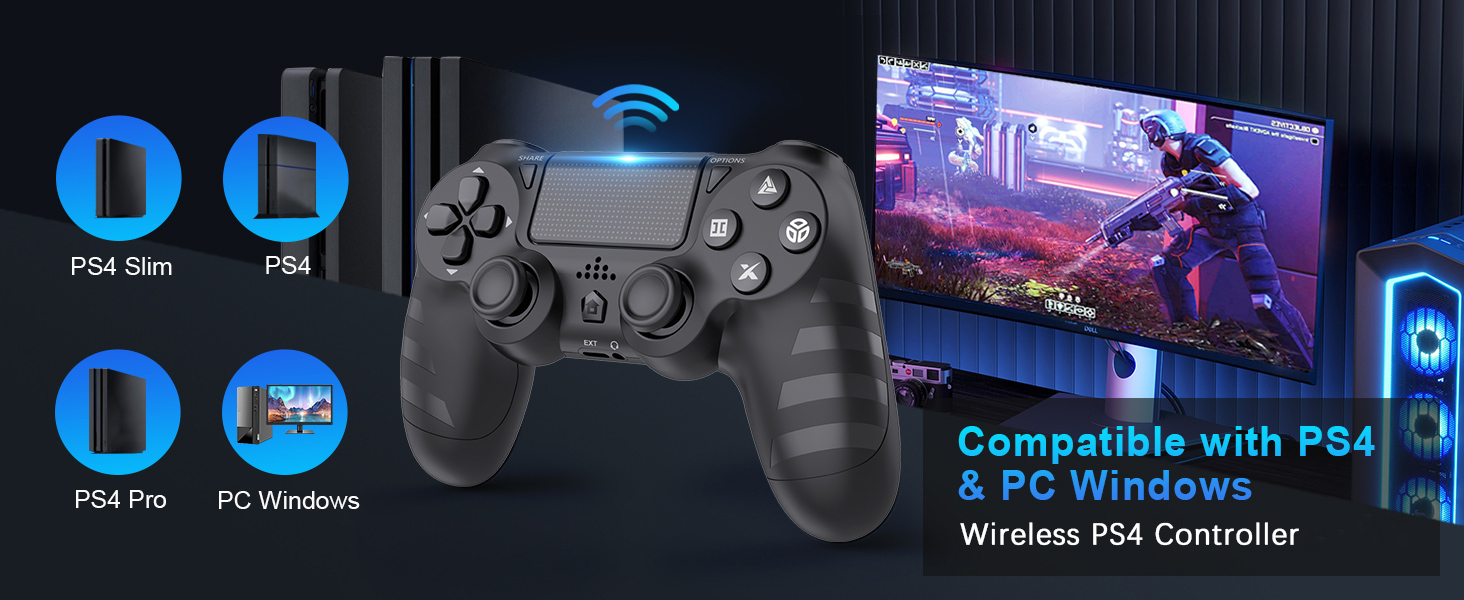
Image: Visual representation of controller compatibility with various platforms.
5. آپریشن
دوہری کمپن فیڈ بیک:
The controller features dual vibration motors that provide tactile feedback during gameplay. This enhances immersion by simulating in-game actions such as impacts, explosions, and environmental effects. The vibration intensity can vary based on the game and its settings.
6-Axis Motion Sensor:
Equipped with a highly sensitive 6-axis motion sensor (accelerometer and gyroscope), the controller allows for intuitive motion-based controls in compatible games. You can tilt, rotate, and shake the controller to interact with the game environment.

Image: Illustration of the controller's 6-Axis Gyro Sensor in action.
Touchpad Functionality:
The integrated touchpad supports multi-touch gestures, allowing for unique interactions in games that utilize this feature. It can also function as a clickable button.
آڈیو جیک:
Connect your headset to the 3.5mm audio jack for in-game audio and voice chat (where supported by the game and console/PC settings).
6. چارجنگ اور بیٹری کی زندگی
The DYONDER Wireless Controller is equipped with a built-in 1000mAh rechargeable lithium-ion battery.
- چارج کرنے کا وقت: Approximately 2 hours for a full charge using the included USB-C cable.
- کھیلنے کا وقت: Up to 15 hours of continuous gameplay on a full charge.
چارجنگ انڈیکیٹر:
While charging, the LED light bar on the controller will typically display an amber light. Once fully charged, the light will turn off or change color depending on the console/PC status.
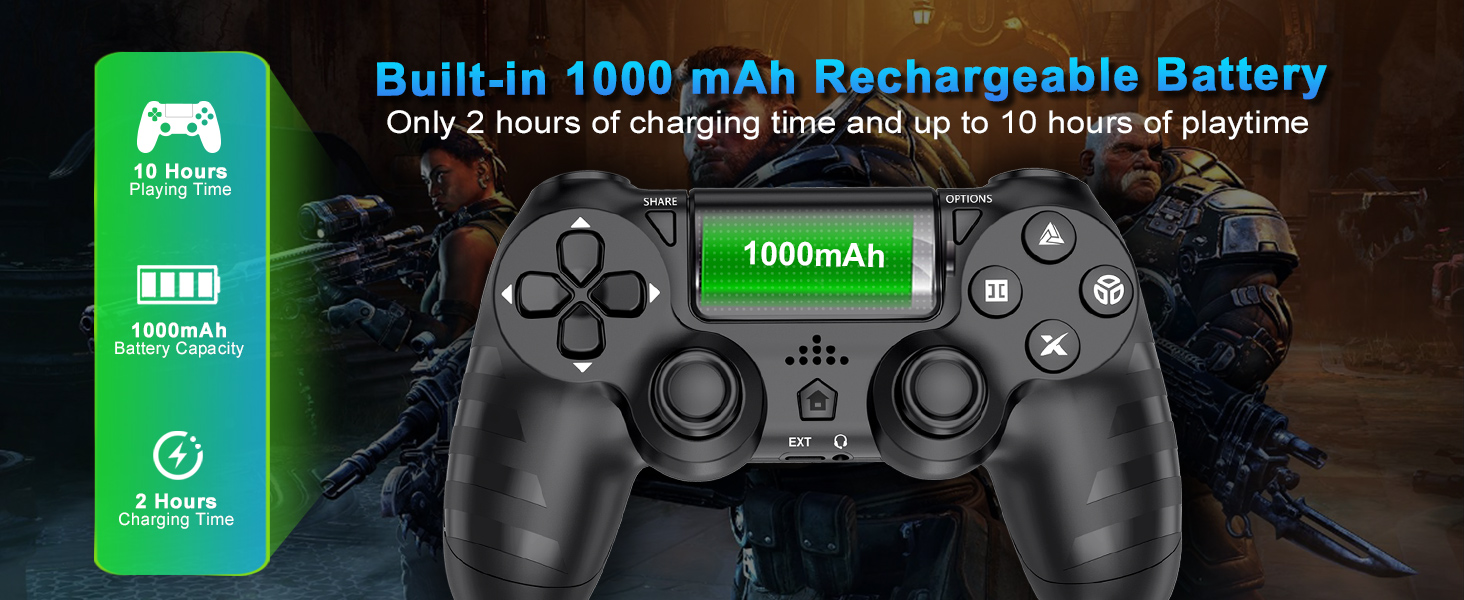
Image: Battery capacity and charging details for the controller.
7 دیکھ بھال
- صفائی: کنٹرولر کو صاف کرنے کے لیے نرم، خشک کپڑا استعمال کریں۔ ضدی گندگی کے لیے، قدرے ڈیampپانی کے ساتھ کپڑے. سخت کیمیکلز یا کھرچنے والے کلینر کے استعمال سے پرہیز کریں۔
- ذخیرہ: کنٹرولر کو کسی ٹھنڈی، خشک جگہ پر براہ راست سورج کی روشنی اور انتہائی درجہ حرارت سے دور رکھیں۔
- بیٹری کی دیکھ بھال: بیٹری کی زندگی کو طول دینے کے لیے، کنٹرولر کو کثرت سے مکمل طور پر خارج کرنے سے گریز کریں۔ اسے باقاعدگی سے چارج کریں، چاہے طویل عرصے تک استعمال میں نہ ہوں۔
- ہینڈلنگ: Do not drop the controller or subject it to strong impacts. Avoid pulling the cable forcefully when disconnecting.
8 خرابیوں کا سراغ لگانا
| مسئلہ | ممکنہ وجہ | حل |
|---|---|---|
| کنٹرولر متصل/جوڑا نہیں ہے۔ | Low battery, out of range, pairing mode not activated, interference. | Charge the controller fully. Ensure it's within range of the console/PC. Re-enter pairing mode (SHARE + HOME for 3 seconds). Try connecting with the USB-C cable first. |
| Input lag or unresponsiveness. | Wireless interference, low battery, software issue. | Ensure no strong wireless interference. Charge the controller. Restart the console/PC and controller. |
| Joystick drift. | Wear and tear, dust/debris. | Try resetting the controller (small button on the back). Clean around the joystick base. If persistent, contact support. |
| ہیڈسیٹ مائکروفون کام نہیں کر رہا ہے۔ | Headset compatibility, console/PC audio settings, controller defect. | Ensure your headset is fully plugged in. Check audio input/output settings on your PS4 or PC. Test with another headset if possible. If the issue persists, it may indicate a hardware problem. |
| کنٹرولر چارج نہیں کر رہا ہے۔ | Faulty cable, faulty charging port, power source issue. | Try a different USB-C cable and a different power source (e.g., another USB port on console/PC, wall adapter). Ensure the cable is securely connected. |
9. وضاحتیں
| فیچر | تفصیل |
|---|---|
| ماڈل | B0DH22GT2B |
| برانڈ | DYONDER |
| مطابقت | PS4, PS4 Slim, PS4 Pro, PC |
| بیٹری کی صلاحیت | 1000mAh لتیم آئن |
| چارج کرنے کا وقت | تقریبا 2 گھنٹے |
| پلے ٹائم | 15 گھنٹے تک |
| کنیکٹوٹی | وائرلیس (بلوٹوتھ)، USB-C |
| سینسر | 6-Axis Motion Sensor (Accelerometer, Gyroscope) |
| تاثرات | Dual Vibration Motors (4 levels) |
| آڈیو | 3.5 ملی میٹر ہیڈ فون جیک |
| شے کا وزن | 9.9 اونس (تقریباً 280 گرام) |
| پیکیج کے طول و عرض | 6.5 x 4.37 x 2.6 انچ |
10 آفیشل پروڈکٹ ویڈیوز
ویڈیو: ایک مختصر ختمview of the DYONDER Wireless Controller in pink, highlighting features like dual vibration, sensitive joysticks, and anti-slip texture.
Video: A quick look at the black DYONDER Wireless Controller, showcasing اس کا ڈیزائن اور خصوصیات۔
11. وارنٹی اور سپورٹ
For warranty information, technical support, or any inquiries regarding your DYONDER Wireless Controller, please refer to the contact information provided on the product packaging or visit the official DYONDER webسائٹ وارنٹی کے دعووں کے لیے اپنی خریداری کی رسید اپنے پاس رکھیں۔
Ask a question about this manual
Ask about setup, troubleshooting, compatibility, parts, safety, or missing instructions. Manuals+ will review the question and use this page’s manual context to help answer it.