
تعارف
Thank you for choosing the Vieta Pro Silence 3 Bluetooth 5.4 Active Noise Cancelling Headphones. These headphones are designed to provide a superior audio experience with advanced features for comfort and convenience. Please read this manual carefully before using your headphones to ensure proper operation and to maximize their lifespan.
پیکیج کے مشمولات
- Vieta Pro Silence 3 Headphones
- USB-C چارجنگ کیبل
- 3.5 ملی میٹر آڈیو کیبل
- صارف دستی
پروڈکٹ ختمview
Familiarize yourself with the various parts and controls of your Vieta Pro Silence 3 headphones.
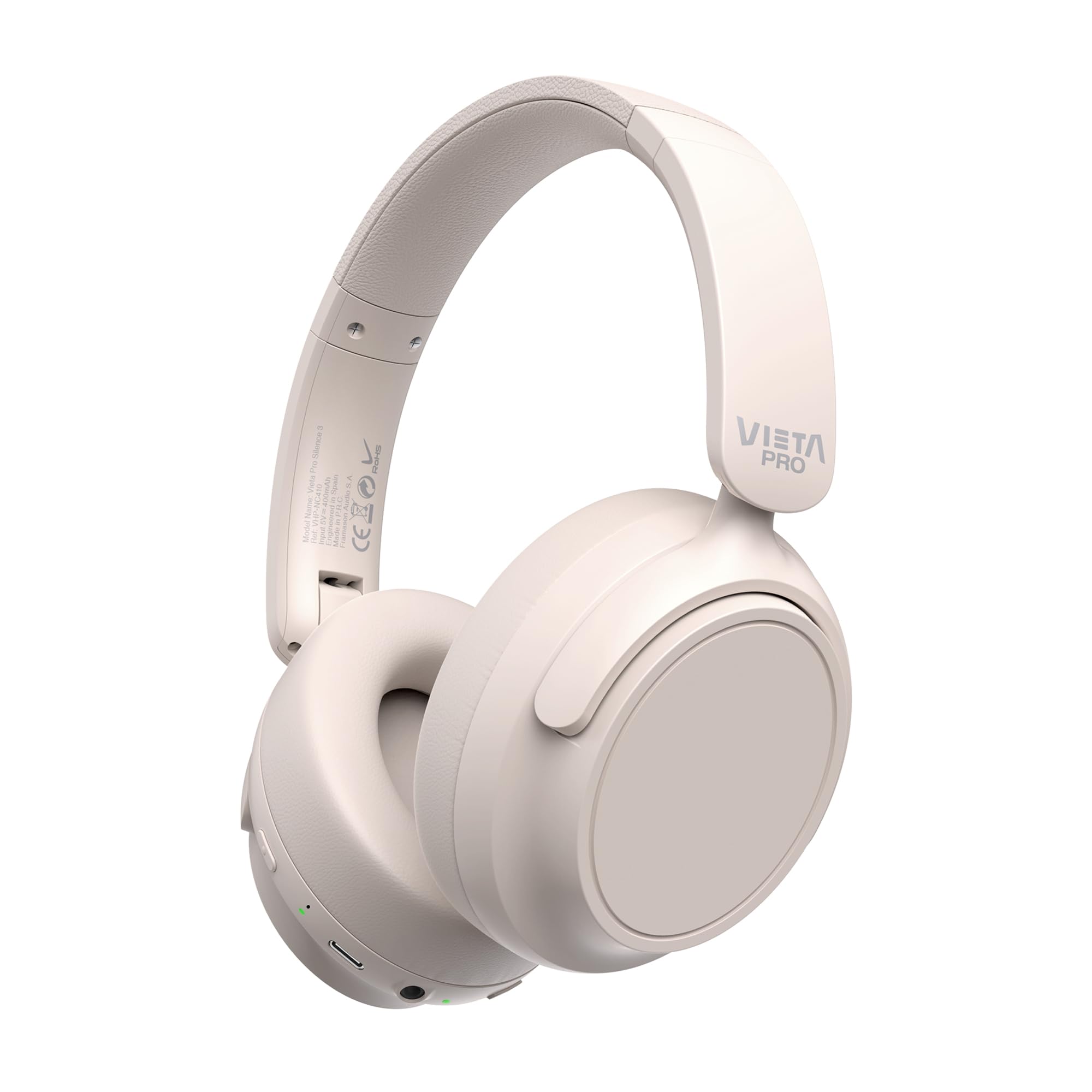
تصویر: سامنے view of the Vieta Pro Silence 3 headphones, showcasing their overall design.

تصویر: سائیڈ view of the Vieta Pro Silence 3 headphones, highlighting the earcups and adjustable headband.

Image: Close-up of a Vieta Pro Silence 3 earcup, illustrating the control buttons, charging port, and 3.5mm audio jack.
The headphones feature a foldable design for easy portability.

Image: Vieta Pro Silence 3 headphones in their folded state, demonstrating their compact design for travel and storage.
سیٹ اپ
1. ہیڈ فون چارج کرنا
Before first use, fully charge your headphones. Connect the supplied USB-C cable to the charging port on the headphones and the other end to a USB power source (e.g., wall adapter, computer USB port).
- The LED indicator will show charging status (e.g., red for charging, blue/off for fully charged).
- مکمل چارج 50 گھنٹے تک پلے بیک فراہم کرتا ہے۔
- Fast charging via USB-C allows for quick power-ups.
2. پر / آف پاور
- پاور آن کرنے کے لیے: پاور بٹن کو تقریباً 3 سیکنڈ تک دبائے رکھیں جب تک کہ LED انڈیکیٹر روشن نہ ہو اور آپ کو ایک قابل سماعت اشارہ سنائی دے۔
- پاور آف کرنا: پاور بٹن کو تقریباً 3 سیکنڈ تک دبائے رکھیں جب تک کہ LED انڈیکیٹر بند نہ ہو جائے اور آپ کو ایک قابل سماعت پرامپٹ سنائی دے۔
3. بلوٹوت جوڑی بنانا
- یقینی بنائیں کہ ہیڈ فون بند ہیں۔
- Press and hold the Power button for 5-7 seconds until the LED indicator flashes blue and red alternately, indicating pairing mode.
- اپنے آلے پر (اسمارٹ فون، ٹیبلیٹ، کمپیوٹر)، بلوٹوتھ کو فعال کریں اور دستیاب آلات تلاش کریں۔
- Select "Vieta Pro Silence 3" from the list of found devices.
- Once paired, the LED indicator will flash blue slowly, and you will hear a confirmation tone.
پاور آن ہونے پر ہیڈ فون خود بخود آخری جوڑی والے آلے سے دوبارہ جڑنے کی کوشش کریں گے۔
4. وائرڈ کنکشن (معاون ان پٹ)
You can use the headphones with a wired connection when Bluetooth is not available or preferred. Connect one end of the 3.5mm audio cable to the auxiliary input port on the headphones and the other end to your audio source's 3.5mm jack.
- When using the wired connection, Bluetooth functionality is disabled.
- Active Noise Cancellation (ANC) can still be used in wired mode.
آپریٹنگ ہدایات
1. میوزک پلے بیک۔
- چلائیں/روکیں: ایک بار ملٹی فنکشن بٹن دبائیں۔
- اگلا ٹریک: والیوم اپ بٹن کو دبائیں اور تھامیں۔
- پچھلا ٹریک: والیوم ڈاؤن کے بٹن کو دبائے رکھیں۔
- اواز بڑھایں: والیوم اپ بٹن کو مختصر دبائیں۔
- آواز کم: والیوم ڈاؤن بٹن کو شارٹ دبائیں۔
2. کال مینجمنٹ۔
- جواب / کال ختم کریں: ایک بار ملٹی فنکشن بٹن دبائیں۔
- کال مسترد کریں: ملٹی فنکشن بٹن کو 2 سیکنڈ تک دبائے رکھیں۔
- آواز معاون: Double-press the Multi-function button to activate your device's voice assistant (Siri, Google Assistant, etc.).
3 فعال شور منسوخی (ANC)
The ANC feature reduces ambient noise, allowing for a more immersive listening experience.
- ANC کو فعال/غیر فعال کریں: Press the dedicated ANC button once. The LED indicator for ANC will light up (e.g., green) when active.
- ANC can be used independently or with Bluetooth/wired audio.
4. دوہری جوڑی کی تقریب
The Dual Pairing feature allows you to connect your headphones to two Bluetooth devices simultaneously.
- ہیڈ فون کو پہلے ڈیوائس کے ساتھ جوڑیں جیسا کہ "بلوٹوتھ پیئرنگ" سیکشن میں بیان کیا گیا ہے۔
- پہلے ڈیوائس پر بلوٹوتھ کو غیر فعال کریں۔
- Put the headphones back into pairing mode and pair them with the second device.
- Enable Bluetooth on the first device. The headphones should now be connected to both devices.
- Audio will play from the device that is actively transmitting.
دیکھ بھال
- ہیڈ فون کو نرم، خشک کپڑے سے صاف کریں۔ کھرچنے والے کلینر یا سالوینٹس کا استعمال نہ کریں۔
- ہیڈ فون کو انتہائی درجہ حرارت، نمی، یا براہ راست سورج کی روشنی کے سامنے لانے سے گریز کریں۔
- Store the headphones in a cool, dry place when not in use, preferably in their folded state to protect them.
- ہیڈ فون کو الگ کرنے یا ان میں ترمیم کرنے کی کوشش نہ کریں، کیونکہ اس سے وارنٹی ختم ہو جائے گی۔
خرابی کا سراغ لگانا
| مسئلہ | ممکنہ حل |
|---|---|
| ہیڈ فون آن نہیں ہوتے۔ | یقینی بنائیں کہ ہیڈ فون چارج ہیں۔ USB-C کیبل کا استعمال کرتے ہوئے انہیں پاور سورس سے جوڑیں۔ |
| بلوٹوتھ کے ذریعے جوڑا نہیں بنایا جا سکتا۔ |
|
| کوئی آواز یا کم والیوم نہیں۔ |
|
| ANC مؤثر طریقے سے کام نہیں کر رہا ہے۔ |
|
وضاحتیں
| فیچر | تفصیل |
|---|---|
| ماڈل کا نام | خاموشی 3 |
| ماڈل نمبر | RM |
| کنیکٹوٹی ٹیکنالوجی | بلوٹوتھ 5.4، وائرڈ (3.5 ملی میٹر جیک) |
| شور کی منسوخی | فعال شور منسوخ کرنا (این این سی) |
| بیٹری کی زندگی | 50 گھنٹے تک |
| چارجنگ پورٹ | USB-C (تیز چارجنگ) |
| مائیکروفون | Integrated for hands-free calls |
| فارم فیکٹر | Circum-Auricular (Over-Ear) |
| رکاوٹ | 32 اوہم |
| خصوصی خصوصیات | Dual Pairing, Foldable Design, Low Latency Mode |
حفاظتی معلومات
- سماعت کو پہنچنے والے نقصان کو روکنے کے لیے ہیڈ فون کو زیادہ مقدار میں استعمال نہ کریں۔
- Do not use the headphones in situations where inability to hear ambient sounds could be dangerous (e.g., driving, cycling, walking in traffic).
- بچوں کی پہنچ سے دور رکھیں۔
- مقامی قواعد و ضوابط کے مطابق ذمہ داری کے ساتھ مصنوعات کو ضائع کریں۔
وارنٹی اور سپورٹ
For warranty information and technical support, please refer to the documentation provided with your purchase or visit the official Vieta Pro webسائٹ وارنٹی کے دعووں کے لیے براہ کرم اپنی خریداری کا ثبوت اپنے پاس رکھیں۔
Note: Information regarding specific warranty duration or direct support contacts was not available in the provided product data.