
1. تعارف اور اوورview
This manual provides comprehensive instructions for the ASHATA 4G Portable Router, Model ASHATA3ethc05m91. This device is a versatile mobile hotspot designed to provide reliable internet access for multiple users. It supports various 4G networks and offers high-speed connectivity, making it ideal for travel, outdoor activities, or as a portable internet solution. The router features a built-in 3000mAh battery and is powered via a Type-C port, ensuring convenience and portability.

Image 1.1: The ASHATA Portable Pocket WiFi Router, highlighting its compact design, Type-C interface, and 3000mAh battery capacity.
2. پیکیج کے مشمولات
براہ کرم تصدیق کریں کہ نیچے دی گئی تمام اشیاء آپ کے پیکیج میں شامل ہیں:
- 1 x ASHATA Portable Router
- 1 x USB Type-C Supply Cord
- 1 ایکس ہدایت نامہ (یہ دستاویز)
3. مصنوعات کی خصوصیات
The ASHATA 4G Portable Router offers a range of features designed for optimal mobile connectivity:
- Share Up to 10 Users: Supports multiple 4G networks, enabling internet sharing for up to 10 connected devices simultaneously.
- لچکدار پاور کے اختیارات: Powered conveniently by devices with Type-C ports, such as cell phone chargers, car chargers, or mobile power banks.
- پلگ اینڈ پلے آپریشن: Simple setup allows immediate 4G network access. Just insert a SIM card and connect to a power source.
- تیز رفتار رابطہ: Achieves 4G LTE speeds of up to 300Mbps, providing fast and stable internet access.
- Multi-Terminal Support: Connects up to 8 devices, including cell phones, tablets, laptops, computers, and smart TVs.
- محفوظ خفیہ کاری: Features WPA/WPA2 encryption for enhanced network security, protecting against unauthorized access.

Image 3.1: Visual representation of the router's key advantages, including its 3000mAh battery, WiFi support, 4G connectivity, portability, Type-C charging, and sleek design.
4. سیٹ اپ گائیڈ
Follow these steps to set up your ASHATA 4G Portable Router:
- سم کارڈ داخل کریں: Locate the SIM card slot on the router. Carefully insert a standard SIM card (not included) into the designated slot until it clicks into place. Ensure the SIM card is correctly oriented.
- پاور سے رابطہ کریں: Connect the provided USB Type-C supply cord to the router's Type-C port and plug the other end into a compatible power source (e.g., a USB wall adapter, car charger, or power bank).
- پاور آن: Press and hold the power button (refer to Image 4.1 for location) for a few seconds until the device powers on and the display illuminates.
- ابتدائی بوٹ: The router will perform an initial boot-up sequence. The display will show network status, signal strength, and battery level. Wait for the network indicator to show a stable 4G connection.

تصویر 4.1: ایک تفصیلی view of the router's side, indicating the Type-C charging port, WPS button, power button, and the location of the SIM card slot for insertion.
5. آپریٹنگ ہدایات
Once the router is set up and powered on, you can begin using its mobile hotspot functionality:
- Connect Devices via Wi-Fi:
- On your Wi-Fi enabled device (phone, tablet, laptop), search for available Wi-Fi networks.
- Select the network name (SSID) displayed on the router's screen.
- Enter the Wi-Fi password (Key) also displayed on the router's screen when prompted.
- Your device should now be connected to the internet through the router.
- نگرانی کی حیثیت: The router's display provides real-time information including signal strength, battery level, number of connected users, and data usage.
- Charging the Router: When the battery is low, connect the router to a power source using the Type-C cable. The battery indicator on the display will show charging status.
- حفاظتی خصوصیات: The router uses WPA/WPA2 encryption to secure your wireless network. It is recommended to keep the default password or change it to a strong, unique password for optimal security.
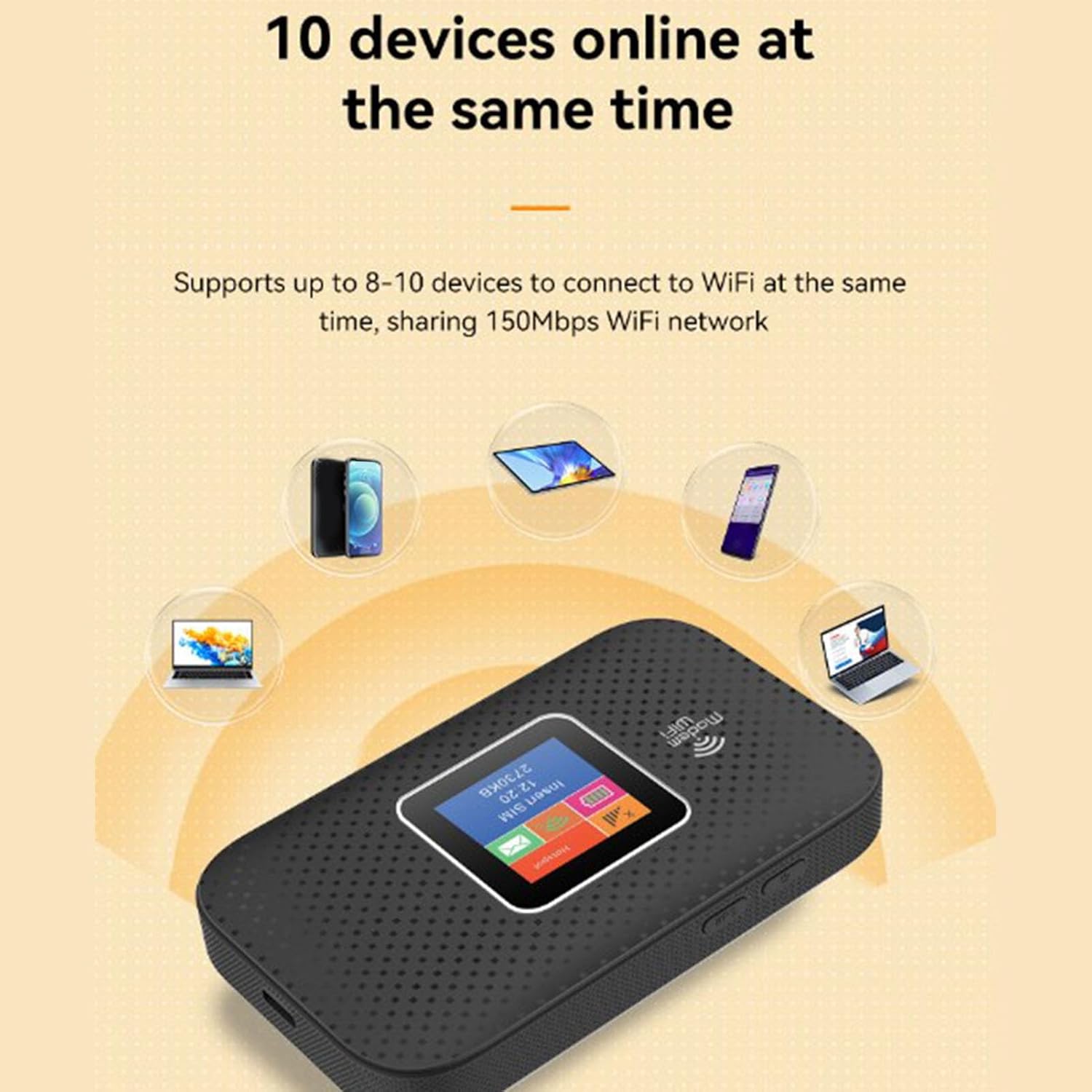
Image 5.1: The router demonstrating its capability to connect up to 10 devices simultaneously, including smartphones, tablets, and laptops.

Image 5.2: An illustration emphasizing the router's security features, specifically WPA/WPA2 encryption, for a more secure network environment.
6 دیکھ بھال
To ensure the longevity and optimal performance of your ASHATA 4G Portable Router, follow these maintenance guidelines:
- خشک رکھیں: Avoid exposing the device to water, moisture, or high humidity.
- درجہ حرارت کنٹرول: Do not expose the router to extreme temperatures (hot or cold). Operate and store it within recommended environmental conditions.
- صفائی: آلے کے بیرونی حصے کو صاف کرنے کے لیے نرم، خشک کپڑا استعمال کریں۔ مائع کلینر یا ایروسول استعمال نہ کریں۔
- بیٹری کی دیکھ بھال: For optimal battery life, avoid fully discharging the battery frequently. If storing for extended periods, charge the battery to about 50% and store in a cool, dry place.
- جسمانی اثرات سے بچیں: Protect the device from drops, bumps, and strong vibrations.
7 خرابیوں کا سراغ لگانا
If you encounter issues with your ASHATA 4G Portable Router, refer to the following troubleshooting tips:
- کوئی انٹرنیٹ کنکشن نہیں:
- اس بات کو یقینی بنائیں کہ ڈیٹا پلان کے ساتھ سم کارڈ صحیح طریقے سے داخل اور فعال ہے۔
- Check the signal strength indicator on the router's display. If signal is weak or absent, move to an area with better network coverage.
- Restart the router by turning it off and then on again.
- Verify that your connected device's Wi-Fi is enabled and connected to the correct SSID.
- سست انٹرنیٹ کی رفتار:
- منسلک آلات کی تعداد کو کم کریں۔
- Move closer to the router to improve Wi-Fi signal strength.
- Check for network congestion in your area or contact your SIM card provider.
- Wi-Fi سے کنیکٹ نہیں ہو سکتا:
- یقینی بنائیں کہ آپ درست وائی فائی پاس ورڈ (کلید) درج کر رہے ہیں۔
- روٹر اور اپنے کنیکٹنگ ڈیوائس دونوں کو دوبارہ شروع کریں۔
- Check if the router's display shows any error messages.
- راؤٹر آن نہیں ہو رہا ہے:
- Ensure the battery is charged. Connect the router to a power source using the Type-C cable.
- Verify that the power cable and adapter are functioning correctly.
8. وضاحتیں
Detailed technical specifications for the ASHATA 4G Portable Router:
| فیچر | تفصیلات |
|---|---|
| برانڈ | آشاٹا |
| ماڈل کا نام | ASHATA3ethc05m91 |
| کنیکٹوٹی ٹیکنالوجی | LTE, Wi-Fi |
| وائرلیس مواصلات کا معیار | 802.11a |
| ڈیٹا کی منتقلی کی شرح | 300 میگا بٹس فی سیکنڈ |
| Maximum Upstream Data Transfer Rate | 300 میگا بٹس فی سیکنڈ |
| فریکوئنسی بینڈ کلاس | ٹرائی بینڈ |
| Support Network Band (4G) | B1 B3 B7 B20 B28 (2600 2100 1800 800 700MHZ) |
| Support Network Band (TDD) | B38 B40 B41 (2600 2300 2600MHZ) |
| Applicable Region | Europe, Africa, Southeast Asia, Northeast Asia, Middle East |
| بیٹری کی قسم | 3000mAh Li Polymer Battery (Built-In) |
| چارجنگ پورٹ | ٹائپ سی |
| سیکیورٹی پروٹوکول | ڈبلیو پی اے، ڈبلیو پی اے 2 |
| آپریٹنگ سسٹم | لینکس پر مبنی |
| ہم آہنگ آلات | Laptop, Mobile Phones, Tablets, Smart TVs |
| تجویز کردہ استعمال | انڈور/ آؤٹ ڈور |
9. وارنٹی اور سپورٹ
ASHATA products are manufactured to high-quality standards. This product is covered by a limited warranty against defects in materials and workmanship from the date of purchase. Please retain your proof of purchase for warranty claims.
For technical support, warranty inquiries, or further assistance, please refer to the contact information provided with your purchase documentation or visit the official ASHATA webسائٹ ڈیوائس کو خود ٹھیک کرنے کی کوشش نہ کریں، کیونکہ اس سے وارنٹی ختم ہو سکتی ہے۔