
1. تعارف
This manual provides essential information for setting up, operating, maintaining, and troubleshooting your UMIDIGI G9A Android 14 Go Unlocked Phone. Please read this manual carefully to ensure proper use and to maximize the performance of your device.
The UMIDIGI G9A is a feature-rich smartphone designed for everyday use. It runs on the efficient Android 14 Go operating system, offering a smooth user experience. Key features include a large 6.75-inch HD+ display, a long-lasting 5000mAh battery, versatile camera system, and expandable storage.
2. باکس میں کیا ہے۔
تصدیق کریں کہ تمام اشیاء آپ کے پروڈکٹ پیکج میں موجود ہیں:
- 1 x UMIDIGI G9A Phone
- 1 x Protective Film (pre-applied)
- 1 X فون کیس
- 1 ایکس ٹائپ سی کیبل
- 1 ایکس پاور اڈاپٹر
- 1 x SIM Tray Ejector
- 1 ایکس کوئیک اسٹارٹ گائیڈ

3. فون اوورview
The UMIDIGI G9A features a sleek design with a 6.75-inch HD+ display and a slim profile of 7.9mm. Familiarize yourself with the key physical components of your device.
3.1 محاذ View

The front of the device is dominated by the 6.75-inch HD+ display, providing ample screen real estate for media consumption and daily tasks. The front-facing camera is located at the top center of the display.
3.2 پیچھے View
The rear panel features the dual camera system, consisting of a 13MP main camera and a 2MP depth camera, along with an LED flash. The UMIDIGI logo is subtly placed at the bottom.
3.3 طرف Views اور پورٹس
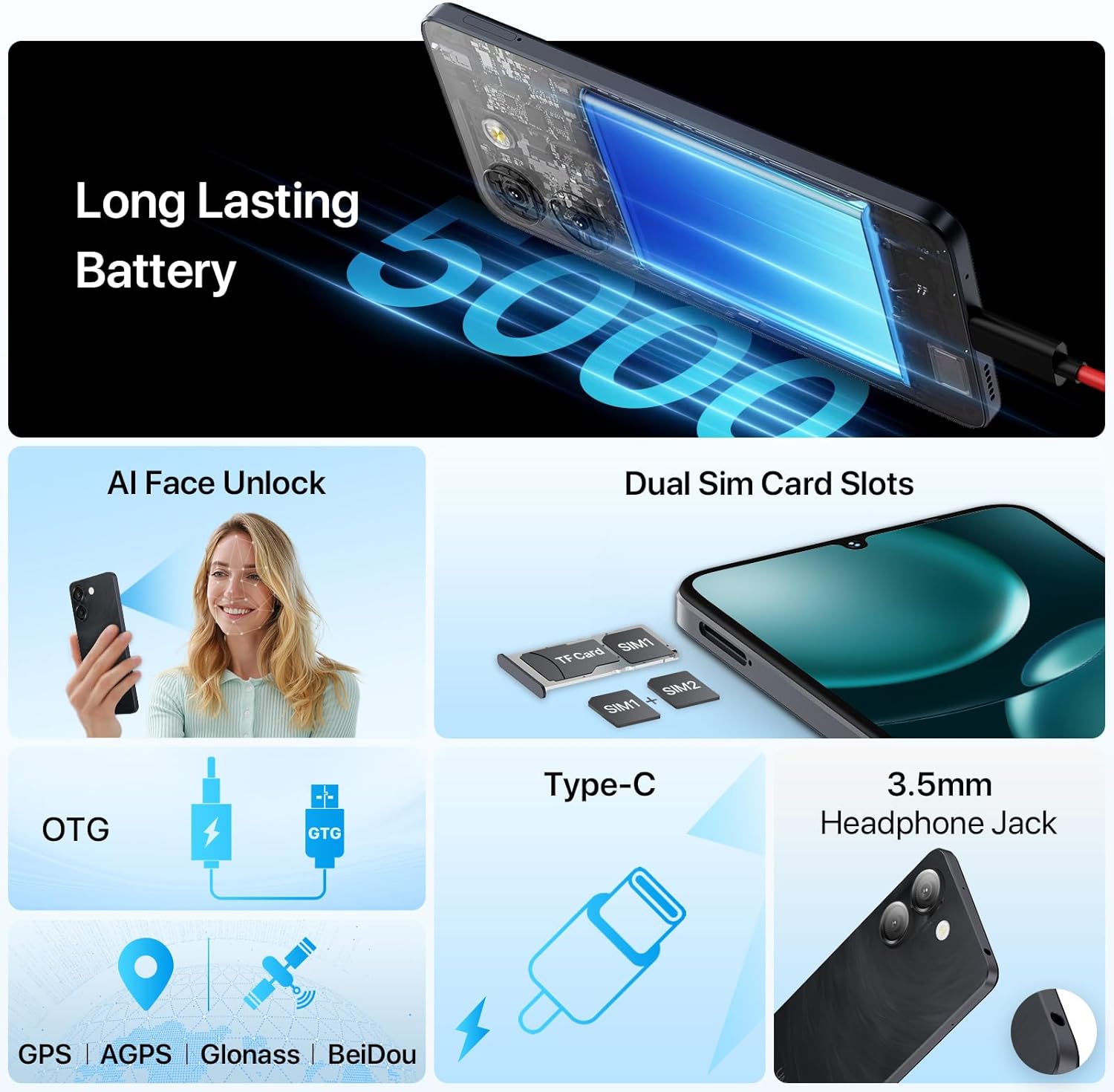
The right side of the phone typically houses the power button and volume control buttons. The SIM card tray is located on the left side, accessible with the provided SIM ejector tool. The bottom edge includes the USB Type-C port for charging and data transfer, and a 3.5mm headphone jack.
4. سیٹ اپ
4.1 سم کارڈز اور مائیکرو ایس ڈی کارڈ داخل کرنا
The UMIDIGI G9A supports dual Nano SIM cards or one Nano SIM card and one MicroSD card for expandable storage up to 1TB.
- فون کے بائیں جانب سم کارڈ ٹرے کو تلاش کریں۔
- سم ایجیکٹر ٹول کو ٹرے کے آگے چھوٹے سوراخ میں داخل کریں اور ٹرے کے باہر آنے تک آہستہ سے دھکیلیں۔
- Place your Nano SIM card(s) and/or MicroSD card into the designated slots on the tray. Ensure the cards are correctly oriented.
- ٹرے کو احتیاط سے فون میں واپس دھکیلیں جب تک کہ یہ سائیڈ سے فلش نہ ہوجائے۔

4.2 پاور آن اور ابتدائی سیٹ اپ
- Press and hold the power button on the right side of the phone until the UMIDIGI logo appears.
- ابتدائی سیٹ اپ مکمل کرنے کے لیے آن اسکرین پرامپٹس پر عمل کریں، بشمول اپنی زبان کا انتخاب، وائی فائی سے منسلک ہونا، اور اپنا گوگل اکاؤنٹ سیٹ کرنا۔
- You may also set up AI Face Unlock or Fingerprint Recognition during this process.
4.3 Memory Expansion (RAM)
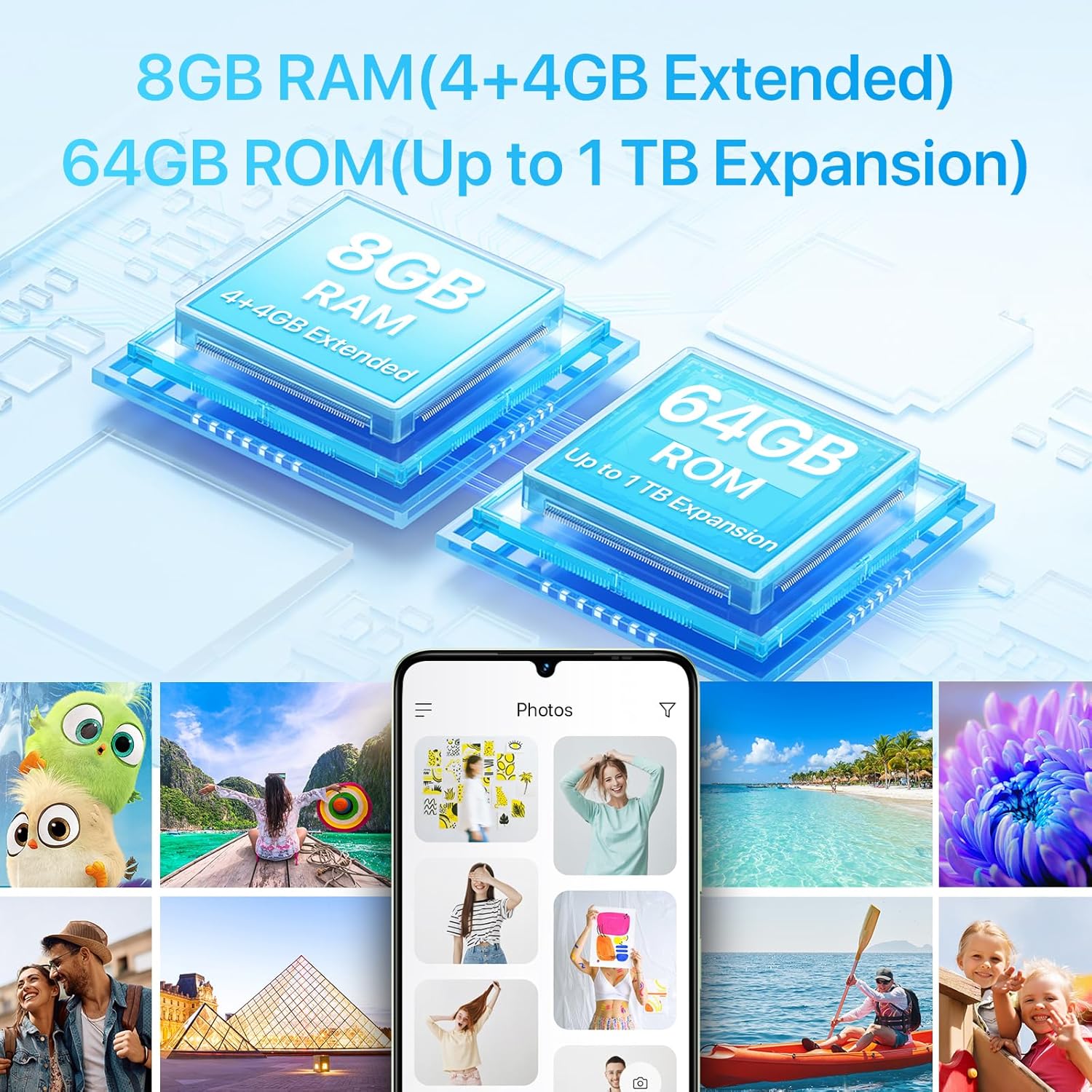
The UMIDIGI G9A supports virtual RAM expansion, allowing you to allocate a portion of your internal storage to function as additional RAM. This can improve multitasking performance.
- پر جائیں۔ ترتیبات آپ کے فون پر
- تلاش کریں اور ٹیپ کریں۔ یادداشت کی توسیع.
- منتخب کریں۔ RAM توسیع کا سائز سیٹ کریں۔.
- Choose the desired RAM expansion size (e.g., 2GB, 4GB).
- The phone will prompt you to reboot for the changes to take effect. Confirm the reboot.

4.4 ان باکسنگ ویڈیو
5. اپنا فون آپریٹ کرنا
5.1 ڈسپلے
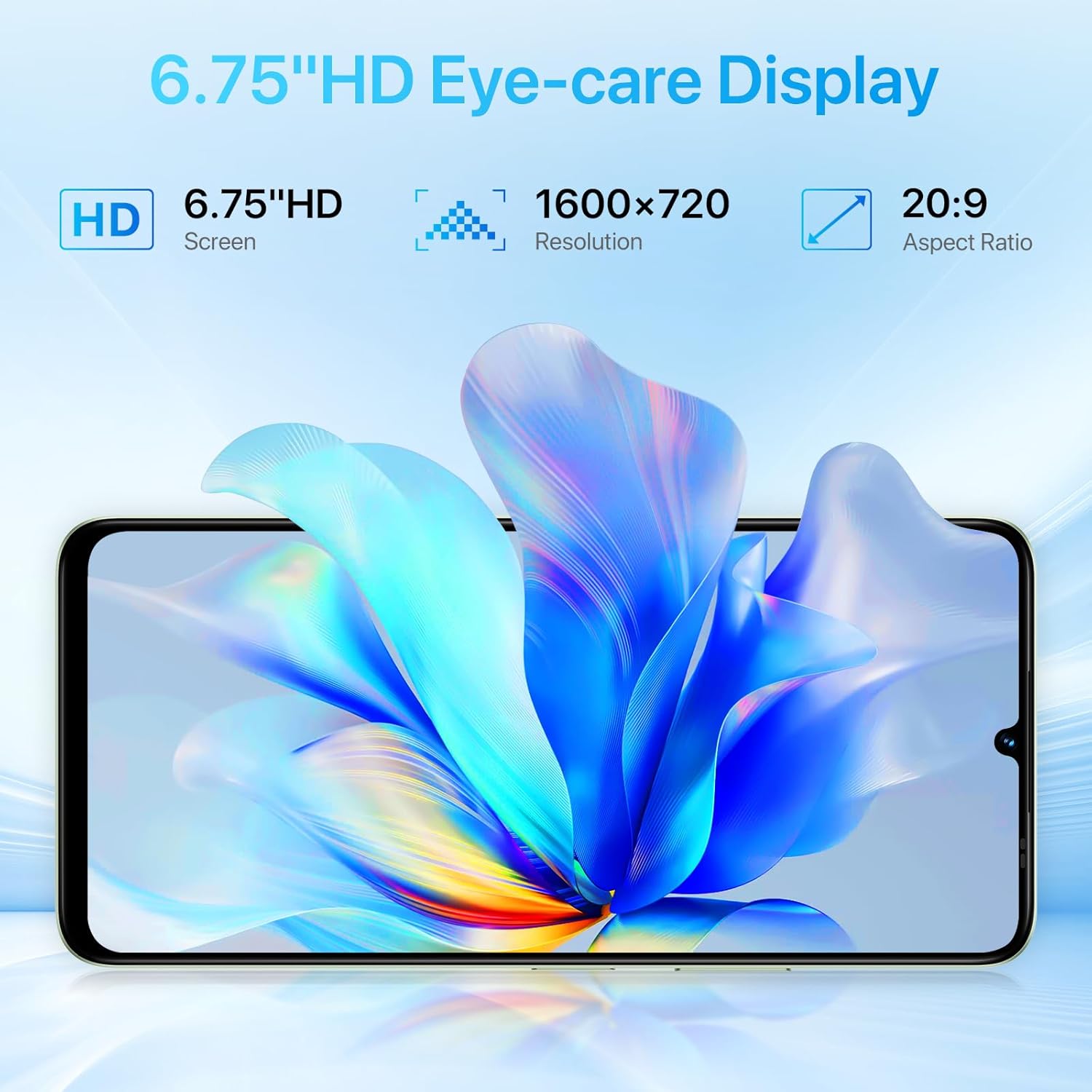
The UMIDIGI G9A features a 6.75-inch HD+ display with a resolution of 1600x720 pixels and a 20:9 aspect ratio. This provides a clear and immersive visual experience for browsing, watching videos, and gaming.

5.2 کیمرے
Capture moments with the G9A's camera system:
- پیچھے والا کیمرہ: 13MP main sensor + 2MP depth sensor.
- فرنٹ کیمرہ: 8MP sensor for selfies and video calls.
The camera app includes various modes and AI enhancements to help you take clear and detailed photos.

5.3 بیٹری اور چارجنگ
The UMIDIGI G9A is equipped with a 5000mAh battery, providing extended usage time. Use the included Type-C cable and power adapter for optimal charging.

5.4 کنیکٹیویٹی
- 4G نیٹ ورک: Supports various 4G bands for cellular data and calls.
- وائی فائی: انٹرنیٹ تک رسائی کے لیے وائرلیس نیٹ ورکس سے جڑیں۔
- بلوٹوتھ: وائرلیس لوازمات جیسے ہیڈ فون یا اسپیکر کے ساتھ جوڑا بنائیں۔
- GPS: Built-in GPS, AGPS, Glonass, and BeiDou for navigation and location services.
- ایف ایم ریڈیو: Listen to FM radio stations. Note that headphones must be connected to function as an antenna.

5.5 حفاظتی خصوصیات
- اے آئی فیس انلاک: Securely unlock your phone using facial recognition.
- فنگر پرنٹ کی شناخت: Unlock your device quickly and securely with your fingerprint.

6 دیکھ بھال
6.1 عمومی نگہداشت
- صفائی: فون کی سکرین اور باڈی کو صاف کرنے کے لیے نرم، لنٹ سے پاک کپڑا استعمال کریں۔ کھرچنے والے مواد یا سخت کیمیکل سے پرہیز کریں۔
- درجہ حرارت: Avoid exposing your phone to extreme temperatures (hot or cold) as this can affect battery life and overall performance.
- پانی کی مزاحمت: The UMIDIGI G9A is water resistant. However, this does not mean it is waterproof. Avoid submerging the device in water or exposing it to high-pressure water jets. Damage caused by liquids is typically not covered under warranty.
- تحفظ: Use the provided protective film and phone case to guard against scratches and minor impacts.
6.2 سافٹ ویئر اپ ڈیٹس
Regularly check for and install software updates to ensure your phone has the latest security patches and performance improvements. You can usually find this option in ترتیبات > سسٹم > سسٹم اپ ڈیٹ.
7 خرابیوں کا سراغ لگانا
If you encounter issues with your UMIDIGI G9A, try the following common troubleshooting steps:
7.1 عام مسائل اور حل
- Phone Freezes or Becomes Unresponsive:
زبردستی دوبارہ شروع کرنے کے لیے پاور بٹن کو تقریباً 10-15 سیکنڈ تک دبائے رکھیں۔ - ایپس کریشنگ:
Clear the cache and data for the problematic app in ترتیبات > ایپس > [ایپ کا نام] > اسٹوریج. اگر مسئلہ برقرار رہتا ہے تو ایپ کو ان انسٹال اور دوبارہ انسٹال کریں۔ - خراب بیٹری لائف:
Reduce screen brightness, close unused apps running in the background, disable unnecessary features like GPS or Bluetooth when not in use, and check for apps consuming excessive power in ترتیبات > بیٹری. - Network Connectivity Issues (Calls/Data):
Ensure your SIM card is correctly inserted. Check your network settings in ترتیبات > نیٹ ورک اور انٹرنیٹ > موبائل نیٹ ورک. Restart your phone. Verify with your carrier that your plan is active and compatible with the device. Some users have reported potential compatibility issues with specific US mobile networks; consult your carrier for supported frequency bands. - سست کارکردگی:
Close background apps, clear cache, and consider utilizing the RAM expansion feature (see Section 4.3). If performance remains slow, a factory reset might be necessary.
7.2 Factory Reset (Data Erase)
انتباہ: A factory reset will erase all data from your phone, including apps, photos, and settings. Back up important data before proceeding.
- پر جائیں۔ ترتیبات.
- پر ٹیپ کریں۔ سسٹم.
- منتخب کریں۔ اختیارات کو دوبارہ ترتیب دیں۔.
- منتخب کریں۔ تمام ڈیٹا مٹائیں (فیکٹری ری سیٹ).
- اپنے فیصلے کی توثیق کریں اور اگر اشارہ کیا جائے تو اپنا PIN/پاس ورڈ درج کریں۔
8. وضاحتیں
| فیچر | تفصیل |
|---|---|
| برانڈ | UMIDIGI |
| ماڈل کا نام | G9A |
| آپریٹنگ سسٹم | Android 14 Go |
| سی پی یو ماڈل | Mediatek Dimensity 1100 |
| سی پی یو کی رفتار | 1.6 GHz |
| RAM میموری انسٹال شدہ سائز | 8 جی بی (4 جی بی فزیکل + 4 جی بی بڑھا ہوا) |
| میموری ذخیرہ کرنے کی صلاحیت | 64 جی بی (مائیکرو ایس ڈی کے ذریعے 1 ٹی بی تک قابل توسیع) |
| اسکرین کا سائز | 6.75 انچ |
| قرارداد | 1600 x 720 (HD+) |
| پہلو کا تناسب | 20:9 |
| ریفریش ریٹ | 60 Hz |
| پیچھے والا کیمرہ | 13 ایم پی (مین) + 2 ایم پی (گہرائی) |
| Front Photo Sensor Resolution | 8 MP |
| بیٹری کی صلاحیت | 5000 mAh (لتیم آئن) |
| فون ٹاک ٹائم | 18 گھنٹے |
| سم کارڈ سلاٹ کاؤنٹ | Dual SIM (Nano) |
| کنیکٹوٹی ٹیکنالوجی | 4G, Wi-Fi, USB Type C, Bluetooth |
| ہیڈ فون جیک | 3.5 ملی میٹر |
| بائیو میٹرک سیکیورٹی | AI Face Unlock, Fingerprint Recognition |
| اضافی خصوصیات | Built-In GPS, Dual SIM, Expandable Memory, FM Radio, OTG |
| پانی کی مزاحمت کی سطح | پانی مزاحم |
| شے کا وزن | 189 گرام |
| آئٹم کے طول و عرض | 6.57 x 3.03 x 0.31 انچ |
| ماڈل سال | 2024 |
9. وارنٹی کی معلومات
The UMIDIGI G9A comes with a 1 سالہ صنعت کار کی وارنٹی. This warranty covers defects in materials and workmanship under normal use. It does not cover damage caused by accidents, misuse, unauthorized repairs, or liquid damage.
وارنٹی کے دعووں کے لیے براہ کرم اپنی خریداری کا ثبوت اپنے پاس رکھیں۔
10. کسٹمر سپورٹ
For further assistance or inquiries regarding your UMIDIGI G9A, you can contact customer support through the following methods:
- پروڈکٹ پیج کے ذریعے: On the product page, click on the store name "UMIDIGI Store" and then click on "Ask question" in the upper right corner.
- آرڈر کی تاریخ کے ذریعے: Go to your Order history, select the applicable order for your UMIDIGI G9A, and contact the seller directly.