
تعارف
This manual provides essential instructions for the safe and effective use of your himaly IF1010AR USB Rechargeable Bluetooth Body Fat Scale. This digital scale is designed to measure body weight and analyze various body composition metrics, including body fat percentage, muscle mass, and BMI, through its integrated app.
براہ کرم پہلے استعمال سے پہلے اس دستی کو اچھی طرح پڑھیں اور اسے مستقبل کے حوالے کے لیے اپنے پاس رکھیں۔

تصویر: The himaly IF1010AR digital scale, black-navy blue, displaying a weight reading, alongside a smartphone showing the 'Moving Life' app interface with body composition data.

تصویر: ایک اوورview graphic of the himaly Smart Bluetooth Body Fat Scale, detailing its key features including 4 high-precision sensors, HD LCD display, 15 measurement indicators, 0.2-180kg capacity, and compatibility with iOS, Android, and Bluetooth.
پیکیج کے مشمولات
- himaly Digital Body Weight Scale
- USB چارجنگ کیبل
- صارف دستی
سیٹ اپ
1. پیمانہ چارج کرنا
The himaly IF1010AR scale features a built-in rechargeable battery. Before initial use, ensure the scale is fully charged.
- Locate the USB charging port on the side or back of the scale.
- Connect the provided USB charging cable to the scale and to a standard USB power adapter (not included) or a computer USB port.
- The display will indicate charging status. Charge until the battery indicator shows full.

تصویر: کلوز اپ view of the himaly scale's USB charging port, highlighting the built-in rechargeable battery feature.
2. ایپ کی تنصیب اور جوڑا بنانا
To utilize the full body composition analysis features, download and install the "Moving Life" app on your smartphone or tablet.
- Scan the QR code provided in the manual or search for "Moving Life" in the Apple App Store (for iOS devices) or Google Play Store (for Android devices).
- Install the app and create your user profile.
- یقینی بنائیں کہ آپ کے آلے پر بلوٹوتھ فعال ہے۔
- Step onto the scale to activate it. The scale will automatically attempt to pair with the app via Bluetooth 4.0+.
- Follow the on-screen prompts in the "Moving Life" app to complete the pairing process.

تصویر: Diagram illustrating Bluetooth 4.0 connectivity between the himaly scale and the "Moving Life" app, with icons for iOS and Android app stores.
آپریٹنگ ہدایات
1. پیمائش لینا۔
For accurate readings, place the scale on a hard, flat surface. Avoid carpets or uneven flooring.
- یقینی بنائیں کہ آپ کے پاؤں صاف اور خشک ہیں۔
- Step onto the scale barefoot, placing your feet on the metal electrodes. Stand still until your weight is displayed and stabilized.
- If the app is open and connected, your measurements will automatically sync.
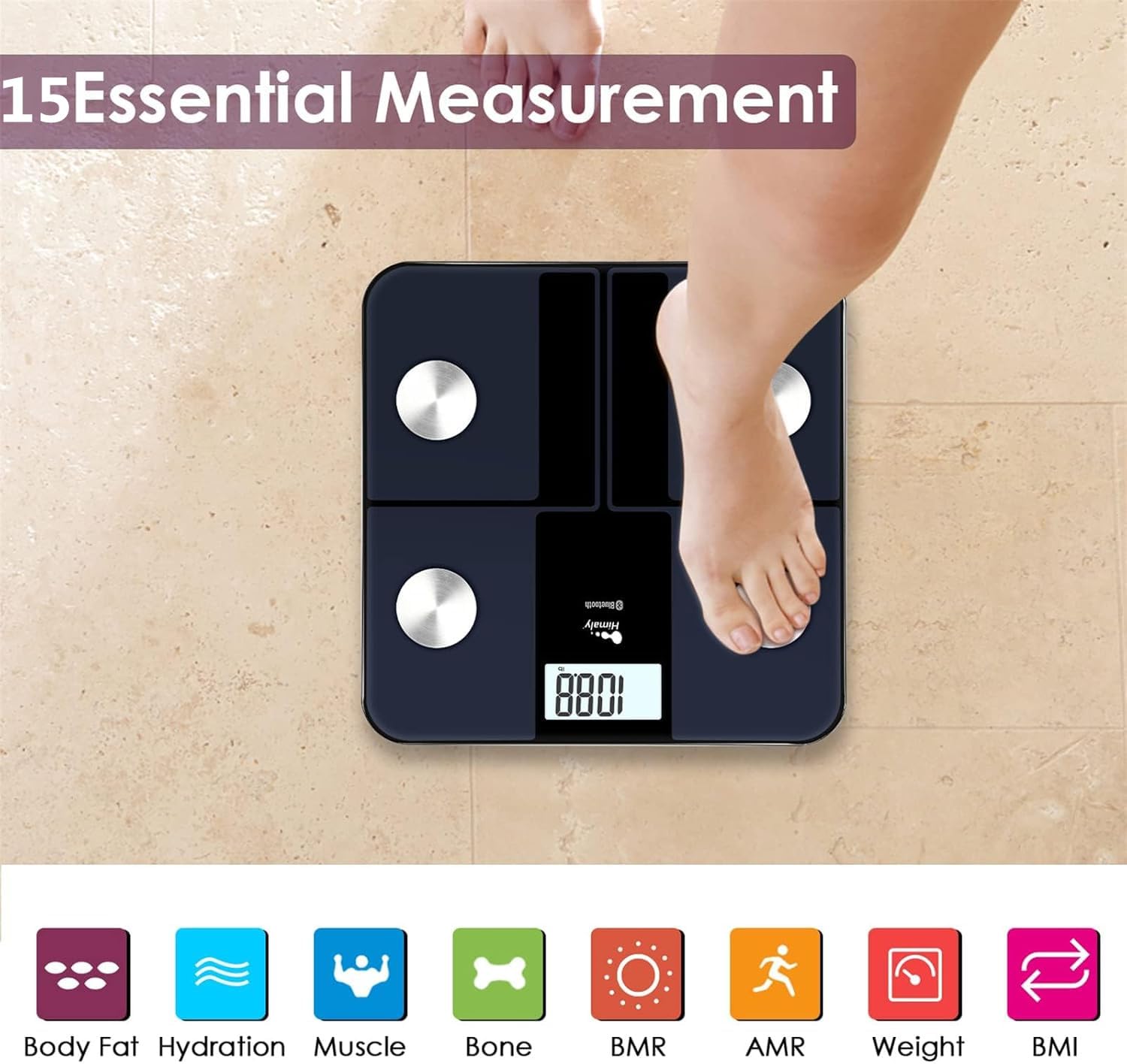
تصویر: A person's bare feet positioned on the himaly scale, illustrating the process of taking a measurement for 15 essential body composition metrics.
2. Understanding Body Composition Metrics
The himaly scale, in conjunction with the "Moving Life" app, provides 15 essential body composition measurements. These include:
- جسمانی وزن
- جسم کی چربی فیصدtage
- BMI (باڈی ماس انڈیکس)
- مسلز ماس
- Hydration (Water Content)
- ہڈیوں کا ماس
- بی ایم آر (بیسل میٹابولک ریٹ)
- AMR (Active Metabolic Rate)
- اور مزید۔

تصویر: A visual representation of the various body composition metrics measured by the scale, including Body Fat, Hydration, Muscle, Bone, BMR, AMR, Weight, and BMI, depicted with illustrative icons.
The scale's display also uses color-coded indicators to reflect different body fat levels for easy interpretation.

تصویر: A person's feet on the himaly scale, with the digital display showing a weight reading and color-coded indicators representing different body fat levels (Thin, Slim, Normal, Heavy, Overweight).
3. App Features and Data Tracking
The "Moving Life" app allows you to:
- Monitor health trends over time (daily, weekly, monthly, yearly).
- Visualize progress through graphs and charts.
- Sync data with other health apps like Fitbit, Apple Health, and Google Fit.
- متعدد صارف پرو کا نظم کریں۔files خاندان کے افراد کے لیے۔
- Utilize a baby/pet weighing mode.

تصویر: A woman looking at her smartphone, which displays a graph of health data from the 'Moving Life' app, demonstrating the 'Results at a Glance' feature.

تصویر: A woman performing a plank exercise, with the himaly scale in the foreground and a graphic overlay showing a trend chart of weight and body fat percentage وقت کے ساتھ.

تصویر: A graphic illustrating continuous health data tracking and automatic synchronization, with a person performing a yoga pose in the foreground, emphasizing consistent body monitoring.
4. یونٹ کی تبدیلی
To switch between measurement units (e.g., pounds to kilograms), locate the "UNIT" button on the underside of the scale and press it to toggle.

تصویر: The underside of the himaly scale, highlighting the 'UNIT' button for measurement conversion and the non-slip mats for stability.
دیکھ بھال
- اشتہار کے ساتھ پیمانے کی سطح کو صاف کریں۔amp cloth and mild detergent. Avoid abrasive cleaners or submerging the scale in water.
- پیمانے کو کمرے کے درجہ حرارت پر خشک جگہ پر اسٹور کریں۔
- پیمانے کو گرانے یا اسے سخت اثرات سے مشروط کرنے سے گریز کریں۔
- Regularly charge the scale to maintain battery health.
خرابی کا سراغ لگانا
| مسئلہ | ممکنہ وجہ/حل |
|---|---|
| اسکیل آن نہیں ہوتا ہے۔ | Battery is low or depleted. Charge the scale using the provided USB cable. |
| غلط ریڈنگ۔ |
|
| بلوٹوتھ کنکشن کی ناکامی۔ |
|
| App not syncing data. |
|
وضاحتیں
| فیچر | تفصیل |
|---|---|
| ماڈل نمبر | IF1010AR |
| برانڈ | ہمالی |
| زیادہ سے زیادہ صلاحیت | 400 پونڈ / 180 کلوگرام |
| پیمائش میں اضافہ | 0.2 پونڈ / 0.05 کلوگرام |
| سینسر | 4 High-Precision Sensors |
| کنیکٹوٹی | بلوٹوت 4.0+ |
| ایپ کی مطابقت | "Moving Life" App (iOS & Android), Syncs with Fitbit, Apple Health, Google Fit |
| طاقت کا منبع | USB ریچارج ایبل بیٹری |
| ڈسپلے کی قسم | ڈیجیٹل LCD |
| طول و عرض | 11.81 in x 11.81 in (approx. 30 cm x 30 cm) |
| رنگ | Black-Navy Blue |

تصویر: An image showing the physical dimensions of the himaly IF1010AR scale, indicating its length and width as 11.81 inches and thickness as 0.79 inches.
وارنٹی اور سپورٹ
For warranty information and customer support, please refer to the contact details provided with your purchase or visit the official himaly webسائٹ وارنٹی دعووں کے لیے خریداری کے ثبوت کے طور پر اپنی خریداری کی رسید رکھیں۔
مینوفیکچرر: ہمالی