
HyperGear 16181
HyperGear Flip 2-in-1 Headphones + Speaker User Manual
ماڈل: 16181
1. تعارف
Welcome to the HyperGear Flip 2-in-1 Headphones + Speaker user manual. This guide provides detailed instructions to help you get the most out of your device, which combines the functionality of over-ear headphones with a portable speaker. Featuring Bluetooth 5.0 connectivity and 40mm audio drivers, this device is designed for versatile audio experiences.
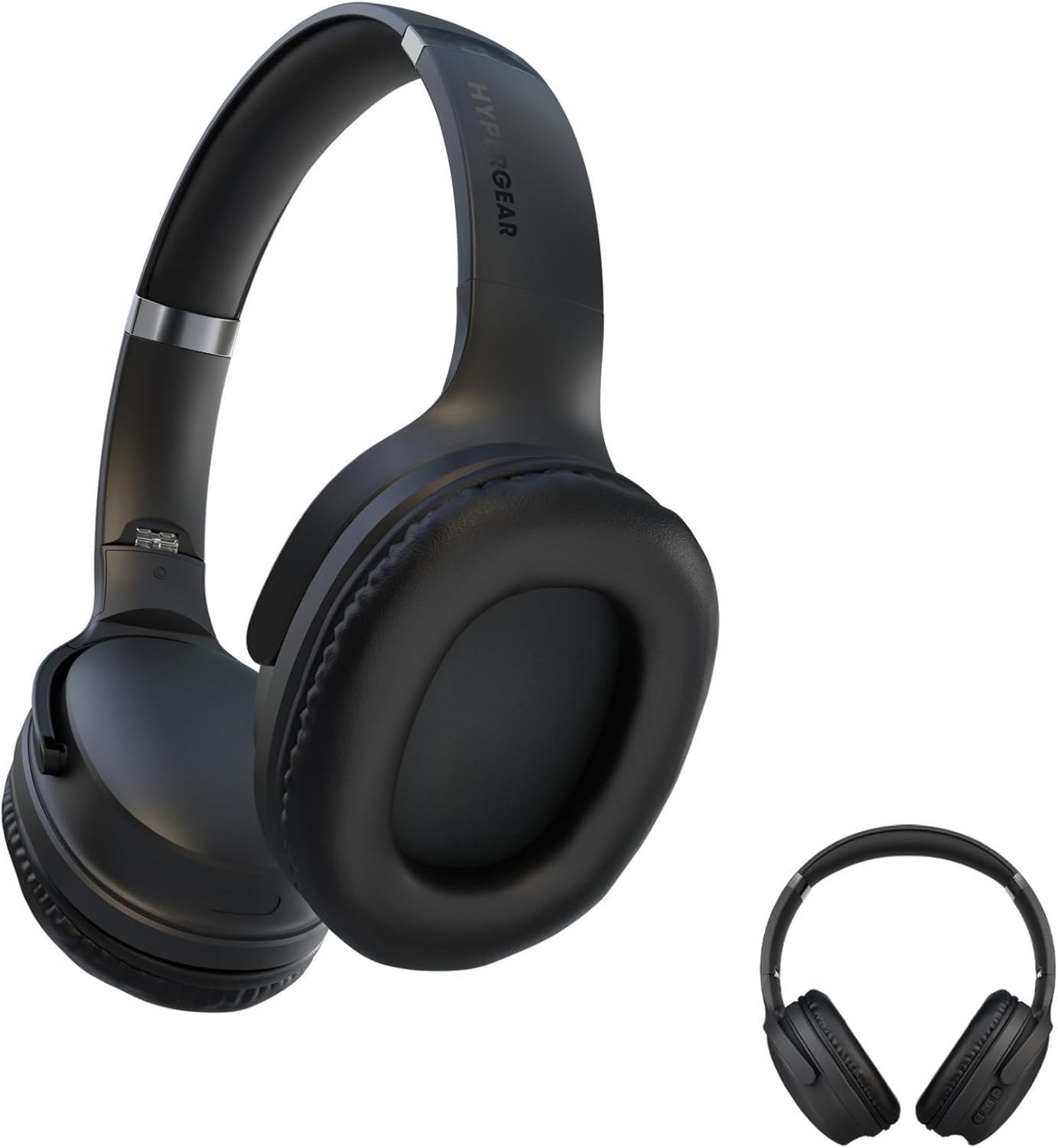
This image displays the HyperGear Flip 2-in-1 Headphones in their black finish, illustrating both the over-ear configuration for listening and the compact, folded state for portability.
2. پیکیج کے مشمولات
براہ کرم درج ذیل آئٹمز کے لیے باکس کو چیک کریں:
- HyperGear Flip 2-in-1 Headphones + Speaker
- USB-C چارجنگ کیبل
- صارف دستی (یہ دستاویز)
3. پروڈکٹ ختمview
The HyperGear Flip 2-in-1 device features an adjustable headband, comfortable memory foam ear cups, and intuitive on-ear controls. The unique design allows the ear cups to flip outwards, transforming the headphones into a portable speaker.
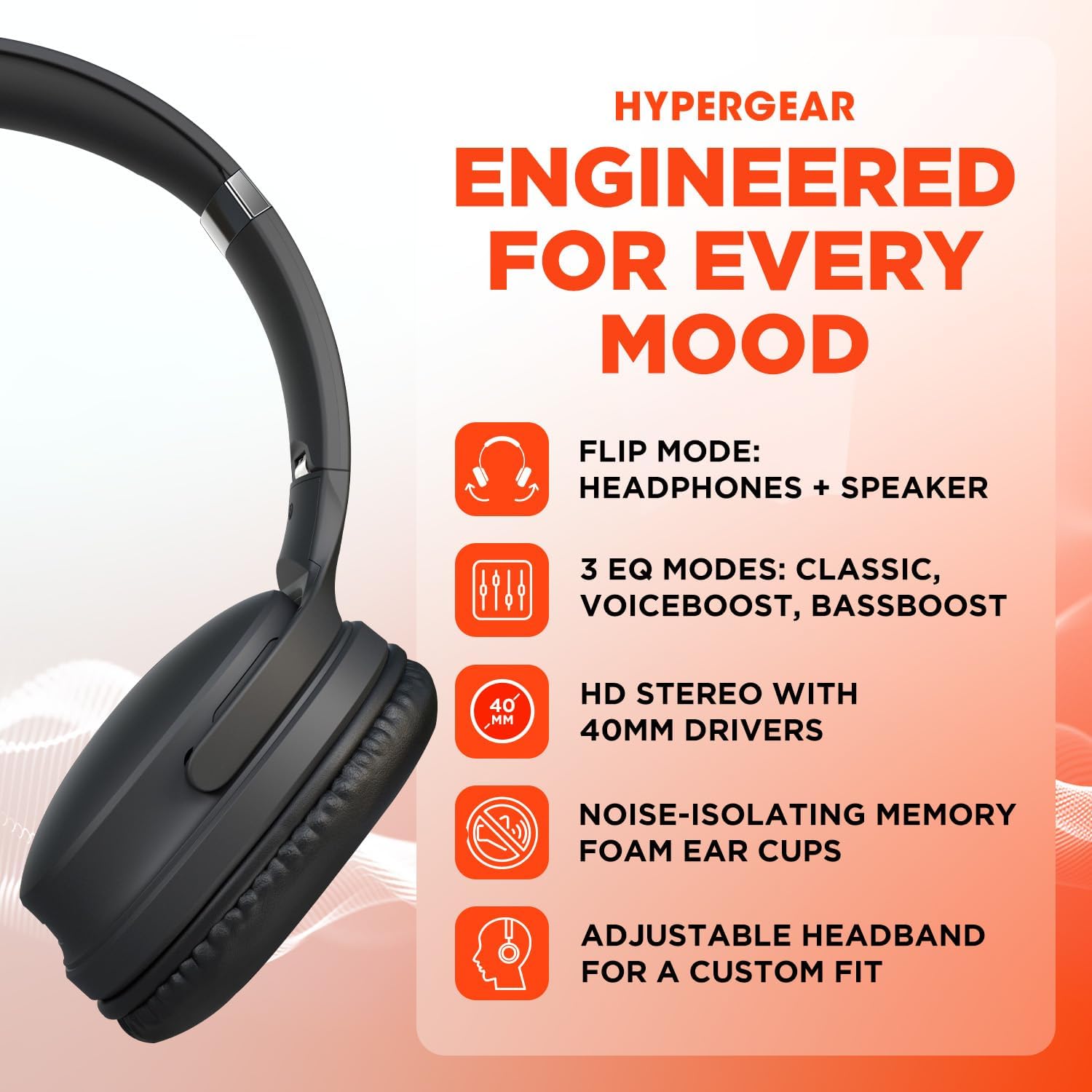
A visual representation of the HyperGear Flip 2-in-1 Headphones' main features, including its dual headphone and speaker functionality, multiple equalization modes, high-definition 40mm audio drivers, comfortable noise-isolating memory foam ear cups, and an adjustable headband for a customized fit.
کان پر کنٹرول
The right earcup houses the primary controls for power, volume, track navigation, and EQ mode selection.

This graphic illustrates the battery performance of the HyperGear headphones, indicating 10 hours of playtime in headphone mode and 4 hours in speaker mode. It also highlights the location of the on-ear controls and the availability of three distinct EQ modes.
4. سیٹ اپ
4.1 ڈیوائس کو چارج کرنا
- فراہم کردہ USB-C چارجنگ کیبل کو ہیڈ فون پر چارجنگ پورٹ سے جوڑیں۔
- کیبل کے دوسرے سرے کو USB پاور اڈاپٹر (شامل نہیں) یا کمپیوٹر کے USB پورٹ سے جوڑیں۔
- ایل ای ڈی انڈیکیٹر چارجنگ سٹیٹس دکھائے گا۔ مکمل چارج ہونے میں عام طور پر تقریباً 2 گھنٹے لگتے ہیں۔
4.2 پاور آن/آف۔
- پاور آن کرنے کے لیے: پاور بٹن کو دبائے رکھیں جب تک کہ LED اشارے روشن نہ ہو جائے۔
- پاور آف کرنا: پاور بٹن کو دبائے رکھیں جب تک کہ LED اشارے بند نہ ہوجائے۔
4.3 بلوٹوتھ جوڑی
The HyperGear Flip 2-in-1 Headphones use Bluetooth 5.0 for a stable wireless connection up to 10.06 meters (33 feet).
- یقینی بنائیں کہ ہیڈ فون بند ہیں۔
- پاور بٹن کو تقریباً 5 سیکنڈ تک دبائیں اور پکڑے رکھیں جب تک کہ LED اشارے نیلے اور سرخ رنگ میں نہ چمکے، جو جوڑی کے موڈ کی نشاندہی کرتا ہے۔
- اپنے آلے پر (اسمارٹ فون، ٹیبلیٹ، کمپیوٹر)، بلوٹوتھ کو فعال کریں اور دستیاب آلات تلاش کریں۔
- Select "HyperGear Flip" from the list of found devices.
- ایک بار منسلک ہونے کے بعد، ایل ای ڈی اشارے ٹھوس نیلی روشنی دکھائے گا۔
- The headphones will automatically reconnect to the last paired device when powered on, if within range.
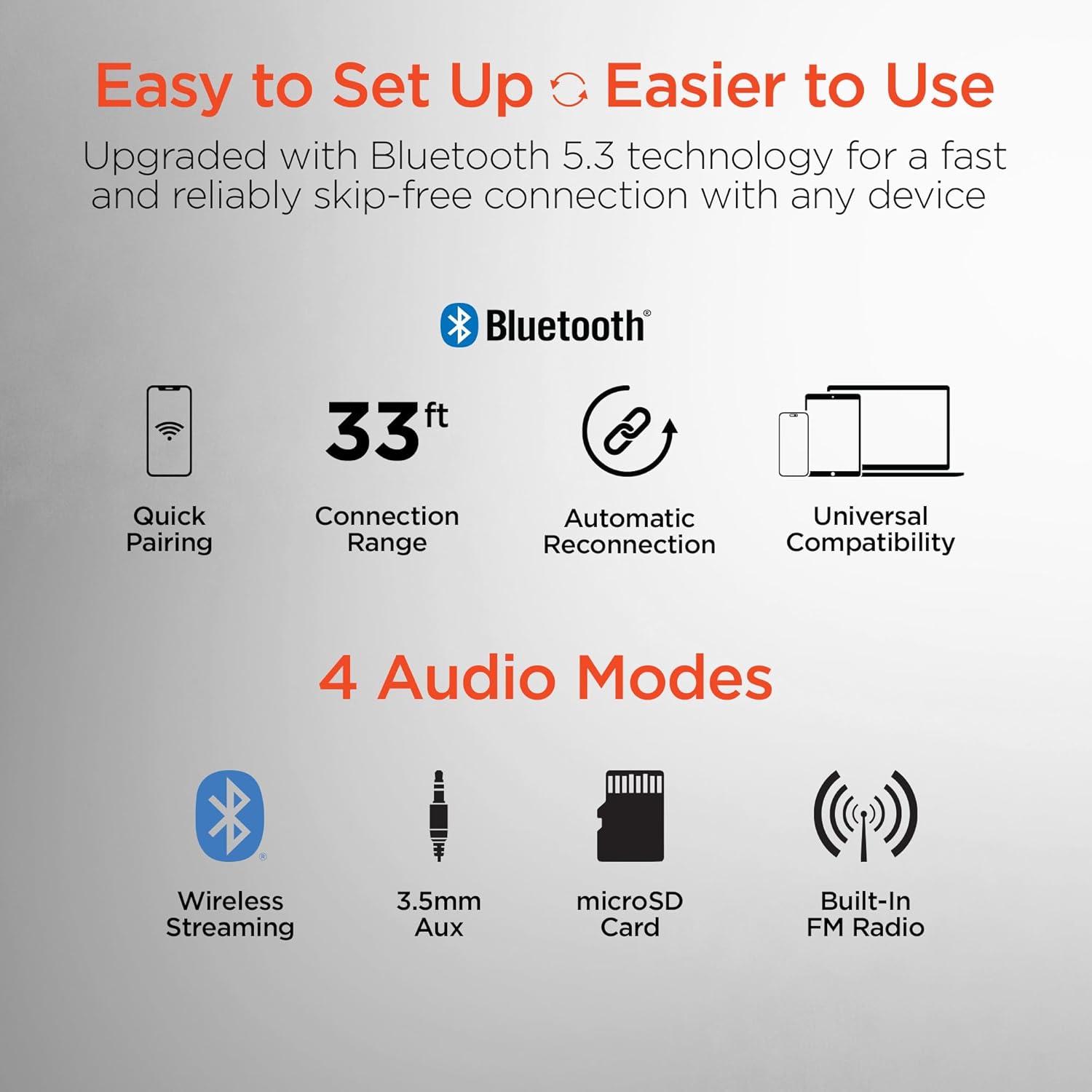
This image highlights the user-friendly aspects of the HyperGear headphones, detailing its Bluetooth 5.0 technology for quick pairing, a 33-foot connection range, automatic reconnection feature, and universal compatibility with various devices. It also lists the four available audio input modes: wireless streaming, 3.5mm auxiliary, microSD card, and built-in FM radio.
5. آپریٹنگ ہدایات
5.1 Switching Between Headphone and Speaker Mode
The HyperGear Flip offers two distinct audio modes:
- ہیڈ فون موڈ: For private listening, ensure the ear cups are folded inwards, covering your ears. This mode provides immersive HD sound with up to 10 hours of playtime.
- اسپیکر موڈ: To share your music, flip the ear cups outwards. The device will project powerful stereo sound, offering up to 4 hours of playtime.
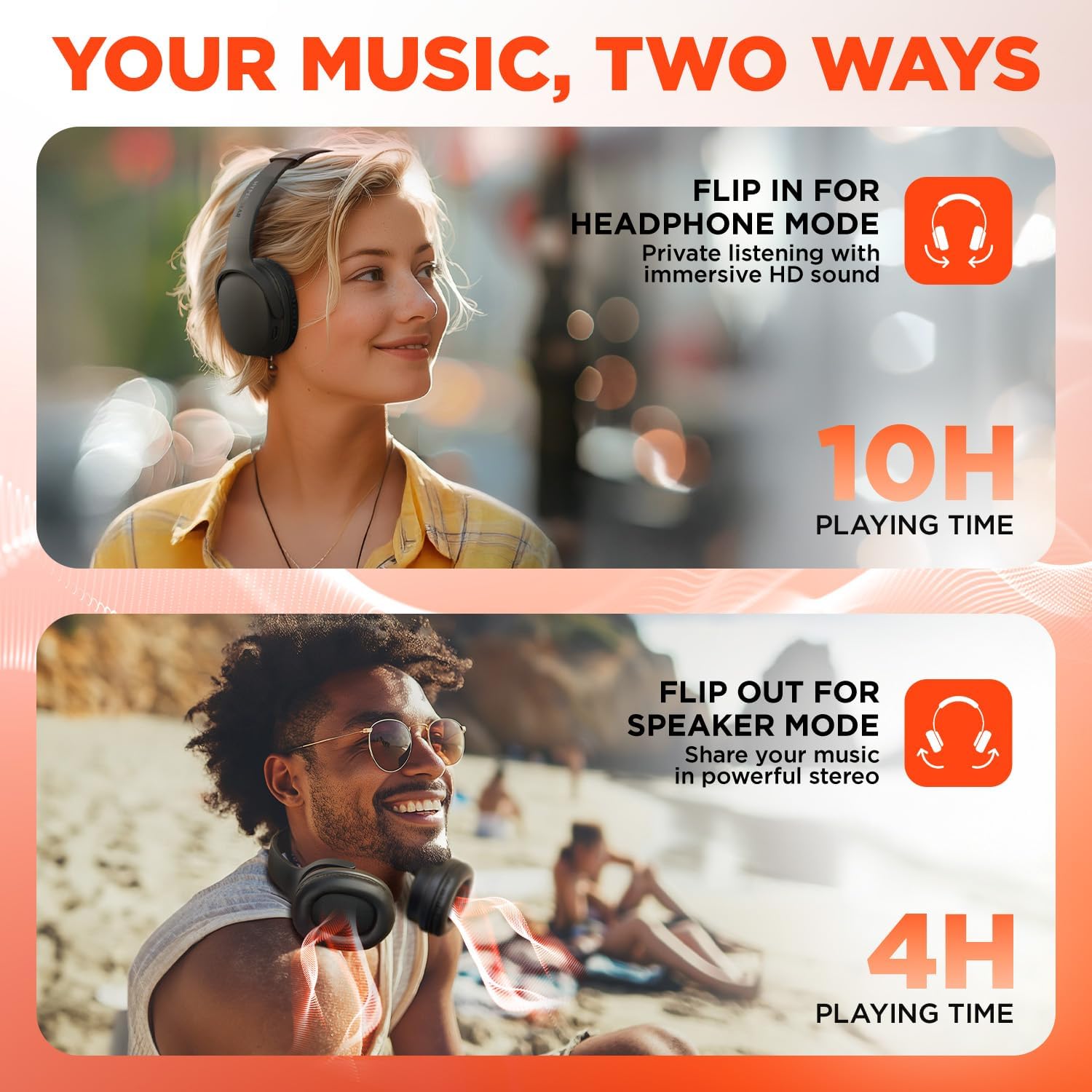
This visual demonstrates the dual functionality of the HyperGear headphones. The top image shows a woman wearing the headphones for private listening, while the bottom image shows a man with the earcups flipped out, utilizing the device as a portable speaker to share music.
5.2 On-Ear Control Functions
| بٹن/ایکشن | فنکشن |
|---|---|
| پاور بٹن (دبائیں اور ہولڈ) | پاور آن/آف |
| پاور بٹن (شارٹ پریس) | Play/Pause music, Answer/End calls |
| والیوم + / اگلا ٹریک | والیوم اپ کے لیے مختصر دبائیں، نیکسٹ ٹریک کے لیے دیر تک دبائیں۔ |
| حجم - / پچھلا ٹریک | والیوم ڈاؤن کے لیے مختصر دبائیں، پچھلے ٹریک کے لیے طویل دبائیں |
| EQ بٹن | Cycle through EQ Modes (Classic, Voiceboost, Bassboost) |
5.3 EQ موڈز
Customize your audio experience with three distinct Equalizer (EQ) modes:
- کلاسک: Provides pure, balanced sound suitable for most music genres.
- Voiceboost: Enhances crisp, clear vocals with added detail, ideal for podcasts or audiobooks.
- Bassboost: Delivers deep, thumping bass for a more impactful listening experience.

ایک مفصل view of the headphone earcup, focusing on the 'EQ' button. Text descriptions explain the three available sound modes: 'Classic' for balanced audio, 'Voiceboost' for clear vocals, and 'Bassboost' for enhanced low frequencies.
5.4 Additional Audio Modes
Beyond Bluetooth, the headphones support other audio input methods:
- 3.5 ملی میٹر آکس: Connect via a 3.5mm audio cable (not included) for wired listening.
- مائیکرو ایس ڈی کارڈ: آڈیو کے ساتھ مائیکرو ایس ڈی کارڈ داخل کریں۔ fileبراہ راست پلے بیک کے لیے۔
- Built-In FM Radio: Tune into FM radio stations directly from the device.
6 دیکھ بھال
6.1 صفائی
- ہیڈ فون کو نرم، خشک کپڑے سے صاف کریں۔
- کھرچنے والے کلینر، الکحل یا کیمیائی سالوینٹس کا استعمال نہ کریں۔
- چارجنگ پورٹ کو دھول اور ملبے سے پاک رکھیں۔
6.2 اسٹوریج
- ہیڈ فونز کو کسی ٹھنڈی، خشک جگہ پر براہ راست سورج کی روشنی اور انتہائی درجہ حرارت سے دور رکھیں۔
- When not in use, fold the ear cups for compact storage.
6.3 بیٹری کی دیکھ بھال
- بیٹری کی زندگی کو طول دینے کے لیے، بار بار بیٹری کو مکمل طور پر خارج کرنے سے گریز کریں۔
- آلہ کو باقاعدگی سے چارج کریں، چاہے وہ اکثر استعمال میں نہ ہوں۔
7 خرابیوں کا سراغ لگانا
| مسئلہ | ممکنہ حل |
|---|---|
| ڈیوائس آن نہیں ہے۔ | یقینی بنائیں کہ بیٹری چارج ہے۔ USB-C کیبل کا استعمال کرتے ہوئے پاور سورس سے جڑیں۔ |
| بلوٹوتھ کے ذریعے جوڑا نہیں بنایا جا سکتا | Ensure the headphones are in pairing mode (flashing blue/red LED). Turn off and on Bluetooth on your device. Move closer to the headphones. |
| No sound in headphone mode | Check volume levels on both the headphones and your connected device. Ensure ear cups are properly positioned over ears. |
| No sound in speaker mode | Ensure ear cups are fully flipped outwards. Check volume levels. |
| خراب آڈیو کوالٹی | Move closer to your connected device to reduce interference. Ensure no physical obstructions are blocking the signal. |
| بیٹری تیزی سے ختم ہو جاتی ہے۔ | Ensure the device is fully charged before use. Speaker mode consumes more power than headphone mode. |
8. وضاحتیں
| فیچر | تفصیل |
|---|---|
| ماڈل کا نام | HyperGear Flip 2-in-1 Headphones + Speaker |
| ماڈل نمبر | 16181 |
| کنیکٹوٹی ٹیکنالوجی | وائرلیس (بلوٹوتھ 5.0) |
| بلوٹوتھ رینج | 10.06 میٹر (33 فٹ) |
| آڈیو ڈرائیور کا سائز | 40 ملی میٹر |
| تعدد کی حد | 20Hz - 20,000Hz |
| کنٹرول کا طریقہ | پش بٹن |
| ایئر پیس کی شکل | کان سے زیادہ |
| شور کنٹرول | صوتی تنہائی |
| ہیڈ فون پلے ٹائم | 10 گھنٹے تک |
| اسپیکر پلے ٹائم | 4 گھنٹے تک |
| چارج کرنے کا وقت | تقریبا 2 گھنٹے |
| چارجنگ پورٹ | USB-C |
| شے کا وزن | 16 اونس (0.45 کلوگرام) |
| مصنوعات کے طول و عرض | 7.88 x 10.24 x 3.55 انچ |
| پانی کی مزاحمت کی سطح | پانی مزاحم نہیں |
| ہم آہنگ آلات | Phones, Tablets, Computers, Gaming Consoles, Desktops, Laptops |
| یو پی سی | 633755161803 |
9. وارنٹی اور سپورٹ
9.1 وارنٹی کی معلومات
HyperGear products are designed for durability and performance. This product is covered by a limited manufacturer's warranty against defects in materials and workmanship under normal use. Please refer to the warranty card included with your purchase or visit the official HyperGear webمخصوص وارنٹی شرائط و ضوابط کے لیے سائٹ۔
9.2 کسٹمر سپورٹ
For technical assistance, troubleshooting, or warranty claims, please contact HyperGear customer support:
- Webسائٹ: www.hypergear.com (براہ کرم اہلکار کو چیک کریں۔ webموجودہ رابطے کی معلومات کے لیے سائٹ)
- ای میل: support@hypergear.com (Example, please verify on official webسائٹ)
- فون: (سابقample, please verify on official webسائٹ)
Ask a question about this manual
Ask about setup, troubleshooting, compatibility, parts, safety, or missing instructions. Manuals+ will review the question and use this page’s manual context to help answer it.