
1. تعارف
Thank you for choosing the HyperGear Power Bank Pro+ 20,000mAh. This portable power bank is designed to provide reliable and fast charging for your mobile devices, tablets, and even USB-C laptops. With its high capacity and advanced charging technologies, it ensures your devices stay powered on the go. Please read this manual thoroughly before using the product to ensure proper operation and safety.
2. حفاظتی معلومات
- پاور بینک کو انتہائی درجہ حرارت (گرم یا ٹھنڈا)، براہ راست سورج کی روشنی، یا زیادہ نمی کے سامنے نہ رکھیں۔
- Do not disassemble, modify, or attempt to repair the device. This will void the warranty and may cause damage or injury.
- پاور بینک کو پانی اور دیگر مائعات سے دور رکھیں۔
- پاور بینک کو گرانے یا اس کے سخت اثرات سے مشروط کرنے سے گریز کریں۔
- صرف تصدیق شدہ چارجنگ کیبلز اور اڈاپٹر استعمال کریں۔
- بچوں کی پہنچ سے دور رکھیں۔
- مقامی ضوابط کے مطابق پاور بینک کو ذمہ داری سے ضائع کریں۔
3. پیکیج کے مشمولات
- HyperGear Power Bank Pro+ 20,000mAh
- USB-C to USB-C Charging Cable (may vary by package)
- صارف دستی
4. پروڈکٹ ختمview
The HyperGear Power Bank Pro+ features multiple ports and an LED display for convenient charging and monitoring.
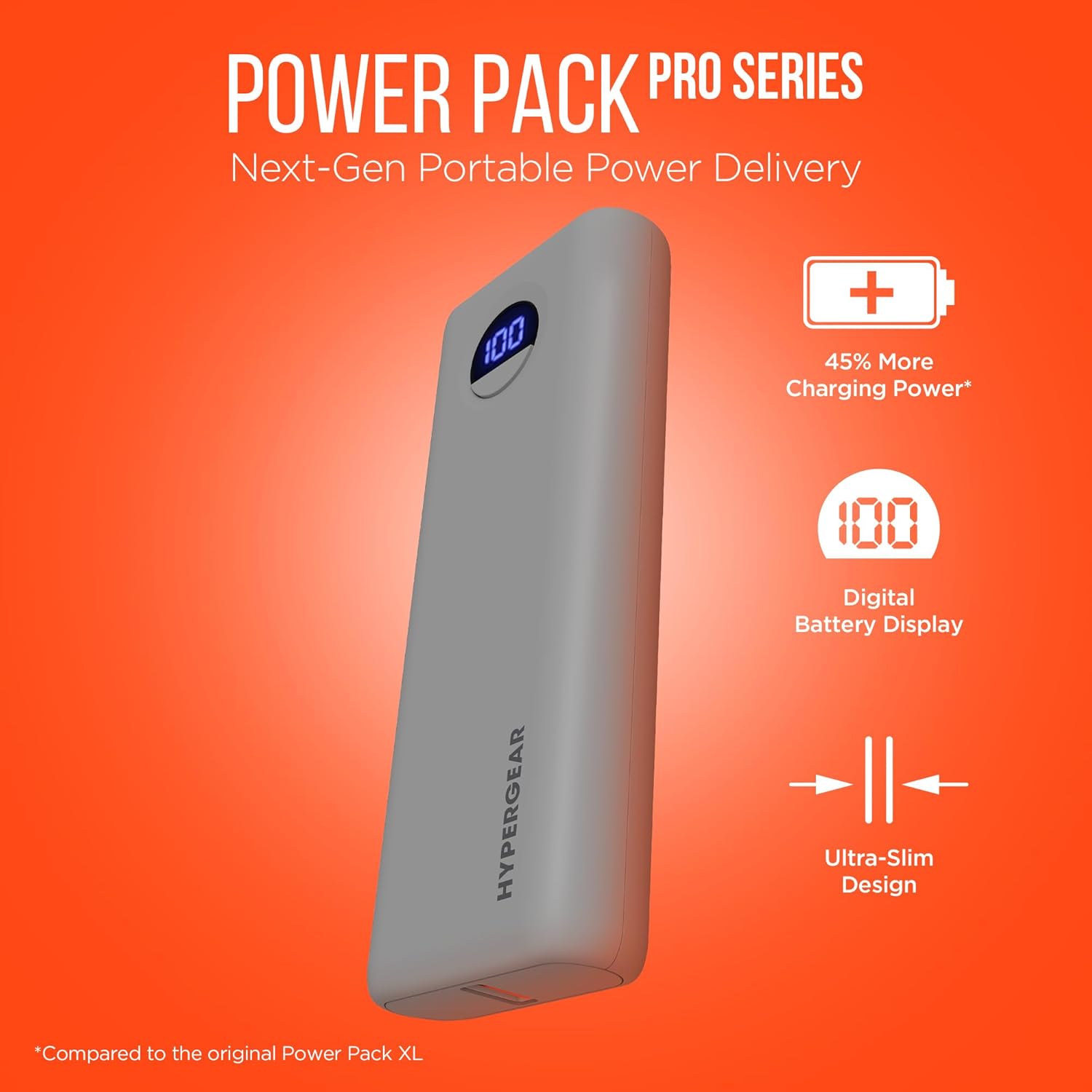
Image: HyperGear Power Bank Pro+ 20,000mAh with LED display showing 100% charge. This image highlights the sleek design and the digital battery indicator.
Port and Indicator Descriptions:
- USB-C پورٹ (ان پٹ/آؤٹ پٹ): Supports 35W Power Delivery (PD) for fast charging compatible devices and recharging the power bank itself.
- USB-A پورٹ (آؤٹ پٹ): Supports 18W Adaptive Fast Charge for quick charging of various devices.
- ایل ای ڈی ڈیجیٹل ڈسپلے: باقی بیٹری کا فیصد دکھاتا ہے۔tagپاور بینک کے e.
- پاور بٹن: Press once to check battery level; press and hold to activate/deactivate (if applicable).
5. سیٹ اپ
پاور بینک کی ابتدائی چارجنگ:
- فراہم کردہ USB-C کیبل کو پاور بینک پر USB-C پورٹ سے جوڑیں۔
- Connect the other end of the USB-C cable to a compatible USB-C wall adapter (not included) with a minimum output of 35W for optimal charging speed.
- The LED digital display will show the charging progress. Allow the power bank to fully charge to 100% before first use.

Image: HyperGear Power Bank Pro+ connected to a wall adapter for recharging, while simultaneously charging a smartphone. This demonstrates the pass-through charging capability.
6. آپریٹنگ ہدایات
اپنے آلات کو چارج کرنا:
- Connect your device's charging cable to either the USB-C or USB-A output port on the power bank.
- کیبل کے دوسرے سرے کو اپنے آلے سے جوڑیں۔
- پاور بینک خود بخود آپ کے آلے کو چارج کرنا شروع کر دے گا۔ ایل ای ڈی ڈسپلے پاور بینک کی باقی بیٹری لیول کو دکھائے گا۔
- To charge two devices simultaneously, connect one to the USB-C port and another to the USB-A port.

Image: HyperGear Power Bank Pro+ connected via a USB-C cable to an iPhone, illustrating fast charging for smartphones.

Image: HyperGear Power Bank Pro+ connected via a USB-C cable to a tablet, demonstrating fast charging for tablets.

Image: HyperGear Power Bank Pro+ connected via a USB-C cable to a MacBook Air, showing its capability for full-speed laptop charging.
پاور بینک کو ری چارج کرنا:
To recharge the power bank, follow the steps outlined in the "Initial Charging of the Power Bank" section (Section 5). The USB-C port functions as both an input and output.
پاس کے ذریعے چارجنگ:
The HyperGear Power Bank Pro+ supports pass-through charging, allowing you to recharge the power bank while it simultaneously charges your devices. Simply connect the power bank to a wall adapter and then connect your devices to the power bank's output ports.
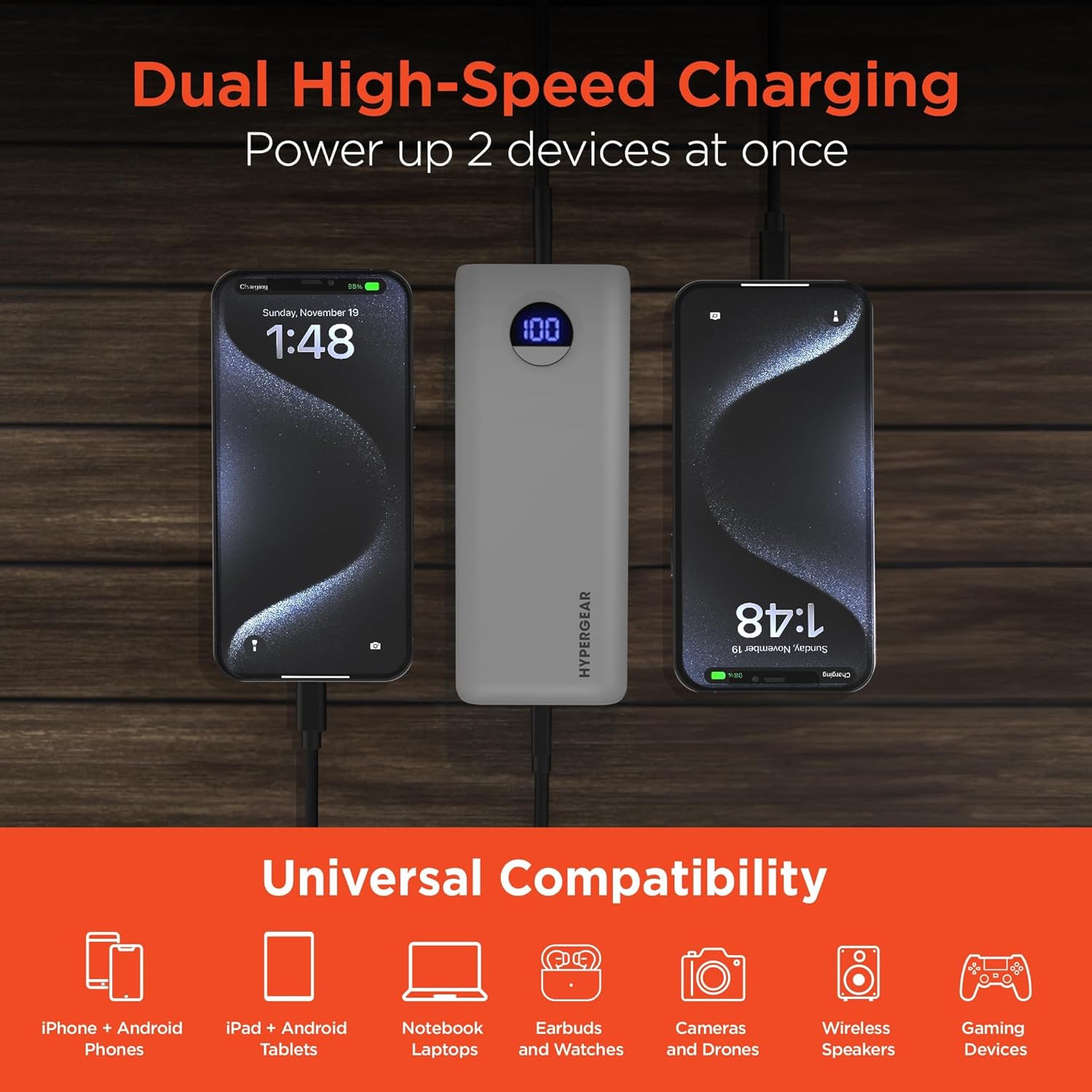
Image: HyperGear Power Bank Pro+ simultaneously charging two smartphones, with icons indicating universal compatibility for various devices.
7 دیکھ بھال
- صفائی: پاور بینک کی سطح کو صاف کرنے کے لیے نرم، خشک کپڑا استعمال کریں۔ سخت کیمیکل یا کھرچنے والے مواد کا استعمال نہ کریں۔
- ذخیرہ: Store the power bank in a cool, dry place away from direct sunlight and extreme temperatures. For long-term storage, it is recommended to charge the power bank to about 50-75% every 3-6 months to maintain battery health.
- بیٹری کی صحت: Avoid fully discharging the power bank regularly, as this can reduce its overall lifespan.
8 خرابیوں کا سراغ لگانا
پاور بینک چارج نہیں کر رہا ہے:
- یقینی بنائیں کہ چارجنگ کیبل محفوظ طریقے سے پاور بینک اور وال اڈاپٹر دونوں سے جڑی ہوئی ہے۔
- تصدیق کریں کہ وال اڈاپٹر صحیح طریقے سے کام کر رہا ہے اور لائیو پاور آؤٹ لیٹ میں پلگ ان ہے۔
- Try using a different USB-C cable and/or wall adapter.
پاور بینک سے ڈیوائس چارج نہیں ہو رہی:
- چیک کریں کہ آیا پاور بینک میں کافی چارج ہے (ایل ای ڈی ڈسپلے کو دیکھیں)۔
- یقینی بنائیں کہ چارجنگ کیبل محفوظ طریقے سے پاور بینک اور آپ کے آلے دونوں سے جڑی ہوئی ہے۔
- ایک مختلف چارجنگ کیبل استعمال کرنے کی کوشش کریں۔
- Confirm your device is compatible with the power bank's output ports.
سست چارجنگ:
- اس بات کو یقینی بنائیں کہ آپ تیز چارج کرنے والی ہم آہنگ کیبل استعمال کر رہے ہیں اور آپ کا آلہ تیز چارجنگ کو سپورٹ کرتا ہے۔
- The charging speed can be affected if multiple devices are charging simultaneously.
- اپنے آلے کی چارجنگ ان پٹ کی ضروریات کو چیک کریں۔
9. وضاحتیں
| ماڈل نمبر | 15843 |
| بیٹری کی صلاحیت | 20,000 ایم اے ایچ |
| USB-C آؤٹ پٹ/ان پٹ | 35W Power Delivery (PD) with PPS |
| USB-A آؤٹ پٹ | 18W Adaptive Fast Charge |
| طول و عرض | 2.97 x 6 x 1.03 انچ |
| شے کا وزن | 12.6 اونس |
| خصوصی خصوصیات | Digital Battery Level Display, Dual Device Charging, Pass-Through Charging, Airline/TSA Compliant |
10. وارنٹی کی معلومات
HyperGear products are designed and manufactured to the highest quality standards. For detailed warranty information, including coverage period and terms, please refer to the official HyperGear webسائٹ یا وارنٹی کارڈ آپ کی خریداری کے ساتھ شامل ہے۔ وارنٹی کے دعووں کے لیے اپنی خریداری کا ثبوت رکھیں۔
11. سپورٹ
If you encounter any issues or have questions regarding your HyperGear Power Bank Pro+, please visit the official HyperGear support website for FAQs, troubleshooting guides, and contact information. You can typically find support resources at www.hypergear.com/support (مثال کے طور پرample لنک، براہ کرم اصل کی تصدیق کریں۔ URL).