
1. تعارف
The Audizio Avola is a comprehensive audio system designed to provide a wide range of listening options. It integrates Internet Radio, DAB+, FM radio, a CD player, and Bluetooth connectivity into a single, elegant unit. This manual will guide you through the setup, operation, and maintenance of your Avola system, ensuring you can fully utilize its features for an optimal audio experience.
2. حفاظتی ہدایات
- بجلی کی فراہمی: صرف فراہم کردہ پاور اڈاپٹر استعمال کریں۔ والیوم کو یقینی بنائیںtage آپ کے علاقے کی ضروریات سے میل کھاتا ہے۔
- پانی اور نمی: Do not expose the unit to rain, moisture, or liquids. Avoid placing objects filled with liquids, such as vases, on the unit.
- وینٹیلیشن: یونٹ کے ارد گرد مناسب وینٹیلیشن کو یقینی بنائیں. وینٹیلیشن کے سوراخوں کو مسدود نہ کریں۔
- حرارت کے ذرائع: یونٹ کو گرمی کے ذرائع جیسے ریڈی ایٹرز، ہیٹ رجسٹر، چولہے، یا گرمی پیدا کرنے والے دیگر آلات سے دور رکھیں۔
- صفائی: Disconnect the unit from the power supply before cleaning. Use a soft, dry cloth. Do not use liquid cleaners or aerosol cleaners.
- سروسنگ: خود یونٹ کی خدمت کرنے کی کوشش نہ کریں۔ تمام سروسنگ کو اہل سروس اہلکاروں سے رجوع کریں۔
- سی ڈی پلیئر: Do not insert foreign objects into the CD tray. Handle CDs by their edges to avoid scratches.
3. پیکیج کے مشمولات
تصدیق کریں کہ تمام اشیاء پیکیجنگ میں موجود ہیں:
- 1x Audizio Avola Internet Radio
- 1x ریموٹ کنٹرول
- 1x پاور اڈاپٹر
- 1x یوزر مینوئل (کوئیک اسٹارٹ گائیڈ)

Image: Audizio Avola unit shown with its remote control and power adapter.
4. پروڈکٹ ختمview
4.1 فرنٹ پینل

تصویر: سامنے view of the Audizio Avola with the CD tray closed.
The front panel features the main display, control buttons, a CD tray, and input ports.
- ڈسپلے: Color display for navigation and information.
- کنٹرول بٹن: MENU, INFO, REC/DEL, PRESET/REPEAT, STANDBY, I/R, Play/Pause, Stop, Skip/Fast Forward/Rewind.
- سی ڈی ٹرے: آڈیو سی ڈیز داخل کرنے کے لیے۔
- TUNE/SELECT Knob: مینوز کو نیویگیٹ کرنے کے لیے گھمائیں، منتخب کرنے کے لیے دبائیں۔
- وولم نوب: آڈیو آؤٹ پٹ لیول کو ایڈجسٹ کرتا ہے۔
- USB پورٹ: USB اسٹوریج ڈیوائسز کو جوڑنے کے لیے۔
- SD کارڈ سلاٹ: SD میموری کارڈ داخل کرنے کے لیے۔
- AUX ان پٹ: 3.5mm jack for external audio sources.
- ہیڈ فون جیک: نجی سننے کے لیے 3.5 ملی میٹر جیک۔

Image: Close-up of the Audizio Avola front panel showing USB, SD, AUX, and headphone ports.
4.2 پیچھے والا پینل
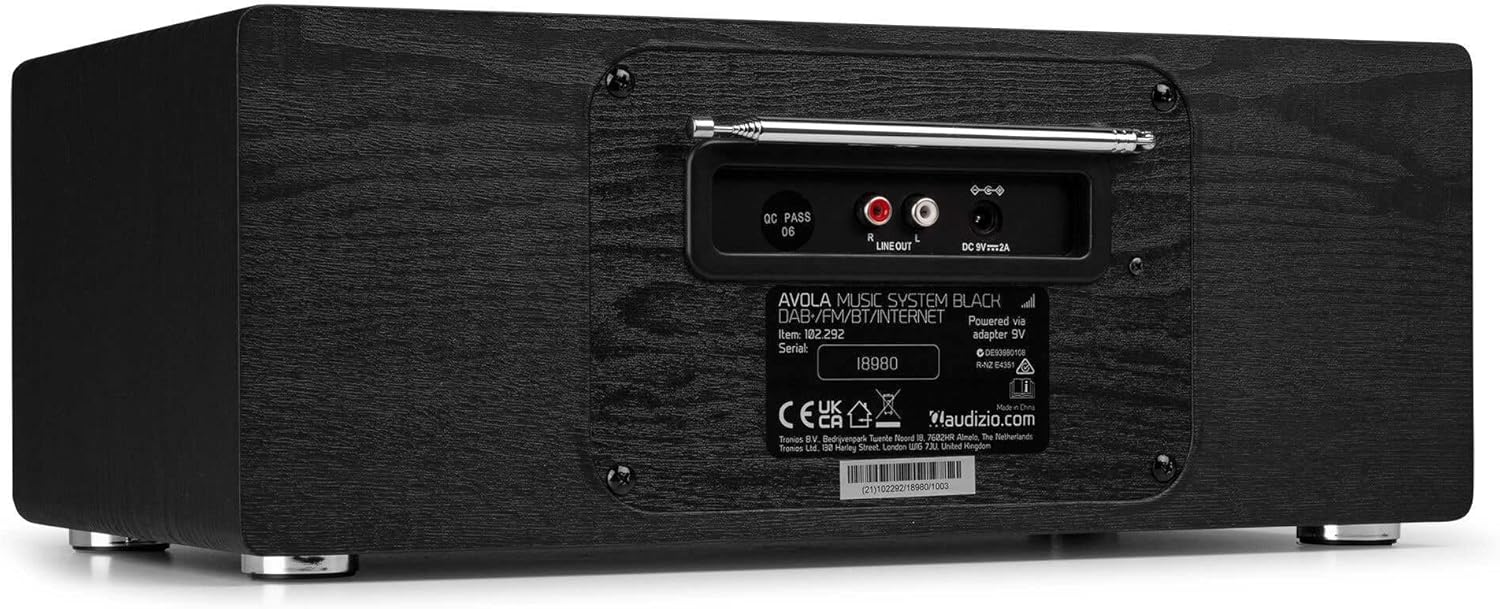
تصویر: پیچھے view of the Audizio Avola, highlighting the antenna and connection ports.
The rear panel houses essential connections:
- دوربین اینٹینا: For DAB+ and FM radio reception. Extend fully for best signal.
- LINE OUT (RCA): بیرونی سے جڑنے کے لیے ampلائفائر یا اسپیکر۔
- DC 9V 2A Power Input: پاور اڈاپٹر کو جوڑنے کے لیے۔
5. سیٹ اپ
5.1 پاور کنکشن
- Connect the power adapter to the DC 9V 2A input on the rear of the Avola unit.
- پاور اڈاپٹر کو کسی مناسب وال آؤٹ لیٹ میں لگائیں۔
- The unit will enter standby mode. Press the STANDBY button on the unit or remote control to power on.
5.2 اینٹینا سیٹ اپ
For optimal DAB+ and FM radio reception, fully extend the telescopic antenna located on the rear panel. Adjust its position for the best signal quality.
5.3 Initial Setup (WLAN Connection)
To access Internet Radio features, the Avola must be connected to a Wi-Fi network.
- Upon first power-on, the unit may prompt you to set up the network connection. If not, press MENU, navigate to 'System Settings' and then 'Network'.
- Select 'Wi-Fi Network' and choose 'Scan' to find available networks.
- فہرست میں سے اپنے Wi-Fi نیٹ ورک کو منتخب کریں۔
- Enter your Wi-Fi password using the TUNE/SELECT knob to navigate characters and press to confirm each character.
- Once connected, the display will show a Wi-Fi icon.
6۔ آپریٹنگ موڈ
6.1 انٹرنیٹ ریڈیو
Access thousands of radio stations worldwide via your Wi-Fi connection.
- Press the MENU button and select 'Internet Radio'.
- آپ مقام، صنف کے لحاظ سے اسٹیشنوں کو براؤز کرسکتے ہیں، یا مخصوص اسٹیشنوں کو تلاش کرسکتے ہیں۔
- Use the TUNE/SELECT knob to navigate and select.
- To save a station as a preset, press and hold the PRESET/REPEAT button until the preset menu appears, then select a preset number.

Image: The Audizio Avola display showing the Internet Radio interface.
6.2 ڈی اے بی + ریڈیو
Digital Audio Broadcasting Plus offers high-quality digital radio.
- Press the MENU button and select 'DAB Radio'.
- یونٹ دستیاب DAB+ اسٹیشنوں کے لیے خود بخود اسکین کرے گا۔
- Use the TUNE/SELECT knob to browse and select stations.
- Save presets as described for Internet Radio.
6.3 ایف ایم ریڈیو
Listen to traditional analog FM radio broadcasts.
- Press the MENU button and select 'FM Radio'.
- Use the TUNE/SELECT knob to manually tune or press and hold to auto-scan for stations.
- Save presets as described for Internet Radio.
6.4 سی ڈی پلیئر
اپنی پسندیدہ آڈیو سی ڈیز چلائیں۔
- Press the MENU button and select 'CD Player'.
- Press the 'Open' button next to the CD tray to open it.
- Carefully place an audio CD onto the tray with the label side facing up.
- Press the 'Open' button again to close the tray. The unit will begin playing the CD automatically.
- Use the Play/Pause, Stop, and Skip buttons for playback control.
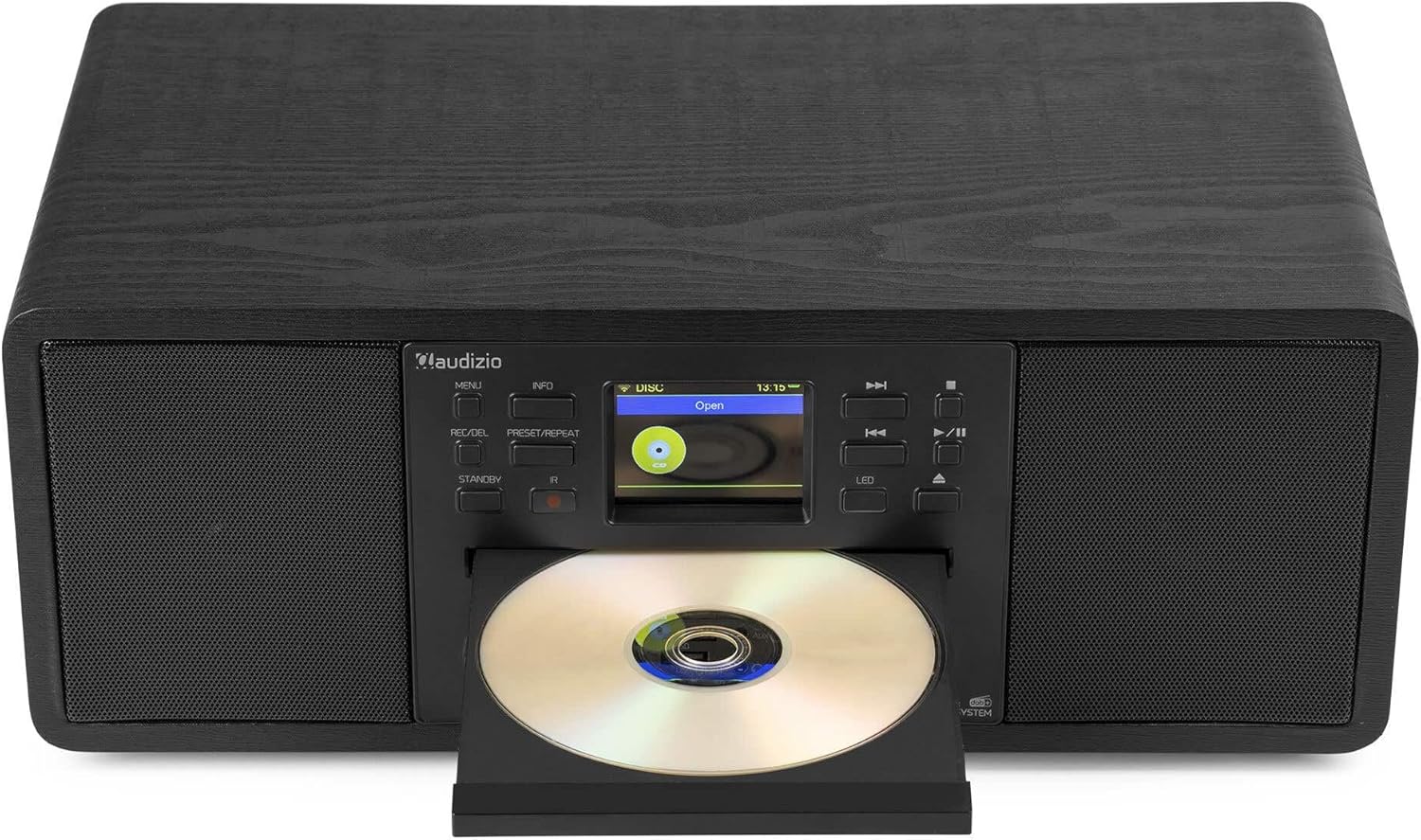
Image: The Audizio Avola with its CD tray open, ready for disc insertion.
6.5 بلوٹوتھ کنیکٹیویٹی
اپنے اسمارٹ فون، ٹیبلیٹ، یا بلوٹوتھ سے چلنے والے دیگر آلات سے وائرلیس طور پر آڈیو کو سٹریم کریں۔
- Press the MENU button and select 'Bluetooth'.
- The Avola will enter pairing mode and become discoverable.
- On your Bluetooth device, search for 'Audizio Avola' in the Bluetooth settings and select it to pair.
- Once connected, the display will show 'BT Connected'. You can now play audio from your device through the Avola.

Image: The Audizio Avola display indicating a successful Bluetooth connection.
6.6 USB/SD پلے بیک
آڈیو چلائیں۔ files USB ڈرائیوز یا SD کارڈز سے۔
- Insert a USB drive into the USB port or an SD card into the SD card slot on the front panel.
- Press the MENU button and select 'USB' or 'SD' (the unit may automatically switch to the correct mode).
- اپنے ذریعے تشریف لے جائیں۔ files and folders using the TUNE/SELECT knob.
- Press the TUNE/SELECT knob to play a selected track.
7 دیکھ بھال
- یونٹ کی صفائی: Use a soft, dry, lint-free cloth to clean the exterior of the unit. Do not use abrasive cleaners, waxes, or solvents.
- CD Lens Cleaning: If CD playback becomes erratic, use a commercially available CD lens cleaner disc to clean the laser lens.
- ذخیرہ: اگر یونٹ کو لمبے عرصے تک ذخیرہ کر رہے ہیں، تو اسے بجلی کی فراہمی سے منقطع کریں اور اسے ٹھنڈی، خشک جگہ پر محفوظ کریں۔
8 خرابیوں کا سراغ لگانا
| مسئلہ | ممکنہ وجہ | حل |
|---|---|---|
| کوئی طاقت نہیں۔ | پاور اڈاپٹر منسلک نہیں یا ناقص آؤٹ لیٹ۔ | بجلی کے کنکشن چیک کریں۔ ایک مختلف آؤٹ لیٹ آزمائیں۔ |
| کوئی آواز نہیں۔ | والیوم بہت کم، خاموش فعال، یا غلط ذریعہ منتخب کیا گیا۔ | حجم میں اضافہ کریں۔ چیک کریں کہ آیا گونگا فعال ہے۔ یقینی بنائیں کہ ان پٹ کا صحیح ذریعہ منتخب کیا گیا ہے۔ |
| انٹرنیٹ ریڈیو منسلک نہیں ہو رہا ہے۔ | Incorrect Wi-Fi password, weak signal, or network issue. | Re-enter Wi-Fi password. Move unit closer to router. Check router status. |
| DAB+/FM reception poor | اینٹینا بڑھا نہیں ہے یا سگنل کی خراب جگہ ہے۔ | Fully extend and adjust the telescopic antenna. Try repositioning the unit. |
| سی ڈی نہیں چل رہی | CD inserted incorrectly, dirty/scratched CD, or unsupported format. | Ensure CD is inserted label-side up. Clean or replace CD. Verify CD format (supports CD-DA, MP3). |
| بلوٹوتھ جوڑا نہیں بن رہا ہے۔ | Device not in pairing mode, or Avola not discoverable. | Ensure both devices are in pairing mode. Check Bluetooth settings on your device. |
9. وضاحتیں
| فیچر | تفصیلات |
|---|---|
| ماڈل کا نام | Avola |
| آئٹم نمبر | 102.292 |
| طول و عرض (LxWxH) | 45.8 x 25.8 x 19.7 سینٹی میٹر |
| وزن | 4 کلوگرام |
| پاور ان پٹ | 220 Volt (via power adapter) |
| Speaker Output Power (Max) | 60 واٹ |
| آڈیو آؤٹ پٹ وضع | سٹیریو |
| سپورٹ شدہ آڈیو فارمیٹس | CD-DA, MP3 |
| کنیکٹوٹی ٹیکنالوجی | WLAN, Bluetooth, AUX, RCA |
| ہم آہنگ آلات | MP3 Player, PC, Smartphone, Tablet |
| رنگ | سیاہ |
10. وارنٹی اور سپورٹ
Audizio products are designed and manufactured to the highest standards. In the unlikely event of a problem with your product, please contact your retailer for assistance. Keep your proof of purchase for warranty claims. For further support or inquiries, please refer to the official Audizio webسائٹ یا ان کی کسٹمر سروس سے رابطہ کریں۔