
1. تعارف
Thank you for choosing the MESWAO 15.6 inch Android 14 Tablet Pro. This tablet is designed to provide a superior visual and performance experience with its large Full HD display, powerful octa-core processor, and extended battery life. This manual will guide you through the setup, operation, maintenance, and troubleshooting of your new device, ensuring you get the most out of its advanced features.
2. باکس میں کیا ہے۔
براہ کرم اپنے پیکیج کے مواد کو چیک کریں۔ اگر کوئی آئٹم غائب یا خراب ہو تو کسٹمر سپورٹ سے رابطہ کریں۔
- 1 x MESWAO 15.6 inch Android Tablet
- 1 ایکس پاور اڈاپٹر
- 1 ایکس ٹائپ سی کیبل
- 1 ایکس صارف دستی
- 1 x ٹائپ-C سے USB اڈاپٹر
- 1 x Stuck pin (SIM ejector tool)

Image: Visual representation of the MESWAO tablet and its included accessories.
3. پروڈکٹ ختمview
3.1 کلیدی خصوصیات
- 15.6-inch 1080P FHD IPS Display: Large screen with 1920x1080p resolution, 16:9 aspect ratio, 85% screen-to-body ratio, and 350 nits adjustable brightness for clear visuals.
- Android 14 OS: Latest Android version for faster app launches, intuitive user interface, split-screen multitasking, and GMS certification for Google Play access.
- MediaTek Helio G99 CPU: Octa-core processor (6nm, up to 2.2GHz) and ARM Mali-G57 GPU for smooth performance in multitasking, streaming, and gaming.
- 12,000mAh Mega Battery & 30W Fast Charging: Provides up to 15 hours of video playback and 12+ hours of daily use, with 90% charge in 3 hours.
- 6GB RAM + 128GB ROM (Expandable to 1TB): Ample storage for apps, photos, and videos, with expandable memory via microSD card (FAT32 format).
- Dual-band Wi-Fi & Bluetooth 5.0: High-speed 2.4G/5G Wi-Fi and efficient Bluetooth connectivity for peripherals.
- 5MP Front + 32MP Rear Cameras: Capture moments and conduct clear video calls.
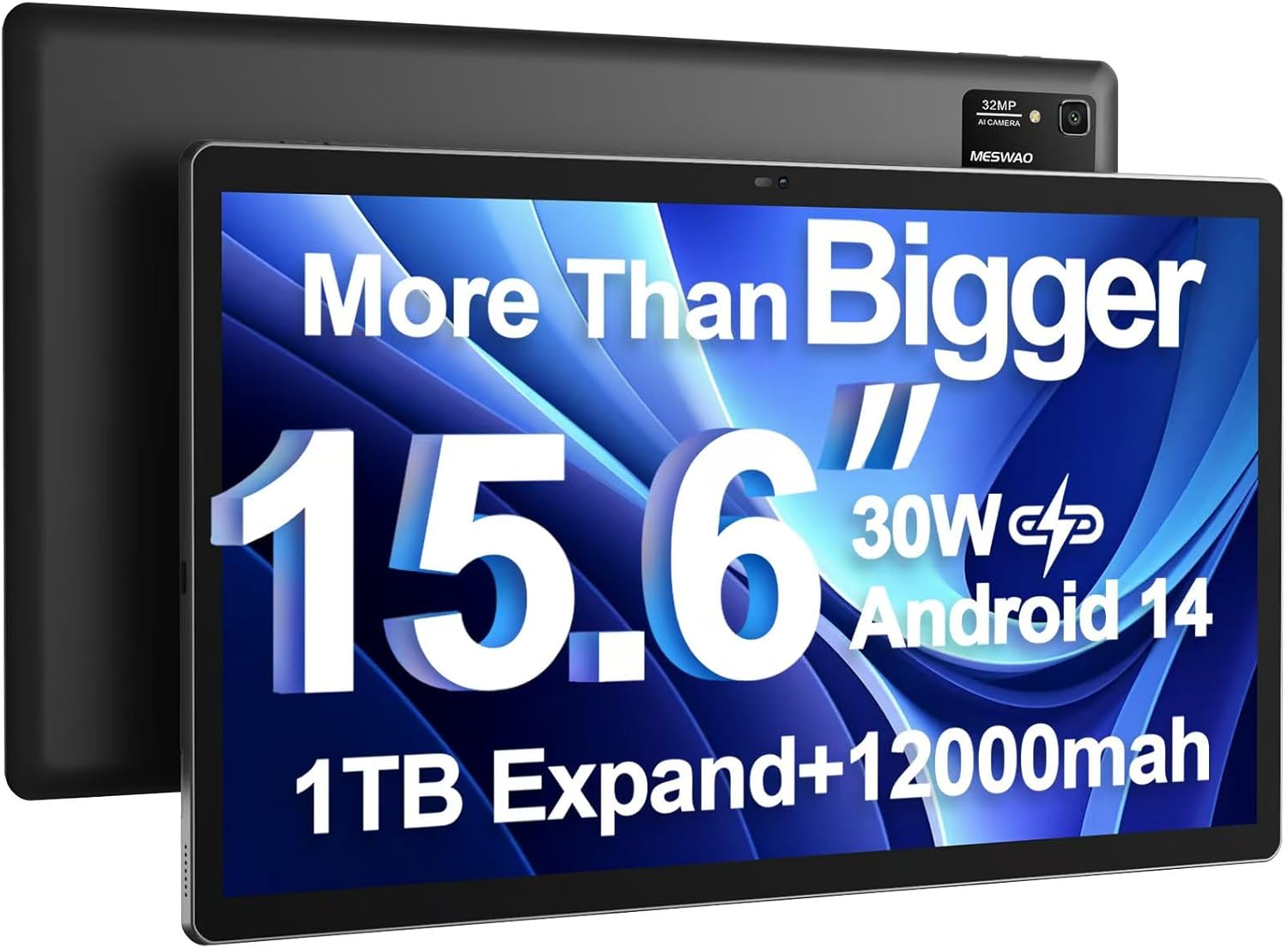
Image: The MESWAO 15.6 inch Android 14 Tablet Pro, showcasing its large display and rear camera module.

Image: Visual comparison highlighting the significantly larger screen area of the 15.6-inch tablet compared to a standard 10-inch tablet.

Image: Illustration of the tablet's 12,000mAh ultra-large capacity battery and 30W fast charging, indicating quick charge times and extended usage.
3.2 ٹیبلٹ کے اجزاء
Familiarize yourself with the physical components of your MESWAO tablet:
- پاور بٹن: Located on the side, used to turn the tablet on/off or wake/sleep the screen.
- والیوم بٹن: آڈیو آؤٹ پٹ کی سطح کو ایڈجسٹ کریں۔
- فرنٹ کیمرہ: ویڈیو کالز اور سیلفیز کے لیے 5MP کیمرہ۔
- پیچھے والا کیمرہ: 32MP camera with flash for high-resolution photos and videos.
- قسم سی پورٹ: چارج کرنے اور ڈیٹا کی منتقلی کے لیے۔
- TF کارڈ سلاٹ: For expanding storage with a microSD card.
- سٹیریو اسپیکر: Quad speakers for enhanced audio experience.
- 3.5 ملی میٹر ہیڈسیٹ جیک: For wired audio connection (requires included Type-C to 3.5mm adapter).
4. سیٹ اپ
4.1 ابتدائی پاور آن
- دبائیں اور تھامیں۔ پاور بٹن until the MESWAO logo appears on the screen.
- اپنی زبان، علاقہ منتخب کرنے اور Wi-Fi نیٹ ورک سے جڑنے کے لیے آن اسکرین پرامپٹس پر عمل کریں۔
- Sign in with your Google account or create a new one to access Google Play Store and other services.
4.2 ٹیبلٹ چارج کرنا
Before first use, fully charge the tablet. Use the provided power adapter and Type-C cable.
- Connect the Type-C cable to the tablet's Type-C port.
- پاور اڈاپٹر کو وال آؤٹ لیٹ میں لگائیں۔
- The charging indicator will appear on the screen. A full charge takes approximately 3 hours with the 30W fast charger.
4.3 مائیکرو ایس ڈی کارڈ داخل کرنا
To expand storage, insert a microSD card (FAT32 format, up to 1TB, sold separately).
- Locate the TF card slot on the side of the tablet.
- Use the provided stuck pin to gently press into the small hole next to the slot to eject the tray.
- Place the microSD card into the tray with the gold contacts facing down.
- احتیاط سے ٹرے کو سلاٹ میں دوبارہ داخل کریں جب تک کہ یہ جگہ پر کلک نہ کرے۔
5. آپریٹنگ ہدایات
5.1 بنیادی نیویگیشن
- ہوم اسکرین: ہوم اسکرینوں کے درمیان نیویگیٹ کرنے کے لیے بائیں یا دائیں سوائپ کریں۔
- ایپ ڈراور: Access all installed applications (if using a launcher with an app drawer, otherwise apps are on home screens).
- اطلاعات اور فوری ترتیبات: Swipe down from the top of the screen to access notifications and quick settings toggles (Wi-Fi, Bluetooth, Brightness, etc.).
- حالیہ ایپس: مربع آئیکن کو تھپتھپائیں (یا اشارہ نیویگیشن استعمال کرنے پر نیچے سے اوپر کی طرف سوائپ کریں اور دبائے رکھیں) view اور حال ہی میں استعمال شدہ ایپلیکیشنز کے درمیان سوئچ کریں۔
5.2 اسپلٹ اسکرین کے ساتھ ملٹی ٹاسکنگ
The Android 14 OS supports split-screen functionality for enhanced productivity.
- پہلی ایپ کھولیں جسے آپ استعمال کرنا چاہتے ہیں۔
- Go to the Recent Apps view.
- پہلے ایپ کے کارڈ کے اوپری حصے میں ایپ آئیکن کو تھپتھپائیں اور 'اسپلٹ اسکرین' کو منتخب کریں۔
- Choose the second app from your recent apps or app drawer to open it in the other half of the screen.
- Adjust the size of each app by dragging the divider in the middle.

تصویر: ختمview of key features of the Android 14 operating system on the tablet, including multitasking capabilities.
5.3 کنیکٹیویٹی
- وائی فائی: پر جائیں۔ ترتیبات > نیٹ ورک اور انٹرنیٹ > Wi-Fi to connect to available networks. Supports 2.4Ghz and 5Ghz bands.
- بلوٹوتھ: پر جائیں۔ سیٹنگز > منسلک آلات > کنکشن کی ترجیحات > بلوٹوتھ to pair with Bluetooth headphones, keyboards, or other devices.
- اسکرین کاسٹنگ: The tablet supports wireless screen casting to compatible displays. Access this feature from Quick Settings or ترتیبات > منسلک آلات > کنکشن کی ترجیحات > کاسٹ کریں۔.

Image: Depiction of the tablet's stable dual-band Wi-Fi and Bluetooth 5.0 capabilities, enabling seamless wireless connections.
6 دیکھ بھال
6.1 بیٹری کی دیکھ بھال
- انتہائی درجہ حرارت (گرم یا سرد) سے بچیں کیونکہ یہ بیٹری کی زندگی کو کم کر سکتے ہیں۔
- بیٹری کو بار بار مکمل طور پر ختم نہ ہونے دیں۔ 0% تک پہنچنے سے پہلے اسے چارج کریں۔
- Use only the provided charger or a certified 30W PD fast charger.
6.2 صفائی
- اسکرین اور جسم کو صاف کرنے کے لیے نرم، لنٹ سے پاک کپڑا استعمال کریں۔
- ضدی smudges کے لئے، تھوڑا سا dampپانی یا سکرین کلینر کے ساتھ کپڑے. سخت کیمیکلز سے پرہیز کریں۔
- Do not spray liquids directly onto the tablet.
6.3 سافٹ ویئر اپ ڈیٹس
زیادہ سے زیادہ کارکردگی اور سیکیورٹی کو یقینی بنانے کے لیے سسٹم اپ ڈیٹس کو باقاعدگی سے چیک کریں اور انسٹال کریں۔
- Connect your tablet to a stable Wi-Fi network.
- پر جائیں۔ ترتیبات > سسٹم > سسٹم اپ ڈیٹ.
- کسی بھی دستیاب اپ ڈیٹس کو ڈاؤن لوڈ اور انسٹال کرنے کے لیے اسکرین پر دی گئی ہدایات پر عمل کریں۔
7 خرابیوں کا سراغ لگانا
اگر آپ کو اپنے ٹیبلیٹ کے ساتھ مسائل کا سامنا کرنا پڑتا ہے، تو درج ذیل عام حل سے رجوع کریں:
| مسئلہ | ممکنہ وجہ | حل |
|---|---|---|
| ٹیبلٹ آن نہیں ہوگا۔ | کم بیٹری؛ سسٹم کریش | گولی کو کم از کم 30 منٹ تک چارج کریں۔ زبردستی دوبارہ شروع کرنے کے لیے پاور بٹن کو 10-15 سیکنڈ تک دبائے رکھیں۔ |
| Slow performance/Lag | بہت زیادہ ایپس چل رہی ہیں؛ کم اسٹوریج؛ پرانا سافٹ ویئر | پس منظر کی ایپس بند کریں۔ کیشے صاف کریں۔ اسٹوریج خالی کریں۔ سسٹم اپڈیٹس کے لیے چیک کریں۔ |
| وائی فائی کنکشن کے مسائل | Incorrect password; Router issue; Tablet Wi-Fi off | Ensure Wi-Fi is on. Re-enter password. Restart router. Forget and reconnect to network. |
| بیٹری تیزی سے ختم ہو جاتی ہے۔ | High screen brightness; Background apps; Heavy usage | Reduce screen brightness. Close unused apps. Limit background data. Check battery usage in settings. |
| Touchscreen unresponsive/Phantom touches | Temporary software glitch; Defective unit | Restart the tablet. If the issue persists, contact MESWAO customer support for assistance. |
If the problem persists after trying these solutions, please contact MESWAO customer support for further assistance.
8. وضاحتیں
| فیچر | تفصیل |
|---|---|
| ماڈل کا نام | MES-B3 Pro |
| آپریٹنگ سسٹم | اینڈرائیڈ 14 |
| اسکرین کا سائز | 15.6 انچ |
| اسکرین ریزولوشن | 1920 x 1080 pixels (Full HD IPS) |
| پروسیسر | MediaTek Helio G99 Octa-core (2.2GHz تک) |
| گرافکس کا پروسیسر | بازو مالی- G57۔ |
| رام | 6 جی بی |
| اندرونی اسٹوریج (ROM) | 128 جی بی |
| قابل توسیع اسٹوریج | Up to 1TB via MicroSD card (FAT32 format) |
| بیٹری کی صلاحیت | 12,000mAh |
| بیٹری کی زندگی (اوسط) | 13 گھنٹے (15 گھنٹے تک ویڈیو پلے بیک) |
| چارج ہو رہا ہے۔ | 30W PD فاسٹ چارجنگ |
| وائرلیس کنیکٹیویٹی | 802.11a/b/ac/ax (2.4G/5G Dual-band Wi-Fi), Bluetooth 5.0 |
| سامنے والا کیمرہ | 5MP |
| پیچھے والا کیمرہ | 32MP |
| شے کا وزن | 4.42 پاؤنڈ (تقریباً 2 کلوگرام) |
| مصنوعات کے طول و عرض | 14.49 x 8.66 x 0.39 انچ (36.8 x 22 x 1 سینٹی میٹر) |
9. وارنٹی اور سپورٹ
MESWAO products come with a standard manufacturer's warranty. Please refer to the warranty card included in your package for specific terms and conditions. For technical support, troubleshooting assistance, or warranty claims, please contact MESWAO customer service through the contact information provided on the official MESWAO webسائٹ یا آپ کی خریداری کا پلیٹ فارم۔
رابطہ کی معلومات: Please visit the official MESWAO website or refer to the support card included in your product packaging for the most up-to-date contact details.