
1. تعارف
This manual provides essential information for setting up, operating, and maintaining your GenMachine Mini PC AMD Ryzen 7 7735HS. Please read this manual thoroughly before using the device to ensure proper functionality and safety.
2. حفاظتی معلومات
آلے کو پہنچنے والے نقصان یا اپنے آپ کو چوٹ سے بچانے کے لیے درج ذیل حفاظتی ہدایات پر عمل کریں:
- آلے کو پانی، نمی، یا انتہائی درجہ حرارت کے سامنے نہ رکھیں۔
- زیادہ گرمی سے بچنے کے لیے مناسب وینٹیلیشن کو یقینی بنائیں۔ وینٹیلیشن کے سوراخوں کو مسدود نہ کریں۔
- صرف فراہم کردہ پاور اڈاپٹر استعمال کریں۔
- آلے کو گرانے یا اسے سخت اثرات کے تابع کرنے سے گریز کریں۔
- خود ڈیوائس کو کھولنے یا مرمت کرنے کی کوشش نہ کریں۔ تمام خدمات کو اہل اہلکاروں سے رجوع کریں۔
3. پیکیج کے مشمولات
تصدیق کریں کہ تمام اشیاء پیکیج میں موجود ہیں:
- GenMachine Mini PC
- صارف دستی
- پاور اڈاپٹر
- HDMI کیبل
- بڑھتے ہوئے بریکٹ (پیچ کے ساتھ)

Image: Package Contents. This image displays the items included in the GenMachine Mini PC box: the Mini PC unit, user manual, power adapter, HDMI cable, and a mounting bracket with screws.
4. پروڈکٹ ختمview
The GenMachine Mini PC is a compact, high-performance computer designed for various applications, from home office tasks to multimedia consumption. Its small footprint allows for versatile placement.

تصویر: سامنے View of GenMachine Mini PC. This image shows the front panel of the GenMachine Mini PC, featuring the power button, USB-C port, audio jack, and two USB 3.0 ports.
4.1 فرنٹ پینل
- پاور بٹن: ڈیوائس کو آن/آف کرنے کے لیے دبائیں۔
- USB-C پورٹ: For data transfer and display output.
- آڈیو جیک: ہیڈ فون یا بیرونی اسپیکر کے لیے۔
- USB 3.0 پورٹس (x2): For connecting peripherals like keyboards, mice, or external storage.
4.2 پیچھے والا پینل

تصویر: پیچھے View of GenMachine Mini PC. This image illustrates the rear panel of the Mini PC, highlighting the power input, HDMI ports, Ethernet ports, and additional USB ports.
- پاور ان پٹ (DC IN): پاور اڈاپٹر کو یہاں جوڑیں۔
- HDMI پورٹس (x2): Connect to monitors or TVs for video output. Supports 4K resolution.
- Ethernet Ports (x2): For wired network connections (Dual 2.5G).
- USB 2.0 پورٹس (x2): مختلف USB آلات کو جوڑنے کے لیے۔
4.3 ڈیزائن اور طول و عرض

Image: GenMachine Mini PC Size Comparison. This image compares the compact size of the GenMachine Mini PC to a traditional tower chassis, illustrating its space-saving design. Dimensions are shown as 126mm x 130mm x 40mm.
The GenMachine Mini PC features an ultra-durable, lightweight metal casing. Its compact design (approximately 126 x 130 x 40 mm) makes it significantly smaller than traditional desktop computers, ideal for any work environment.
5. سیٹ اپ
5.1 کنیکٹنگ پیری فیرلز
- Connect your monitor(s) to the HDMI ports or the USB-C port using appropriate cables.
- Connect your USB keyboard and mouse to the available USB ports.
- If using wired internet, connect an Ethernet cable to one of the Ethernet ports.
- Connect the power adapter to the DC IN port on the Mini PC, then plug it into a power outlet.
5.2 پاور آن
Press the power button on the front panel of the Mini PC. The power indicator light will illuminate, and the system will begin to boot.
5.3 Initial Operating System Setup
Upon first boot, you will be guided through the operating system setup process (e.g., Windows 11). Follow the on-screen instructions to configure language, region, network, and user accounts.
6. آپریٹنگ ہدایات
6.1 نیٹ ورک کنیکٹیویٹی
- وائی فائی: During initial setup or via the operating system's network settings, select your Wi-Fi network and enter the password. The Mini PC supports Wi-Fi 6 for faster and more stable wireless connections.
- ایتھرنیٹ: If an Ethernet cable is connected, the system should automatically detect and connect to the wired network. The Mini PC features dual 2.5G network ports for enhanced connectivity.
6.2 Bluetooth Devices
The Mini PC supports Bluetooth 5.2. To pair a Bluetooth device (e.g., headphones, keyboard, mouse):
- Enable Bluetooth on your device and set it to pairing mode.
- On the Mini PC, go to the operating system's Bluetooth settings.
- تلاش کریں۔ and select your device from the list, then follow any on-screen prompts to complete pairing.
6.3 ملٹی ڈسپلے سیٹ اپ
The GenMachine Mini PC supports up to four displays simultaneously, utilizing its two HDMI ports and one full-function USB-C port (which supports 4K display output).
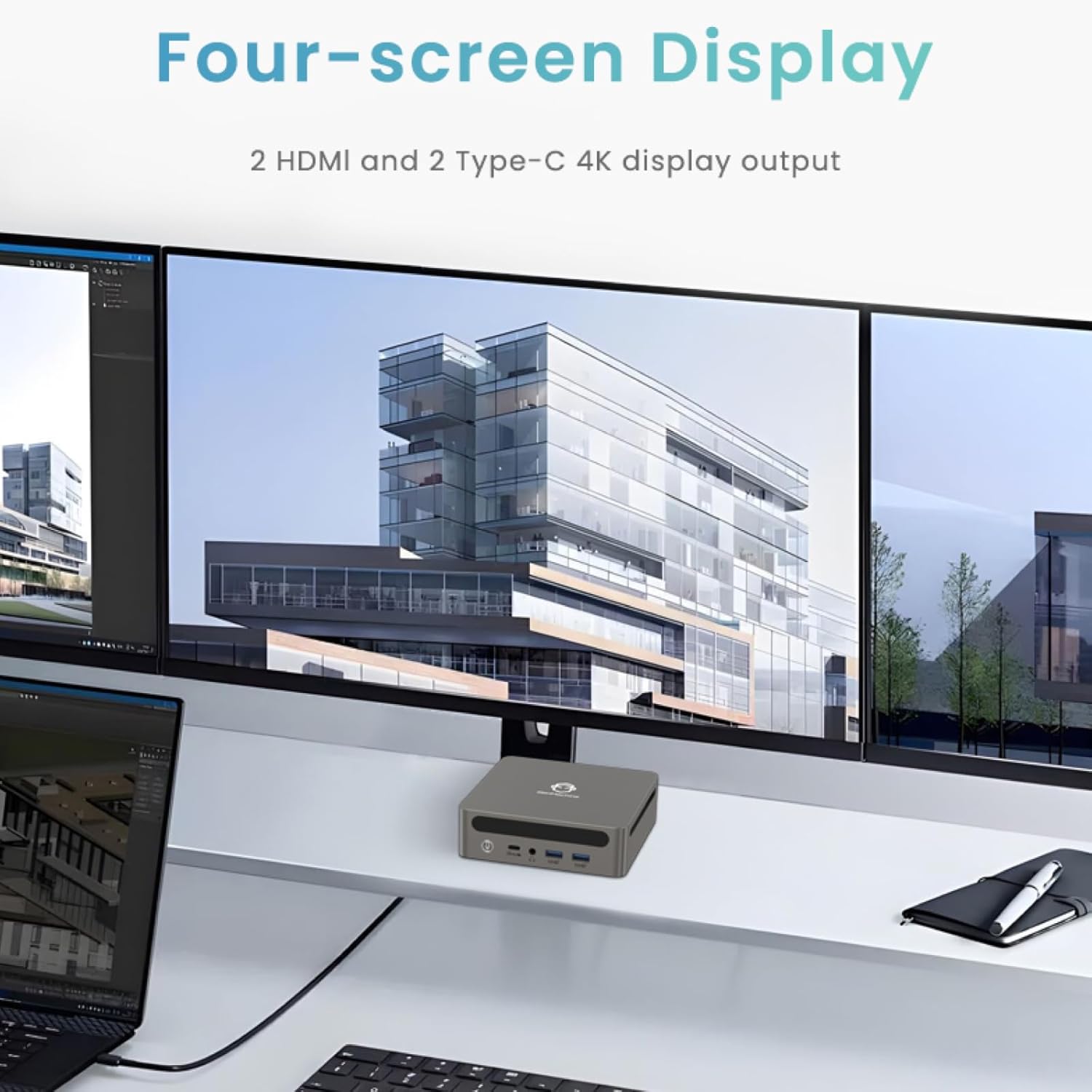
Image: Four-Screen Display Setup. This image demonstrates the GenMachine Mini PC connected to four monitors, showcasing its multi-display capabilities for enhanced productivity.
To configure multiple displays, connect your monitors and then adjust display settings within your operating system (e.g., Extend, Duplicate, or Second screen only).
7 دیکھ بھال
7.1 صفائی
Regularly clean the exterior of the Mini PC with a soft, dry cloth. For stubborn dirt, slightly dampen the cloth with water. Do not use harsh chemicals or abrasive cleaners. Ensure ventilation openings are free of dust buildup.
7.2 سافٹ ویئر اپ ڈیٹس
Keep your operating system and drivers updated to ensure optimal performance and security. Check for updates regularly through your operating system's settings.
7.3 اسٹوریج
جب لمبے عرصے تک استعمال میں نہ ہوں تو، منی پی سی کو براہ راست سورج کی روشنی اور انتہائی درجہ حرارت سے دور کسی ٹھنڈی، خشک جگہ پر محفوظ کریں۔
8 خرابیوں کا سراغ لگانا
| مسئلہ | ممکنہ وجہ | حل |
|---|---|---|
| کوئی طاقت نہیں۔ | پاور اڈاپٹر منسلک نہیں ہے؛ پاور آؤٹ لیٹ ناقص۔ | Ensure power adapter is securely connected to the Mini PC and a working power outlet. Try a different outlet. |
| مانیٹر پر کوئی ڈسپلے نہیں۔ | Monitor not connected; incorrect input source selected on monitor; faulty cable. | Check HDMI/USB-C cable connections. Ensure the monitor is set to the correct input source. Try a different cable or monitor. |
| Wi-Fi منسلک نہیں ہو رہا ہے۔ | Incorrect password; router issue; Wi-Fi adapter driver issue. | Verify Wi-Fi password. Restart your router. Check operating system settings for Wi-Fi adapter status and drivers. |
| سسٹم سست یا غیر جوابدہ ہے۔ | Too many applications running; insufficient free storage; outdated drivers. | Close unnecessary applications. Free up disk space. Update operating system and drivers. Restart the Mini PC. |
9. وضاحتیں
The following table details the technical specifications of the GenMachine Mini PC AMD Ryzen 7 7735HS:
| فیچر | تفصیل |
|---|---|
| پروسیسر | AMD Ryzen 7 7735HS (3.2 GHz, 8 Cores, 16 Threads, up to 4.75 GHz Max Boost Clock) |
| گرافکس | AMD Radeon Graphics (Integrated, 680 MB RAM) |
| رام | 32GB LPDDR5 (up to 6400 Mb/s) |
| ذخیرہ | 512GB 2280 SSD (PCIE x 16 interface) |
| آپریٹنگ سسٹم | OS (Windows 11 typically pre-installed) |
| ویڈیو آؤٹ پٹ | 2x HDMI (4K @ 60Hz), 1x USB-C (4K display output), supports up to 3 displays |
| USB پورٹس | 2x USB 3.0, 2x USB 2.0, 1x USB-C (full-function USB 4.0 port) |
| نیٹ ورکنگ | Wi-Fi 6, Bluetooth 5.2, Dual 2.5G Ethernet |
| آڈیو | آڈیو جیک |
| طول و عرض | 6.34 x 6.3 x 3.62 انچ (تقریباً 16.1 x 16 x 9.2 سینٹی میٹر) |
| وزن | 2.4 پاؤنڈ (تقریباً 1.09 کلوگرام) |
| رنگ | سلور |

Image: AMD Ryzen 7 7735HS Processor. This image highlights the specifications of the AMD Ryzen 7 7735HS processor, including its 8 cores, 16 threads, and up to 4.75 GHz max boost clock.

Image: LPDDR5 Memory Performance. This image illustrates the enhanced speed of LPDDR5 RAM, showing a 50% increase in maximum DRAM bandwidth compared to LPDDR4X, reaching up to 6400 Mb/s.
10. وارنٹی اور سپورٹ
For warranty information and technical support, please refer to the documentation included with your purchase or visit the official GenMachine webسائٹ وارنٹی کے دعووں کے لیے اپنی خریداری کا ثبوت رکھیں۔
For further assistance, you may contact GenMachine customer service through their official channels.