
1. تعارف
The Xigmatek Aqua V AIR is a high-performance mid-tower PC case designed for gaming enthusiasts. It features a spacious interior, optimized airflow, and tempered glass panels on the front and side to showcase your components. Equipped with seven 120mm ARGB fans, it supports graphics cards up to 410mm in length and is compatible with motherboards featuring hidden connectors for a clean build.
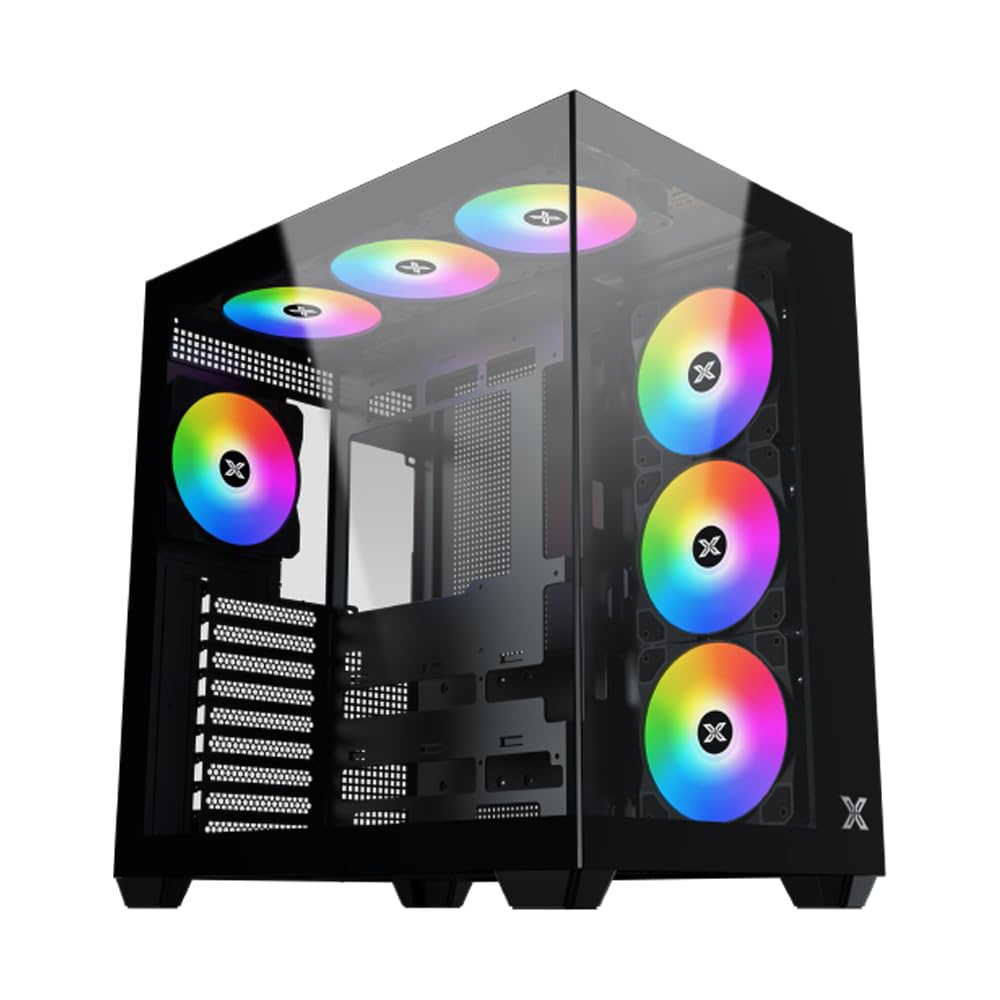
شکل 1: مجموعی طور پر view of the Xigmatek Aqua V AIR PC Case.
2. کلیدی خصوصیات
- مواد: Constructed from high-quality steel for durability and reliability.
- طول و عرض: 427 x 285 x 455 mm (L x W x H), offering a spacious interior.
- کولنگ سسٹم: Supports up to three 120mm or two 140mm fans for optimal cooling performance.
- ریڈی ایٹر سپورٹ: Compatible with 240/280/360mm radiators on the top, bottom, and rear for versatile cooling options.
- I/O پینل: Features 2x USB 3.0 ports, 1x USB-C port, and HD audio for convenient connectivity.
- مدر بورڈ مطابقت: Supports ATX, Micro ATX, and Mini ITX motherboards, including those with hidden connectors.
- GPU لمبائی: Accommodates graphics cards up to 410mm in length.
- اسٹوریج سپورٹ: فراہم کرتا ہے۔ ample space for multiple storage drives.
3. وضاحتیں
| فیچر | تفصیل |
|---|---|
| برانڈ | Xigmatek |
| ماڈل نمبر | EN45820 |
| سلسلہ | Aqua V AIR BLACK |
| رنگ | سیاہ |
| طول و عرض (L x W x H) | 42.7 x 28.5 x 45.5 سینٹی میٹر |
| پروڈکٹ کا وزن | 8.8 کلوگرام |
| مواد | مرکب سٹیل، ٹیمپرڈ گلاس |
| مدر بورڈ مطابقت | اے ٹی ایکس، مائیکرو اے ٹی ایکس، منی آئی ٹی ایکس |
| کیس کی قسم | وسط ٹاور |
| تجویز کردہ استعمال | Gaming, High-Performance Computing |
| USB 3.0 پورٹس | 2 |
| USB-C پورٹس | 1 |
| کولنگ کا طریقہ | Water (Liquid Cooling Support) |
| پنکھے کا سائز | 120 Millimeters (Pre-installed ARGB fans) |
| PSU ماؤنٹنگ کی قسم | نیچے کا پہاڑ |
4. سیٹ اپ اور انسٹالیشن
This section provides general guidance for installing components into your Xigmatek Aqua V AIR PC case. Always refer to the specific manuals for your motherboard, power supply, and other components for detailed instructions.
4.1 کیس کی تیاری
- پی سی کیس کو کھولیں اور تمام پیکیجنگ مواد کو ہٹا دیں۔
- Carefully remove the tempered glass side panel(s) and front panel (if applicable) to access the interior. Store them safely to prevent damage.
- Identify the accessory box, which typically contains screws, cable ties, and other small parts.
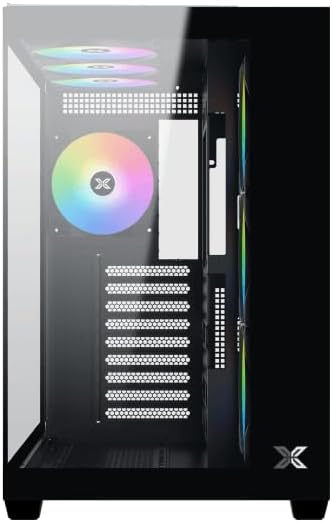
شکل 2: داخلہ view سائیڈ پینل کے ساتھ ہٹا دیا گیا۔
4.2 مدر بورڈ انسٹالیشن
- Install the I/O shield (if not pre-installed on your motherboard) into the rear opening of the case.
- Align your ATX, Micro ATX, or Mini ITX motherboard with the standoffs inside the case. Ensure all standoffs match the screw holes on your motherboard.
- Secure the motherboard with the appropriate screws provided in the accessory kit.

Figure 3: Motherboard tray and cable management area.
4.3 پاور سپلائی یونٹ (PSU) کی تنصیب
- کیس کے نچلے حصے میں PSU بڑھتے ہوئے علاقے کو تلاش کریں۔
- Slide your PSU into position, ensuring the fan faces downwards (if the case has a bottom vent) or upwards.
- کیس کے پیچھے سے پیچ کے ساتھ PSU کو محفوظ کریں۔
4.4 اسٹوریج ڈرائیو کی تنصیب
The case supports various storage configurations. Refer to the case diagram for specific drive bay locations.
- Install 2.5" SSDs or 3.5" HDDs into the designated drive bays or mounting brackets.
- پیچ کے ساتھ ڈرائیوز کو محفوظ کریں.
4.5 گرافکس کارڈ (GPU) کی تنصیب
- کیس کے عقبی حصے سے ضروری PCIe سلاٹ کور کو ہٹا دیں۔
- اپنے گرافکس کارڈ کو مدر بورڈ پر مناسب PCIe سلاٹ میں داخل کریں۔
- گرافکس کارڈ کو پیچ سے محفوظ کریں۔
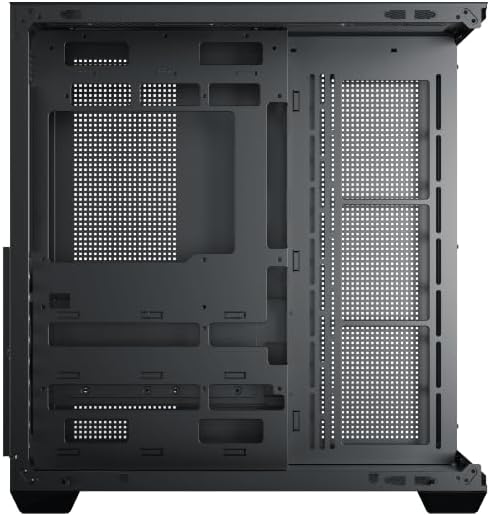
Figure 4: Components installed inside the case.
4.6 کیبل مینجمنٹ
Utilize the cable routing cutouts and tie-down points behind the motherboard tray to manage cables for improved airflow and aesthetics.
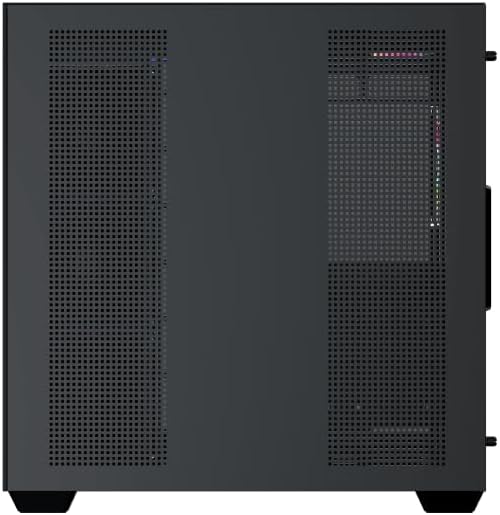
Figure 5: Top panel and I/O ports.
5. آپریٹنگ ہدایات
5.1 پاور آن
Once all components are securely installed and connected, close the side panels. Connect your power cable to the PSU and press the power button on the case's front I/O panel.
5.2 ARGB فین کنٹرول
The Xigmatek Aqua V AIR comes with pre-installed ARGB fans. These fans can typically be controlled via:
- مدر بورڈ سافٹ ویئر: If your motherboard supports ARGB synchronization, connect the fan's ARGB cables to the motherboard's 3-pin 5V ARGB header and use the motherboard's software (e.g., ASUS Aura Sync, MSI Mystic Light, Gigabyte RGB Fusion) to customize lighting effects.
- مربوط کنٹرولر: If your case includes a built-in ARGB controller, use the dedicated button on the I/O panel to cycle through various lighting modes and colors.
6 دیکھ بھال
باقاعدگی سے دیکھ بھال آپ کے کمپیوٹر کے اجزاء کی بہترین کارکردگی اور لمبی عمر کو یقینی بنانے میں مدد کرتی ہے۔
6.1 ڈسٹ فلٹر کی صفائی
The Xigmatek Aqua V AIR case is equipped with dust filters to prevent dust buildup. Locate and gently remove the dust filters (typically on the top, front, and bottom). Clean them with compressed air or by rinsing with water. Ensure they are completely dry before reattaching.
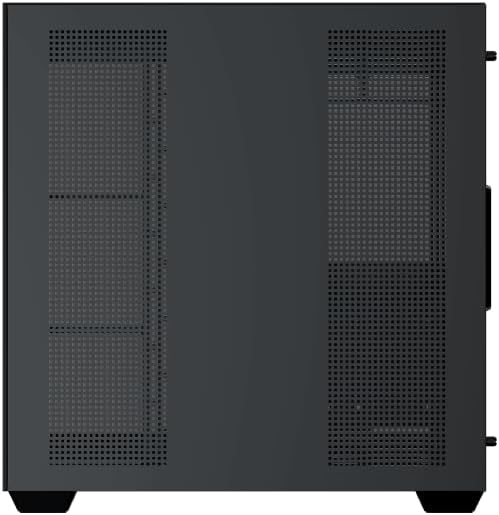
Figure 6: Bottom dust filter.
6.2 عمومی صفائی
Use a soft, dry cloth to wipe down the exterior of the case. For tempered glass panels, use a glass cleaner and a microfiber cloth to avoid streaks. Avoid using abrasive cleaners or solvents.
7 خرابیوں کا سراغ لگانا
اگر آپ کو مسائل کا سامنا ہے تو، مندرجہ ذیل عام ٹربل شوٹنگ اقدامات پر غور کریں:
- کوئی طاقت نہیں:
- Ensure the PSU is switched on and properly connected to the wall outlet and motherboard.
- Check all power connections to components (motherboard, CPU, GPU, drives).
- تصدیق کریں کہ فرنٹ پینل پاور سوئچ کیبل صحیح طریقے سے مدر بورڈ سے منسلک ہے۔
- Fans Not Spinning / RGB Not Working:
- Check if fan power cables are securely connected to the motherboard or fan controller.
- Ensure ARGB cables are connected to the correct 3-pin 5V ARGB header (not 4-pin 12V RGB).
- If using a controller, ensure it has power and is functioning correctly.
- زیادہ گرم ہونا:
- Ensure all fans are spinning and oriented correctly for optimal airflow (intake/exhaust).
- دھول کے فلٹرز اور اندرونی اجزاء کو صاف کریں۔
- تصدیق کریں کہ CPU کولر اور GPU کولر مناسب طریقے سے بیٹھے اور کام کر رہے ہیں۔
8. وارنٹی اور سپورٹ
The Xigmatek Aqua V AIR PC Case comes with a 2 سالہ صنعت کار کی وارنٹی. For technical support, warranty claims, or further assistance, please contact Xigmatek customer service or visit their official webسائٹ
وارنٹی مقاصد کے لیے براہ کرم اپنی خریداری کا ثبوت اپنے پاس رکھیں۔