
1. تعارف
This manual provides essential information for the safe and efficient operation of your ZDSSY E2 Mini Projector. Please read it thoroughly before use and retain it for future reference.
2. سیٹ اپ
2.1 ان باکسنگ اور اجزاء
باکس سے تمام اشیاء کو احتیاط سے کھولیں۔ یقینی بنائیں کہ مندرجہ ذیل اجزاء موجود ہیں:
- منی پروجیکٹر
- ریموٹ کنٹرول
- پاور کی ہڈی
- صارف دستی (یہ دستاویز)
2.2 پاور آن
- پاور کورڈ کو پروجیکٹر کے پاور ان پٹ پورٹ سے جوڑیں۔
- بجلی کی ہڈی کے دوسرے سرے کو ایک مناسب برقی آؤٹ لیٹ میں لگائیں۔
- ڈیوائس کو آن کرنے کے لیے پروجیکٹر یا ریموٹ کنٹرول پر پاور بٹن دبائیں۔
2.3 ابتدائی جگہ کا تعین
پروجیکٹر کو ایک مستحکم، ہموار سطح پر رکھیں۔ بہترین کے لیے viewing, ensure the projection surface (wall or screen) is clean and smooth. The projector supports various mounting options including table placement, tripod mount, and ceiling mount.
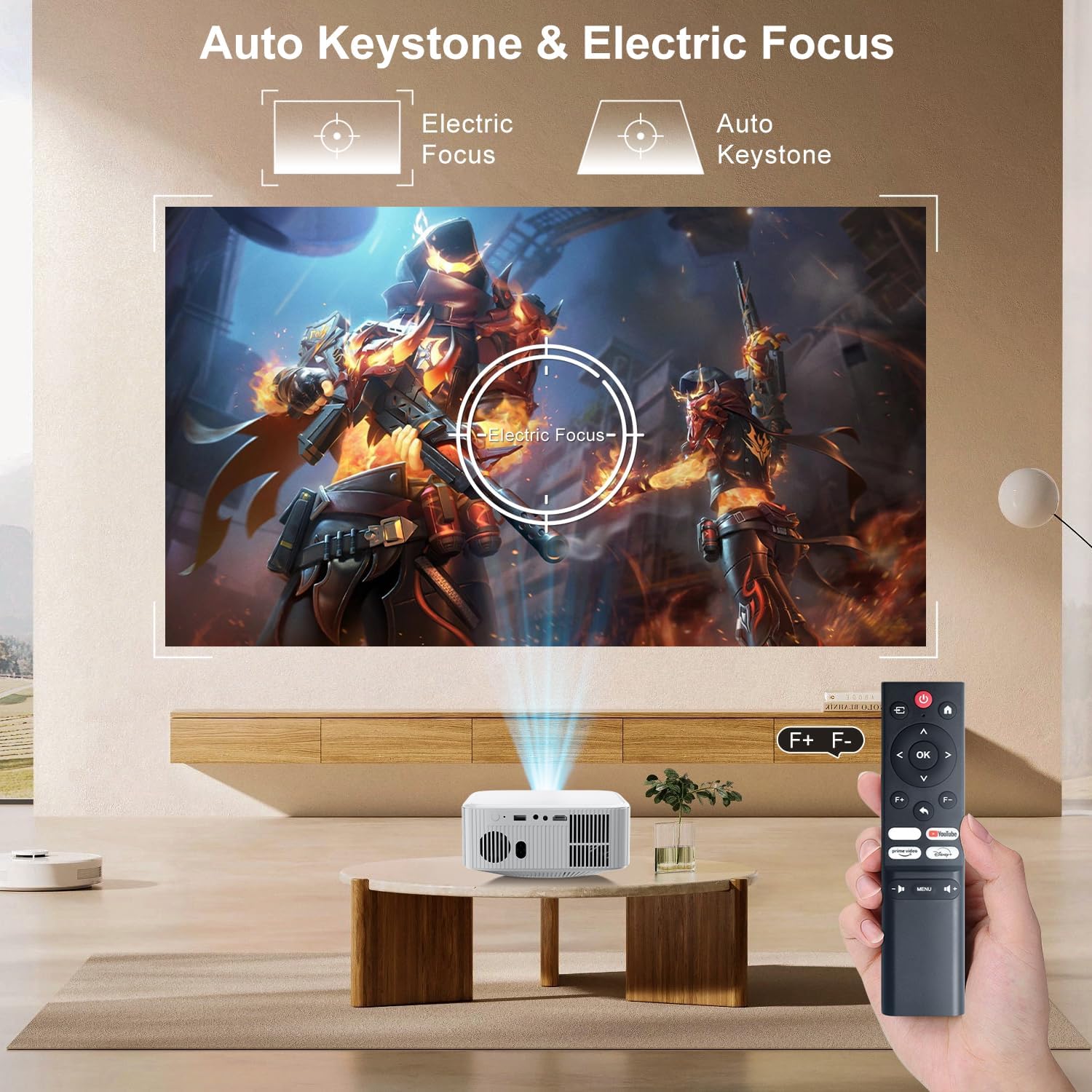
Image: The ZDSSY E2 Mini Projector demonstrating flexible placement options and screen sizes from 40 to 300 inches.
3. آپریشن
3.1 Navigation and Remote Control
Use the provided remote control to navigate the projector's interface. The remote allows you to select apps, adjust settings, and control media playback.
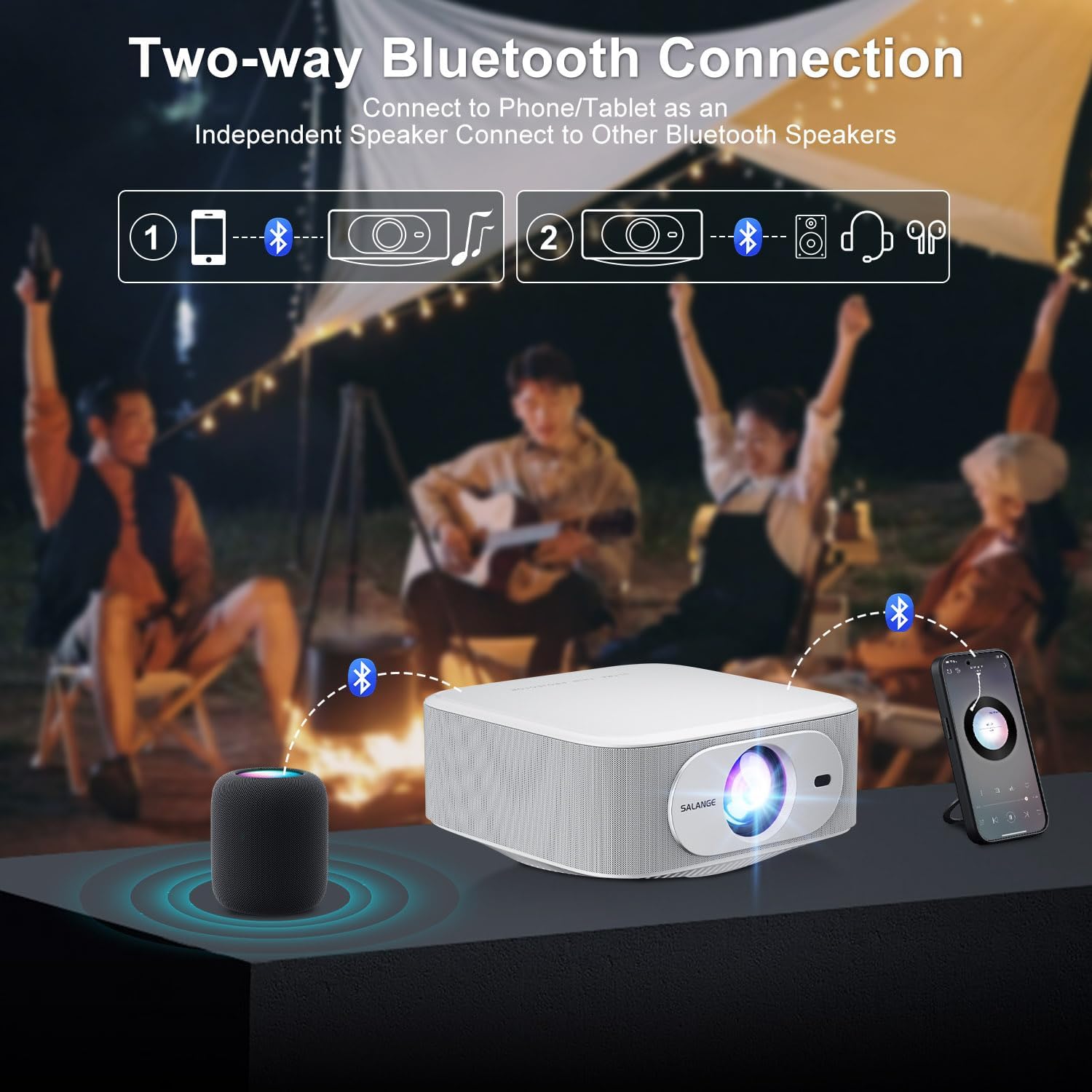
Image: The ZDSSY E2 Mini Projector and its remote control, highlighting the user interface.
3.2 Auto Keystone and Electric Focus
The projector features automatic keystone correction and electric focus for a clear and properly aligned image. These functions adjust the picture automatically upon startup or when the projector is moved.
- الیکٹرک فوکس: Provides instant, crystal-clear images.
- 4-Point Keystone Correction: Smoothly adjusts the screen across a wide ±45° range from any direction.
- زوم فنکشن: پروجیکٹر کو حرکت دیے بغیر اسکرین کا سائز 100% سے 50% تک ایڈجسٹ کریں۔

Image: Visual representation of the auto keystone and electric focus features of the ZDSSY E2 Mini Projector.
3.3 وائی فائی سے جڑنا
The ZDSSY E2 supports dual-band 5G/2.4G Wi-Fi for fast and stable internet connectivity.
- پروجیکٹر پر 'سیٹنگز' مینو پر جائیں۔
- Select 'Network' or 'Wi-Fi settings'.
- فہرست سے اپنا مطلوبہ Wi-Fi نیٹ ورک منتخب کریں۔
- اگر اشارہ کیا جائے تو پاس ورڈ درج کریں اور جڑیں۔
3.4 بلوٹوتھ کنکشن
The projector features two-way Bluetooth 5.2, allowing it to function as a standalone speaker or connect to external Bluetooth audio devices.
- As a Bluetooth Speaker: Connect your mobile device to the projector via Bluetooth to use the projector's built-in speakers for audio playback.
- بیرونی اسپیکرز کو جوڑنا: Pair the projector with external Bluetooth speakers, headphones, or soundbars for an enhanced audio experience. (Note: Bluetooth is for audio transmission only and does not support video.)

Image: Illustration of the two-way Bluetooth connectivity of the ZDSSY E2 Mini Projector.
3.5 Using Built-in Apps
The ZDSSY E2 comes with officially licensed apps like Prime Video, YouTube, and more, pre-installed on its Android 13 Whale OS system. Access these apps directly from the home screen for instant entertainment.

Image: The ZDSSY E2 Mini Projector's home screen showing pre-installed streaming applications.
3.6 بیرونی ڈیوائس کا کنکشن
The projector is equipped with multiple ports for connecting external devices:
- HDMI پورٹ: Connect gaming consoles, laptops, Fire Sticks, or other HDMI-enabled devices.
- USB پورٹ: USB ڈرائیوز سے براہ راست میڈیا چلائیں۔
- 3.5 ملی میٹر ہیڈ فون جیک: وائرڈ ہیڈ فون یا بیرونی اسپیکرز کو جوڑیں۔

Image: Close-up of the ZDSSY E2 Mini Projector's connectivity ports.
4 دیکھ بھال
4.1 صفائی
- لینس: خاص طور پر آپٹیکل لینز کے لیے ڈیزائن کیا گیا نرم، لنٹ سے پاک کپڑا استعمال کریں۔ کھرچنے والے کلینر یا کپڑے استعمال نہ کریں۔
- بیرونی: پروجیکٹر کے بیرونی حصے کو نرم، خشک کپڑے سے صاف کریں۔ ضدی نمبروں کے لیے، تھوڑا سا ڈیamp کپڑا استعمال کیا جا سکتا ہے، اس کے بعد خشک مسح کیا جا سکتا ہے۔
- وینٹیلیشن: اس بات کو یقینی بنائیں کہ زیادہ گرم ہونے سے بچنے کے لیے وینٹیلیشن کے سوراخ دھول اور رکاوٹوں سے پاک ہوں۔
4.2 اسٹوریج
جب لمبے عرصے تک استعمال نہ ہو تو، پروجیکٹر کو ٹھنڈی، خشک جگہ پر، براہ راست سورج کی روشنی اور انتہائی درجہ حرارت سے دور رکھیں۔ دھول کے جمع ہونے اور نقصان کو روکنے کے لیے اصل پیکیجنگ یا حفاظتی کیس کا استعمال کریں۔
5 خرابیوں کا سراغ لگانا
| مسئلہ | ممکنہ وجہ | حل |
|---|---|---|
| کوئی طاقت نہیں۔ | پاور کی ہڈی منسلک نہیں ہے؛ پاور آؤٹ لیٹ ناقص | یقینی بنائیں کہ بجلی کی تار محفوظ طریقے سے منسلک ہے؛ ایک مختلف آؤٹ لیٹ آزمائیں۔ |
| دھندلی تصویر | Focus not adjusted; Projector too far/close to screen | Allow auto-focus to complete or manually adjust focus; Adjust projector distance. |
| کوئی آواز نہیں۔ | Volume too low; External audio device not connected/paired | Increase volume; Check Bluetooth connection or wired audio cable. |
| وائی فائی کنکشن کے مسائل | غلط پاس ورڈ؛ راؤٹر کے مسائل؛ سگنل کی مداخلت | وائی فائی پاس ورڈ کی تصدیق کریں۔ راؤٹر کو دوبارہ شروع کریں؛ پروجیکٹر کو روٹر کے قریب لے جائیں۔ |
| Apps Not Working | No internet connection; App requires update | Check Wi-Fi connection; Update the app from the app store. |
6. وضاحتیں
| فیچر | تفصیل |
|---|---|
| برانڈ | ZDSSY |
| ماڈل نمبر | E2 |
| ڈسپلے ریزولوشن | 1920 x 1080 (Native 1080P, 4K Support) |
| چمک | 400 اے این ایس آئی لیمنس |
| آپریٹنگ سسٹم | Smart Android 13.0 NTV (Whale OS) |
| یادداشت | RAM 1GB + ROM 8GB |
| کنیکٹوٹی | Wi-Fi 5G/2.4G, Two-way Bluetooth 5.2 |
| خصوصی خصوصیات | Electric Focus, Auto Keystone Correction (4D/4P), Zoom (100%-50%), Built-in Apps (Prime Video, YouTube, etc.) |
| بندرگاہیں | 1 HDMI, 1 USB, 1 3.5mm Headphone Jack |
| مصنوعات کے طول و عرض | 7.67 x 7.67 x 3.54 انچ |
| شے کا وزن | 3.3 پاؤنڈ |
| تجویز کردہ استعمال | انڈور/ آؤٹ ڈور |
7. وارنٹی اور سپورٹ
The ZDSSY E2 Mini Projector comes with a standard manufacturer's warranty. For specific warranty details, including coverage and duration, please refer to the warranty card included in your product packaging or contact ZDSSY customer support.
کسٹمر سپورٹ
If you encounter any issues or have questions regarding your projector, please contact ZDSSY customer support through the retailer's platform or the official ZDSSY website. Our support team is available to assist you with troubleshooting, technical inquiries, and service requests.