
YOLOLIV YoloBox Extreme
YOLOLIV YoloBox Extreme User Manual
4K NDI All-in-One Live Streaming Equipment
1. تعارف
The YOLOLIV YoloBox Extreme is an all-in-one live streaming solution designed for professional and enthusiast broadcasters. It integrates a monitor, switcher, encoder, and recorder into a single portable device, enabling multi-camera live productions with ease. This manual provides detailed instructions for setting up, operating, and maintaining your YoloBox Extreme.

Image 1.1: The YOLOLIV YoloBox Extreme with connected inputs and on-screen interface.
2. باکس میں کیا ہے۔
تصدیق کریں کہ تمام اشیاء پیکیجنگ میں موجود ہیں:
- YoloBox Extreme Unit (x1)
- SIM Card Eject Pin (x1)
- Hotshoe Mount (x1)
- Hex Key (x1)
- USB چارج کیبل (x2)
- Charger with US, UK, EU Plugs (x1)
- اینٹینا (x2)
- یوزر مینوئل (x1)

Image 2.1: All components included with the YoloBox Extreme.
3. مصنوعات کی خصوصیات
The YoloBox Extreme offers a comprehensive set of features for advanced live streaming:
- 8 HDMI Inputs with 2 Assignable Outputs: Connect up to 8 HDMI sources with built-in 4K60 scaling. Outputs can be assigned independently for Program, Multiview، یا پریview in 4K.
- 11.2-Inch OLED Touchscreen: Features a 2.5K OLED display with a 120Hz refresh rate and up to 1,000 nits brightness for clear visuals and responsive interaction.
- ISO Recording: Record each input separately in up to 4K30 (5 inputs) or 1080p60 (6 inputs) for post-production flexibility.
- Integrated NDI HX Support: Incorporate up to 6 NDI (2 NDI FX or 6 NDI HX) inputs wirelessly or via Ethernet for IP-based workflows.
- MultiCam Instant Replay: Replay highlights instantly with up to 6 cameras at 1080p60 in real-time.
- Advanced Audio Mixer: Features assignable Audio Follow Video (AFV), Mix Minus, and audio delay adjustments.
- کنیکٹوٹی: Supports Ethernet, HDMI, SIM Card, and Wi-Fi for versatile network connections.
- لمبی بیٹری کی زندگی: ایک ہی چارج پر 10 گھنٹے تک آپریشن۔

تصویر 3.1: ختمview of new features in the YoloBox Extreme.

Image 3.2: Visual comparison of 1080P vs. 4K streaming quality.

Image 3.3: The YoloBox Extreme's integrated audio mixer.
4. سیٹ اپ
4.1 ابتدائی پاور آن
- Ensure the YoloBox Extreme is fully charged using the provided USB-C cables and charger.
- Press and hold the Power Button (13) located on the side of the device until the screen illuminates.
- Follow the on-screen prompts for initial language selection and network configuration.
4.2 ان پٹ اور آؤٹ پٹس کو جوڑنا
The YoloBox Extreme features a variety of ports for connecting cameras, audio devices, and external displays.

Image 4.1: Port layout of the YoloBox Extreme.
- HDMI ان پٹ (1-8): Connect your cameras or other video sources using HDMI cables. The device supports up to 4K60 with built-in scaling.
- HDMI آؤٹ پٹس (1-2): Connect external monitors for program, multiview، یا پریview output in 4K.
- Ethernet Connection (3): For stable wired internet connection.
- USB Type-A (3.0) (4): USB کو جوڑنے کے لیے webcams, hard drives, or USB dongles.
- Mic In (3.5mm) (5): Connect a wired microphone for mono audio input.
- Line In (3.5mm) (6): Connect to an external audio mixer for stereo audio input.
- Audio Out (3.5mm) (8): Connect headphones for monitoring audio.
- SD Card Holder (10): Insert an SD card for recording and loading graphics.
- Nano-SIM Card Holder (11): Insert a SIM card for 4G network connectivity.
- 1/4" Screw Hole (12): Mount the device to tripods or other camera accessories.
5. آپریٹنگ ہدایات
5.1 یوزر انٹرفیس اوورview
The YoloBox Extreme features an intuitive touchscreen interface. The main screen displays your video sources, program output, and various control panels for streaming, recording, and overlays.

Image 5.1: The YoloBox Extreme's main user interface.
5.2 Live Switching and Overlays
The device allows for seamless switching between multiple video sources and the addition of graphic overlays.
- Live Switch: Tap on the desired input source on the screen to switch it to the program output.
- گرافک اوورلیز: Access the 'Overlays' menu to add lower thirds, images, countdown timers, and more.
- سکور بورڈ: Utilize the built-in scoreboard feature for live sports productions.
- Chroma Key: Apply chroma key effects for virtual backgrounds.

Image 5.2: Key operational features of the YoloBox Extreme.
5.3 Streaming and Recording
- سلسلہ ترتیب دیں: Select your desired streaming platforms (e.g., YouTube, Facebook, RTMP) and enter stream keys/credentials.
- سلسلہ بندی شروع کریں: Tap the 'Go Live' button to begin broadcasting.
- ISO Recording: Enable ISO recording to capture individual input feeds to an SD card or external SSD.
- Program Recording: Record the final program output simultaneously with streaming.
6. کنیکٹیویٹی
The YoloBox Extreme offers flexible connectivity options to ensure reliable streaming in various environments.
- وائی فائی: انٹرنیٹ تک رسائی کے لیے وائرلیس نیٹ ورکس سے جڑیں۔
- ایتھرنیٹ: Use a wired Ethernet connection for maximum stability and bandwidth.
- 4G LTE (SIM Card): Insert a Nano-SIM card for mobile data connectivity in areas without Wi-Fi or Ethernet.
- 4G ڈونگلے: Connect an external 4G dongle via the USB-A port for additional mobile data options.
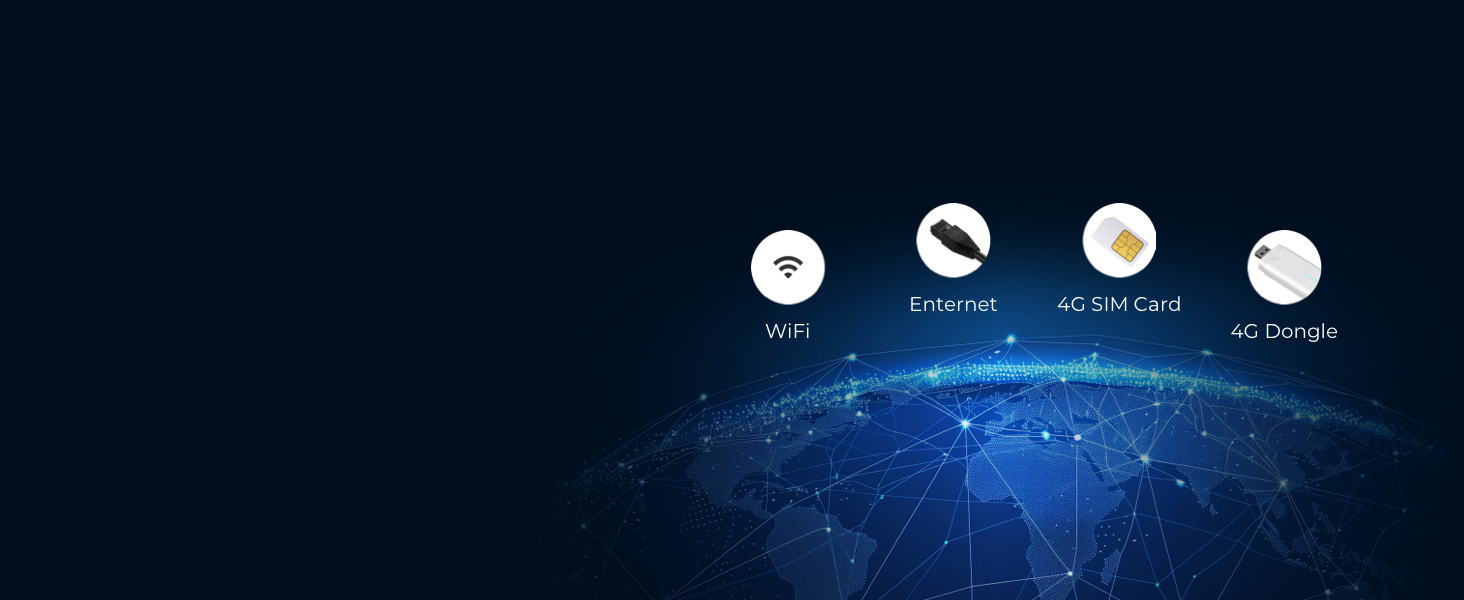
Image 6.1: Connectivity options for the YoloBox Extreme.
7 دیکھ بھال
7.1 صفائی
- Use a soft, dry cloth to clean the device's exterior.
- For the touchscreen, use a microfiber cloth specifically designed for electronics. Avoid abrasive materials or harsh chemicals.
- یقینی بنائیں کہ تمام بندرگاہیں دھول اور ملبے سے پاک ہیں۔
7.2 اسٹوریج
- Store the YoloBox Extreme in a cool, dry place away from direct sunlight and extreme temperatures.
- If storing for an extended period, ensure the battery is charged to approximately 50-70% to prolong its lifespan.
7.3 فرم ویئر اپڈیٹس
Periodically check for firmware updates to ensure optimal performance and access to new features. Updates are typically available through the device's settings menu when connected to the internet.
8 خرابیوں کا سراغ لگانا
This section addresses common issues you might encounter with your YoloBox Extreme.
| مسئلہ | ممکنہ وجہ | حل |
|---|---|---|
| ڈیوائس آن نہیں ہے۔ | کم بیٹری؛ پاور بٹن کافی دیر تک نہیں پکڑا گیا۔ | Charge the device; Press and hold the power button for 3-5 seconds. |
| No video input detected | Incorrect cable connection; Source not active; Resolution mismatch | Ensure HDMI cables are securely connected; Verify camera/source is powered on and outputting video; Check input resolution settings on the YoloBox Extreme. |
| Streaming issues (buffering, disconnection) | Weak internet connection; Incorrect stream settings | Ensure strong Wi-Fi/Ethernet/4G signal; Verify stream key and server URL; Reduce stream bitrate if bandwidth is limited. |
| کوئی آڈیو نہیں۔ | Audio input not selected; Volume too low; Incorrect cable | Check audio mixer settings to ensure input is active; Adjust volume levels; Verify audio cables are correctly connected. |
مزید مدد کے لیے، اہلکار سے رجوع کریں۔ ٹربل شوٹنگ گائیڈ (پی ڈی ایف) or contact YOLOLIV support.
9. وضاحتیں
| فیچر | تفصیل |
|---|---|
| مصنوعات کے طول و عرض | 8.6 x 5.5 x 1.1 انچ |
| شے کا وزن | 4.4 پاؤنڈ |
| ڈسپلے | 11.2-inch OLED Touchscreen, 2.5K Resolution, 120Hz Refresh Rate, up to 1,000 nits brightness |
| HDMI آدانوں | 8 (with 4K60 scaling) |
| HDMI آؤٹ پٹس | 2 (Assignable Program/Multiview/پریview in 4K) |
| ISO Recording | Up to 4K30 (5 inputs) or 1080p60 (6 inputs) |
| NDI Support | Up to 6 NDI HX inputs (2 NDI FX or 6 NDI HX) |
| کنیکٹوٹی | Ethernet, HDMI, SIM Card, Wi-Fi |
| بیٹری | 1 Lithium Polymer battery (included), up to 10-hour life |
| ویڈیو انکوڈنگ | H.264، H.265 |
| آڈیو آؤٹ پٹ وضع | سٹیریو |
| ہم آہنگ آلات | Camera, Video Switcher, Wireless Transmitter, YoloDeck |
10. وارنٹی اور سپورٹ
10.1 وارنٹی کی معلومات
تفصیلی وارنٹی شرائط و ضوابط کے لیے، براہ کرم آفیشل سے رجوع کریں۔ وارنٹی (پی ڈی ایف) document provided by YOLOLIV.
10.2 کسٹمر سپورٹ
If you require further assistance or have questions not covered in this manual, please visit the YOLOLIV official website or contact their customer support channels. Additional resources, including a comprehensive صارف گائیڈ (پی ڈی ایف)، آن لائن دستیاب ہیں۔
Ask a question about this manual
Ask about setup, troubleshooting, compatibility, parts, safety, or missing instructions. Manuals+ will review the question and use this page’s manual context to help answer it.