
1. تعارف
This manual provides essential information for the setup, operation, and maintenance of your VIMTAG 8310 5G/2.4G 4MP Camera. Please read thoroughly before use to ensure proper functionality and safety.

Figure 1: VIMTAG 8310 5G/2.4G 4MP Camera
2. باکس میں کیا ہے۔
تصدیق کریں کہ تمام اشیاء پیکیج میں موجود ہیں:
- Camera Body with power cable
- ہدایت نامہ
- بڑھتے ہوئے سکرو
- پاور اڈاپٹر
3. پروڈکٹ ختمview
The VIMTAG 8310 camera features a compact design suitable for both indoor and outdoor use. Key components include:
- لینس: Captures 2.5K (4MP) video.
- Infrared & White Light: نائٹ ویژن کی صلاحیتوں کے لیے۔
- مائیکروفون: دو طرفہ آڈیو مواصلات کے لیے۔
- اسپیکر: For two-way audio communication and alerts.
- SD کارڈ سلاٹ: Supports Micro SD cards up to 512GB for local storage.
- ری سیٹ بٹن: فیکٹری ری سیٹ کے لیے۔
- پاور پورٹ: Micro USB for continuous power supply.

Figure 2: Camera features overview
4. سیٹ اپ اور انسٹالیشن
4.1 ایپ ڈاؤن لوڈ اور اکاؤنٹ رجسٹریشن
- Download the 'Canny Cam' app from your device's app store (iOS/Android).
- Register a new account using your email address and follow the on-screen instructions.
- اپنے نئے بنائے گئے اکاؤنٹ میں لاگ ان کریں۔

Figure 3: App download and registration process
4.2 Powering On and Device Connection
- Connect the camera to the power adapter using the provided USB cable and plug it into a power outlet.
- Open the 'Canny Cam' app and tap the '+' icon to add a new device.
- Follow the in-app instructions to connect the camera to your 5G/2.4G Wi-Fi network. This typically involves scanning a QR code displayed on your phone with the camera lens.
- Once connected, you can name your camera and assign it to a specific room.
Video 1: Why choose Vimtag Mini G3 Outdoor Security Camera? (Seller)
4.3 کیمرہ لگانا
The camera comes with a versatile stand that allows for various mounting options:
- Tabletop/Free Standing: Place the camera on any flat surface. The stand has padded feet for stability.
- دیوار/سیلنگ ماؤنٹ: The base of the stand can be detached and screwed into a wall or ceiling using the provided mounting screws. The camera then easily attaches to the mounted base.

Figure 4: Easy setup and mounting options

Figure 5: Mounting the camera to a wall
5. کیمرہ چلانا
5.1 لائیو View اور دو طرفہ آڈیو
Access the live video feed anytime, anywhere through the Canny Cam app. Use the built-in microphone and speaker for two-way communication.

Figure 6: Two-Way Audio in action
5.2 نائٹ ویژن موڈز
The camera offers full-color night vision, enhanced by a built-in LED light, and traditional infrared night vision. Switch between modes via the app settings.

Figure 7: Comparison of Color and Infrared Night Vision
Video 2: How to set full-color night vision of Vimtag Mini G3 (Seller)
5.3 اسمارٹ ڈیٹیکشن اور الرٹس
Configure motion, human, and sound detection settings within the app. Receive instant alerts on your mobile device when activity is detected.
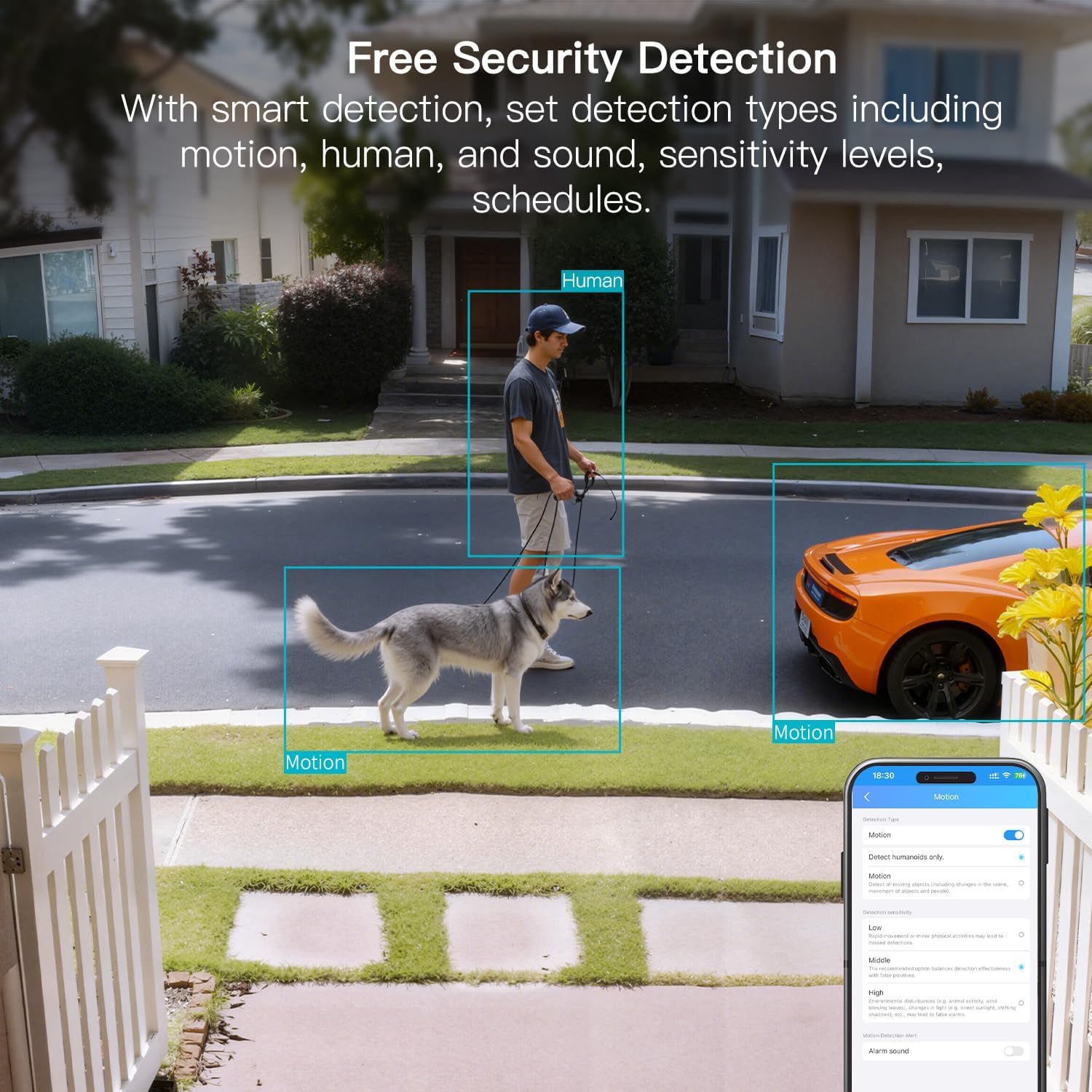
Figure 8: AI Detection capabilities

Figure 9: Smart alarm modes with sound and light
5.4 اسٹوریج کے اختیارات
The camera supports continuous 24/7 recording to a Micro SD card (up to 512GB, sold separately) or secure Cloud storage (subscription required).

Figure 10: Local and Cloud storage options
6. وضاحتیں
| فیچر | تفصیل |
|---|---|
| ماڈل کا نام | 8310 |
| انڈور / آؤٹ ڈور استعمال | Outdoor (IP65 Weatherproof) |
| ویڈیو کیپچر ریزولوشن | 2.5K (1440p) |
| موثر پھر بھی قرارداد | 4 MP |
| کنیکٹوٹی ٹیکنالوجی | Wi-Fi (2.4 & 5G Hz, Dual Band, Wi-Fi 6) |
| خصوصی خصوصیات | 2-Way Audio, HD Resolution, Motion Sensor, Color Night Vision, AI Detection, Alexa Support |
| Viewآئی اینگل | 130 ڈگری |
| نائٹ ویژن رینج۔ | 33 فٹ |
| طاقت کا منبع | کورڈڈ الیکٹرک (5 وولٹ، 5 واٹس) |
| Max Flash Memory Supported | 512 جی بی (مائیکرو ایس ڈی) |
| مصنوعات کے طول و عرض | 1.57 x 2.28 x 2.76 انچ |
7 دیکھ بھال
- صفائی: Use a soft, dry cloth to clean the camera lens and body. Avoid harsh chemicals.
- فرم ویئر اپ ڈیٹس: Regularly check the Canny Cam app for firmware updates to ensure optimal performance and security.
- ایسڈی کارڈ مینجمنٹ: If using a Micro SD card, periodically check its status and format it via the app to maintain recording quality.
8 خرابیوں کا سراغ لگانا
- رابطے کے مسائل: Ensure the camera is within range of your Wi-Fi router. Verify Wi-Fi password and network stability. The camera supports both 2.4GHz and 5GHz bands.
- ریکارڈنگ کے مسائل: Check if the Micro SD card is inserted correctly and has sufficient space. If using Cloud storage, verify your subscription status.
- کوئی انتباہات نہیں: Confirm motion/human/sound detection is enabled in the app settings and notification permissions are granted for the Canny Cam app on your phone.
- خراب تصویری معیار: Ensure the lens is clean. Check network stability for optimal streaming resolution.
- ڈیوائس ری سیٹ کریں: If issues persist, use the reset button on the camera to restore factory settings. You will need to reconfigure the device after a reset.
9. وارنٹی اور سپورٹ
VIMTAG offers a 2-year warranty and lifetime technical support for this product. For assistance, please contact VIMTAG کسٹمر سپورٹ:
- ای میل: Customer@vimtag.com
- درون ایپ سپورٹ: Access the 'Message Center' within the Canny Cam app for direct support.
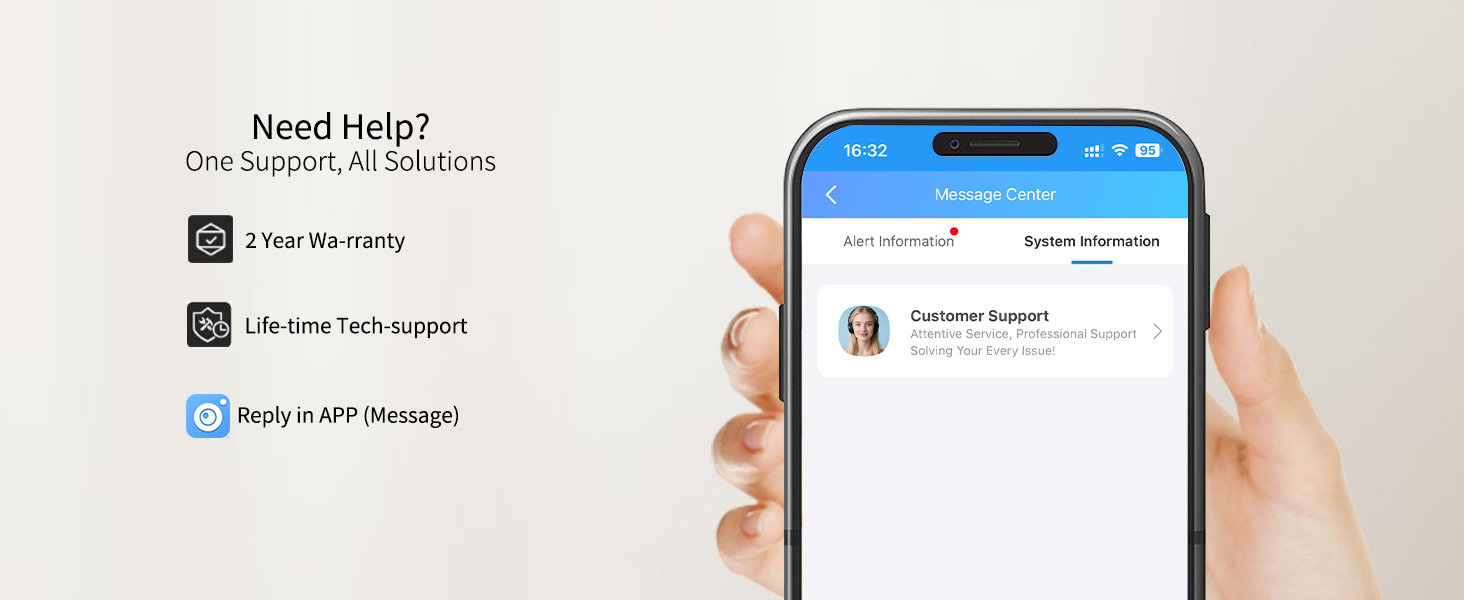
Figure 11: VIMTAG کسٹمر سپورٹ