
تعارف
The King Lucky i21 Open Ear Clip-on Earbuds are designed for comfort, secure fit, and high-quality audio while maintaining awareness of your surroundings. Featuring Bluetooth 5.4 technology and advanced ENC noise-cancelling, these earbuds provide a reliable and clear audio experience for various activities. This manual provides instructions for setup, operation, maintenance, and troubleshooting to ensure optimal use of your earbuds.
باکس میں کیا ہے۔
Your King Lucky i21 Open Ear Clip-on Earbuds package includes:
- One pair of King Lucky i21 Open Ear Clip-on Earbuds
- One Charging Case
- صارف دستی
سیٹ اپ
1 ابتدائی چارج
Before first use, fully charge the earbuds and charging case. Place the earbuds into the charging case and connect the case to a power source using a compatible USB cable. The indicator lights on the case will show charging status. A full charge typically takes approximately 2 hours for the case.

2. اپنے آلے کے ساتھ جوڑا بنانا
- یقینی بنائیں کہ دونوں ایئربڈز چارج ہیں۔
- Open the charging case. The earbuds will automatically power on and enter pairing mode, indicated by a flashing light on one of the earbuds.
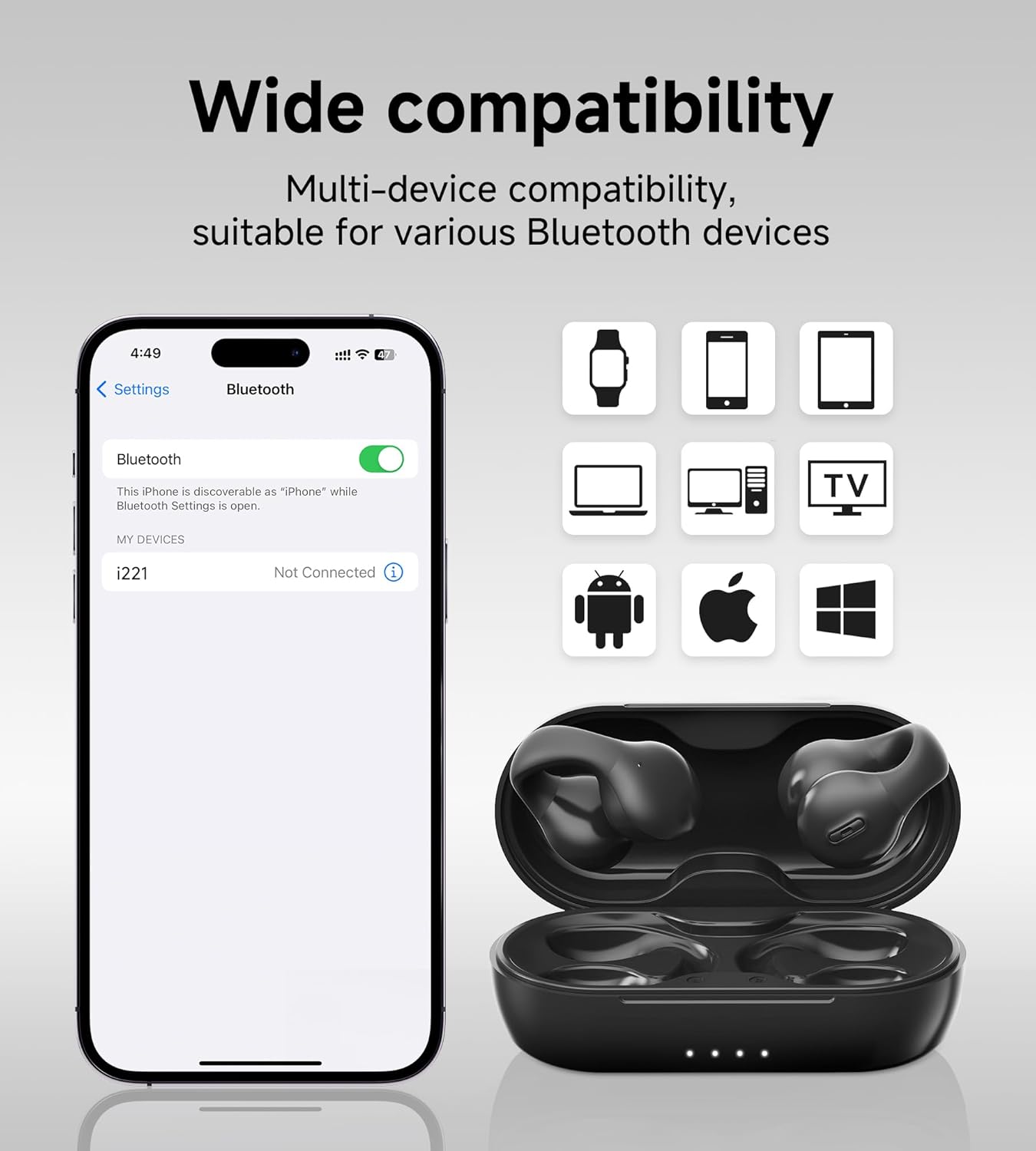
- اپنے آلے پر (اسمارٹ فون، ٹیبلیٹ وغیرہ)، بلوٹوتھ کی ترتیبات پر جائیں اور بلوٹوتھ کو آن کریں۔
- تلاش کریں۔ دستیاب آلات اور منتخب کریں۔ 'King Lucky i21' (or similar name) from the list.
- Once connected, the earbud indicator light will turn off or show a steady light, and you will hear a confirmation tone.
3. ایئربڈز پہننا
The King Lucky i21 earbuds feature an upgraded C-shaped bridge design for a secure and comfortable open-ear fit. Gently clip the earbuds onto your ear, ensuring the speaker is positioned near your ear canal without entering it. This design allows you to enjoy high-quality audio while remaining aware of your surroundings.


آپریٹنگ ہدایات
پاور آن/آف
The earbuds power on automatically when removed from the charging case and power off when placed back into the case and the lid is closed.
Music Playback (Touch Controls)
- چلائیں/روکیں: دونوں ایئربڈ پر ایک بار تھپتھپائیں۔
- اگلا ٹریک: دائیں ایئربڈ کو دو بار تھپتھپائیں۔
- پچھلا ٹریک: بائیں ایئربڈ پر دو بار تھپتھپائیں۔
Call Management (Touch Controls)
- جواب / کال ختم کریں: Tap once on either earbud during an incoming call or active call.
- کال مسترد کریں: آنے والی کال کے دوران کسی بھی ایئربڈ کو 2 سیکنڈ تک دبائے رکھیں۔
والیوم کنٹرول
Volume control is typically managed through your connected device. Please adjust the volume directly on your smartphone, tablet, or other Bluetooth-enabled device.
ENC Noise Cancelling
The earbuds feature ENC (Environmental Noise Cancellation) technology for clear calls in noisy environments. This feature is automatically active during phone calls to reduce background noise for the person on the other end.

دیکھ بھال
صفائی
Gently wipe the earbuds and charging case with a soft, dry, lint-free cloth. Do not use abrasive cleaners, solvents, or immerse the earbuds or case in water. Ensure charging contacts are clean and dry.
ذخیرہ
Store the earbuds in their charging case when not in use to protect them from damage and maintain battery charge. Avoid storing in extreme temperatures (hot or cold) or high humidity.
بیٹری کی دیکھ بھال
To prolong battery life, avoid fully discharging the earbuds and charging case frequently. Charge regularly, even if not used for extended periods. Do not attempt to replace the battery yourself.
خرابی کا سراغ لگانا
- ایئربڈس جوڑا نہیں بن رہے ہیں: Ensure both earbuds are charged and removed from the case. Turn off and on Bluetooth on your device. Forget the device from your Bluetooth list and try pairing again.
- ایک ایئربڈ سے کوئی آواز نہیں: Place both earbuds back into the charging case, close the lid, wait a few seconds, then remove them. This can reset the connection between the earbuds.
- چارجنگ کے مسائل: Check the charging cable and power adapter. Ensure the charging contacts on the earbuds and inside the case are clean and free of debris. Try a different USB port or charger.
- ناقص کال کا معیار: Ensure the earbuds are properly seated on your ears. Move closer to your connected device. Avoid environments with strong electromagnetic interference.
- Earbuds falling off: Ensure the earbuds are correctly clipped onto your ear, following the C-shaped design. Experiment with slight adjustments for a more secure fit.
وضاحتیں
| برانڈ | کنگ لکی |
| ماڈل کا نام | Clip on Earbuds Open Ear Earbuds |
| ماڈل نمبر | B0DWSQFRZK |
| کنیکٹوٹی ٹیکنالوجی | وائرلیس (بلوٹوتھ 5.4) |
| کان کی جگہ کا تعین | کان کھولیں۔ |
| فارم فیکٹر | کان پر |
| شور کنٹرول | فعال شور منسوخی (کالز کے لیے ENC) |
| آڈیو ڈرائیور کی قسم | متحرک ڈرائیور (12 ملی میٹر) |
| تعدد کی حد | 20 Hz - 20,000 Hz |
| بیٹری کی زندگی (سنگل چارج) | 6 گھنٹے تک |
| بیٹری کی زندگی (چارجنگ کیس کے ساتھ) | 50 گھنٹے تک |
| کنٹرول کا طریقہ | چھوئے۔ |
| پانی کی مزاحمت کی سطح | واٹر پروف |
| مواد | پلاسٹک |
| ایربود وزن | تقریبا 4.7 گرام فی ایئربڈ |


وارنٹی اور سپورٹ
King Lucky products are designed for reliability and performance. For detailed warranty information, technical support, or customer service inquiries, please refer to the official King Lucky website or contact customer support through your original purchase platform. Please retain your proof of purchase for any warranty claims.
You can visit the King Lucky store for more information: King Lucky Store