
1. تعارف
This manual provides essential information for the safe and efficient operation of your Next YE-65GFSG8-QLED 65-inch UHD 4K Google QLED TV. Please read this manual thoroughly before using the television and retain it for future reference. Your new television combines QLED display technology with the Google TV operating system, offering a high-quality viewing experience and smart features.
2. اہم حفاظتی معلومات
Always follow these basic safety precautions when operating your television:
- طاقت کا منبع: یقینی بنائیں کہ TV مخصوص والیوم کے اندر پاور سپلائی سے منسلک ہے۔tagای رینج
- وینٹیلیشن: وینٹیلیشن کے سوراخوں کو مسدود نہ کریں۔ مناسب ہوا کے بہاؤ کے لیے ٹی وی کے ارد گرد مناسب جگہ کی اجازت دیں۔
- پانی اور نمی: ٹی وی کو بارش یا نمی کے سامنے نہ رکھیں۔ ٹی وی پر مائعات سے بھری اشیاء، جیسے گلدان، نہ رکھیں۔
- صفائی: صفائی سے پہلے ٹی وی کو پاور آؤٹ لیٹ سے ان پلگ کریں۔ نرم، خشک کپڑا استعمال کریں۔ مائع کلینر یا ایروسول کلینر استعمال نہ کریں۔
- جگہ کا تعین: ٹی وی کو ایک مستحکم سطح پر رکھیں۔ اسے براہ راست سورج کی روشنی میں یا گرمی کے ذرائع کے قریب رکھنے سے گریز کریں۔
- آسمانی بجلی: During lightning storms or when unused for long periods, unplug the TV from the power outlet and disconnect the antenna.
- سروسنگ: اس پروڈکٹ کو خود پیش کرنے کی کوشش نہ کریں۔ تمام سروسز کو اہل سروس اہلکاروں کے حوالے کریں۔
3. پیکیج کے مشمولات
Verify that all items are present in your TV package:
- Next YE-65GFSG8-QLED 65-inch UHD 4K Google QLED TV
- ریموٹ کنٹرول
- پاور کیبل
- ٹی وی اسٹینڈ (2 ٹکڑے) اور پیچ
- صارف دستی (یہ دستاویز)
- کوئیک اسٹارٹ گائیڈ
4. سیٹ اپ
4.1 جسمانی تنصیب
You can install your TV on a stand or mount it on a wall. Ensure the TV is placed on a stable surface or securely mounted.

تصویر: TV Dimensions. This image illustrates the physical dimensions of the 65-inch television, including its width, height, and diagonal screen size of 164 cm (65 inches).
اسٹینڈ کی تنصیب:
- اسکرین کو پہنچنے والے نقصان کو روکنے کے لیے احتیاط سے ٹی وی کو نرم، چپٹی سطح پر رکھیں۔
- Attach the two stand pieces to the designated slots on the bottom of the TV.
- فراہم کردہ پیچ کے ساتھ اسٹینڈز کو محفوظ کریں۔
- احتیاط سے ٹی وی کو ایک مستحکم سطح پر اس کی سیدھی پوزیشن پر اٹھائیں۔
دیوار چڑھانا:
For wall mounting, use a VESA-compatible wall mount kit (sold separately) that matches the TV's VESA pattern. Follow the instructions provided with your wall mount kit. It is recommended to have professional assistance for wall mounting.
4.2 کنیکٹنگ پیری فیرلز
اپنے بیرونی آلات کو اپنے TV کے پچھلے حصے میں مناسب پورٹس سے جوڑیں۔
تصویر: Rear Panel Connections. This image displays the various input and output ports located on the back of the television, including HDMI, USB, DVB-S, DVB-T, CI Module, Mini AV-IN, Optical Out, and Ethernet.
- ایچ ڈی ایم آئی (اے آر سی): Connect Blu-ray players, game consoles, or other HDMI devices. HDMI 1 supports Audio Return Channel (ARC).
- USB (2x): میڈیا پلے بیک کے لیے USB اسٹوریج ڈیوائسز کو جوڑیں۔
- DVB-S / DVB-T: Connect satellite (DVB-S) or terrestrial (DVB-T) antenna cables.
- CI Module: Insert a Common Interface (CI) module for encrypted digital channels.
- Mini AV-IN: Connect older devices using an AV adapter cable.
- آپٹیکل آؤٹ: Connect to an external audio system for digital audio output.
- ایتھرنیٹ: وائرڈ انٹرنیٹ کنکشن کے لیے ایتھرنیٹ کیبل کو جوڑیں۔
- طاقت: پاور کیبل کو ٹی وی سے اور پھر وال آؤٹ لیٹ سے جوڑیں۔
4.3 ابتدائی پاور آن اور پہلی بار سیٹ اپ
- After connecting all cables, plug the power cord into an electrical outlet.
- ریموٹ کنٹرول یا ٹی وی پر پاور بٹن دبائیں۔
- The TV will guide you through the initial setup process, which includes:
- زبان کا انتخاب
- Wi-Fi یا ایتھرنیٹ سے منسلک ہو رہا ہے۔
- Signing in with your Google Account (required for Google TV features)
- شرائط و ضوابط کو قبول کرنا
- Channel scanning (for DVB-S/T)
- سیٹ اپ مکمل کرنے کے لیے اسکرین پر دی گئی ہدایات پر عمل کریں۔
آپ کا ٹی وی چلانا
5.1 ریموٹ کنٹرول کے افعال
The remote control allows you to navigate the TV's features. Familiarize yourself with its buttons:
- طاقت: ٹی وی کو آن یا آف کرتا ہے۔
- گوگل اسسٹنٹ: صوتی احکامات کو چالو کرتا ہے۔
- نیویگیشن پیڈ (اوپر/نیچے/بائیں/دائیں/ٹھیک): مینو کو نیویگیٹ کرتا ہے اور اختیارات کا انتخاب کرتا ہے۔
- پیچھے: پچھلی اسکرین پر واپس آجاتا ہے۔
- گھر: گوگل ٹی وی ہوم اسکرین تک رسائی حاصل کرتا ہے۔
- حجم +/-: حجم کی سطح کو ایڈجسٹ کرتا ہے۔
- چینل +/-: ٹی وی چینلز بدلتے ہیں۔
- ان پٹ: ان پٹ ذرائع (HDMI، AV، وغیرہ) کو منتخب کرتا ہے۔
- ایپ بٹن: مقبول اسٹریمنگ ایپلی کیشنز تک براہ راست رسائی۔
5.2 Navigating Google TV Interface
Google TV organizes your entertainment with a personalized home screen. Content from your apps is brought together and organized for easy discovery.

تصویر: Google TV Interface. This image shows the main Google TV home screen with various streaming app icons and content recommendations, demonstrating the user interface.
- ہوم اسکرین: ذاتی نوعیت کی تجاویز، انسٹال کردہ ایپس اور مواد تک فوری رسائی دکھاتا ہے۔
- For You Tab: Provides tailored content suggestions based on your viewعادات
- لائیو ٹیب: Accesses live TV channels from integrated services.
- Apps Tab: Shows all installed applications. You can download more from the Google Play Store.
- Library Tab: Accesses your purchased or rented content from Google Play.
5.3 تصویر اور آواز کی ترتیبات
تصویر اور آواز کی ترتیبات کو ایڈجسٹ کرنے کے لیے:
- دبائیں ترتیبات button (usually a gear icon) on your remote.
- پر نیویگیٹ کریں۔ ڈسپلے اور آواز.
- تصویر کی ترتیبات: Adjust brightness, contrast, color, sharpness, and select picture modes (e.g., Standard, Vivid, Movie, Game). Your QLED TV offers enhanced color saturation.
- آواز کی ترتیبات: Adjust bass, treble, balance, and select sound modes (e.g., Standard, Music, Movie, Speech).

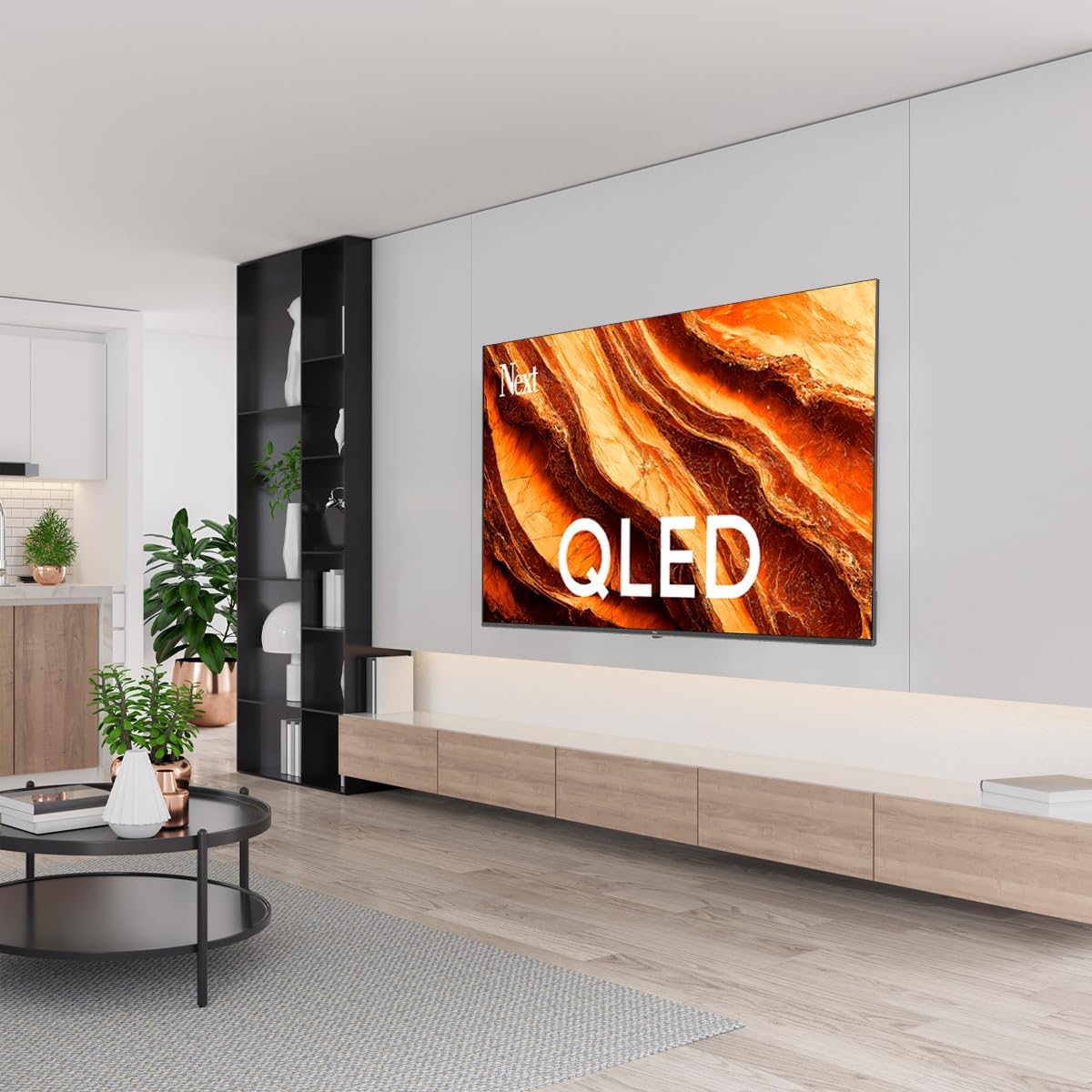
تصویر: QLED Color Saturation. This image visually demonstrates the high color saturation achieved with QLED technology, showing a vibrant and rich color display.

تصویر: HDR (High Dynamic Range). This image illustrates the visual impact of HDR, showcasing improved contrast and color detail in a scene when HDR is enabled versus when it is off.
5.4 نیٹ ورک کی ترتیبات
To connect your TV to the internet:
- دبائیں ترتیبات آپ کے ریموٹ پر بٹن.
- پر نیویگیٹ کریں۔ نیٹ ورک اور انٹرنیٹ.
- منتخب کریں۔ وائی فائی to connect to a wireless network or ensure ایتھرنیٹ is connected for a wired connection.
- For Wi-Fi, select your network from the list and enter the password.
6 دیکھ بھال
6.1 ٹی وی کی صفائی
- صاف کرنے سے پہلے ہمیشہ ٹی وی کو ان پلگ کریں۔
- اسکرین اور ٹی وی کی باڈی کو آہستہ سے صاف کرنے کے لیے نرم، خشک، لنٹ سے پاک کپڑا استعمال کریں۔
- ضدی نشانات کے لیے، ہلکے سے ڈیampen the cloth with water or a specialized screen cleaner (ensure it's safe for TV screens). Never spray cleaner directly onto the screen.
- کھرچنے والے کلینر، موم یا سالوینٹس کے استعمال سے پرہیز کریں۔
6.2 سافٹ ویئر اپ ڈیٹس
Your TV may receive software updates to improve performance and add new features. It is recommended to keep your TV's software updated.
- یقینی بنائیں کہ آپ کا ٹی وی انٹرنیٹ سے منسلک ہے۔
- دبائیں ترتیبات آپ کے ریموٹ پر بٹن.
- پر نیویگیٹ کریں۔ سسٹم > کے بارے میں > سسٹم اپ ڈیٹ.
- منتخب کریں۔ اپ ڈیٹ کے لیے چیک کریں۔.
- کسی بھی دستیاب اپ ڈیٹس کو ڈاؤن لوڈ اور انسٹال کرنے کے لیے آن اسکرین پرامپٹس پر عمل کریں۔
7 خرابیوں کا سراغ لگانا
اگر آپ کو اپنے ٹی وی کے ساتھ مسائل کا سامنا ہے، تو درج ذیل عام مسائل اور حل دیکھیں:
| مسئلہ | ممکنہ وجہ/حل |
|---|---|
| کوئی طاقت نہیں۔ | Check if the power cord is securely plugged into the TV and the wall outlet. Ensure the outlet is working. |
| کوئی تصویر نہیں، لیکن آواز موجود ہے۔ | ان پٹ سورس چیک کریں۔ یقینی بنائیں کہ منسلک آلہ آن ہے اور صحیح طریقے سے کام کر رہا ہے۔ |
| کوئی آواز نہیں لیکن تصویر موجود ہے۔ | Check the volume level and mute status. Verify audio cable connections for external devices. Check TV sound settings. |
| ریموٹ کنٹرول کام نہیں کر رہا ہے۔ | بیٹریاں بدل دیں۔ یقینی بنائیں کہ ریموٹ اور ٹی وی کے IR سینسر کے درمیان کوئی رکاوٹ نہیں ہے۔ |
| Wi-Fi سے منسلک نہیں ہو سکتا | Ensure your Wi-Fi router is on and within range. Re-enter the Wi-Fi password carefully. Try restarting the TV and router. |
| ایپس سست یا منجمد ہیں۔ | Close unused apps. Clear app cache (Settings > Apps > See all apps > [App Name] > Clear cache). Ensure a stable internet connection. |
اگر ان حلوں کو آزمانے کے بعد بھی مسئلہ برقرار رہتا ہے، تو براہ کرم کسٹمر سپورٹ سے رابطہ کریں۔
8. وضاحتیں
Technical specifications for the Next YE-65GFSG8-QLED 65-inch UHD 4K Google QLED TV:
- برانڈ: اگلا
- ماڈل سال: 2025
- قرارداد: 4K (3840x2160)
- ڈسپلے ٹیکنالوجی: کیو ایل ای ڈی
- سکرین کا سائز: 65 انچ (165 سینٹی میٹر)
- پہلو تناسب: 16:9
- ریفریش ریٹ: 60 Hz
- اہم خصوصیات: فریم لیس ڈیزائن
- کنیکٹوٹی: Bluetooth, Ethernet, HDMI (ARC), USB (2x), Wi-Fi
- مصنوعات کے طول و عرض: 27.8D x 144.6W x 88.9H سینٹی میٹر
- وزن: 16.3 کلوگرام
- آپریٹنگ سسٹم: گوگل ٹی وی
- شامل اجزاء: ریموٹ کنٹرول
- اصل ملک: ترکی
9. وارنٹی اور سپورٹ
Your Next YE-65GFSG8-QLED TV comes with a manufacturer's warranty. Please refer to the warranty card included in your package for specific terms and conditions, including the warranty period and coverage details.
For technical support, service requests, or further assistance, please contact Next customer service. Contact information can typically be found on the manufacturer's webسائٹ یا وارنٹی دستاویزات میں۔
- آن لائن مدد: Visit the official Next website for FAQs, troubleshooting guides, and support contact details.
- سروس سینٹرز: For hardware issues, locate an authorized service center near you.