
1. پروڈکٹ ختمview
The ShanWan Q38 is a versatile wireless Bluetooth controller designed for a wide range of gaming platforms. It features advanced controls such as Hall Effect joysticks and micro-switch buttons for enhanced precision and responsiveness.

تصویر 1.1: اوپر سے نیچے view of the ShanWan Q38 Wireless Bluetooth Controller, showcasing اس کا کمپیکٹ ڈیزائن اور بٹن لے آؤٹ۔
2. پیکیج کے مشمولات
براہ کرم یقینی بنائیں کہ تمام اشیاء پیکیج میں موجود ہیں:
- ShanWan Q38 Wireless Bluetooth Controller
- USB چارجنگ کیبل
- صارف دستی (یہ دستاویز)
- 1 AAA Battery (pre-installed or included separately)
3. سیٹ اپ اور کنیکٹیویٹی
3.1 کنٹرولر کو چارج کرنا
Before initial use, ensure the controller is sufficiently charged. Connect the provided USB charging cable to the controller's charging port and to a USB power source (e.g., computer, USB wall adapter). The LED indicator will show charging status.
3.2 مطابقت
The ShanWan Q38 controller is compatible with the following platforms:
- Nintendo Switch / Switch 2 (firmware upgrade may be required for Switch 2)
- بھاپ ڈیک
- پی سی (ونڈوز)
- Android devices (phones, tablets)
- آئی فون
- آئی پیڈ
- macOS devices
- PS4 (as indicated by mode switch, specific compatibility may vary)

Image 3.1: The ShanWan Q38 controller demonstrating compatibility with multiple gaming platforms.
3.3 بلوٹوتھ کے ذریعے جڑنا
کنٹرولر کو اپنے آلے سے مربوط کرنے کے لیے:
- پاور آن: Press and hold the Home button on the controller until the indicator lights begin to flash.
- موڈ منتخب کریں: Use the mode switch located on the top edge of the controller to select the appropriate mode for your device:
- X Mode: For Mobile & Computer (Android, PC, macOS, iOS).
- ایس موڈ: For Nintendo Switch.
- پی موڈ: For PS4 (if compatible).
- جوڑا بنانا: On your device, navigate to the Bluetooth settings and search for available devices. Select "ShanWan Q38" (or similar) from the list to pair.
- تصدیق: Once successfully paired, the indicator light on the controller will become solid.
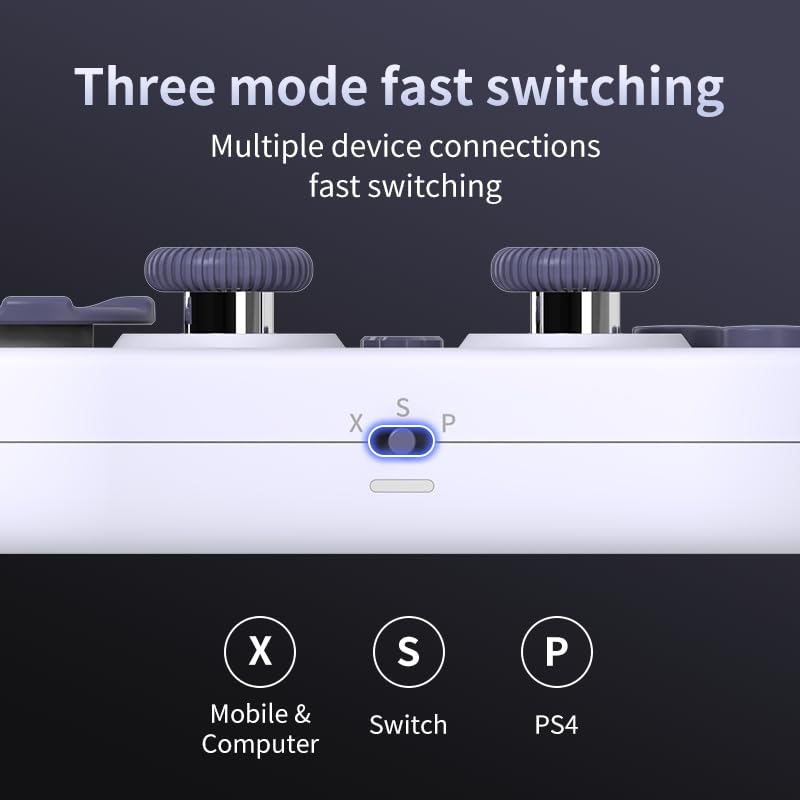
Image 3.2: Detail of the three-mode fast switching selector on the controller.
3.4 Customization and Calibration
For advanced customization, including button remapping and macro functions, download the official "gamepad space" application. This application also allows for controller calibration to ensure optimal performance.
4. کنٹرولر کو چلانا
4.1 کلیدی خصوصیات
- Hall Effect Joysticks: Provides high precision and sensitivity. The joystick height is adjustable between 5mm and 8mm for personalized comfort.
- Composite Micro-Switch Buttons: These buttons offer a tactile response similar to mechanical keyboards, providing quick and precise input.
- Mechanical Triggers: Designed for fast response times.
- Dual Micro Motors: Provides dual vibration feedback for an immersive gaming experience.
- Somatosensory Gyroscope: Equipped with a 6-axis gyroscope for motion control in supported games.

Image 4.1: Detail of the adjustable Hall Effect joysticks.

Image 4.2: Close-up of the composite micro-switch action buttons.

Image 4.3: Diagram illustrating the internal components of the composite micro-keypad.

Image 4.4: Visual representation of the controller's gyroscope functionality.
4.2 گیمنگ کا تجربہ
The compact design allows for portability, making it suitable for gaming on the go with devices like the Nintendo Switch or smartphones.

Image 4.5: Controller in use with a Nintendo Switch.

Image 4.6: Controller paired with a smartphone for mobile gaming.
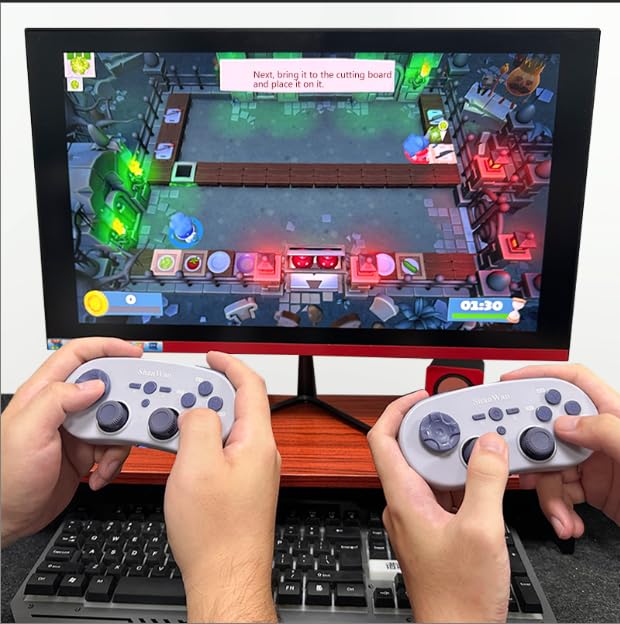
Image 4.7: Two controllers in use for multiplayer gaming on a PC.
5 دیکھ بھال
To ensure the longevity and optimal performance of your ShanWan Q38 controller, follow these maintenance guidelines:
- صفائی: Use a soft, dry cloth to wipe the controller. For stubborn dirt, a slightly damp کپڑا استعمال کیا جا سکتا ہے، لیکن اس بات کو یقینی بنائیں کہ آلے میں نمی نہ ہو۔ سخت کیمیکلز یا کھرچنے والے کلینر سے پرہیز کریں۔
- ذخیرہ: کنٹرولر کو کسی ٹھنڈی، خشک جگہ پر براہ راست سورج کی روشنی اور انتہائی درجہ حرارت سے دور رکھیں۔
- بیٹری کی دیکھ بھال: If using replaceable AAA batteries, remove them if the controller will not be used for an extended period to prevent leakage.
- قطروں سے بچیں: Protect the controller from physical impact and drops, which can damage internal components.
6 خرابیوں کا سراغ لگانا
If you encounter issues with your ShanWan Q38 controller, refer to the following common problems and solutions:
- Controller Does Not Power On:
- Ensure the battery is correctly inserted and has sufficient charge. Replace AAA batteries if necessary.
- Connect the controller to a power source using the USB cable to confirm if it charges.
- Difficulty Connecting via Bluetooth:
- Ensure the controller is in the correct mode (X, S, or P) for your device.
- اپنے آلے کا بلوٹوتھ آف اور آن کریں۔
- Forget the device in your Bluetooth settings and attempt to re-pair.
- Ensure the controller is within the effective range of your device.
- بٹن یا جوائے سٹک درست طریقے سے جواب نہیں دے رہے ہیں:
- Calibrate the controller using the "gamepad space" application.
- Check for any physical obstructions or debris around the buttons or joysticks.
- Ensure the controller's firmware is up to date, especially for Switch 2 compatibility.
- Random Disconnections:
- یقینی بنائیں کہ آس پاس کوئی مضبوط وائرلیس مداخلت نہیں ہے۔
- Keep the controller close to the connected device.
- Re-pair the controller if disconnections are frequent.
7. وضاحتیں
| فیچر | تفصیل |
|---|---|
| ماڈل نمبر | س38 |
| کارخانہ دار | شان وان |
| کنیکٹوٹی | بلوٹوتھ وائرلیس |
| مطابقت | Switch/Switch 2, Steam Deck, PC, Android, iPhone, iPad, macOS, PS4 |
| جوائس اسٹک کی قسم | Hall Effect, Adjustable Height (5mm-8mm) |
| بٹن کی قسم | Composite Micro-Switch |
| کمپن | Dual Micro Motors |
| موشن کنٹرول | 6 محور گائروسکوپ |
| پیکیج کے طول و عرض | 5.63 x 4.53 x 1.54 انچ |
| شے کا وزن | 4.6 اونس |
| بیٹریاں | 1 AAA بیٹری درکار ہے (شامل) |

Image 7.1: Physical dimensions of the ShanWan Q38 controller.
8. وارنٹی اور سپورٹ
For warranty information and customer support, please refer to the official ShanWan webسائٹ یا اس خوردہ فروش سے رابطہ کریں جس سے آپ نے پروڈکٹ خریدی ہے۔ وارنٹی کے دعووں کے لیے اپنی خریداری کا ثبوت رکھیں۔