
1. تعارف
This manual provides essential information for the setup, operation, maintenance, and troubleshooting of your ViewSonic IFP55G1 55-inch 4K UHD ViewBoard Interactive Display. Please read this manual thoroughly before using the product to ensure proper and safe operation.
دی ViewSonic IFP55G1 is a 55-inch 4K Ultra HD (3840x2160p) interactive display designed for educational and business environments. It features multi-point touch recognition, an OPS slot for external PCs, 10W dual speakers, and versatile connectivity options including HDMI, VGA, USB Hub, and USB-C inputs. Its OS-free design allows flexibility with various computing solutions.
اہم خصوصیات:
- Ultra HD Resolution: 55 Inch 4K Ultra HD (3840x2160p) interactive display for crisp visuals.
- Advanced Multi-Touch: Allows multiple users to write and interact simultaneously with fingers and passive pens.
- لچکدار رابطہ: Equipped with a powerful quad-core processor and versatile ports including HDMI, VGA, RJ45, and USB.
- OS-Free Design: Provides enhanced security and flexibility to integrate with your preferred operating system via external PC or OPS device.
- Write-Away Technology: Enables instant writing with the stylus without extended setup.
2. باکس میں کیا ہے۔
تصدیق کریں کہ نیچے دی گئی تمام اشیاء آپ کے پیکج میں شامل ہیں۔ اگر کوئی آئٹم غائب یا خراب ہو تو براہ کرم فوری طور پر اپنے ڈیلر سے رابطہ کریں۔
- ViewSonic IFP55G1 Interactive Display
- 3m USB 2.0 touch cable x 1
- Touch pen (Passive pen) x 2 (VB-PEN-002)
- 3 میٹر پاور کیبل
- HDMI 2.0 cable 3m x 1
- کوئیک اسٹارٹ گائیڈ + تعمیل کا بیان
- RS232 اڈاپٹر۔
- Screw (wall mount 4)
- کیمرا پلیٹ
- Remote control with AAA battery (Optional)
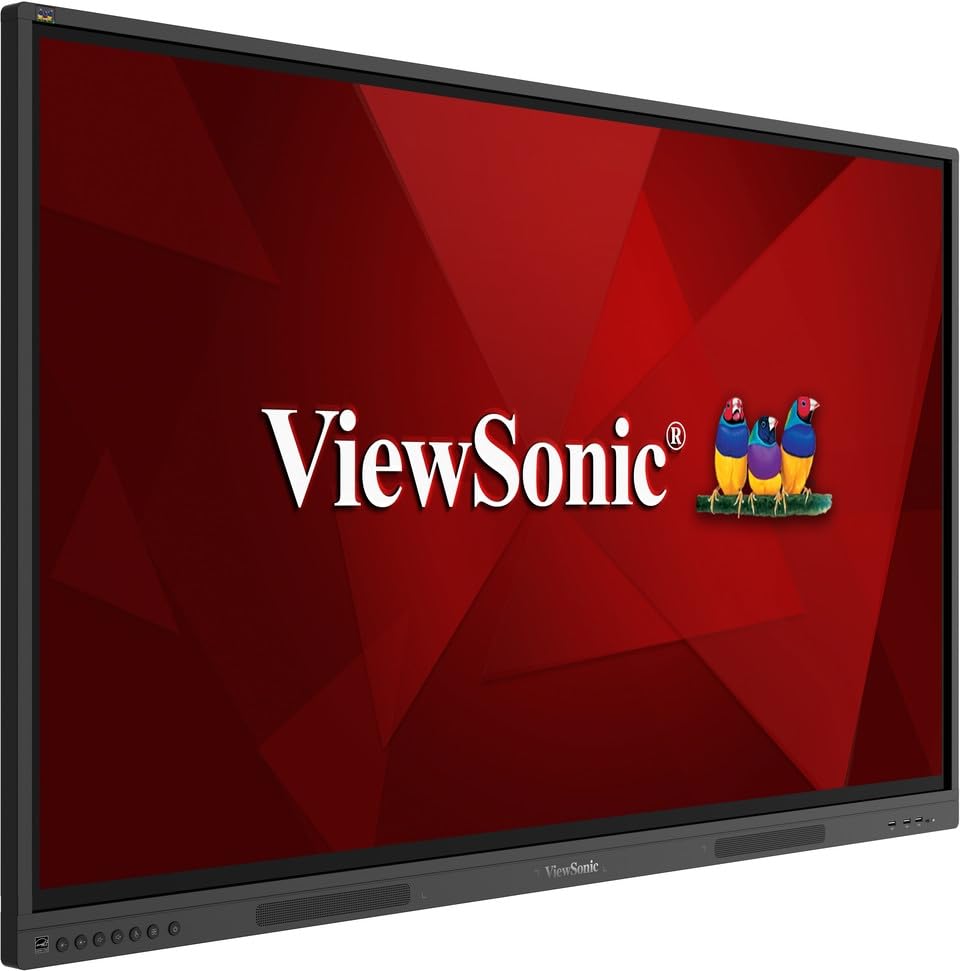
تصویر: ViewSonic IFP55G1 55-inch ViewBoard Interactive Display, front view.
3. سیٹ اپ ہدایات
3.1 ڈسپلے کو بڑھانا
The IFP55G1 can be wall-mounted or installed on a compatible mobile cart (sold separately). Ensure the mounting solution supports the display's weight (approximately 59.3 lbs / 26.9 kg) and dimensions (3.37 x 49.7 x 30.3 inches).
- For wall mounting, use the provided wall mount screws and ensure the wall structure is robust enough.
- Follow the instructions provided with your specific wall mount or mobile cart.
3.2 کنیکٹنگ پیری فیرلز
The display offers various ports for connecting external devices. Refer to the image below for port locations.

تصویر: سائیڈ view کی ViewSonic IFP55G1 interactive display showing various input ports including HDMI, VGA, and USB.
- پاور کنکشن: Connect the 3m power cable to the display and a grounded power outlet.
- ویڈیو ان پٹ: Connect your external PC or media player to the display using an HDMI 2.0 cable (provided), VGA cable, or USB-C cable. The display has 3 HDMI ports, 1 VGA port, and USB-C connectivity.
- ٹچ کی فعالیت: For interactive touch features with an external PC, connect the 3m USB 2.0 touch cable from the display's USB-B (Touch) port to a USB-A port on your PC.
- OPS سلاٹ: If using an optional ViewSonic Slot-in PC (OPS device), insert it into the dedicated OPS slot on the rear of the display. This provides an integrated computing solution.
- نیٹ ورک: Connect an Ethernet cable to the RJ45 port for wired network access.
- USB آلات: Use the available USB-A ports to connect USB drives, keyboards, mice, or other peripherals.

تصویر: The ViewSonic IFP55G1 display demonstrating connectivity with various external devices, including laptops and mini PCs, highlighting its 'Bring Your Own Devices' capability.
4. آپریٹنگ ہدایات
4.1 پاور آن/آف۔
- پاور آن: Press the power button located on the display's front or side panel, or use the remote control. The display will power on and show the input source.
- بجلی بند: Press the power button again. A confirmation message may appear; select 'Power Off'. For complete power disconnection, unplug the power cable.
4.2 ان پٹ ماخذ کا انتخاب
Use the 'Source' button on the display or remote control to cycle through available input sources (HDMI 1, HDMI 2, HDMI 3, VGA, USB-C, OPS).
4.3 Using Touch Functionality
Once the USB touch cable is connected to your external PC, the display will function as a multi-touch input device. You can use your fingers or the provided passive pens for interaction.
- Finger Touch: Use gestures similar to a tablet or smartphone for navigation, zooming, and drawing.
- Passive Pens: The two included passive pens (VB-PEN-002) allow for precise writing and drawing on the screen. The display's Write-Away technology enables instant use of the pens.

Image: A group of individuals collaborating around a ViewSonic IFP55G1 interactive display in a modern meeting room, demonstrating its multi-touch capabilities for instantaneous collaboration.
4.4 آڈیو کنٹرول
The display features integrated 10W dual speakers. Adjust volume using the remote control or the buttons on the display panel.
5 دیکھ بھال
5.1 ڈسپلے کی صفائی
- سکرین: نرم، لنٹ فری کپڑے سے اسکرین کو آہستہ سے صاف کریں۔ ضدی نشانات کے لیے، ہلکے سے ڈیampen the cloth with water or a non-abrasive, ammonia-free screen cleaner. Do not spray cleaner directly onto the screen.
- Casing: سی مسح کریں۔asing ایک نرم، خشک کپڑے کے ساتھ. سخت کیمیکلز یا کھرچنے والے مواد کے استعمال سے پرہیز کریں۔
5.2 عمومی نگہداشت
- Avoid placing heavy objects on the display.
- Do not block ventilation openings on the rear of the display.
- Keep the display away from direct sunlight, heat sources, and excessive moisture.
6 خرابیوں کا سراغ لگانا
اگر آپ کو اپنے ساتھ مسائل کا سامنا کرنا پڑتا ہے۔ ViewSonic IFP55G1, refer to the following common problems and solutions.
6.1 کوئی ڈسپلے / بلیک اسکرین نہیں۔
- Ensure the power cable is securely connected to both the display and a working power outlet.
- Verify that the display is powered on (power indicator light should be active).
- Check that the video cable (HDMI, VGA, USB-C) is securely connected to both the display and the source device (PC, OPS).
- Select the correct input source using the 'Source' button on the display or remote control.
- Ensure the source device (PC, OPS) is powered on and outputting a video signal.
6.2 ٹچ کی فعالیت کام نہیں کر رہی ہے۔
- Confirm the USB touch cable is securely connected from the display's USB-B (Touch) port to a USB-A port on your external PC.
- Ensure your external PC's operating system has the necessary drivers installed for touch input.
- Restart both the display and the connected PC.
6.3 کوئی آواز نہیں۔
- Check the volume level on the display and the connected source device.
- Ensure the audio output from your source device is routed correctly to the display (e.g., via HDMI).
- If using an external audio system, ensure it is properly connected and powered on.
7. وضاحتیں
ذیل میں کے لئے تکنیکی وضاحتیں ہیں ViewSonic IFP55G1 interactive display.
| فیچر | تفصیلات |
|---|---|
| برانڈ | Viewآواز کا |
| ماڈل کا نام | IFP55G1 |
| اسکرین کا سائز | 55 انچ |
| ڈسپلے ریزولوشن زیادہ سے زیادہ | 3840x2160 پکسلز (4K UHD) |
| مقامی قرارداد | 3840 x 2160 |
| ڈسپلے کی قسم | LCD |
| پہلو کا تناسب | 16:9 |
| انسانی انٹرفیس ان پٹ | ٹچ اسکرین |
| کنیکٹوٹی ٹیکنالوجی | Ethernet, HDMI, USB Type C, VGA |
| HDMI پورٹس کی کل تعداد | 3 |
| کل USB پورٹس | 9 |
| ویڈیو آؤٹ پٹ انٹرفیس | ڈسپلے پورٹ |
| آڈیو آؤٹ پٹ | Integrated 10W Dual Speakers |
| آئٹم کے طول و عرض (LxWxH) | 3.37 x 49.7 x 30.3 انچ |
| شے کا وزن | 59.3 پاؤنڈز |
| رنگ | سیاہ |
| خصوصی خصوصیات | All-in-one USB port, Anti Glare Display, Light Sensor, Speakers, Touchscreen |
| ہم آہنگ آلات | ڈیسک ٹاپ، لیپ ٹاپ |
| یو پی سی | 766907024654 |
8. وارنٹی اور سپورٹ
8.1 وارنٹی کی معلومات
دی ViewSonic IFP55G1 interactive display comes with an industry-leading 3 سال کی محدود وارنٹی on parts, labor, and backlight. Onsite warranty service may also be available. Please refer to the warranty card included in your package or visit the official Viewآواز کا website for detailed terms and conditions, and information on optional warranty extensions.
8.2 کسٹمر سپورٹ
For technical assistance, product inquiries, or warranty claims, please contact ViewSonic's award-winning customer service team. Contact information can be found on the official Viewآواز کا webسائٹ یا آپ کے پروڈکٹ کے ساتھ فراہم کردہ کوئیک سٹارٹ گائیڈ میں۔