
1. تعارف
Thank you for choosing the LEFFOT M1 Plus Android 14.0 TV Box. This device is designed to transform your television into a smart entertainment hub, offering stunning 4K UHD visuals, powerful performance, and a wide range of connectivity options. This manual provides detailed instructions for setting up, operating, and maintaining your TV box to ensure an optimal user experience.
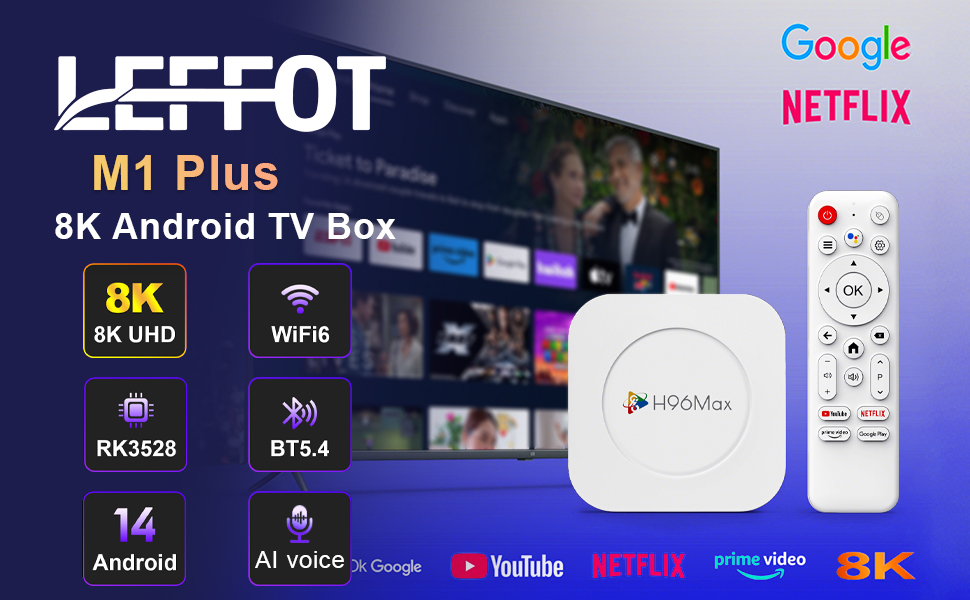
تصویر 1.1: ختمview of the LEFFOT M1 Plus Android TV Box highlighting its core features like 8K UHD, WiFi 6, BT 5.4, Android 14, and AI voice control.
2. حفاظتی معلومات
Please read all safety instructions carefully before using the device. Failure to follow these instructions may result in electric shock, fire, or damage to the device.
- صرف فراہم کردہ پاور اڈاپٹر استعمال کریں۔
- آلے کو پانی، نمی، یا انتہائی درجہ حرارت کے سامنے نہ رکھیں۔
- زیادہ گرم ہونے سے بچنے کے لیے آلے کے ارد گرد مناسب وینٹیلیشن کو یقینی بنائیں۔
- آلہ کو خود سے جدا کرنے یا مرمت کرنے کی کوشش نہ کریں۔ اہل سروس کے اہلکاروں سے رابطہ کریں۔
- آلے کو براہ راست سورج کی روشنی اور گرمی کے ذرائع سے دور رکھیں۔
3. پیکیج کے مشمولات
تصدیق کریں کہ تمام اشیاء پیکیج میں موجود ہیں:
- LEFFOT M1 Plus Android TV Box
- ریموٹ کنٹرول
- HDMI کیبل
- پاور اڈاپٹر
- صارف دستی (یہ دستاویز)
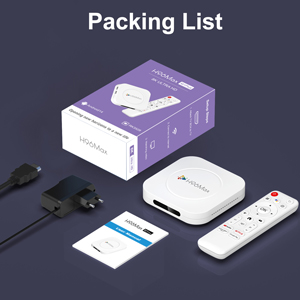
Image 3.1: The package contents including the TV box, remote control, power adapter, and HDMI cable.
4. پروڈکٹ ختمview
Familiarize yourself with the components and ports of your LEFFOT M1 Plus TV Box.
4.1. Device and Remote

Image 4.1: The LEFFOT M1 Plus TV Box (left) and its accompanying remote control (right).
4.2. پورٹس اور انٹرفیس
The TV box features various ports for connectivity:
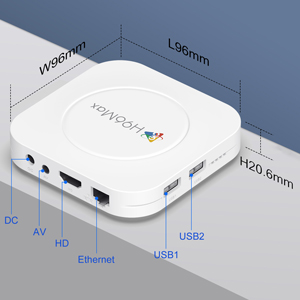
تصویر 4.2: تفصیلی view of the TV box's ports: DC (power), AV (audio/video out), HD (HDMI), Ethernet, USB1, and USB2.
- ڈی سی: پاور ان پٹ پورٹ۔
- اے وی: Analog audio/video output (for older TVs).
- HD: HDMI output for connecting to your TV.
- ایتھرنیٹ: RJ-45 port for wired network connection.
- USB1 & USB2: USB ports for connecting external devices like USB drives, keyboards, or mice.
5. سیٹ اپ
Follow these steps to set up your LEFFOT M1 Plus TV Box:
- TV سے جڑیں: Connect one end of the provided HDMI cable to the "HD" port on the TV box and the other end to an HDMI input port on your television. Note the HDMI input number (e.g., HDMI 1, HDMI 2) on your TV.
- پاور سے رابطہ کریں: Plug the power adapter into the "DC" port on the TV box, then plug the adapter into a wall outlet.
- پاور آن: The TV box should automatically power on. If not, press the power button on the remote control.
- ٹی وی ان پٹ کو منتخب کریں: On your TV, use the remote control to select the corresponding HDMI input source you connected the TV box to.
- ابتدائی سیٹ اپ مددگار: ابتدائی سیٹ اپ مکمل کرنے کے لیے اسکرین پر دی گئی ہدایات پر عمل کریں، بشمول زبان کا انتخاب، ٹائم زون، اور نیٹ ورک کنکشن۔
6. آپریٹنگ ہدایات
Navigate and use your TV box effectively.
6.1. بنیادی نیویگیشن
- دشاتمک استعمال کریں۔ (Up, Down, Left, Right) buttons on the remote to move between menu items and applications.
- دبائیں OK button to select an item or confirm an action.
- دبائیں پیچھے پچھلی اسکرین پر واپس جانے کے لیے بٹن۔
- دبائیں گھر button to return to the main home screen.
6.2 ایپلی کیشنز تک رسائی
From the home screen, you can access pre-installed applications or download new ones from the Google Play Store. Navigate to the desired app icon and press OK اسے شروع کرنے کے لئے.

Image 6.1: The Android 14.0 TV Box home screen displaying popular streaming applications.
6.3. وائس کنٹرول
The LEFFOT M1 Plus supports voice control via Google Assistant. To use this feature:
- Ensure your remote control is paired and has working batteries.
- دبائیں وائس اسسٹنٹ button (often a microphone icon) on your remote.
- Speak clearly into the remote's microphone. You can ask to open apps, search for content, or control playback.

Image 6.2: Demonstrating the convenient voice control feature using the remote and Google Assistant.
6.4 میڈیا پلے بیک اور ڈسپلے کی خصوصیات
Enjoy high-quality media with advanced features:
- 8K UHD: The device supports up to 8K*4K@23fps and 4Kx2K@60fps resolution with HDR10 for vibrant and detailed visuals.
- Airplay, DLNA, WiFidisplay: Easily cast content from your mobile devices to your TV screen.

Image 6.3: Experience crystal-clear 8K resolution with the LEFFOT M1 Plus.

Image 6.4: The TV box supports various connectivity options and display technologies like Airplay, DLNA, and WiFidisplay.
6.5. استعمال کے منظرنامے۔
The LEFFOT M1 Plus TV Box is versatile for various uses:
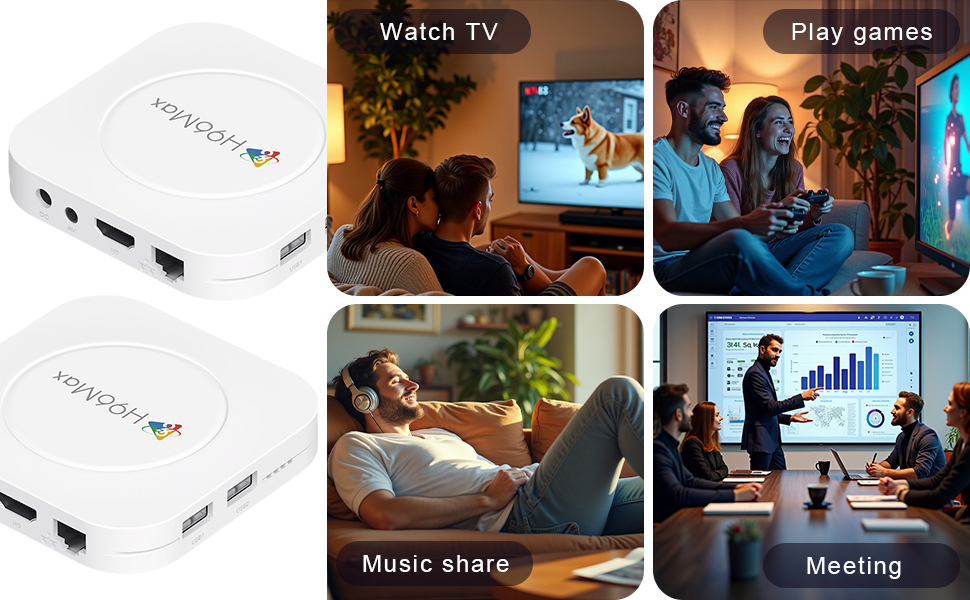
Image 6.5: The TV box can be used for watching TV, playing games, sharing music, and even for business presentations.
7. کنیکٹیویٹی
7.1. وائی فائی کنکشن
The device supports 2.4G & 5G dual-band Wi-Fi 6 for fast and stable wireless internet.
- پر جائیں۔ ترتیبات > نیٹ ورک اور انٹرنیٹ.
- آن کریں۔ وائی فائی.
- فہرست میں سے اپنے Wi-Fi نیٹ ورک کو منتخب کریں۔
- Enter the password if prompted and select جڑیں۔.

Image 7.1: The TV box features advanced Wi-Fi 6 technology for faster and more reliable connections.
7.2. ایتھرنیٹ کنکشن
For a wired connection, plug an Ethernet cable into the "Ethernet" port on the TV box and the other end into your router/modem.
7.3. بلوٹوت کنکشن
The device supports Bluetooth 5.4 for connecting peripherals like headphones, game controllers, or speakers.
- پر جائیں۔ ترتیبات > منسلک آلات > نیا آلہ جوڑیں۔.
- اپنے بلوٹوتھ ڈیوائس کو پیئرنگ موڈ میں رکھیں۔
- Select your device from the list and follow the on-screen prompts to pair.
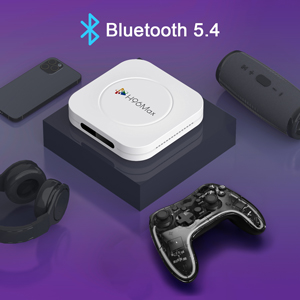
Image 7.2: The TV box supports Bluetooth 5.4 for seamless connection with various external devices.
8 خرابیوں کا سراغ لگانا
عام مسائل اور ان کے حل کے لیے اس سیکشن کو دیکھیں۔
| مسئلہ | ممکنہ وجہ | حل |
|---|---|---|
| کوئی طاقت نہیں۔ | پاور اڈاپٹر منسلک نہیں ہے یا خراب ہے۔ | یقینی بنائیں کہ پاور اڈاپٹر محفوظ طریقے سے ڈیوائس اور ورکنگ پاور آؤٹ لیٹ سے منسلک ہے۔ ایک مختلف آؤٹ لیٹ آزمائیں۔ |
| ٹی وی پر کوئی سگنل نہیں۔ | TV پر غلط HDMI ان پٹ کا انتخاب HDMI کیبل ڈھیلی یا ناقص۔ | Verify TV input matches the HDMI port used. Check HDMI cable connections. Try a different HDMI cable or port. |
| وائی فائی کنکشن کے مسائل | غلط پاس ورڈ؛ راؤٹر بہت دور؛ مداخلت | Re-enter Wi-Fi password. Move device closer to router. Restart router and TV box. |
| ریموٹ کنٹرول جواب نہیں دے رہا ہے۔ | Low batteries; remote not paired. | Replace batteries. Re-pair the remote control if it's a Bluetooth remote (refer to device settings). |
| ایپس کریش ہو رہی ہیں یا سست کارکردگی | بہت زیادہ ایپس چل رہی ہیں؛ کم اسٹوریج؛ سافٹ ویئر کی خرابی. | Close background apps. Clear app caches. Restart the TV box. Consider a factory reset if issues persist (data will be lost). |
9. وضاحتیں
Key technical specifications of the LEFFOT M1 Plus Android TV Box:
- آپریٹنگ سسٹم: اینڈرائیڈ 14.0
- CPU: RK3528 Quad Core ARM Cortex-A53
- GPU: مالی -450 MP2
- رام: 4 جی بی
- ROM: 32 جی بی
- ویڈیو آؤٹ پٹ: Supports 4Kx2K@60fps, 8K*4K@23fps, HDR10
- وائی فائی: 2.4G & 5G Dual-band Wi-Fi 6
- ایتھرنیٹ: 100M
- بلوٹوتھ: BT 5.4
- بندرگاہیں: HDMI, USB (x2), DC, AV, Ethernet
- خصوصی خصوصیات: Airplay, DLNA, WiFidisplay, Voice Control
- طول و عرض: 3.78 x 3.78 x 0.81 انچ (96 x 96 x 20.6 ملی میٹر)
- وزن: 4.3 اونس (تقریباً 122 گرام)
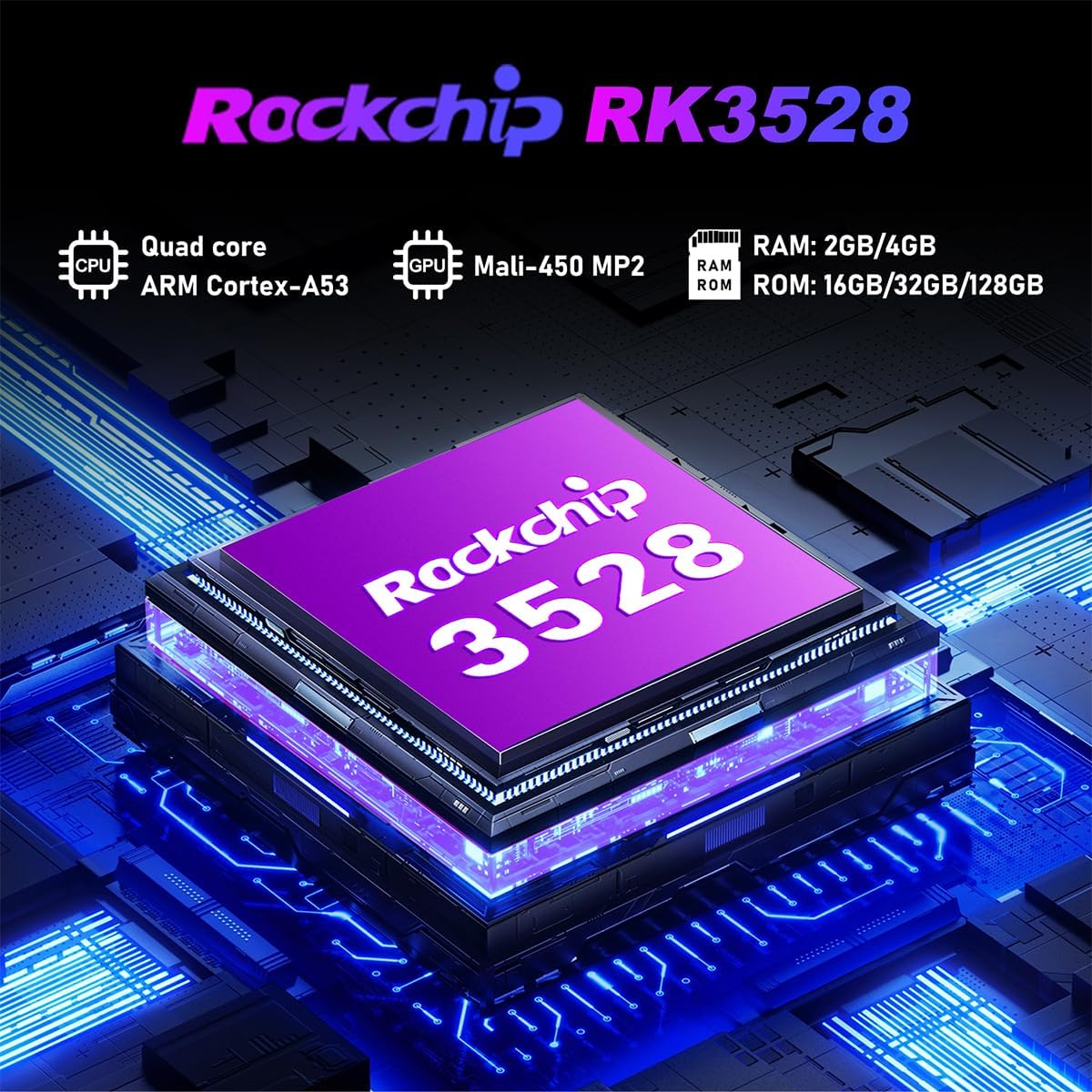
تصویر 9.1: تفصیلی view of the Rockchip RK3528 processor, highlighting its quad-core CPU, Mali-450 MP2 GPU, and memory configurations.
10 دیکھ بھال
To ensure the longevity and optimal performance of your TV box:
- صفائی: آلے کے بیرونی حصے کو صاف کرنے کے لیے نرم، خشک کپڑا استعمال کریں۔ مائع کلینر یا ایروسول استعمال نہ کریں۔
- وینٹیلیشن: Ensure the ventilation holes are not blocked. Do not place the device on soft surfaces that may obstruct airflow.
- ذخیرہ: جب لمبے عرصے تک استعمال نہ ہو، پاور اڈاپٹر کو منقطع کریں اور آلے کو ٹھنڈی، خشک جگہ پر محفوظ کریں۔
11. وارنٹی اور سپورٹ
LEFFOT products are designed for reliability and performance. This product comes with a standard manufacturer's warranty. Please refer to the warranty card included in your package for specific terms and conditions.
For technical support, troubleshooting assistance, or warranty claims, please contact LEFFOT customer service through the retailer where you purchased the product or visit the official LEFFOT webرابطے کی معلومات کے لیے سائٹ۔
وارنٹی مقاصد کے لیے براہ کرم اپنی خریداری کا ثبوت اپنے پاس رکھیں۔