
تعارف
Thank you for choosing the Monster Clarity 101 AirLinks Wireless Earbuds. This manual provides essential information on how to set up, operate, and maintain your earbuds to ensure optimal performance and longevity. Please read this manual thoroughly before use.
باکس میں کیا ہے۔
- Monster Clarity 101 AirLinks Wireless Earbuds (Left and Right)
- چارجنگ کیس
- USB-C چارجنگ کیبل
- Eartips کے متعدد سائز (S, M, L)
- صارف دستی

The package includes the wireless earbuds, a portable charging case, a USB-C cable for charging, various eartip sizes for a comfortable fit, and this user manual.
پروڈکٹ ختمview
The Monster Clarity 101 AirLinks are true wireless in-ear headphones designed for an active lifestyle. They feature powerful 6mm dynamic drivers for clear sound and deep bass, touch controls for easy management, and an IPX5 waterproof rating.

Each earbud is lightweight and ergonomically designed to provide a secure and comfortable fit, even during sports and exercise. The included charging case is compact and features a magnetic closure to keep your earbuds safe and charged.
سیٹ اپ
1. ایئربڈز اور کیس کو چارج کرنا
Before first use, fully charge the earbuds and the charging case. Place the earbuds into the charging case. Connect the USB-C charging cable to the charging port on the case and the other end to a USB power source. The charging indicators on the case will show the charging status.

A quick 5-minute charge can provide up to 1.5 hours of playback. A full charge of the earbuds provides approximately 5 hours of play time, and the charging case extends this to a total of 25 hours.
2. اپنے آلے کے ساتھ جوڑا بنانا
- یقینی بنائیں کہ ایئربڈز چارج ہیں۔
- چارجنگ کیس کھولیں۔ ایئربڈز خود بخود آن ہو جائیں گے اور پیئرنگ موڈ میں داخل ہو جائیں گے۔
- اپنے آلے پر (اسمارٹ فون، ٹیبلیٹ وغیرہ)، بلوٹوتھ کو فعال کریں۔
- تلاش کریں۔ Bluetooth devices and select "Clarity 101" from the list.
- ایک بار منسلک ہونے کے بعد، آپ کو ایک تصدیقی ٹون سنائی دے گا، اور ایئربڈز استعمال کے لیے تیار ہو جائیں گے۔

The earbuds feature one-step pairing for quick and convenient connection to your Bluetooth-enabled devices.
آپریٹنگ ہدایات
1. ایئربڈز پہننا
Select the eartips that provide the most comfortable and secure fit for your ears. Gently insert the earbuds into your ear canal and rotate them slightly to ensure a snug fit. This helps optimize sound quality and noise isolation.

2. ٹچ کنٹرولز
The earbuds are equipped with multi-function touch controls on the outer surface. These controls allow you to manage music playback, calls, and voice assistant activation.
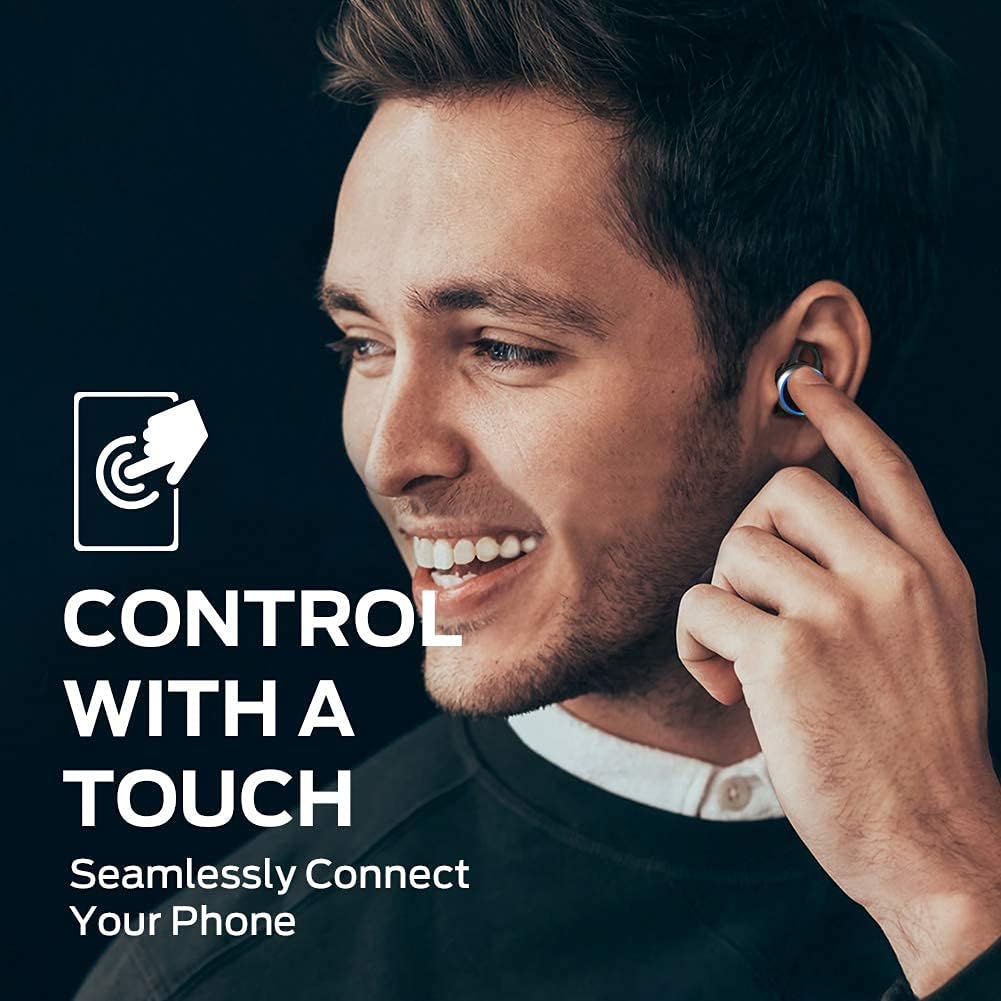
| ایکشن | فنکشن |
|---|---|
| سنگل ٹیپ (بائیں/دائیں) | میوزک چلائیں/روکیں، کال کا جواب دیں/ختم کریں۔ |
| ڈبل تھپتھپائیں (دائیں) | اگلا ٹریک |
| دو بار تھپتھپائیں (بائیں) | پچھلا ٹریک |
| تین بار تھپتھپائیں (بائیں/دائیں) | وائس اسسٹنٹ کو فعال کریں۔ |
| دبائیں اور تھامیں (بائیں/دائیں) | کال کو مسترد کریں۔ |
3. کال کرنا اور وصول کرنا
The earbuds support hands-free stereo calls. You can use either earbud independently or both together for calls. The built-in microphone provides clear voice quality, even in moderately noisy environments.
- جواب / کال ختم کریں: یا تو ایئربڈ پر ایک بار تھپتھپائیں۔
- کال مسترد کریں: کسی بھی ایئربڈ کو دبائے رکھیں۔
- متحرک صوتی معاون: یا تو ایئربڈ پر تین بار تھپتھپائیں۔
دیکھ بھال
1. صفائی
Regularly clean your earbuds and charging case to maintain optimal performance and hygiene. Use a soft, dry, lint-free cloth to wipe the surfaces. For the eartips, remove them from the earbuds and clean with a mild soap solution if necessary, then rinse and dry thoroughly before reattaching. Do not use harsh chemicals or abrasive materials.
2. ذخیرہ
When not in use, always store the earbuds in their charging case. This protects them from dust, damage, and keeps them charged. Store the charging case in a cool, dry place away from direct sunlight and extreme temperatures.
خرابی کا سراغ لگانا
| مسئلہ | ممکنہ حل |
|---|---|
| ایئربڈز جوڑ نہیں رہے ہیں۔ | Ensure earbuds are charged. Turn off and on Bluetooth on your device. Forget "Clarity 101" from your device's Bluetooth list and re-pair. |
| ایک ایربڈ سے کوئی آواز نہیں | Place both earbuds back in the charging case, close the lid, then open again to reset. Check device's audio output settings. |
| کم حجم | Increase volume on both your device and the earbuds (if applicable via touch controls). Clean eartips and earbud mesh. |
| ناقص کال کا معیار | Ensure microphone is not obstructed. Move closer to your connected device. Check network signal on your phone. |
| چارجنگ کیس چارج نہیں ہو رہا ہے۔ | Ensure USB-C cable is properly connected and power source is active. Try a different cable or power adapter. |
وضاحتیں
| فیچر | تفصیل |
|---|---|
| برانڈ | مونسٹر |
| ماڈل نمبر | 101 |
| کان کی جگہ کا تعین | کان میں |
| کنیکٹوٹی ٹیکنالوجی | وائرلیس (بلوٹوتھ 5.0) |
| بلوٹوتھ رینج | 10 میٹر (33 فٹ) تک |
| کنٹرول کی قسم | ٹچ کنٹرول |
| آڈیو ڈرائیور کا سائز | 6 ملی میٹر متحرک ڈرائیور |
| تعدد کی حد | 20 Hz سے 20,000 Hz تک |
| رکاوٹ | 140 اوہم |
| بیٹری لائف (ایئر بڈز) | 5 گھنٹے تک |
| بیٹری کی کل زندگی (کیس کے ساتھ) | 25 گھنٹے تک |
| بیٹری چارج کرنے کا وقت | تقریباً 1.5 گھنٹے (کیس کے لیے) |
| پانی کی مزاحمت کی سطح | IPX5 (واٹر پروف) |
| شور کنٹرول | فعال شور منسوخی (کالوں کے لیے) |
| مواد | Metal (Enclosure & Carrying Case) |
| شے کا وزن | 0.14 کلوگرام |
وارنٹی اور سپورٹ
The Monster Clarity 101 AirLinks Wireless Earbuds come with a 1-year limited warranty from the date of purchase. This warranty covers manufacturing defects under normal use. It does not cover damage caused by misuse, accidents, unauthorized modifications, or normal wear and tear.
For warranty claims, technical support, or further assistance, please refer to the contact information provided on the official Monster website or your purchase documentation. Please have your proof of purchase and product model number (101) ready when contacting support.